Medical Image Annotation & Healthcare AI Dataset Labeling

Enhance healthcare efficiency with streamlined processes that lead to better patient care and improved health outcomes.
Collage showing medical scenes including a surgical monitor displaying an operation, blue prescription pills, an X-ray of a broken forearm with highlighted fracture, a man wearing a mask using a smartphone, and a microscopic view of cells.

Data Annotation for Health

Enhance healthcare AI with precise data annotation, enabling accurate medical image analysis, diagnostics, and improved patient care solutions.
X-ray image of a forearm showing a bone fracture near the wrist with a green square highlighting the injury.

X-Ray

X-Ray annotation involves labeling critical areas within X-ray images, such as bones, organs, or abnormalities, to train AI models for accurate diagnostics and medical image analysis. This process supports automated detection of fractures, lung diseases, and other health conditions, enhancing clinical decision-making.
Chest X-ray image showing lungs with two highlighted green areas near the upper lobes.

X-Ray Cancer Detection

X-Ray cancer detection involves annotating medical images to identify signs of cancer, such as tumors or abnormal tissue patterns. This process enables AI models to assist healthcare professionals in early diagnosis, improving treatment planning and patient outcomes through accurate and timely analysis.
Two medical professionals in masks and gloves examining a colonoscopy image with highlighted areas on a monitor.

Surgical Assistance

Surgical assistance leverages AI and data annotation to enhance precision during procedures. By analyzing medical images and tracking surgical tools in real time, it supports surgeons with accurate guidance, improves decision-making, and reduces the risk of complications, leading to better patient outcomes.
Microscopic view of blood cells with several dark purple cells outlined in green boxes indicating detected cancerous or abnormal cells.

Cancer Screening

Cancer screening involves using advanced AI models and annotated medical data to detect early signs of cancer. By analyzing imaging data such as X-rays, CT scans, and MRIs, this technology supports healthcare professionals in identifying abnormalities, enabling timely diagnosis and improved treatment outcomes.
Panoramic dental X-ray showing teeth with braces and four highlighted impacted wisdom teeth in green boxes.

Teeth X-Ray Issue Detection

Teeth X-ray issue detection involves analyzing annotated dental X-ray images to identify problems such as cavities, fractures, impacted teeth, and gum diseases. This advanced technique supports dentists in accurate diagnostics, treatment planning, and improving overall dental care outcomes.
MRI brain scan showing a highlighted tumor area in the left frontal lobe.

Brain Tumors Screening

Brain tumor screening involves the analysis of annotated brain imaging data, such as MRIs and CT scans, to detect and classify tumors. This process aids healthcare professionals in early diagnosis, precise treatment planning, and monitoring disease progression, enhancing patient care and outcomes.
A hand holding eight pills, including three white oblong pills with a score line and three green triangular pills marked with '20'.

Pill Recognition

Pill recognition involves using AI and image annotation to identify and classify pharmaceutical tablets based on shape, size, and markings. This technology supports medication management, improving accuracy in prescriptions, drug interactions, and patient safety.
A woman in the foreground and two men in the background sitting side by side on a bench, all wearing green protective face masks.

PPE Monitoring

PPE monitoring involves the use of AI and real-time image analysis to ensure healthcare workers are wearing the appropriate personal protective equipment (PPE). This technology helps maintain safety standards, reduce infection risks, and enhance workplace safety in high-risk environments.

Save Both Time and Money!

Why AI Teams Choose Unitlab

One platform to manage, annotate, and curate training data across every modality, helping teams move faster while staying efficient at scale.

15X

Faster Data Annotation
Orange square with a white check mark inside a white circle.
Auto Data Collect
Orange square with a white check mark inside a white circle.
Auto Data Labeling
Orange square with a white check mark inside a white circle.
Auto Model Validation
Orange square with a white check mark inside a white circle.
Auto QA
Orange square with a white check mark inside a white circle.
Auto Model-In-the-Loop

60%

Free Up AI Engineer’s Time
Orange square with a white check mark inside a white circle.
Dataset Curation
Orange square with a white check mark inside a white circle.
Dataset Version Control
Orange square with a white check mark inside a white circle.
Dataset QA
Orange square with a white check mark inside a white circle.
AI Model Integration
Orange square with a white check mark inside a white circle.
AI Model Validation

5X

Save AI Development Cost
Orange square with a white check mark inside a white circle.
5X saving in Data Collection
Orange square with a white check mark inside a white circle.
10X saving in Data Labeling
Orange square with a white check mark inside a white circle.
5X saving in Dataset Curation
Orange square with a white check mark inside a white circle.
5X saving in AI Development
Orange square with a white check mark inside a white circle.
5X saving in Model Validation
15X
Faster Data Annotation
60%
Free Up AI Engineer’s Time
5X
Save AI Development Cost

Annotation types for Healthcare

Healthcare annotation involves labeling medical data, such as images and records, to train AI models for diagnostics, disease detection, and treatment planning, enhancing healthcare solutions.
Pile of white and light green oblong tablets scattered on a blue surface.

Bounding Box for Healthcare

Bounding box annotation for healthcare involves marking rectangular regions around areas of interest in medical images, such as tumors, organs, or anomalies. This technique is essential for training AI models in diagnostics, medical imaging analysis, and automated healthcare solutions.

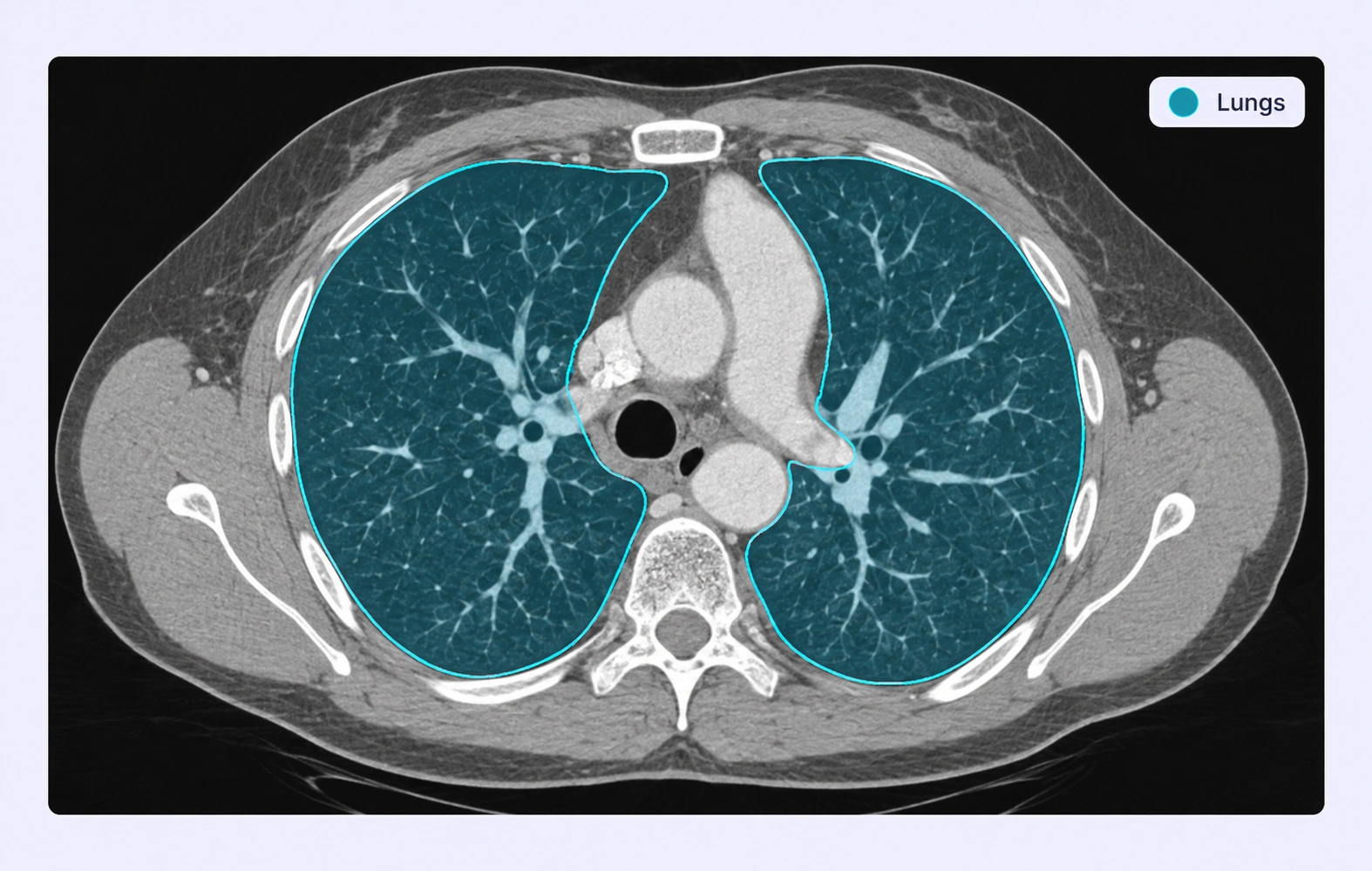
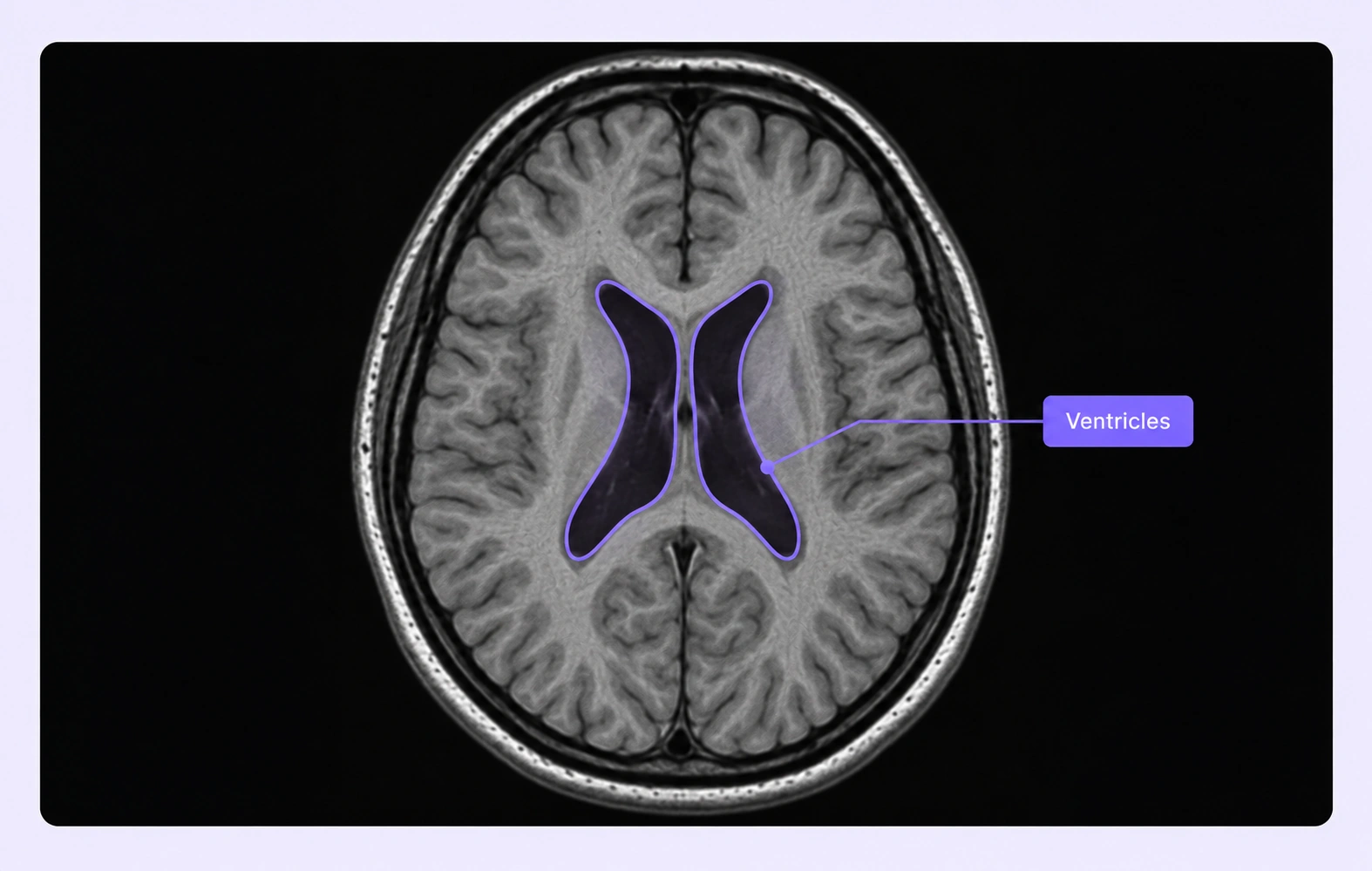
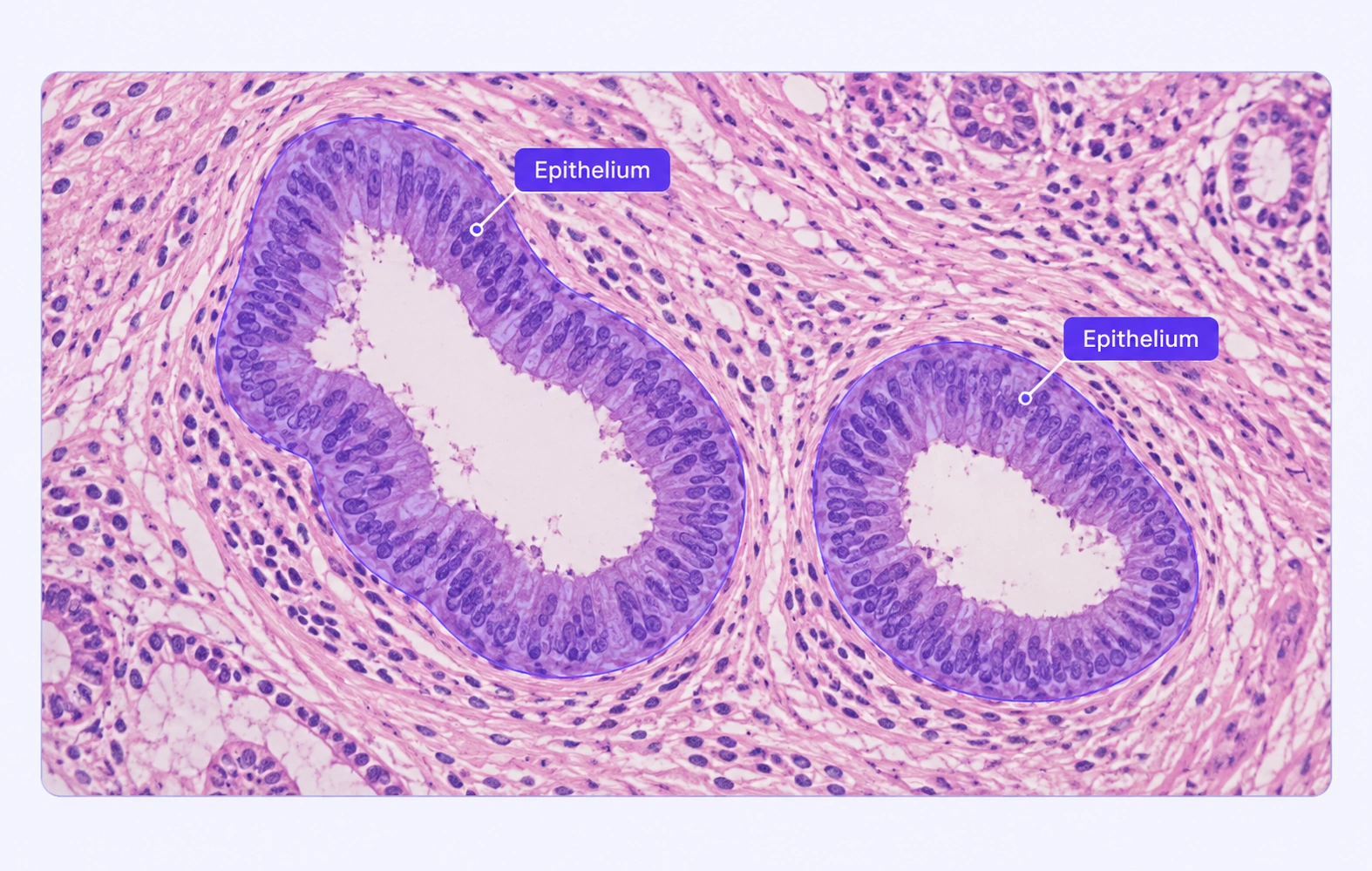
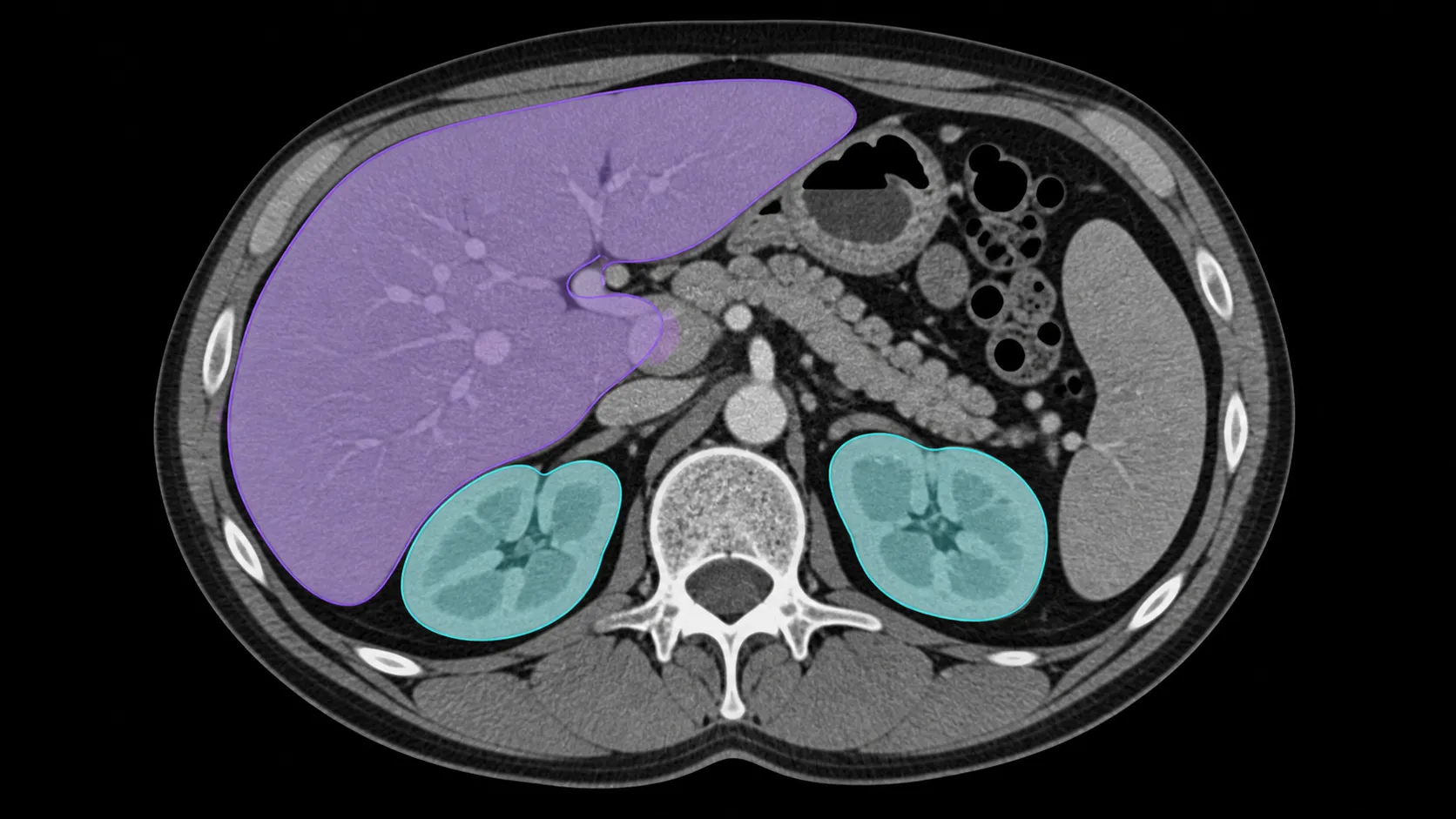
Segmentation for Healthcare

Segmentation for object classification in healthcare involves precisely outlining and labeling regions in medical images, such as organs, tissues, or abnormalities. This advanced technique enables AI models to perform accurate diagnostics, enhance image analysis, and support personalized treatment planning.

Axial brain MRI scan showing a highlighted green region in the lower right area of the brain.

Frequently Answered Questions

Is Unitlab AI a free data annotation tool?

Yes. You can use Unitlab AI for free, no credit card required. The free plan is great for getting started and testing workflows. If you need more scale, advanced features, or custom setups, paid plans are available.

Can I change my plan after creating an account?

Yep. Start free and upgrade anytime. Most teams begin on the free plan and move to a paid plan once their datasets or team size grow.

What types of data can I annotate with Unitlab AI?

Unitlab AI supports multimodal data annotation, including image, video, audio, text, and DICOM. You can manage and annotate different data types in one platform using the same workflows.

Does Unitlab support AI-assisted and auto-annotation?

Yes. Unitlab AI includes built-in AI models to speed up annotation with auto-labeling, tracking, and segmentation. You can review, edit, and validate everything to keep quality high.

Can I use my own AI models with Unitlab AI?

Absolutely. Unitlab supports Bring Your Own Model (BYO) workflows. You can plug in your own models, combine them with Unitlab’s built-in models, and run multiple models in a single annotation workflow.

How does pricing for data labeling services work?

Pricing depends on the type of annotation, dataset size, number of classes, and complexity. Labeling services start from $0.02 per image, with custom pricing available for multimodal and large-scale projects.

Who has access to my data?

You do. With on-premises deployments, all data stays inside your own infrastructure and Unitlab has no access to it.
 If you use Unitlab’s hosted platform, your data is encrypted and isolated, and is not visible to Unitlab staff. Access is strictly controlled and limited to your team based on roles and permissions.

Does Unitlab support team collaboration and review workflows?

It does. Unitlab is built for teams, with support for multiple annotators, reviewers, approval steps, and full annotation history so nothing gets lost.

Can Unitlab handle large datasets and production workloads?

Yes. Unitlab is designed to scale, from small experiments to production-level data annotation. Teams use it to manage large datasets, complex workflows, and long-running annotation projects.

Didn’t find the answer you are looking for? Contact our support