
Training data for drone AI
Prepare low-altitude aerial imagery and recorded UAV footage for inspection, mapping, and object tracking. Preserve the viewpoint and source context needed for each task.
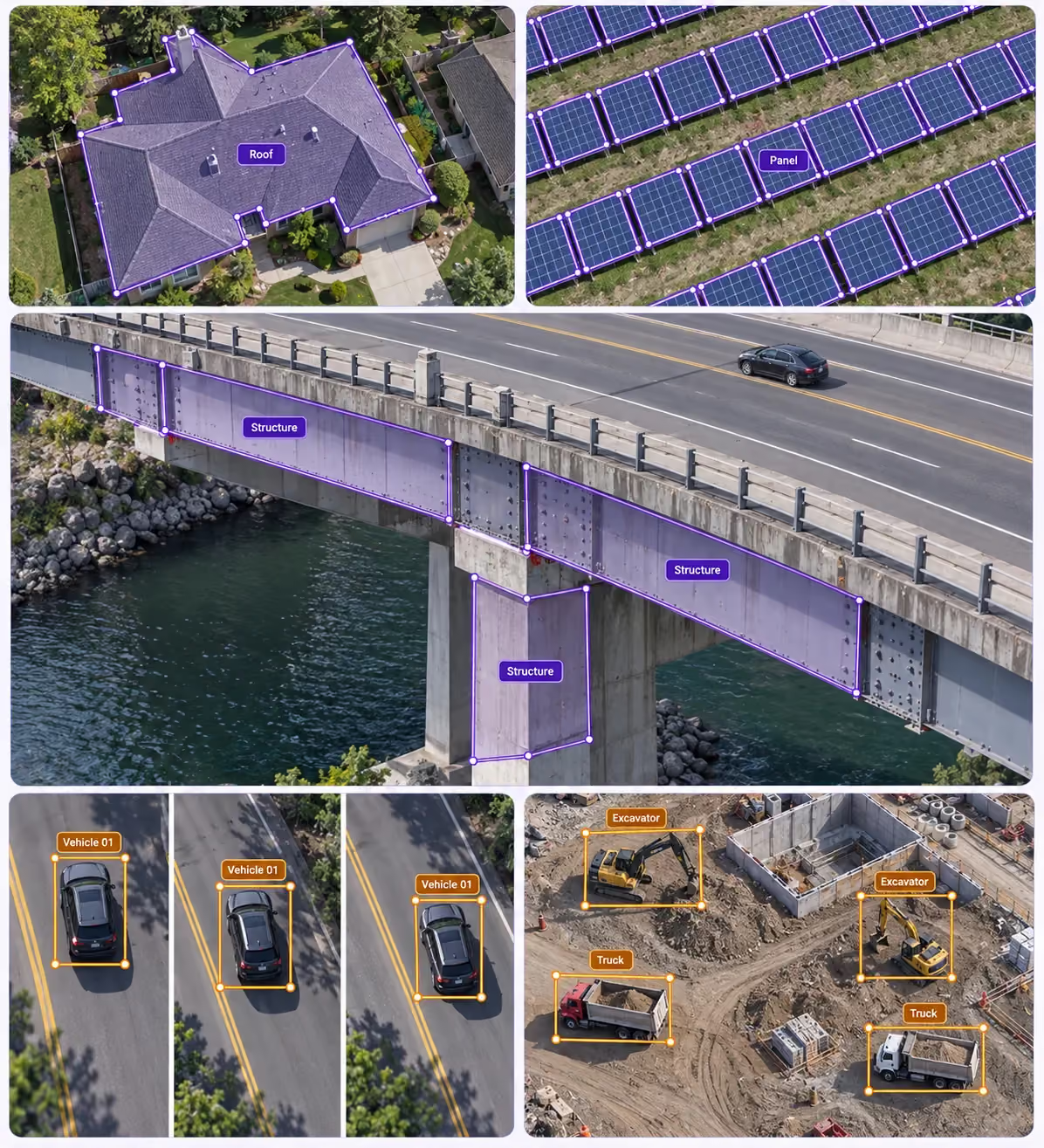
Annotation use cases for drones & uavs
Turn source data into clear, task-specific training examples.
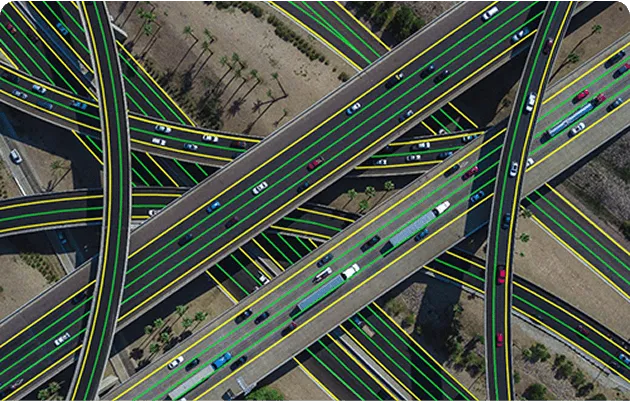
Road inspection context
Trace road features in aerial imagery under a consistent annotation convention.
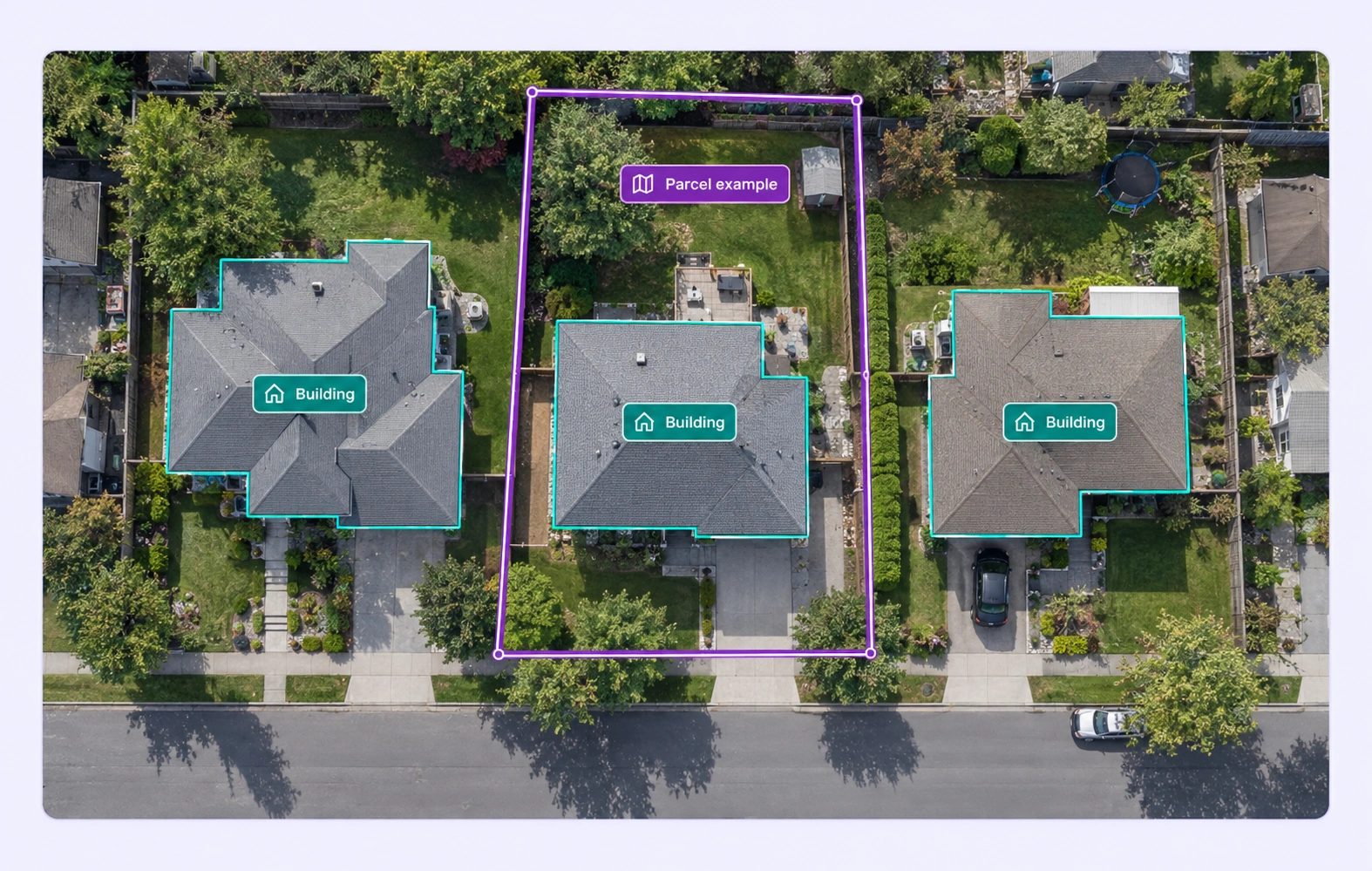
Building boundaries
Outline visible roof and building regions for aerial perception datasets.
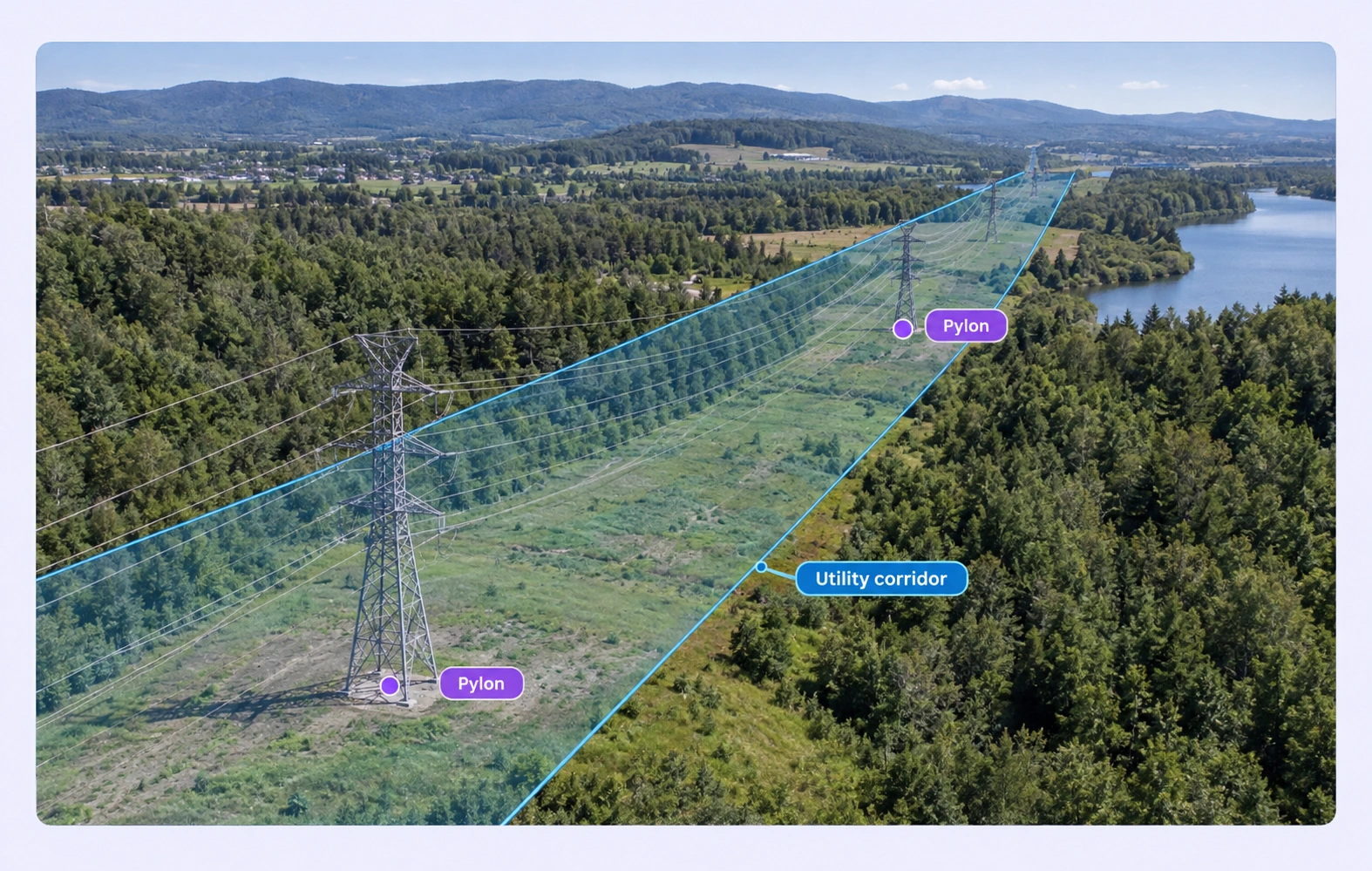
Utility corridors
Mark visible structures and corridor lines while retaining landscape context.
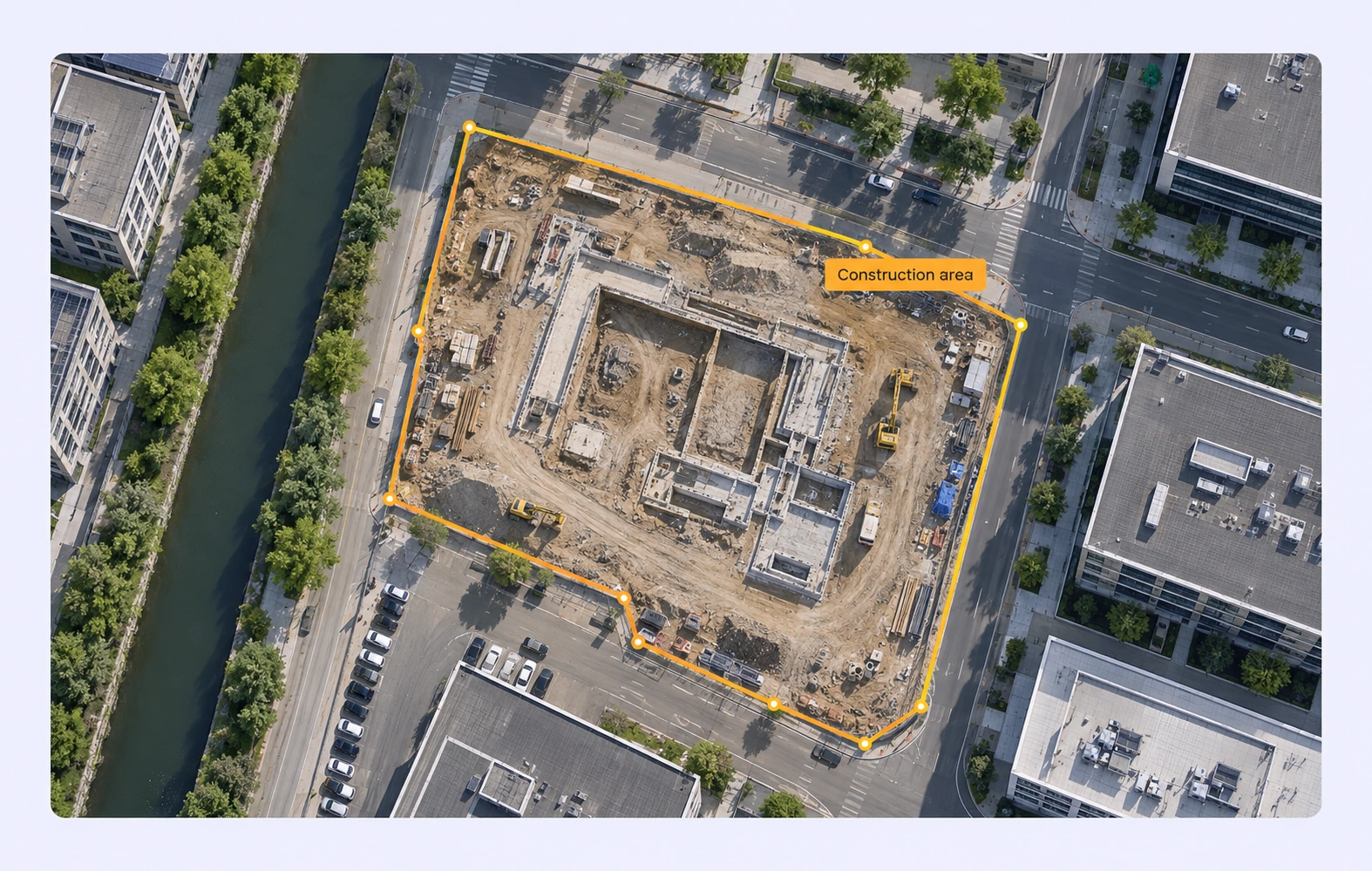
Construction regions
Define construction-site footprints with clear polygon boundaries.
Built for AI Data at Scale
Connect data curation, shared label definitions, review, and dataset versions in one workflow.
15X
Faster aerial data annotation
Label aerial objects and regions with model-assisted tools and review workflows.
60%
Less time on data operations
Automate curation, management, and versioning of aerial datasets.
5X
Lower Training Data Costs
Reusable ontologies and governed quality control reduce labeling and review rework.
Labels that preserve source context
Match the annotation geometry and properties to your model’s task.
Aerial polylines
Trace visible road and corridor features from the UAV viewpoint. Define whether labels follow the centerline or boundary before annotation begins.
Site-footprint polygons
Outline the task-relevant construction footprint while keeping adjacent terrain visible. Review polygon vertices where boundaries are obscured or ambiguous.
Drones & UAVs FAQs
What is data annotation for drones & uavs?
Data annotation adds defined labels to source data so models can learn a specific task. For drones & uavs, examples include road inspection context and building boundaries. Unitlab connects this work in its data annotation platform.
Which data types can teams annotate?
Choose the tools that match the source data: geospatial annotation, video annotation, image annotation. Keep linked sources together when the task requires shared context. Confirm input formats and annotation requirements before starting a project.
How does drone annotation relate to remote sensing?
Drone annotation focuses on UAV-captured images and video, including inspection and low-altitude mapping. Remote Sensing covers the broader satellite and aerial observation workflow. Use geospatial annotation for geographic labeling tools.
How do I keep annotation rules consistent?
Define classes, required properties, and boundary rules before labeling. Use examples such as road inspection context to resolve ambiguous cases. See the classes and annotation types guide.
How do I select representative training data?
Use data curation to inspect examples and filter available metadata. Plan coverage across flight heights, viewpoints, terrain, and capture conditions, then check for missing or overrepresented conditions before annotation.
How are annotations reviewed before training?
Use annotation quality assurance to inspect labels against the task guidelines. Consensus helps compare annotator agreement; Quality Gate stages apply configured checks before work advances. Route uncertain examples to the appropriate reviewer.
What is the difference between a dataset version and an annotation release?
A dataset version records a source-data selection; an annotation release packages the annotation outputs for downstream use. Use dataset management to inspect and organize data, and consult the guide to annotation releases before preparing training exports.
Can I export data and connect my training pipeline?
Choose an output format supported for your annotation task and validate the result with your training code. Read the export formats guide and the API, SDK, and CLI documentation for automation and integration options.
How do I get started?
Start with a representative sample, a clear label specification, and an agreed review process. Read the geospatial annotation documentation or discuss your workflow with the Unitlab team.
Need help defining your annotation workflow?
Talk to UnitlabBuild your drones & uavs dataset
Bring data selection, annotation, and reviewed dataset delivery into one workflow.
Talk to sales


