


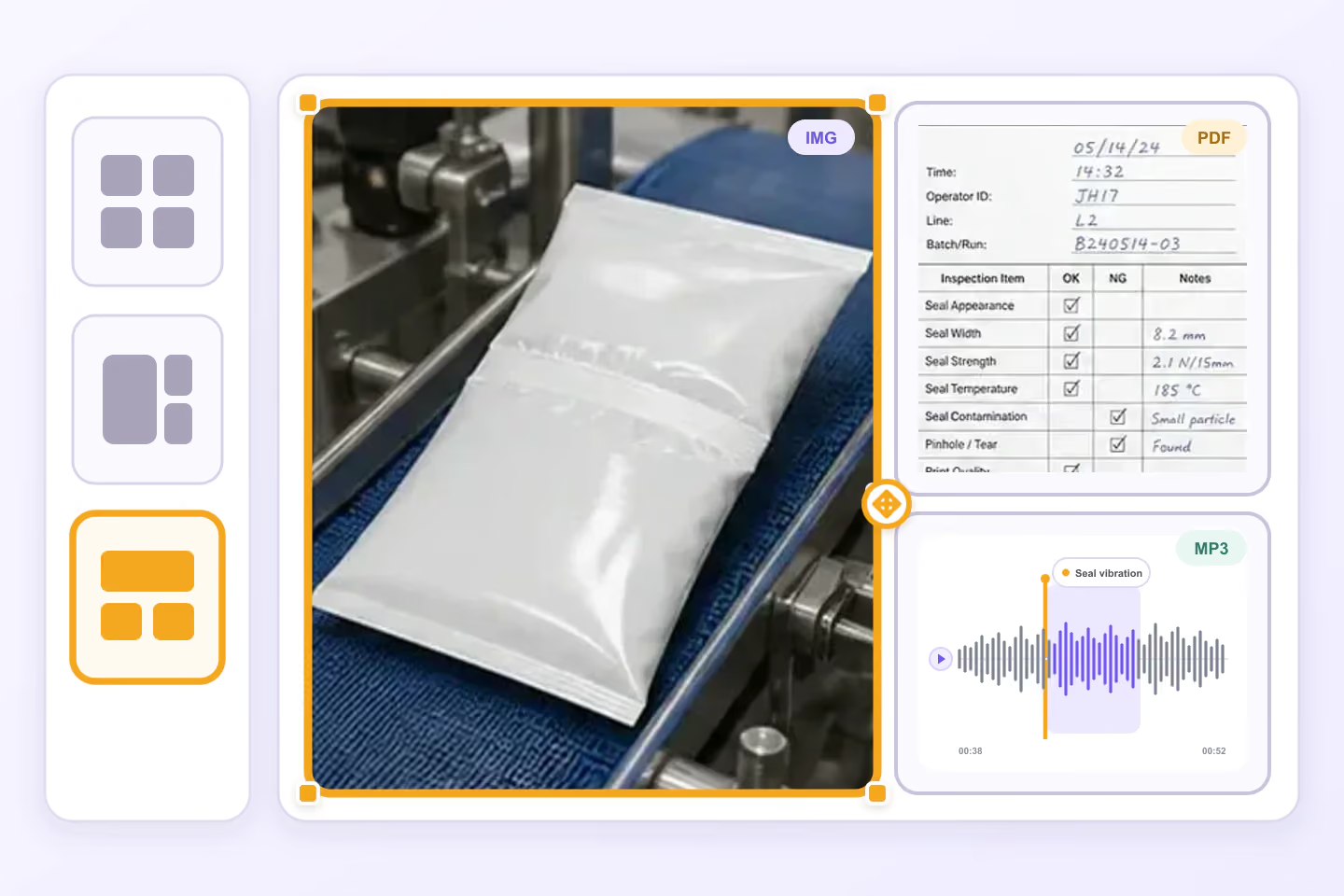
Dynamic Layouts
Arrange related image, PDF, audio, and other files into resizable custom panels for each grouped workflow.

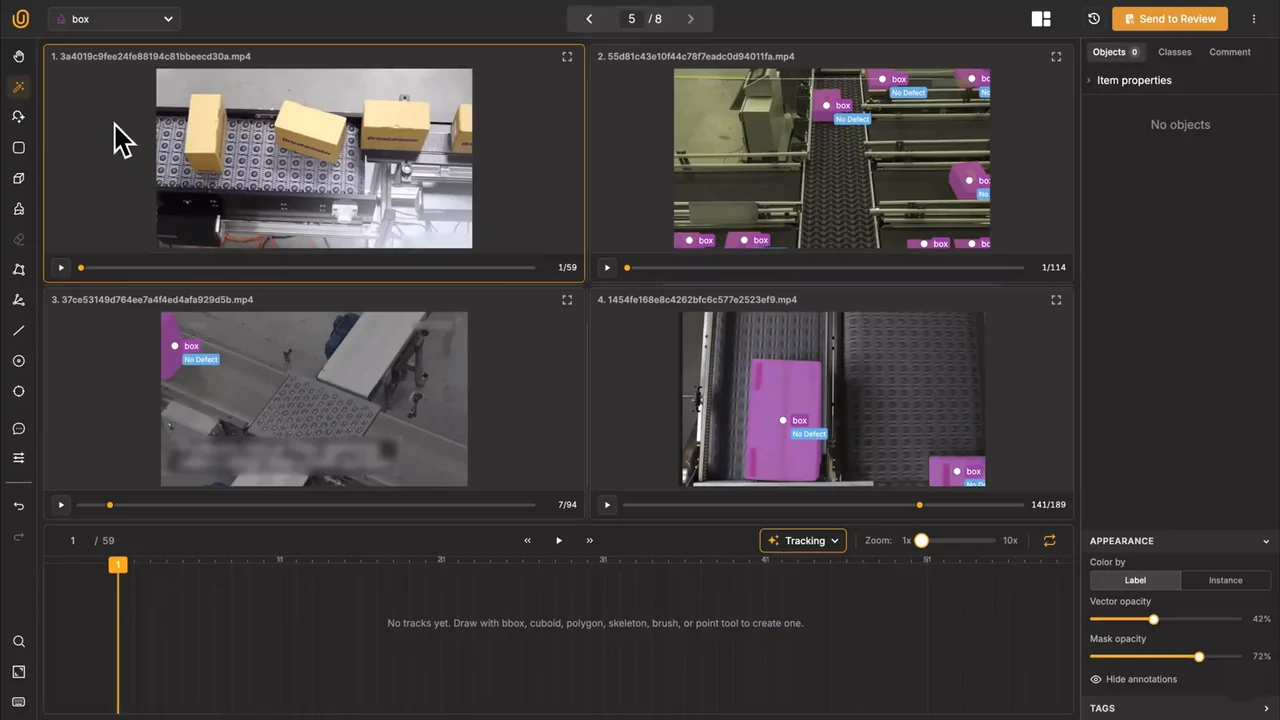












Annotate connected image, video, audio, text, document, and sensor data.
Arrange related image, PDF, audio, and other files into resizable custom panels for each grouped workflow.
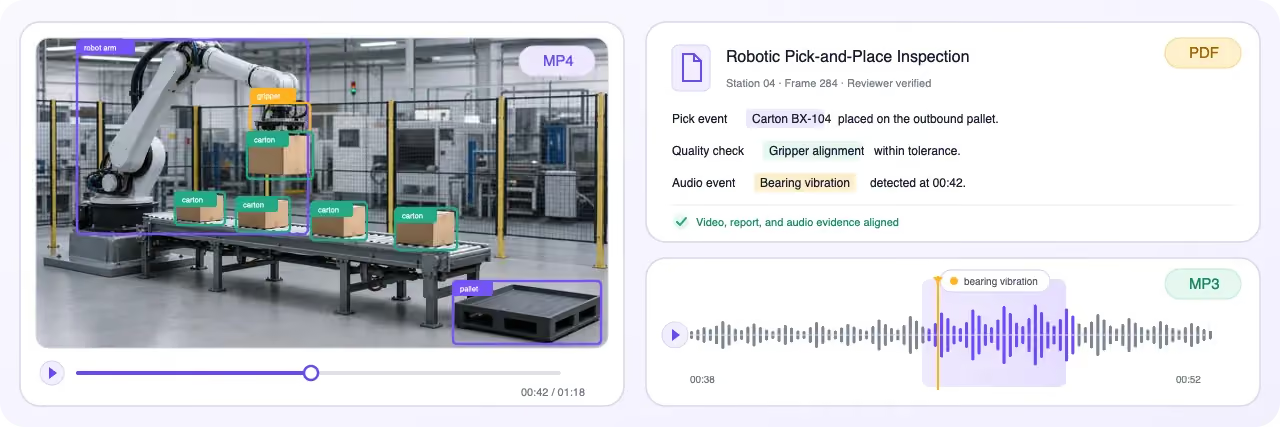
Annotate images, video, audio, text, documents, medical, and other data in one unified environment.
Create precise image annotations for computer vision.
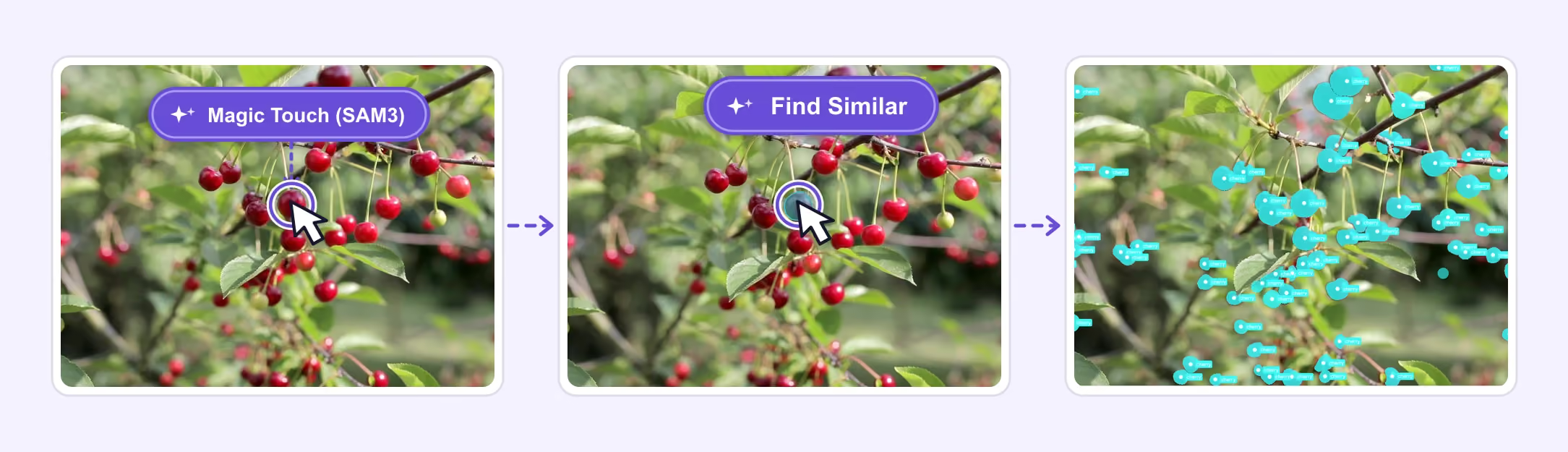
Accelerate image annotation with Magic Touch (SAM3), Find Similar Models, and AI-assisted tools for editable masks, bounding boxes, polygons, keypoints, and classifications.

Label and review 10,000+ tiny objects in a single image with responsive zoom, precise instance masks, and reliable performance at scale.
Track and label objects across video frames.
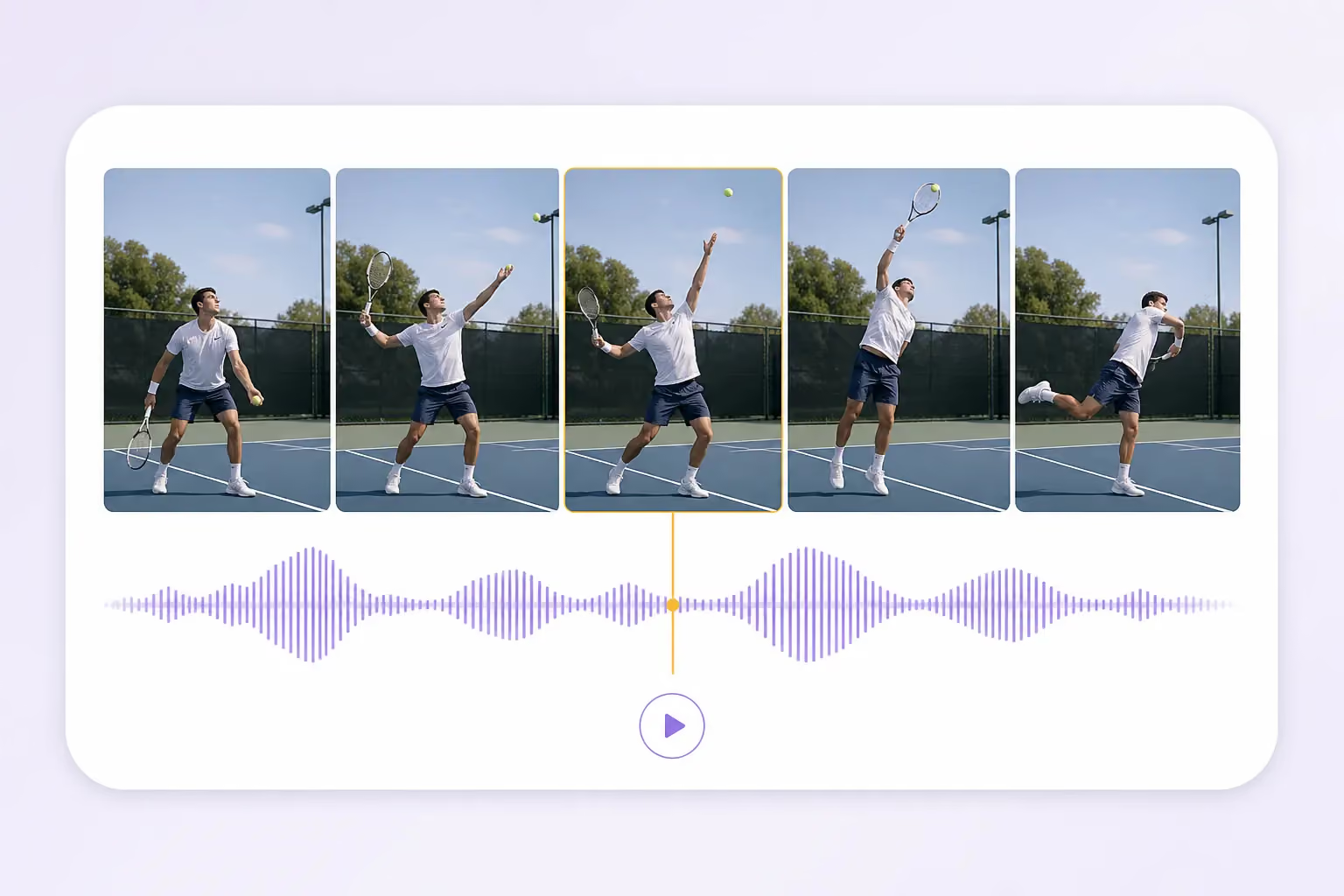
Play, pause, scrub, and step through video while audio waveforms, overlays, object tracks, and the timeline remain synchronized.
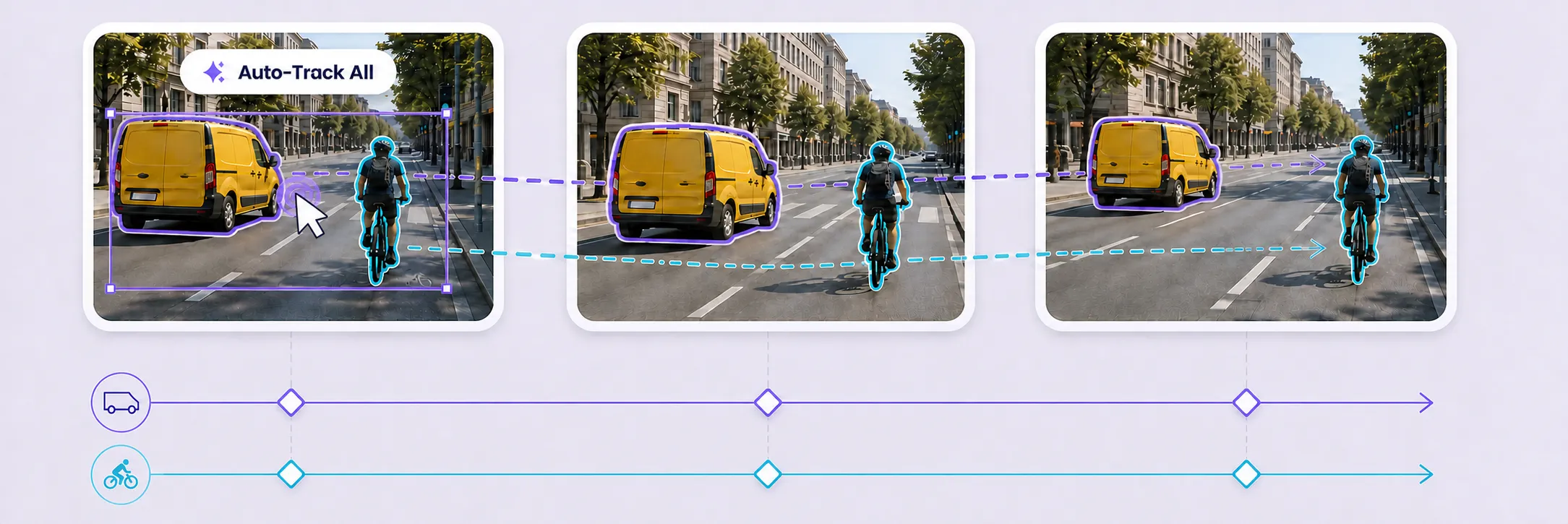
Select one or many objects, then track bidirectionally, forward, or backward from a trusted frame. Review propagated tracks and correct only the keyframes that need attention.
Annotate 3D point clouds with synchronized camera context and precise spatial labels.
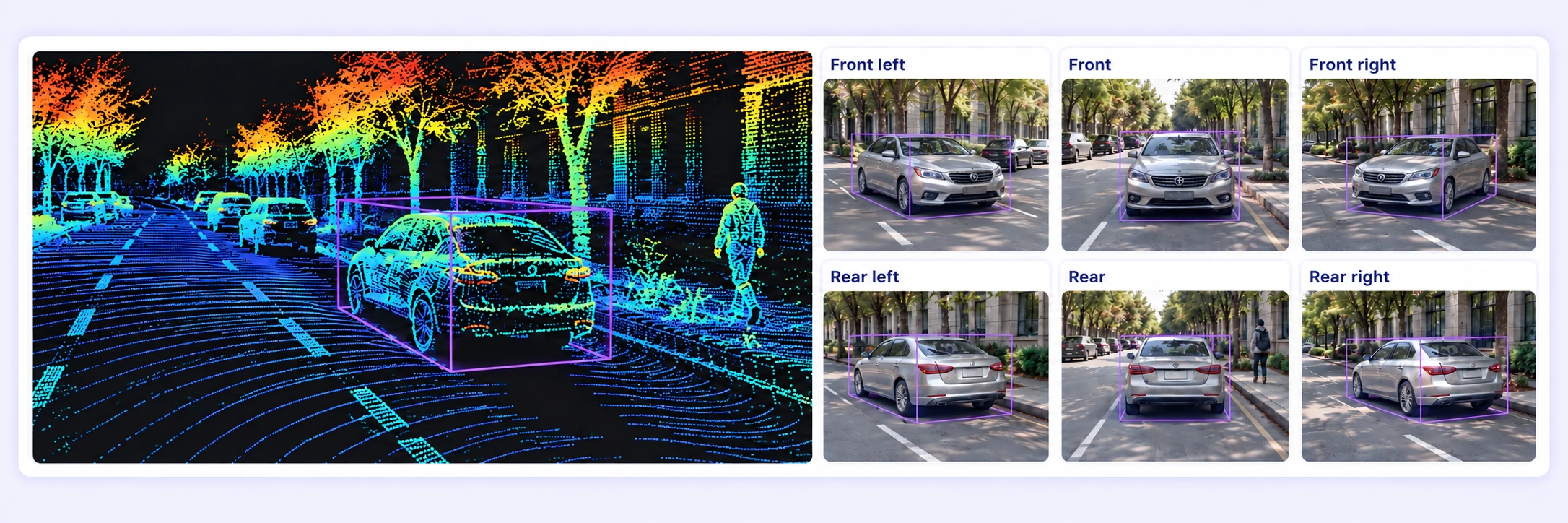
Inspect LiDAR and radar point clouds alongside synchronized camera images. Review projected 3D shapes and linked camera boxes with the original sensor context.
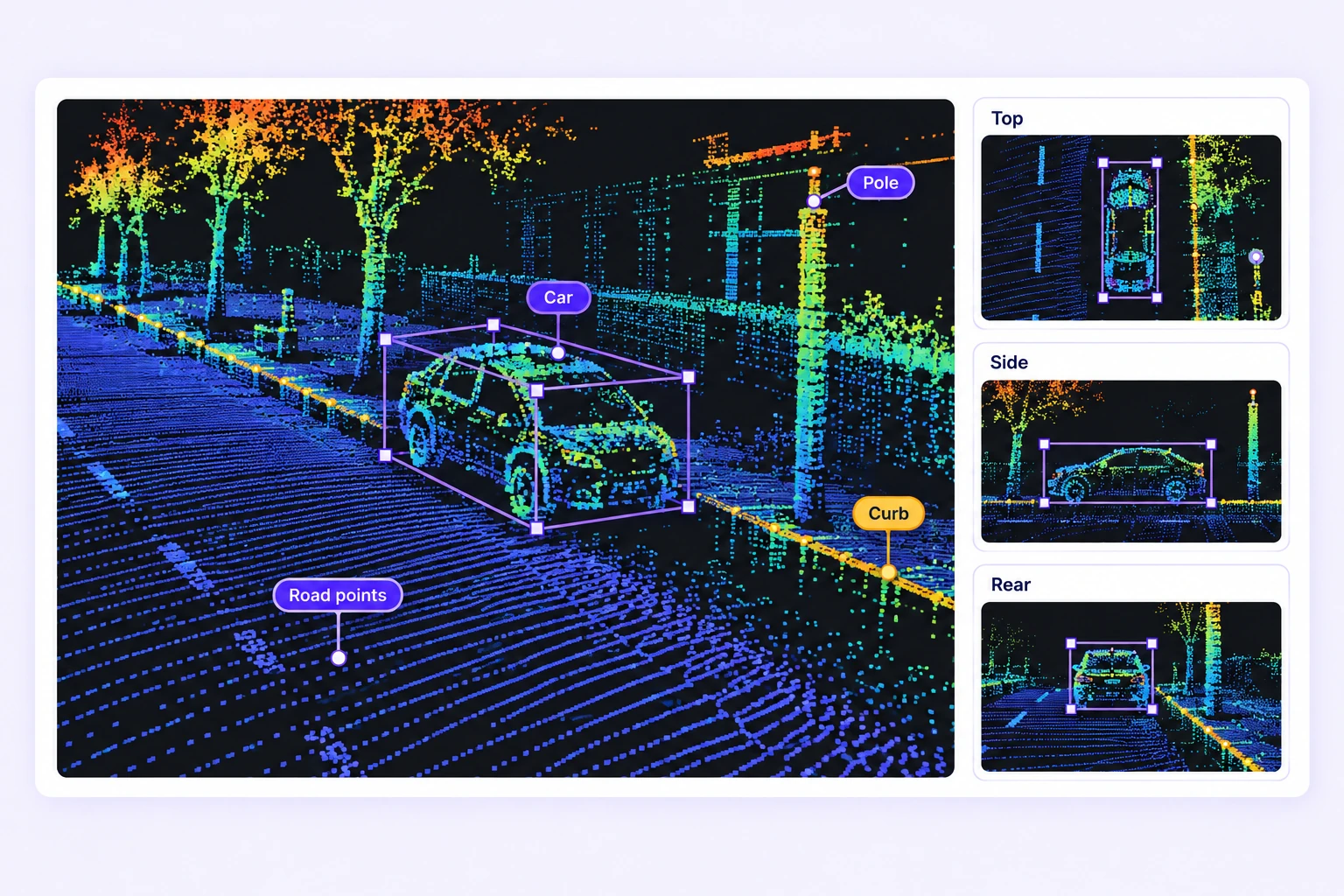
Fit cuboids in perspective and orthographic views. Paint point segments and label spatial boundaries with polygons, polylines, points, and spheres.
Annotate medical images and volumetric scans precisely.
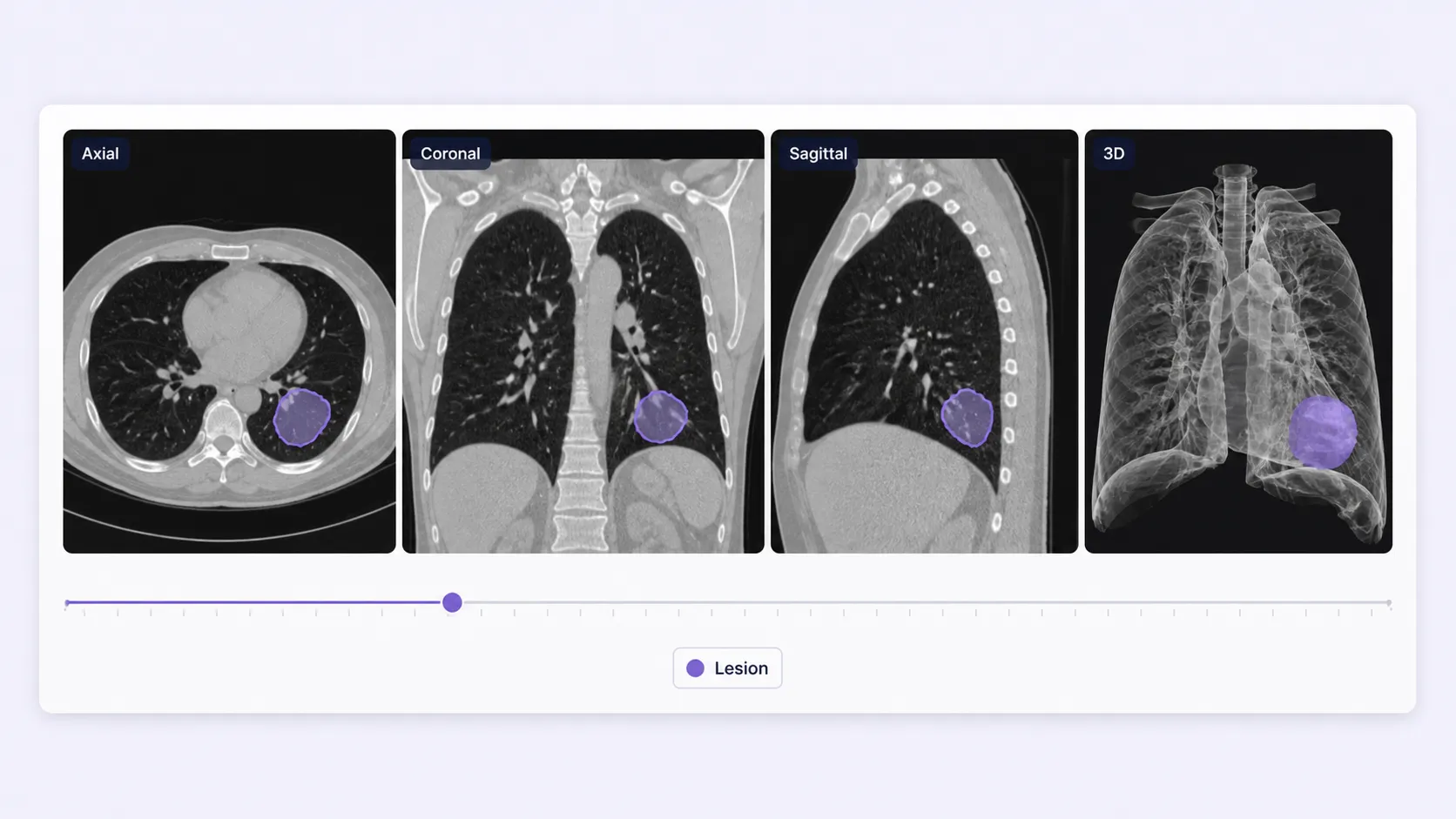
Work across axial, coronal, sagittal, and 3D views while positioning, windowing, and annotation context stay synchronized.
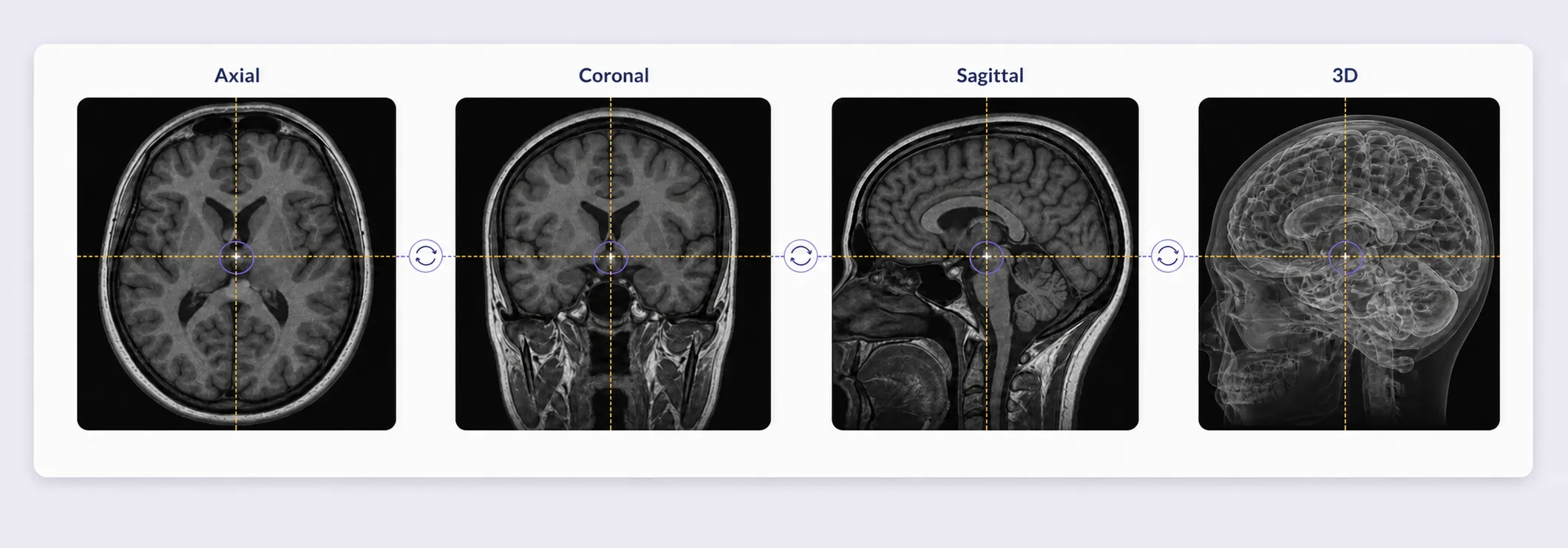
Edit annotations at exact slices and review the same structure across anatomical planes with synchronized crosshairs and geometry.
Label whole-slide images from tissue to cellular detail.
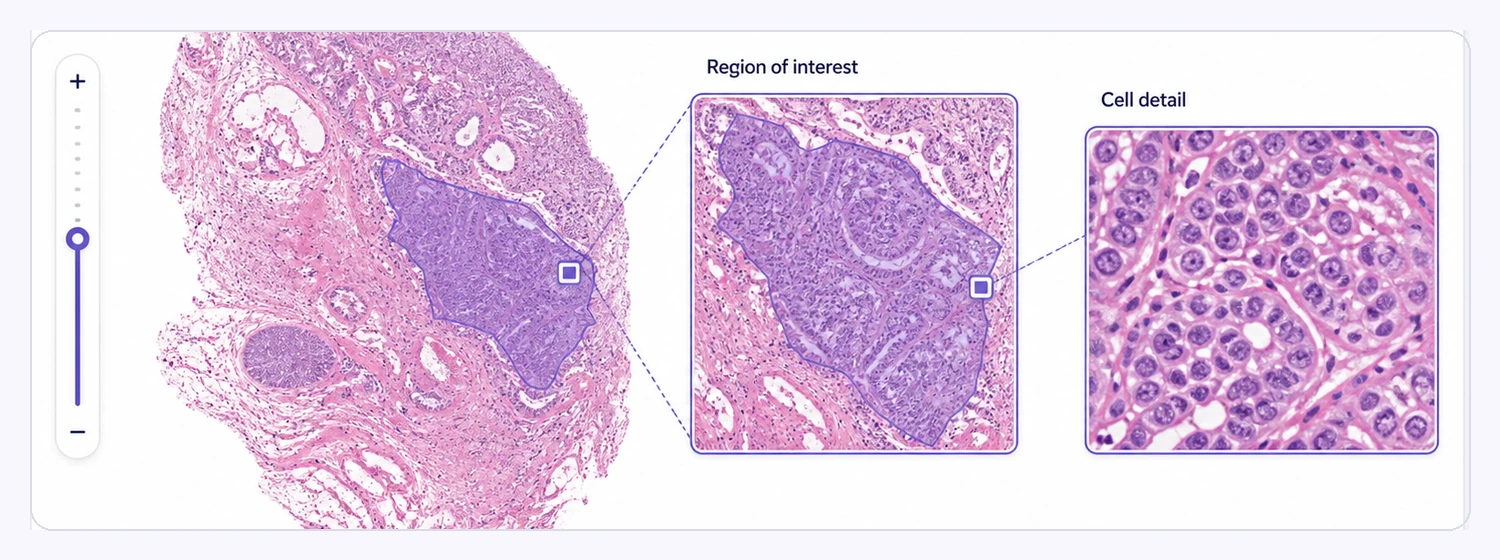
Handle gigapixel whole-slide images natively while preserving full-resolution pathology data.
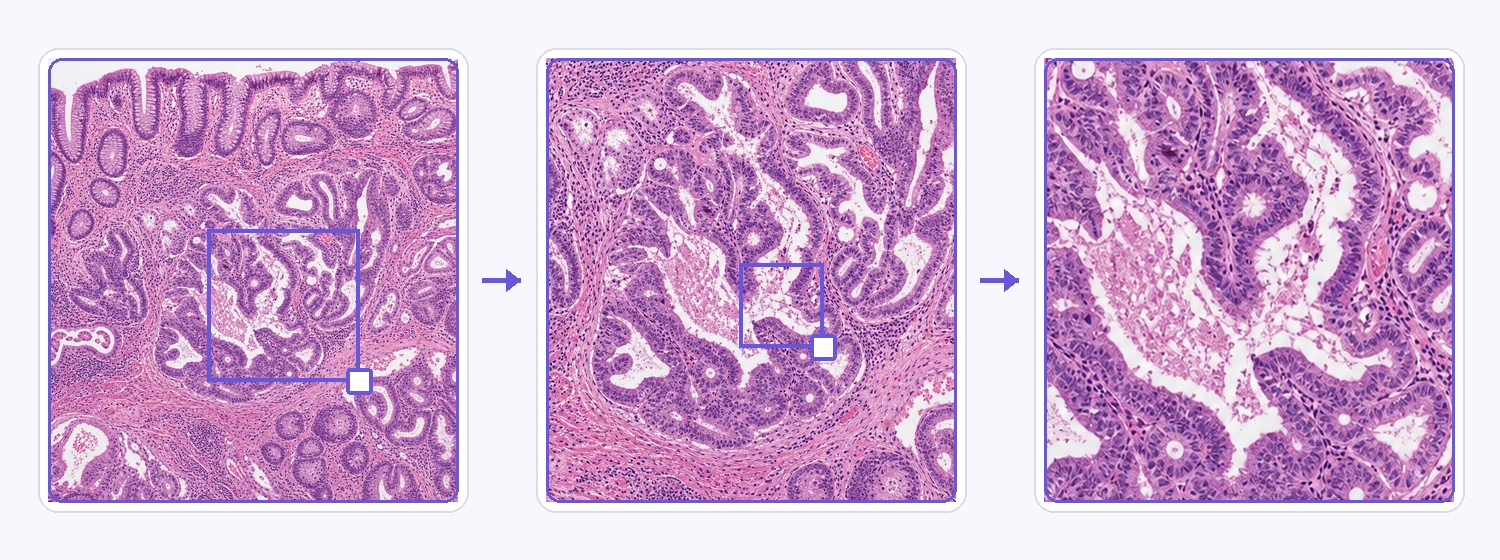
Navigate seamlessly from whole-tissue overview to cellular-level detail across multiple resolution levels.
Annotate large satellite and aerial imagery precisely.
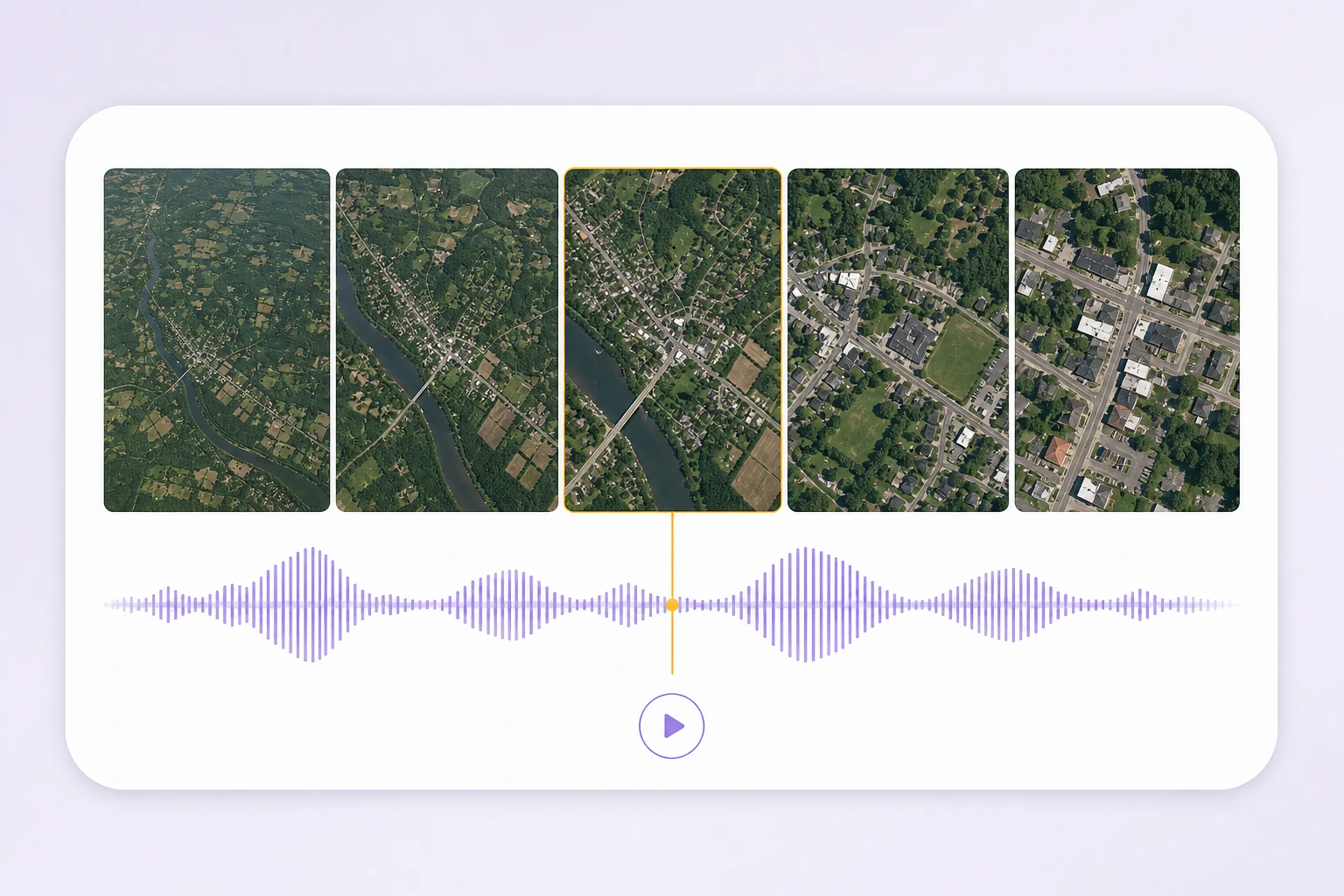
Navigate seamlessly from large-area overviews to fine object-level details across multiple resolution levels.
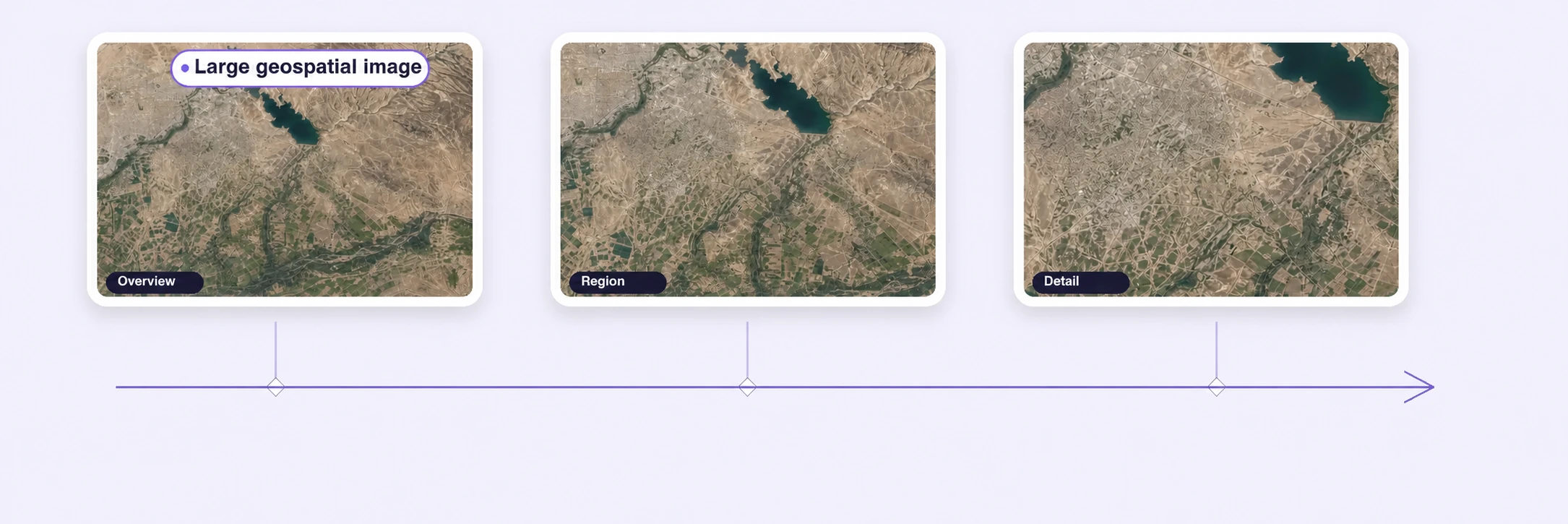
Annotate massive satellite, aerial, and geospatial imagery without downscaling or splitting images manually.
Label entities, spans, relationships, and classifications.
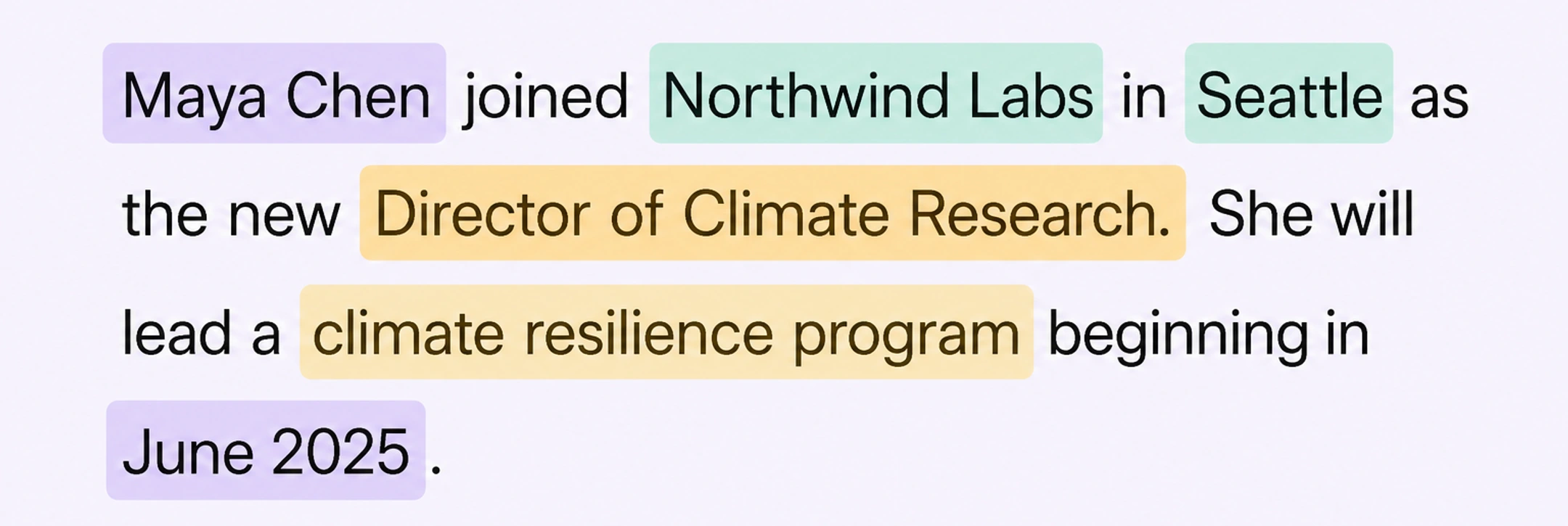
Label people, organizations, locations, domain entities, and arbitrary spans for named entity recognition and information extraction.
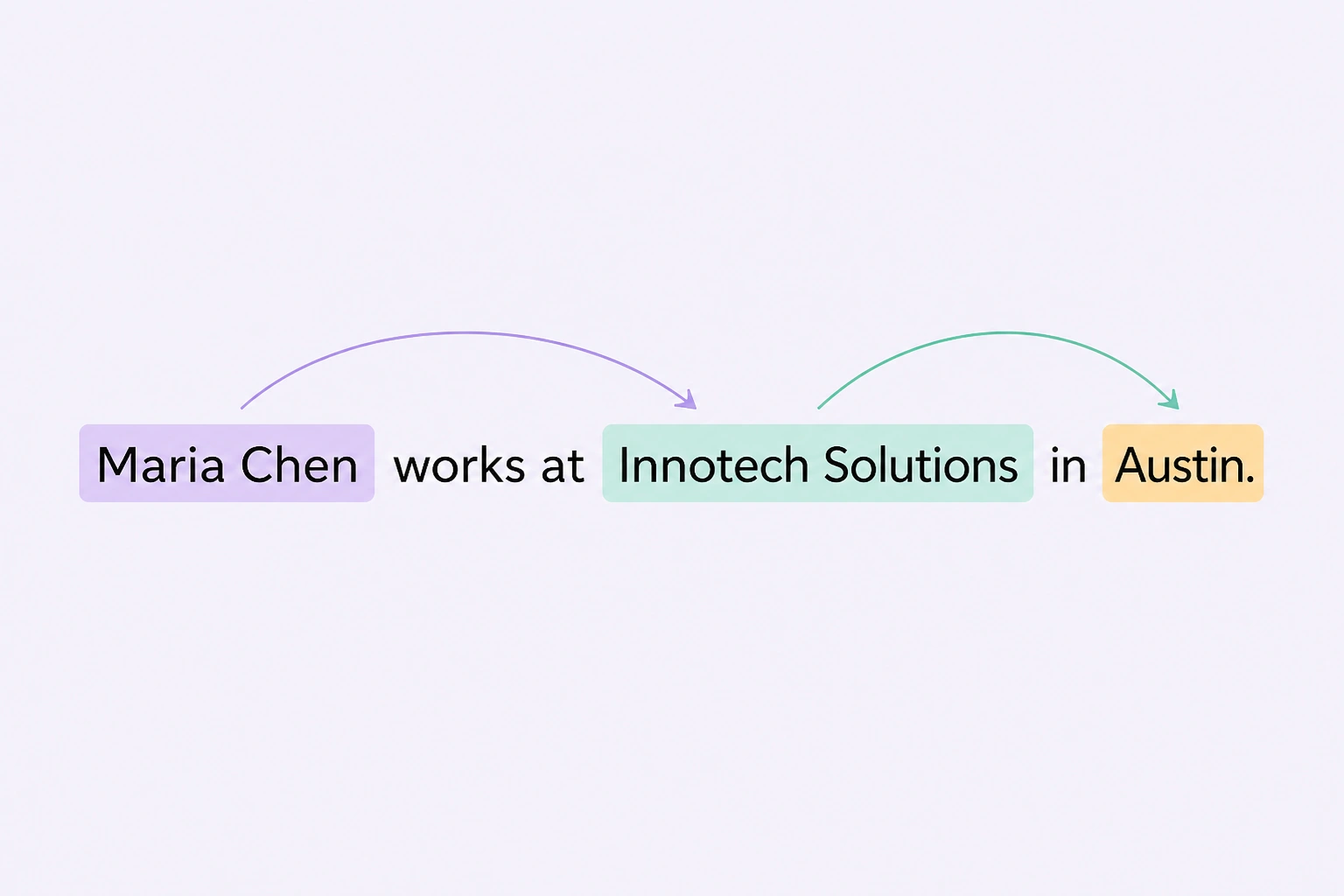
Connect entities and spans to capture relationships, references, and structured associations.
Annotate speech, transcripts, speakers, sound events, and temporal ranges.
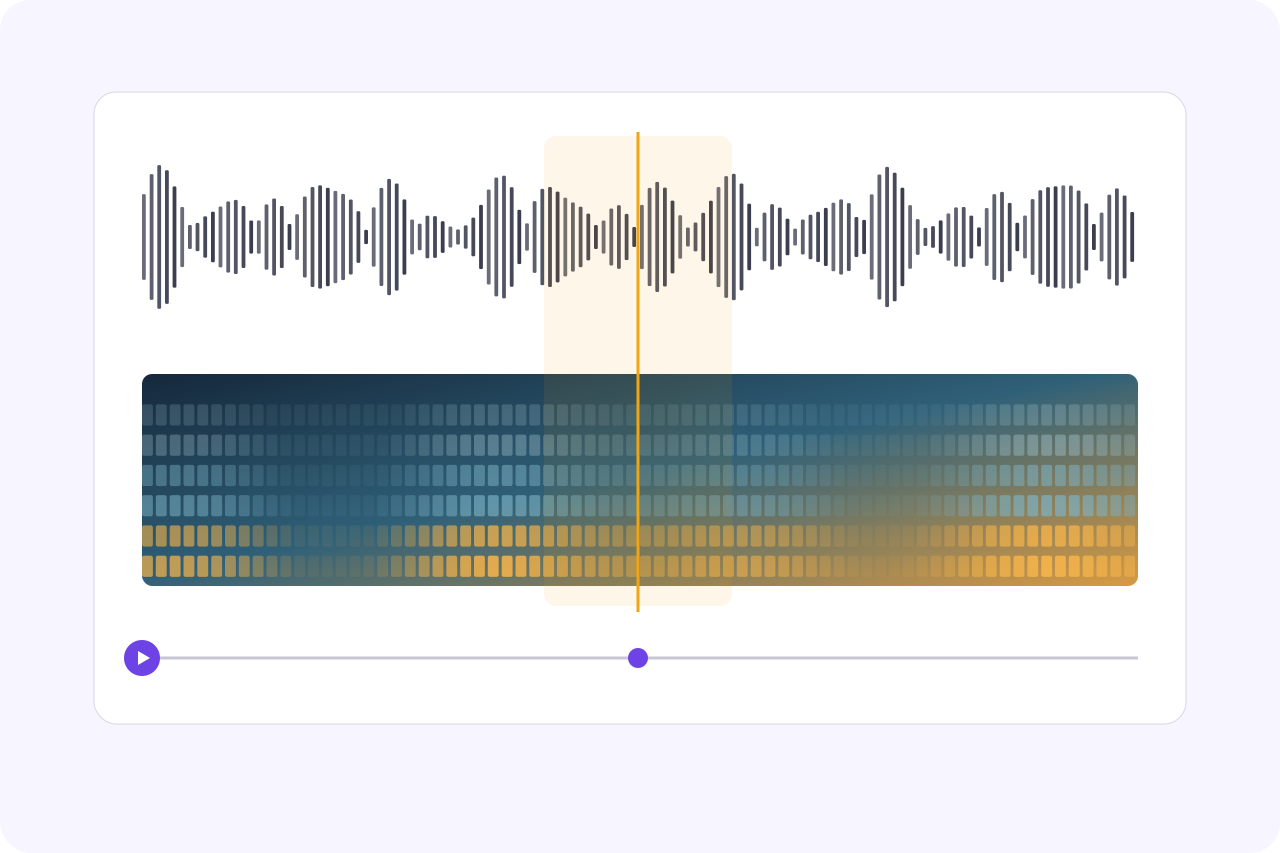
Play, pause, scrub, and zoom while the waveform, spectrogram, selected ranges, and playhead remain synchronized.
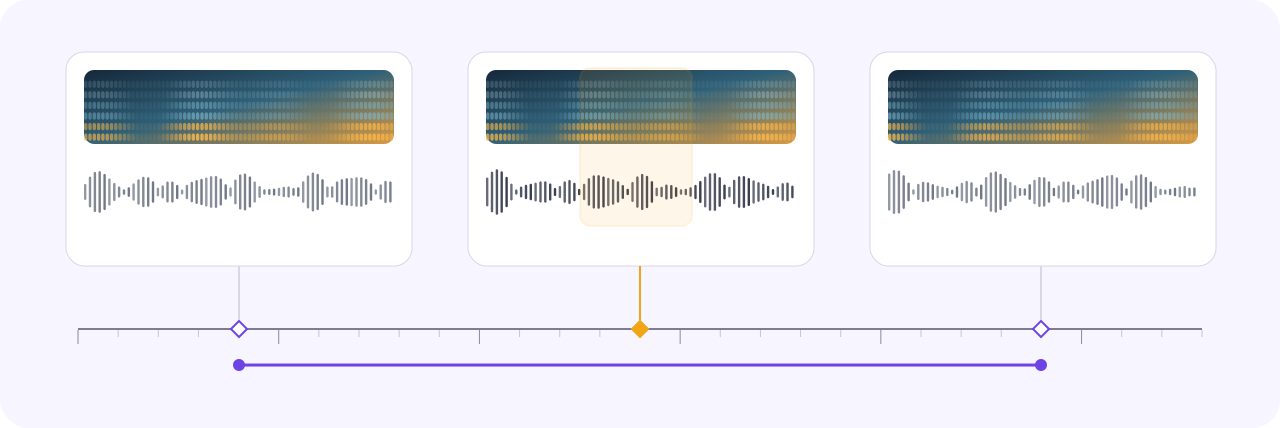
Select exact time ranges on the waveform, apply ontology-guided event classes, and review boundaries in synchronized audio context.
Annotate PDFs, text, tables, and page regions.
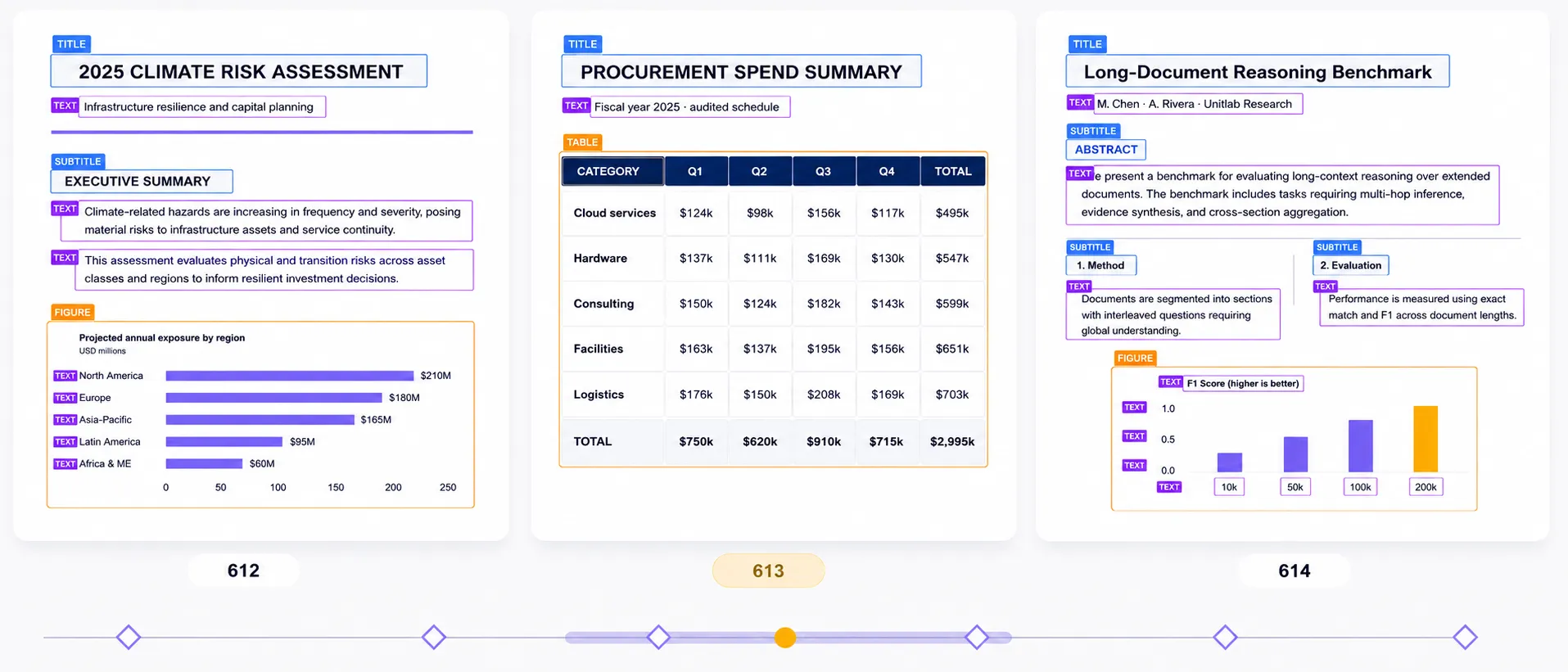
Annotate the original multipage PDF directly, without converting pages into image files. Navigate pages while preserving document identity, annotations, review state, history, and release context.
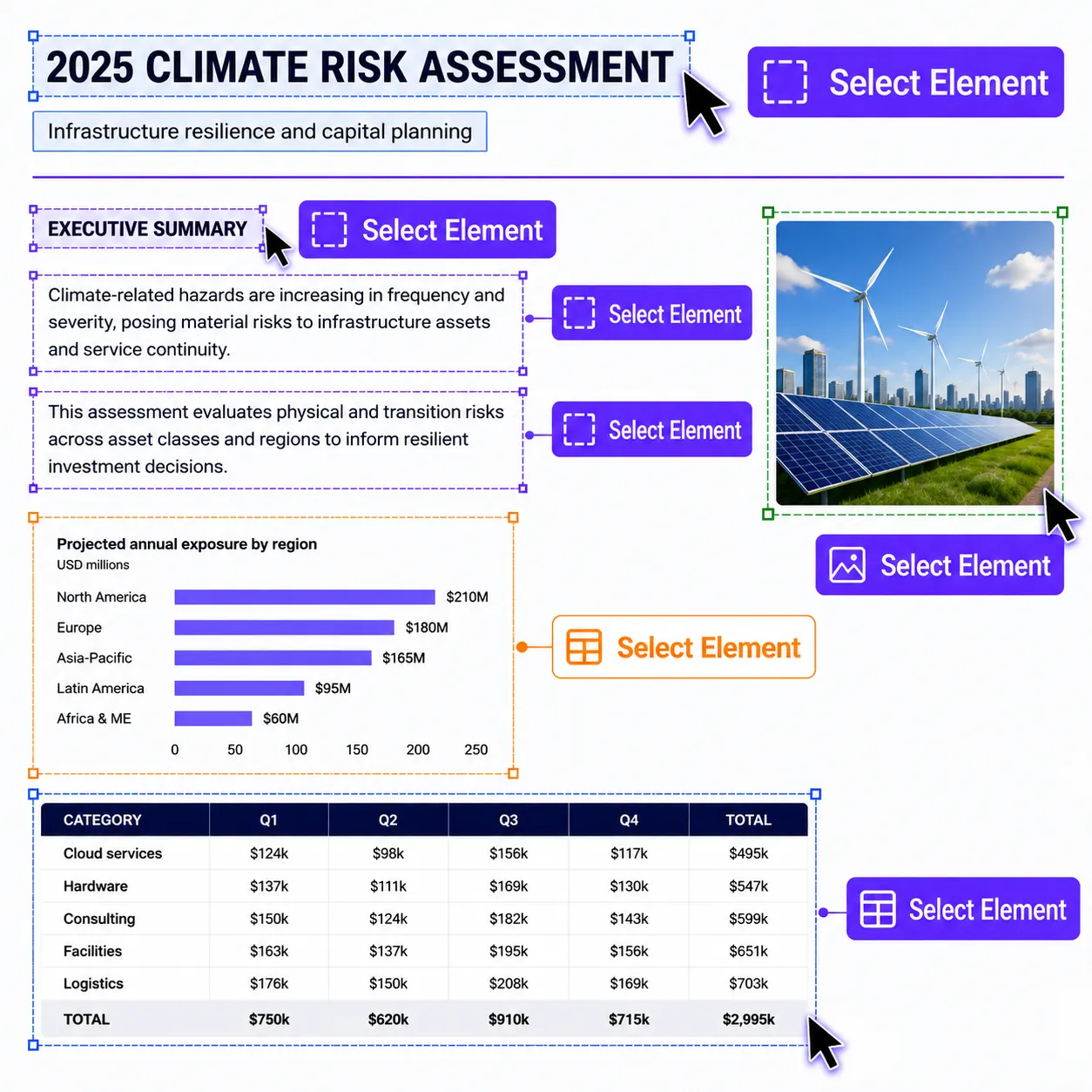
Select native PDF text, images, tables, and other embedded page content directly. Copy text normally or turn selected content into structured, page-aware annotations.
Label saved web pages in their rendered layout, from exact text spans to connected entities and page-level fields.
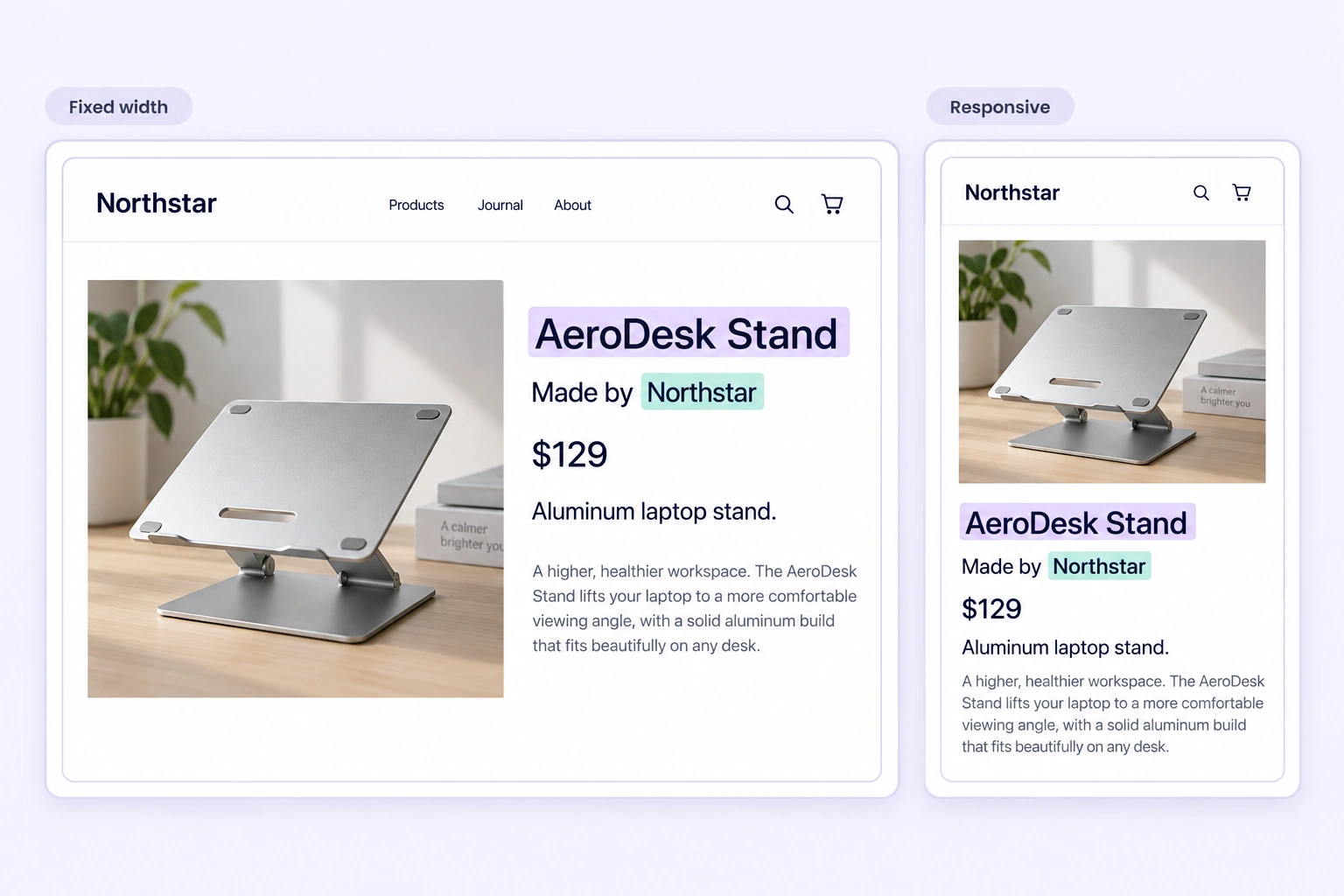
Keep headings, tables, images, and nearby text visible while inspecting labels in fixed-width or responsive views.
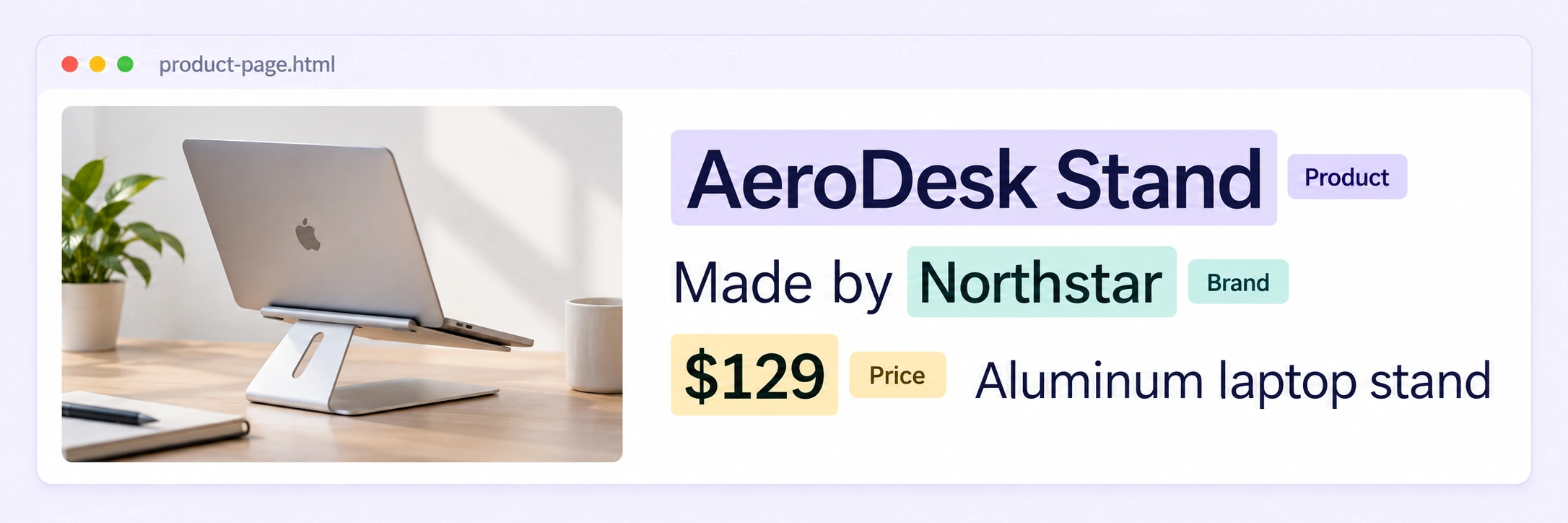
Select names, prices, titles, and other text spans directly on saved pages while preserving the layout around every label.
Label time-series measurements with channel-aware ranges, point events, and review-ready signal context.
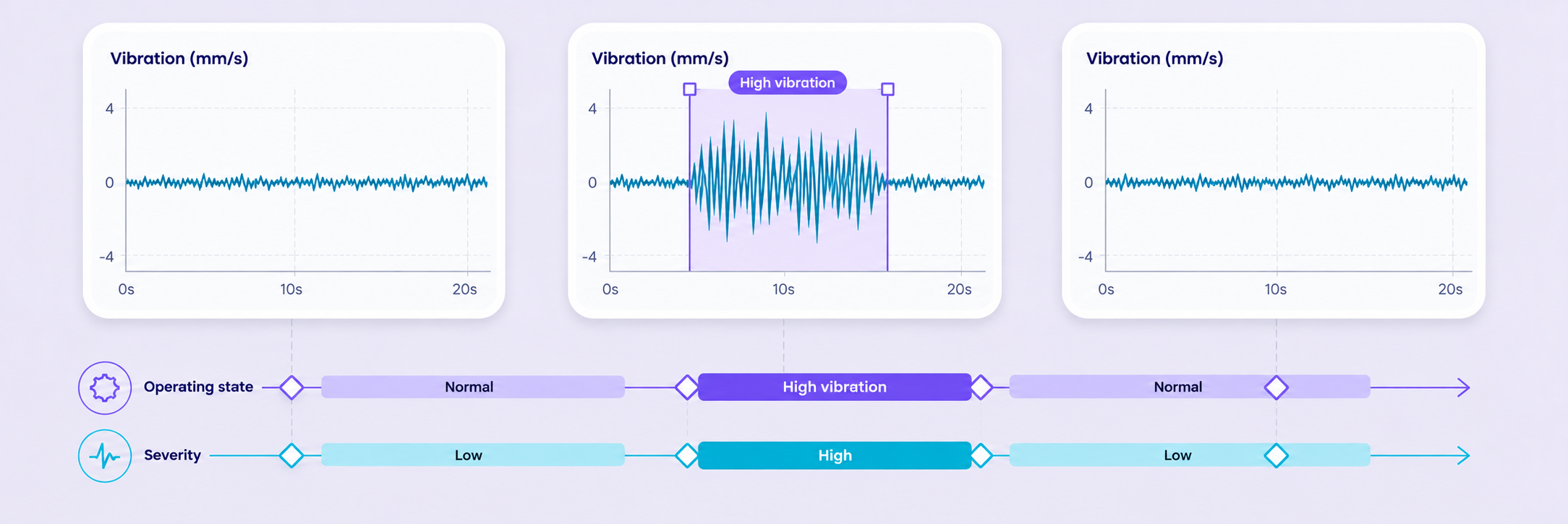
Mark operating states and sustained anomalies directly on time-series charts, with labels scoped to the relevant channel or recording.
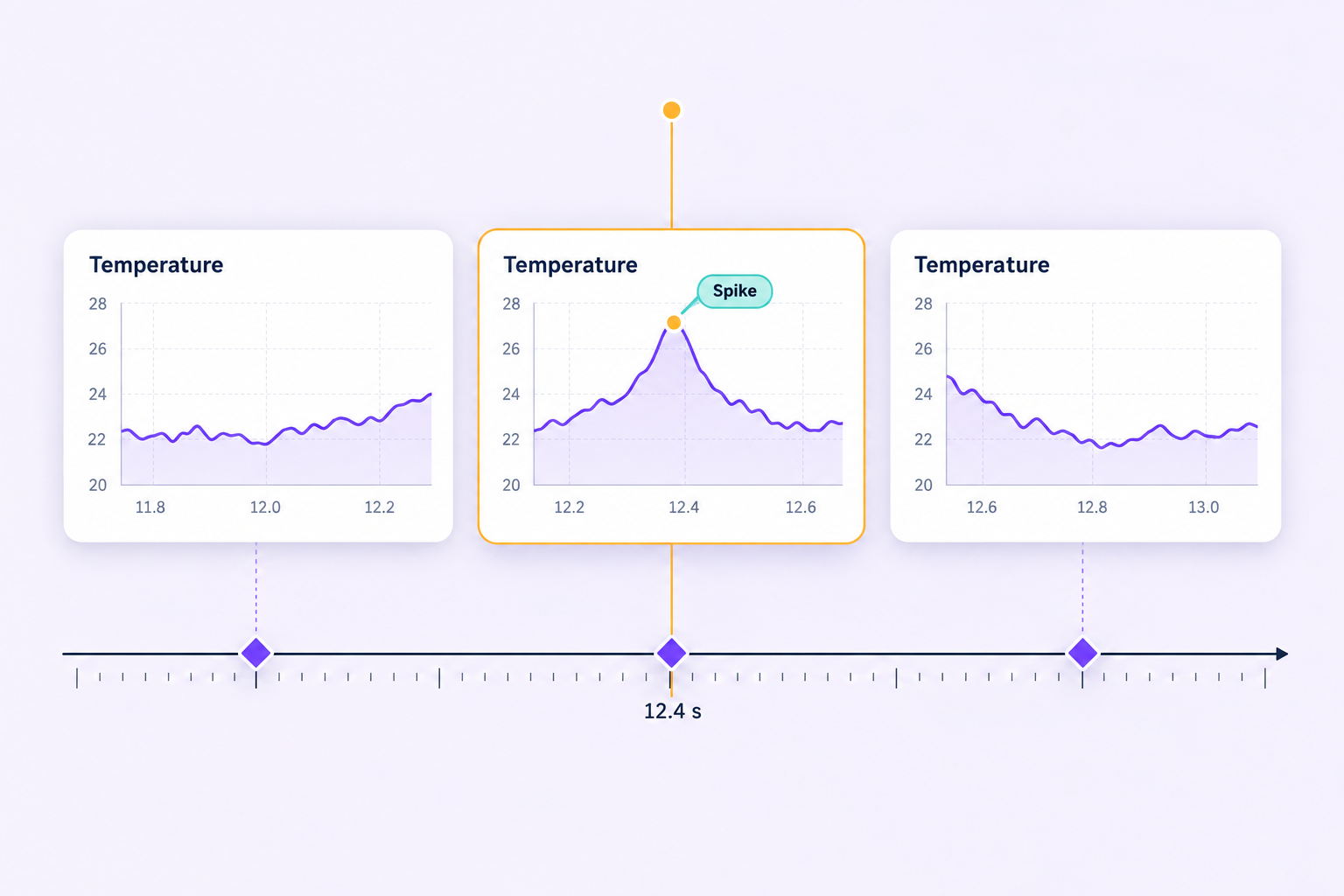
Pinpoint spikes and transitions at exact samples while retaining neighboring measurements for inspection and review.
Turn CSV records into structured training data with field-aware labels, relationships, and quality review.
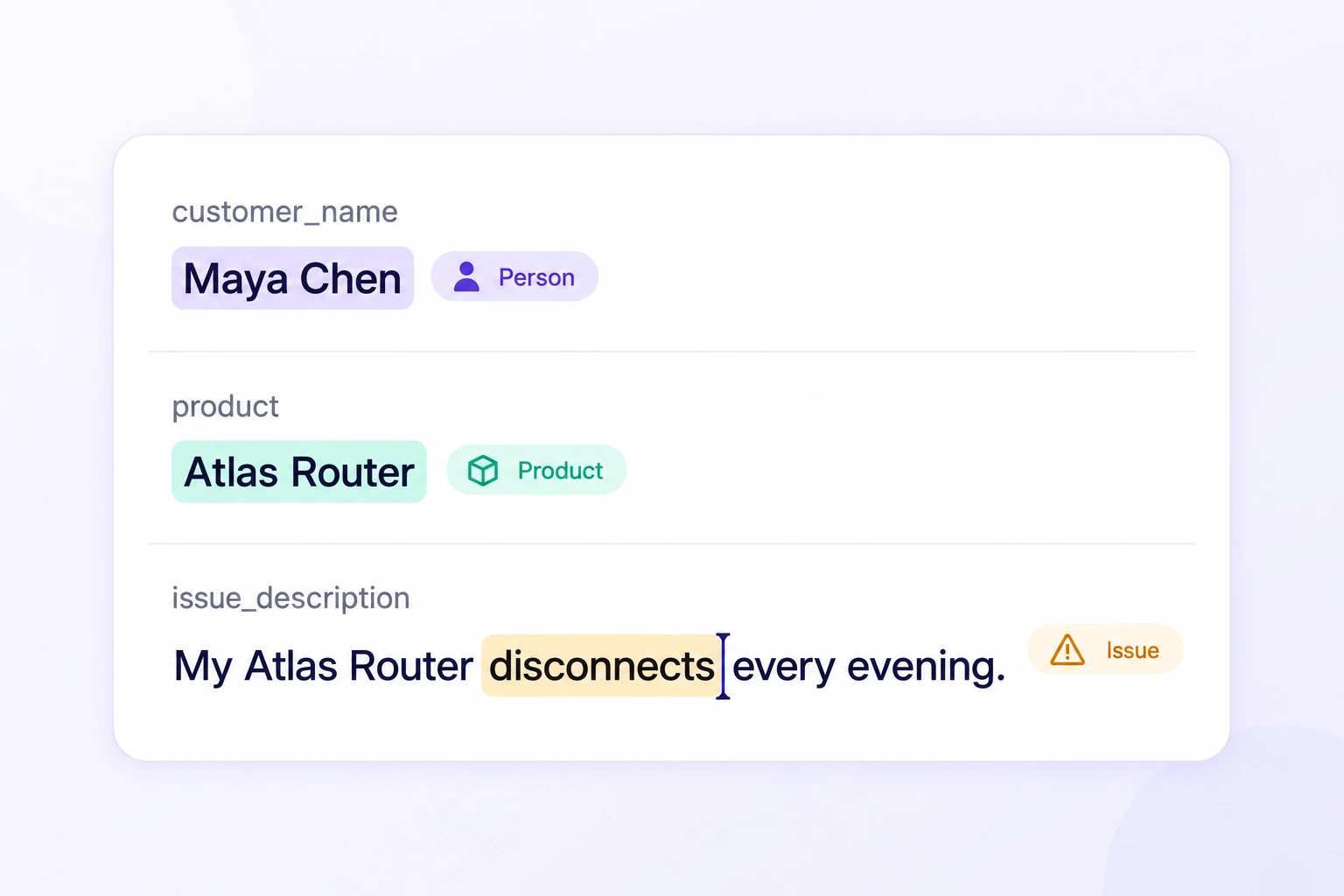
Highlight exact entity spans inside text fields while preserving each label's column and character offsets.
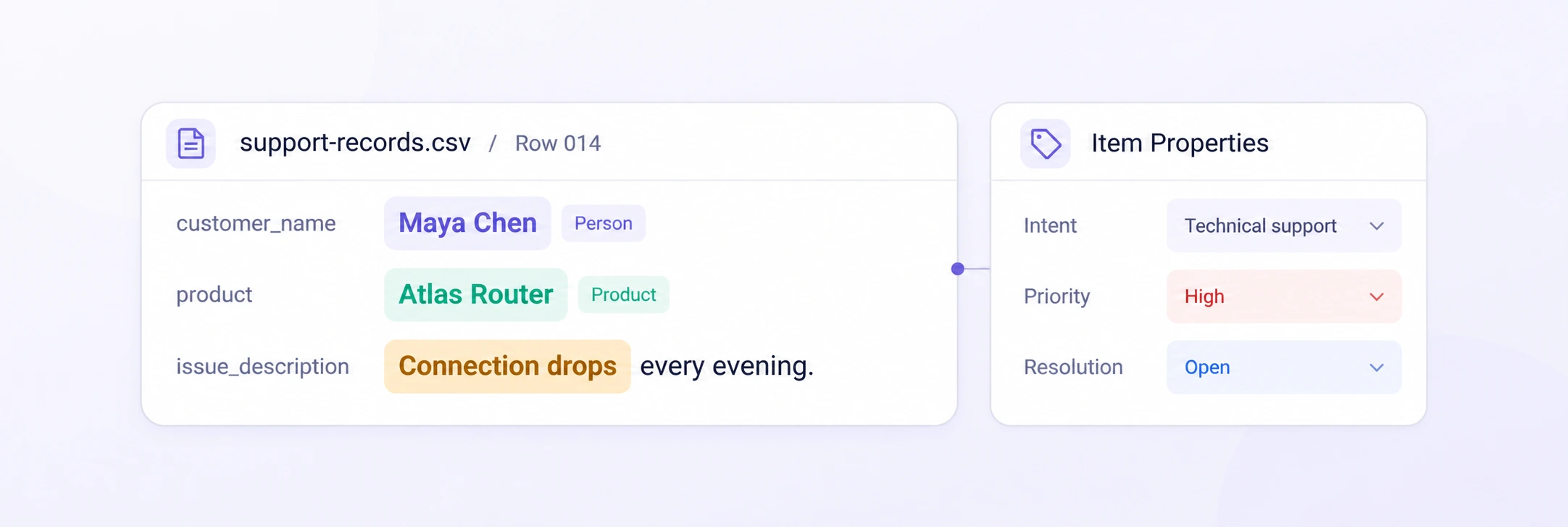
Classify CSV rows with their source fields intact. Apply reusable properties and review complete records in context.
Compare labels across data types, check submissions against approved references, and resolve issues with the source data in view. Keep every quality decision connected to your training data.
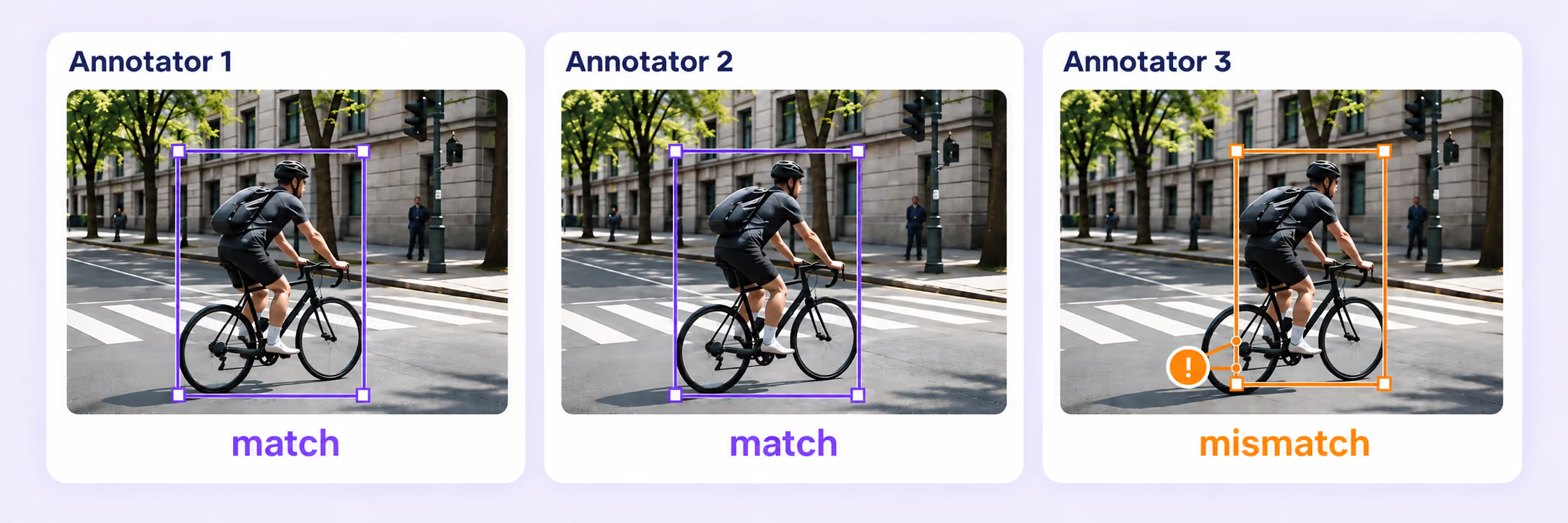
Collect independent annotations, measure agreement, and send disagreements to review. Compare submissions in context before approving a result.
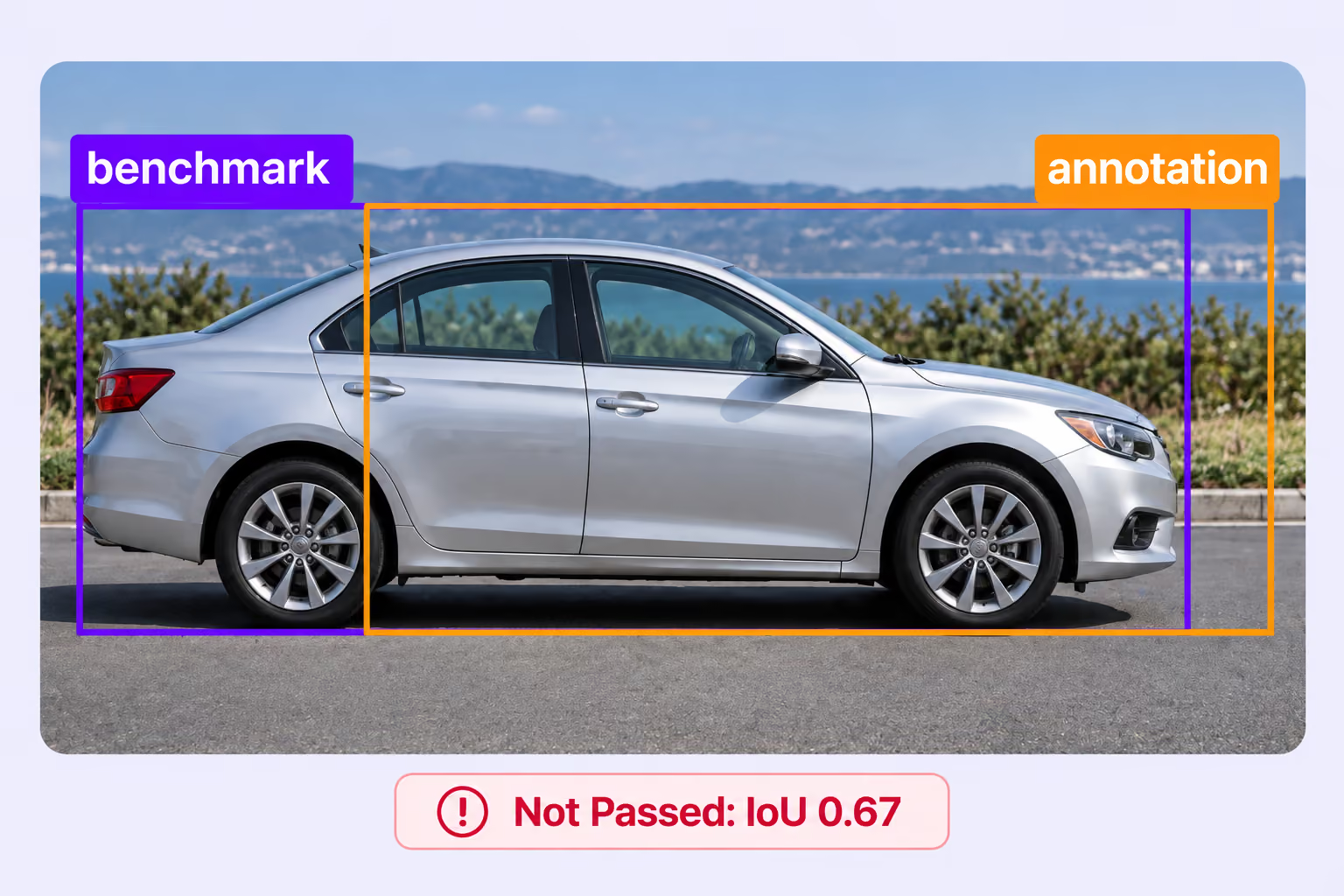
Compare submissions with approved answer keys hidden from annotators. Set quality thresholds and route results through pass, fail, or not-evaluated paths.
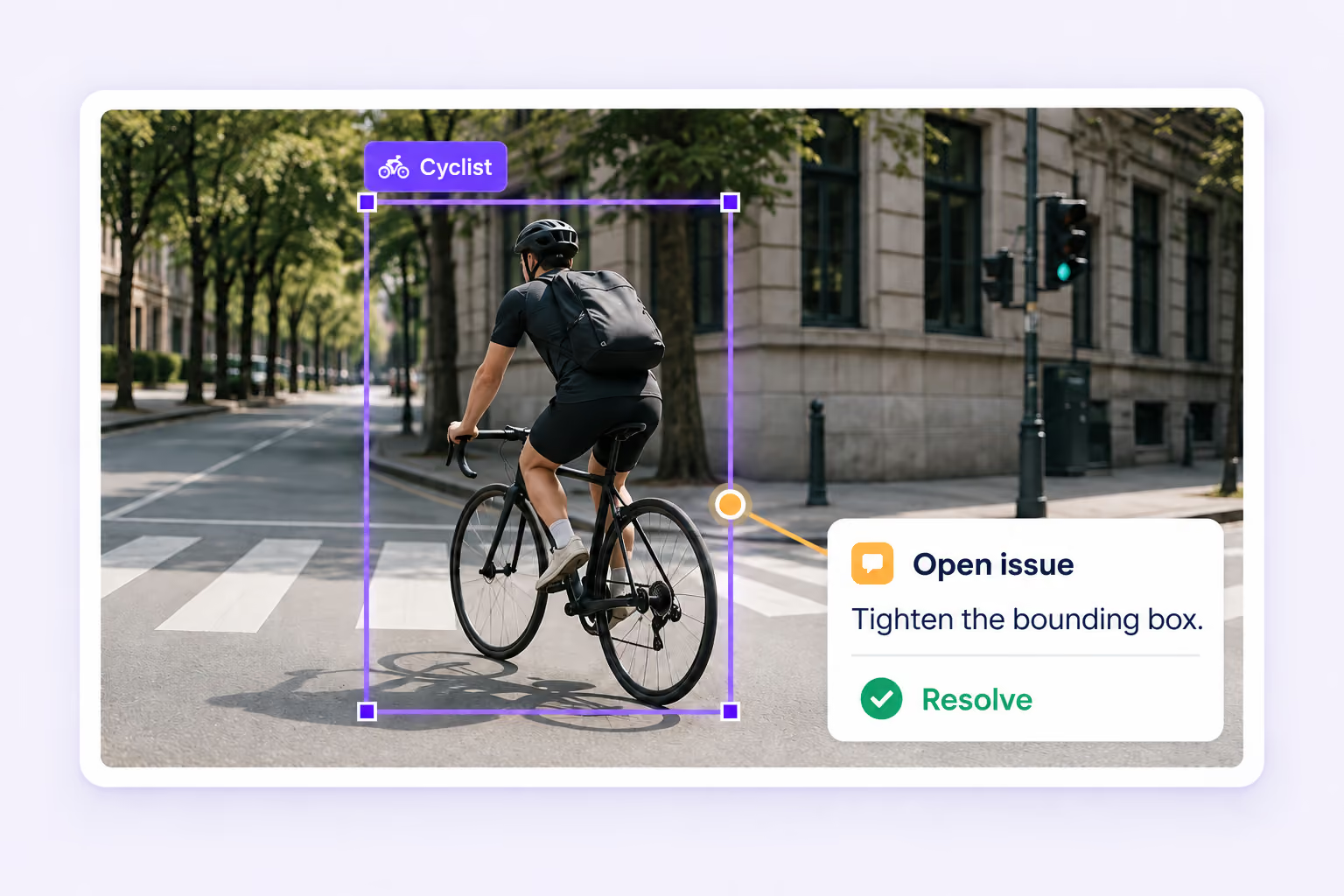
Find missing required values, validation problems, and open issues. Resolve them with the affected labels and source data in context.
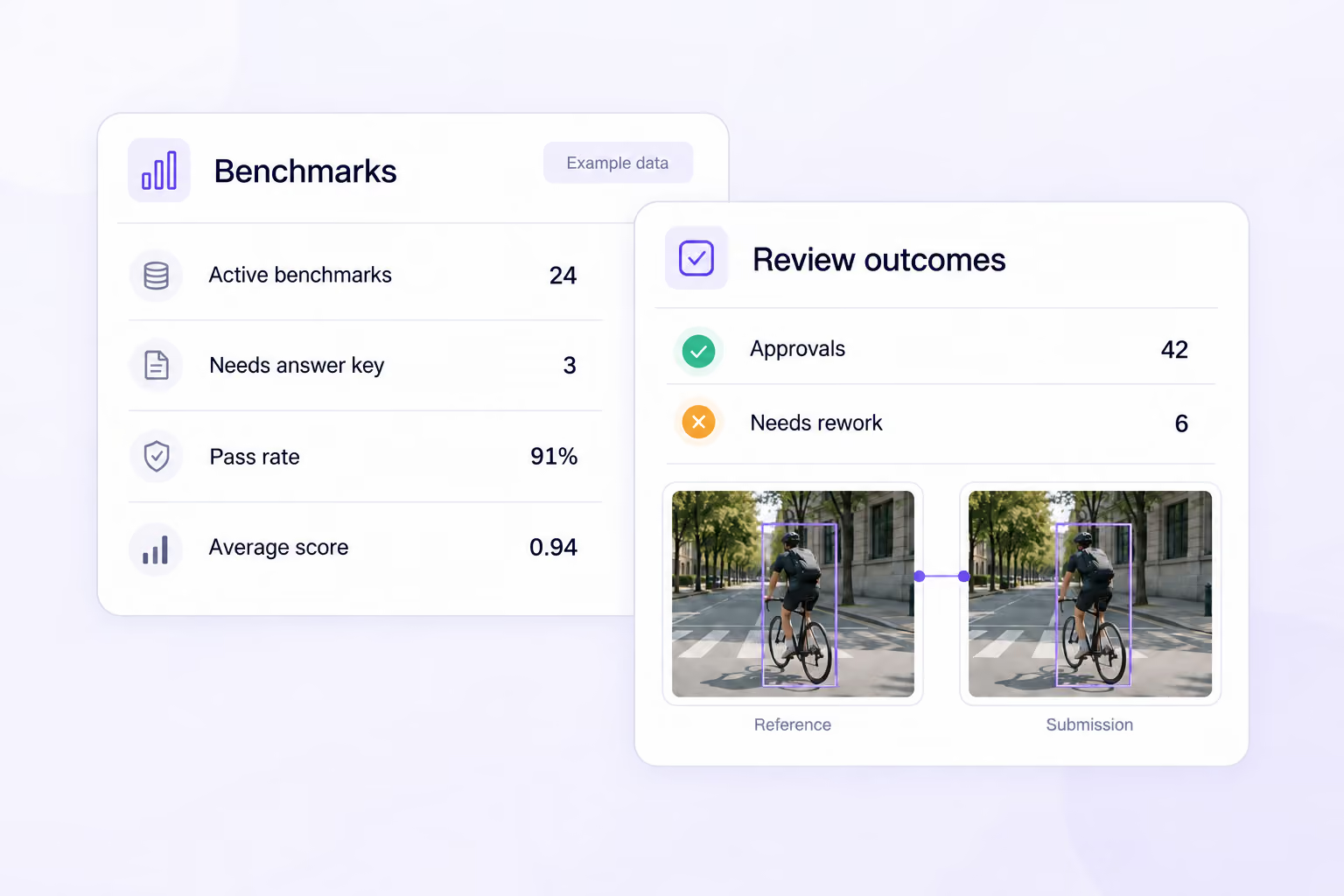
Track benchmark scores, pass rates, consensus outcomes, and review results. Use the evidence to focus attention and improve annotation quality.
Search, version, and inspect multimodal datasets, connect AI models, and move annotations through review and approval.
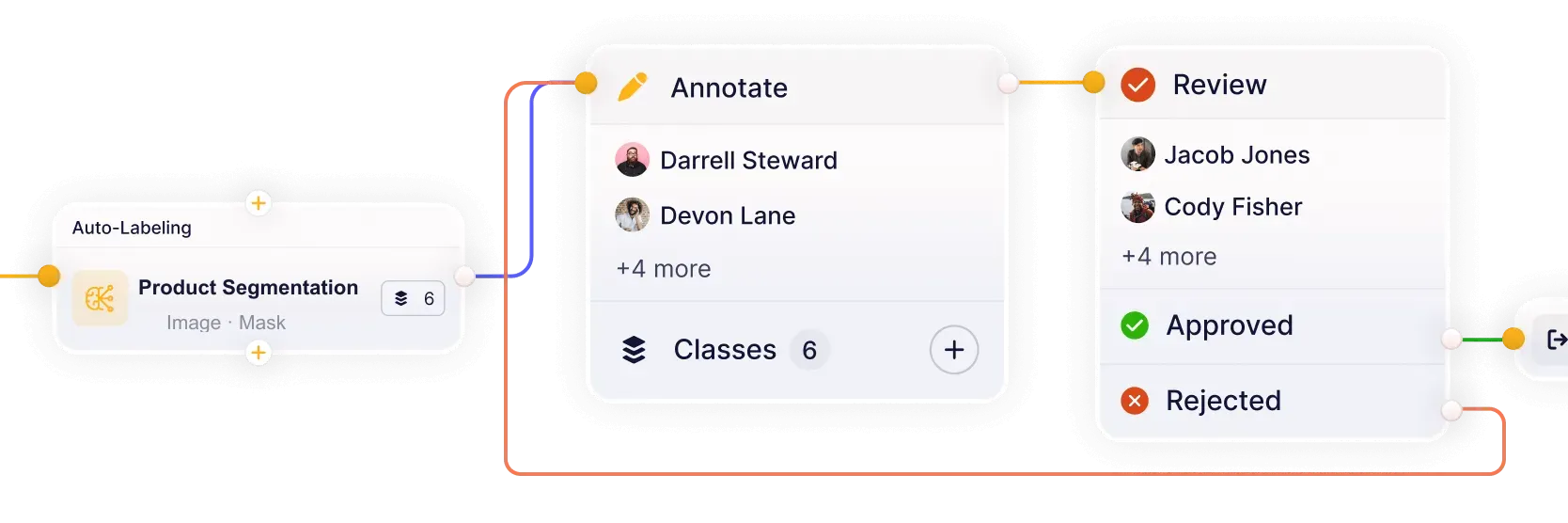
Build workflows that connect models, annotation, review, and quality assurance in one continuous loop. Reduce handoffs and keep datasets moving from labeling to approval.
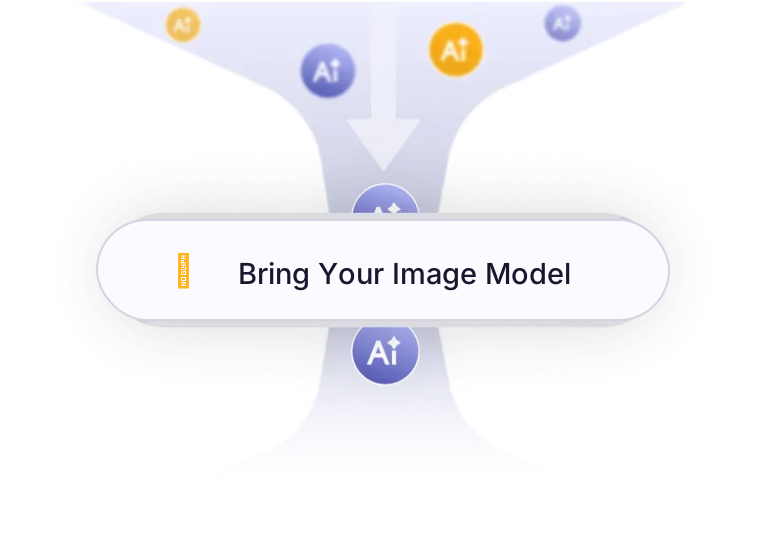
Connect your own AI models for pre-labeling and model-assisted annotation. Improve accuracy and iterate faster on real-world training datasets.
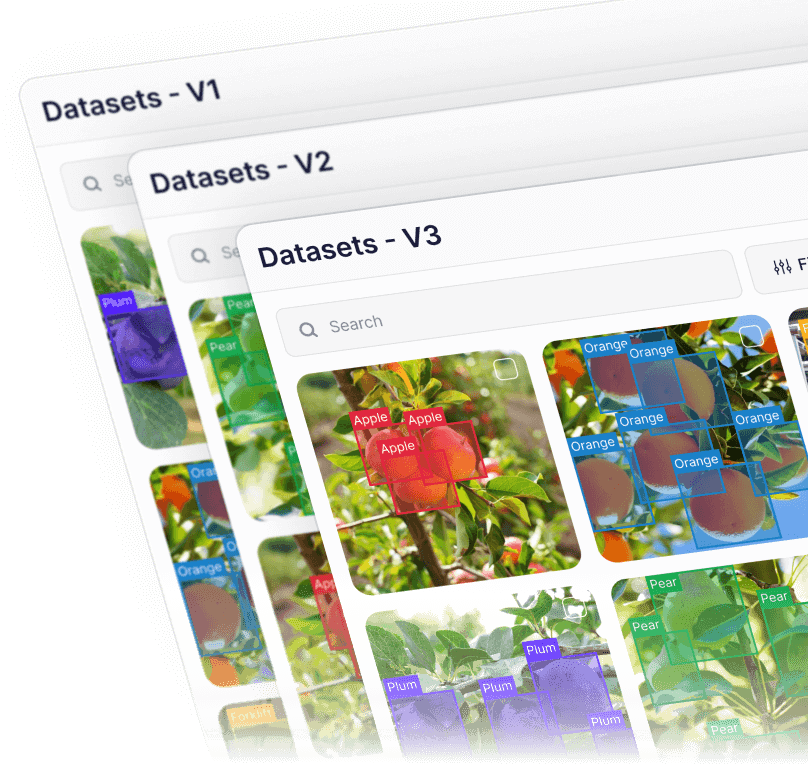
Create and manage dataset versions as data evolves. Track changes, assign work, and keep every release auditable and production-ready.
.webp)
Explore large multimodal datasets through semantic understanding instead of manual filters. Find relevant samples across diverse conditions.
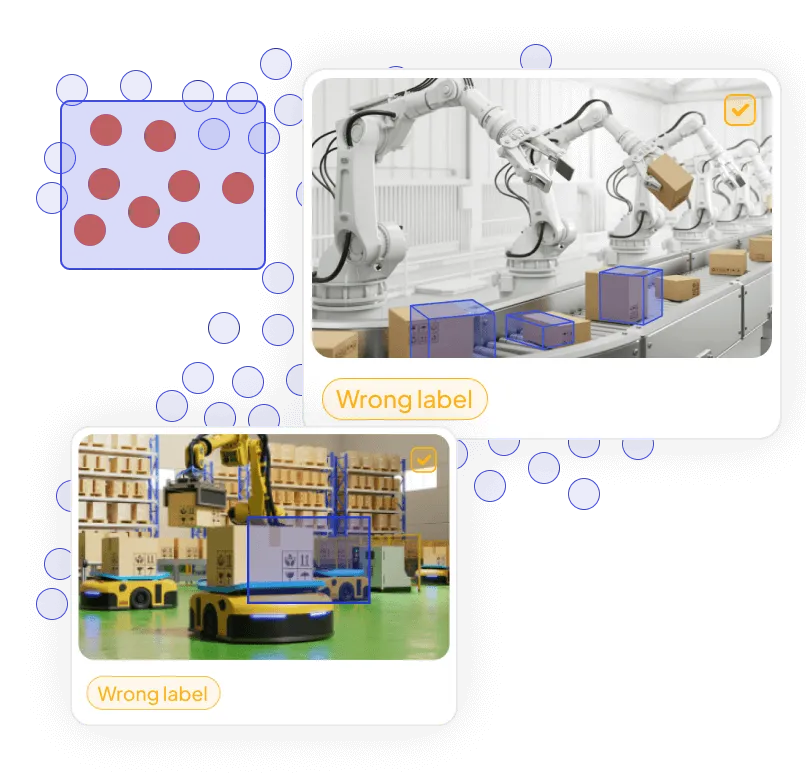
Visualize dataset structure, identify outliers and labeling issues, and improve training-data quality before training.
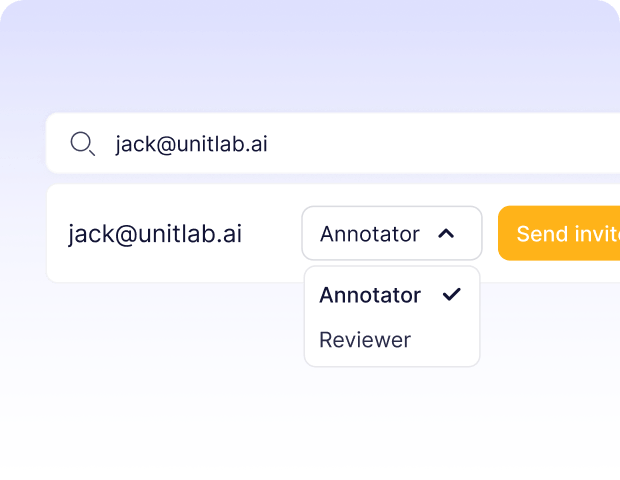
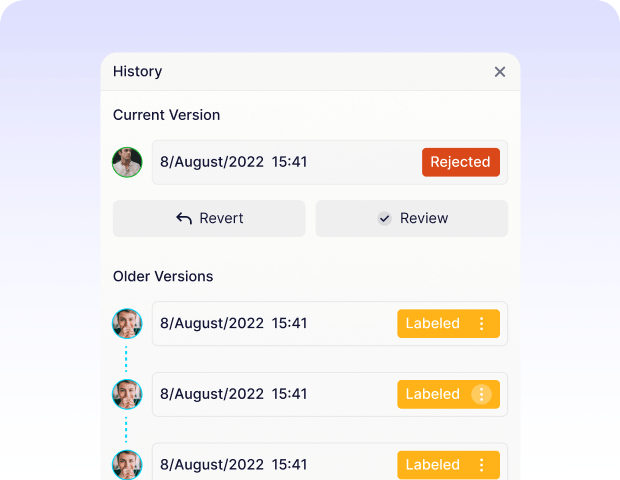
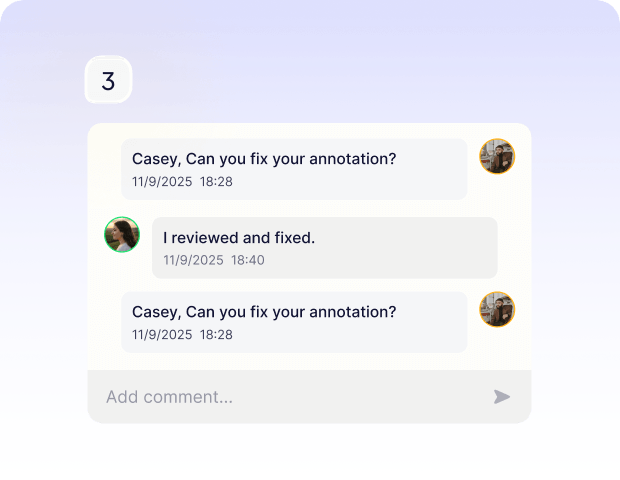
Built-in auto-labeling tools and automated workflows reduce manual annotation work.
Automate curation, dataset management, and versioning so engineers can focus on models.
Curated data, reusable ontologies, and quality control reduce annotation rework.
Unitlab AI is an enterprise multimodal data platform for production AI. Teams use one governed workspace to curate, annotate, review, version, and manage training data across image, video, audio, text, documents, medical imaging, pathology, and geospatial data.
Unitlab supports image, video, audio, text, PDF and document data, DICOM and volumetric medical imaging, whole-slide pathology, and geospatial imagery. Connected data can also be organized and reviewed through multimodal annotation workflows.
Teams can discover and prepare data, route selected items into annotation and review, then version and manage approved datasets without moving between disconnected tools. Ontologies, properties, lineage, and access controls remain consistent across the workflow.
Unitlab supports AI-assisted pre-labeling, segmentation, object tracking, and repetitive labeling. Teams can also bring their own models, combine multiple model stages with human review, and edit or validate every prediction before approval.
Unitlab supports configurable review and approval stages, role-based assignments, issue and rework flows, validation rules, and complete annotation history. This gives teams governed quality assurance from initial labeling through dataset release.
Yes. Unitlab is built for large multimodal datasets and demanding formats, including long video and audio, volumetric DICOM studies, whole-slide pathology, large geospatial imagery, and multi-page documents. Dataset versions, queues, and workflows keep long-running projects organized.
Yes. Unitlab supports hosted and on-premises deployment options. On-premises deployments keep data within your controlled infrastructure, while hosted deployments use encrypted, isolated storage and role-based access controls. Contact Unitlab to review the deployment model that fits your security requirements.
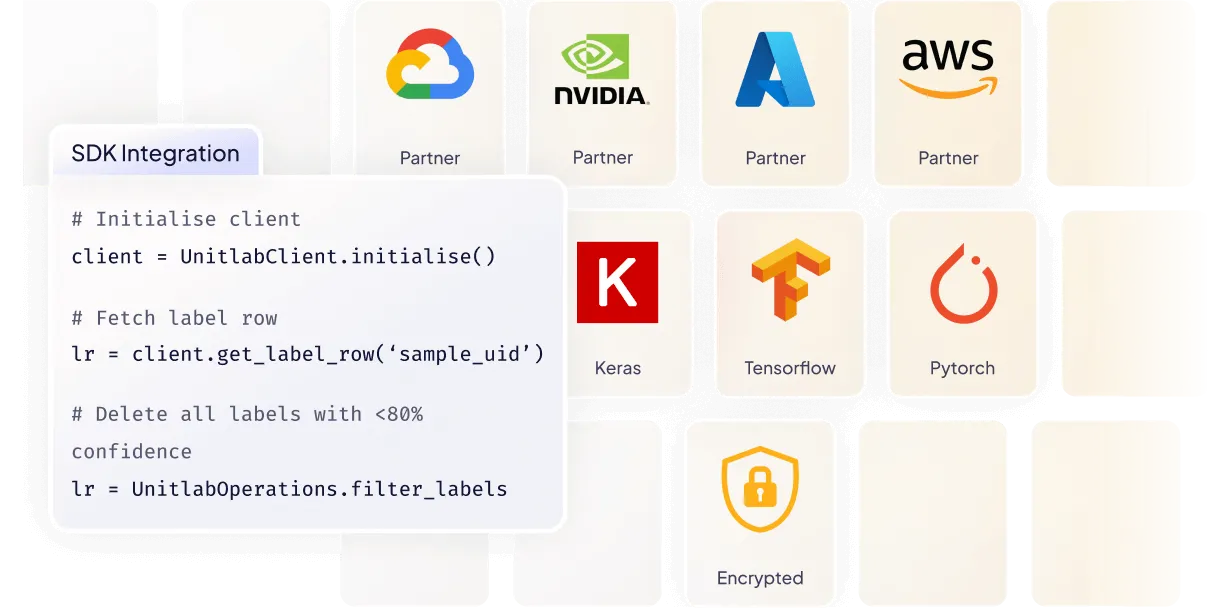
Yes. Teams can connect data, cloud storage, models, and workflows through the Unitlab API, Python SDK, and CLI. Unitlab also integrates with common cloud and machine learning infrastructure so existing pipelines can remain in place.
Yes. You can start with Unitlab AI for free without a credit card. Paid plans are available for larger teams and datasets, advanced collaboration, security, storage, deployment, and workflow requirements.




We use cookies to improve your experience. See our Privacy Policy and Cookie Policy.
