
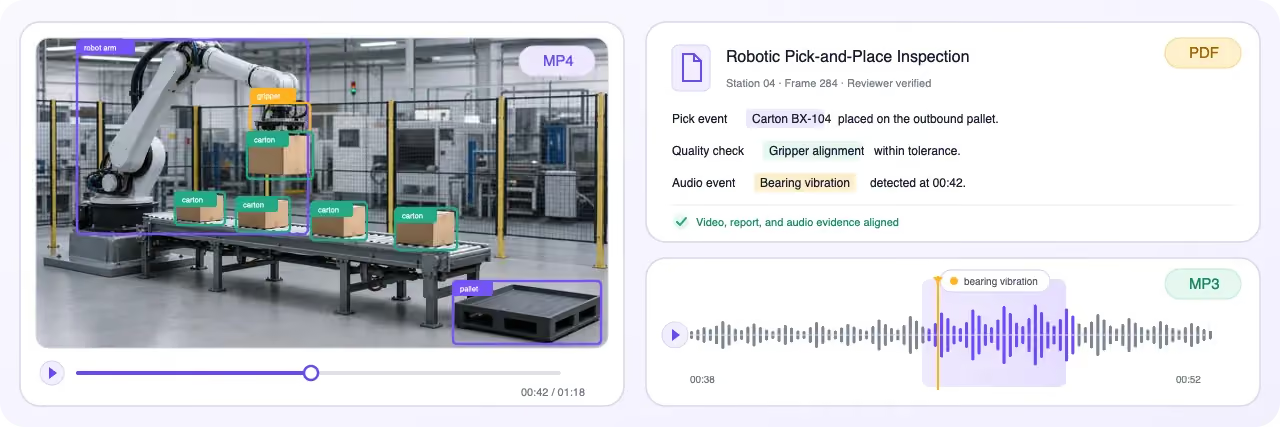
Unified Labeling Interface for Multimodal Data Annotation
Annotate multiple data types together in a single labeling interface, with shared context, synchronized views, and consistent annotation workflows.

Annotate connected image, video, audio, text, document, and sensor data in one governed workspace with shared ontologies, relations, and review workflows.
Organize related image, video, audio, text, and document files into one governed case using Data Groups, filename patterns, and custom layouts.
Annotate multiple data types together in a single labeling interface, with shared context, synchronized views, and consistent annotation workflows.
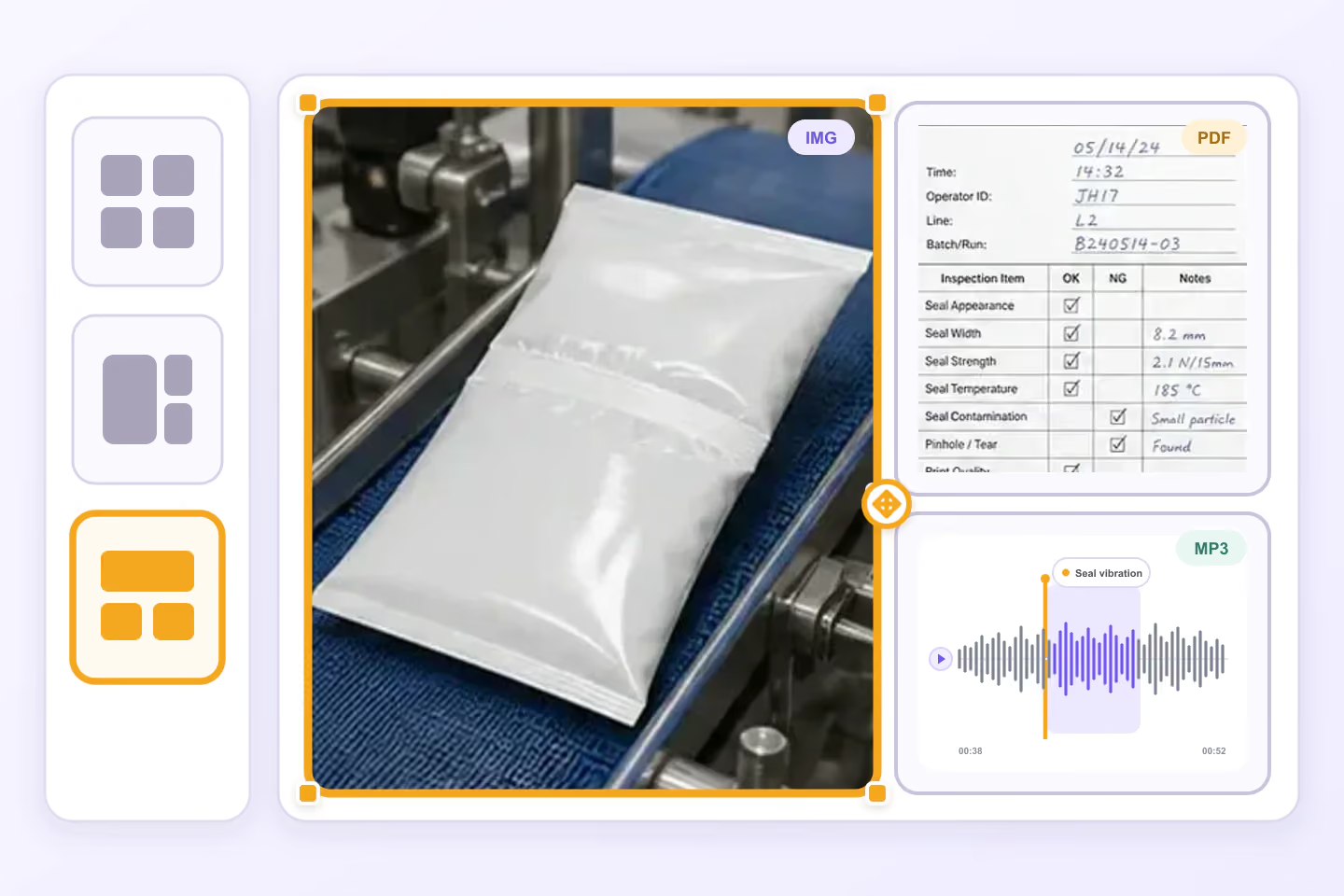
Arrange related image, PDF, audio, and other files into resizable custom panels for each grouped workflow.
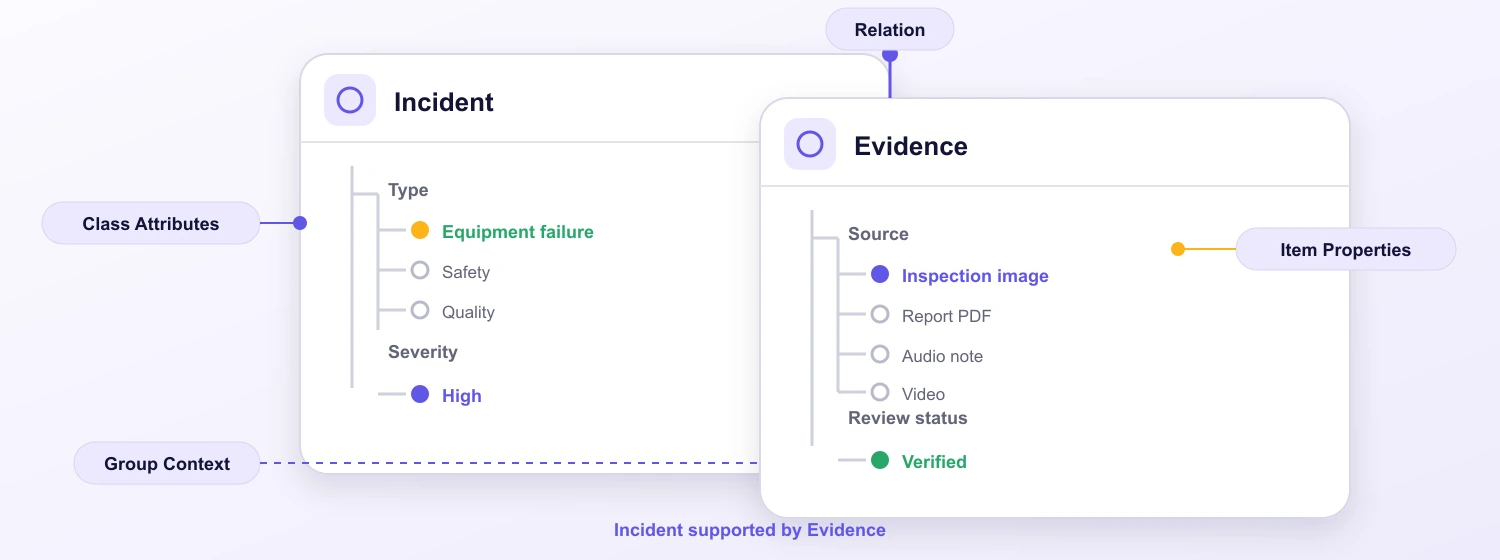
Define shared classes, nested attributes, and structured metadata consistently across modalities.
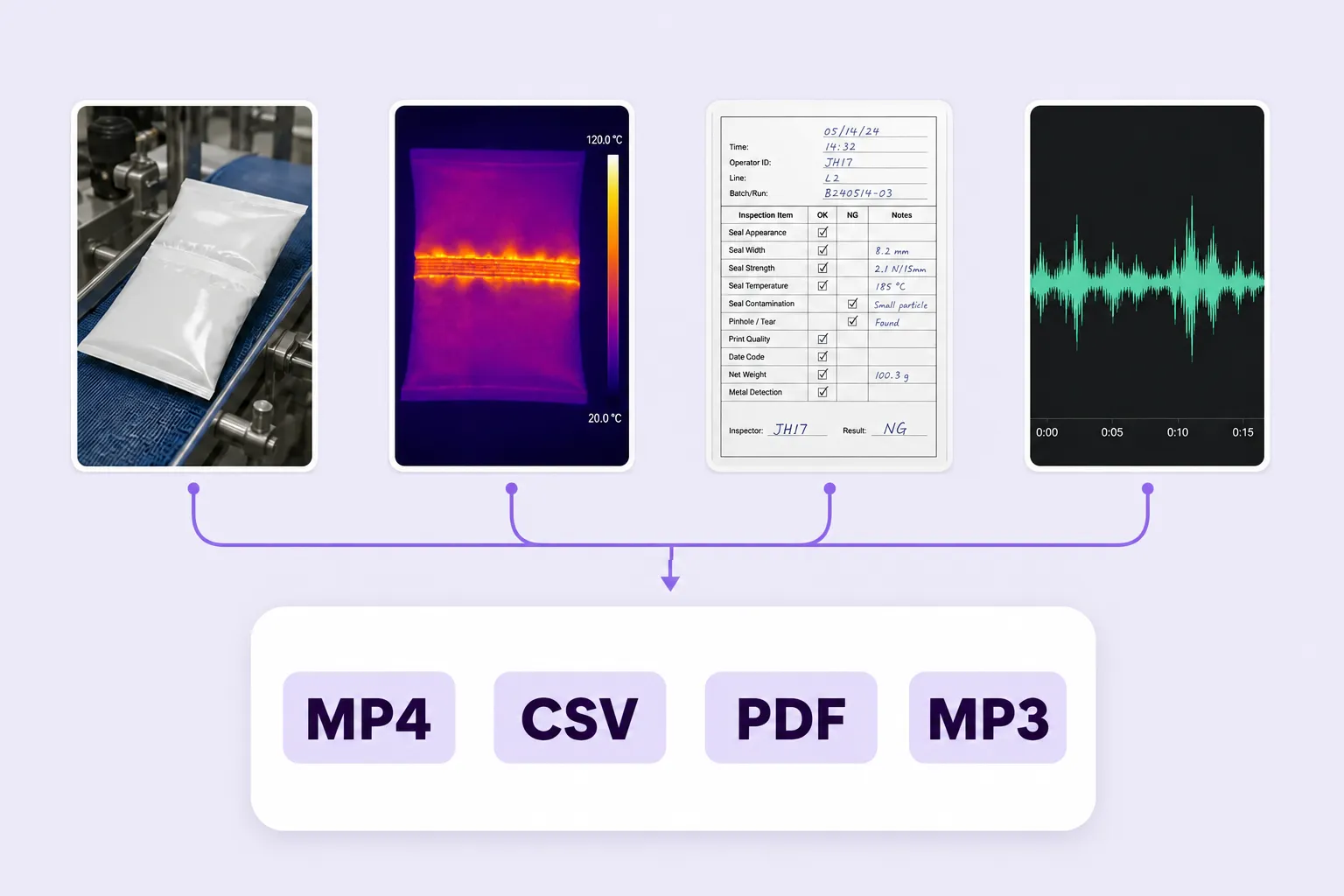
Automatically group related multimodal data into unified annotation tasks for synchronized labeling and review.
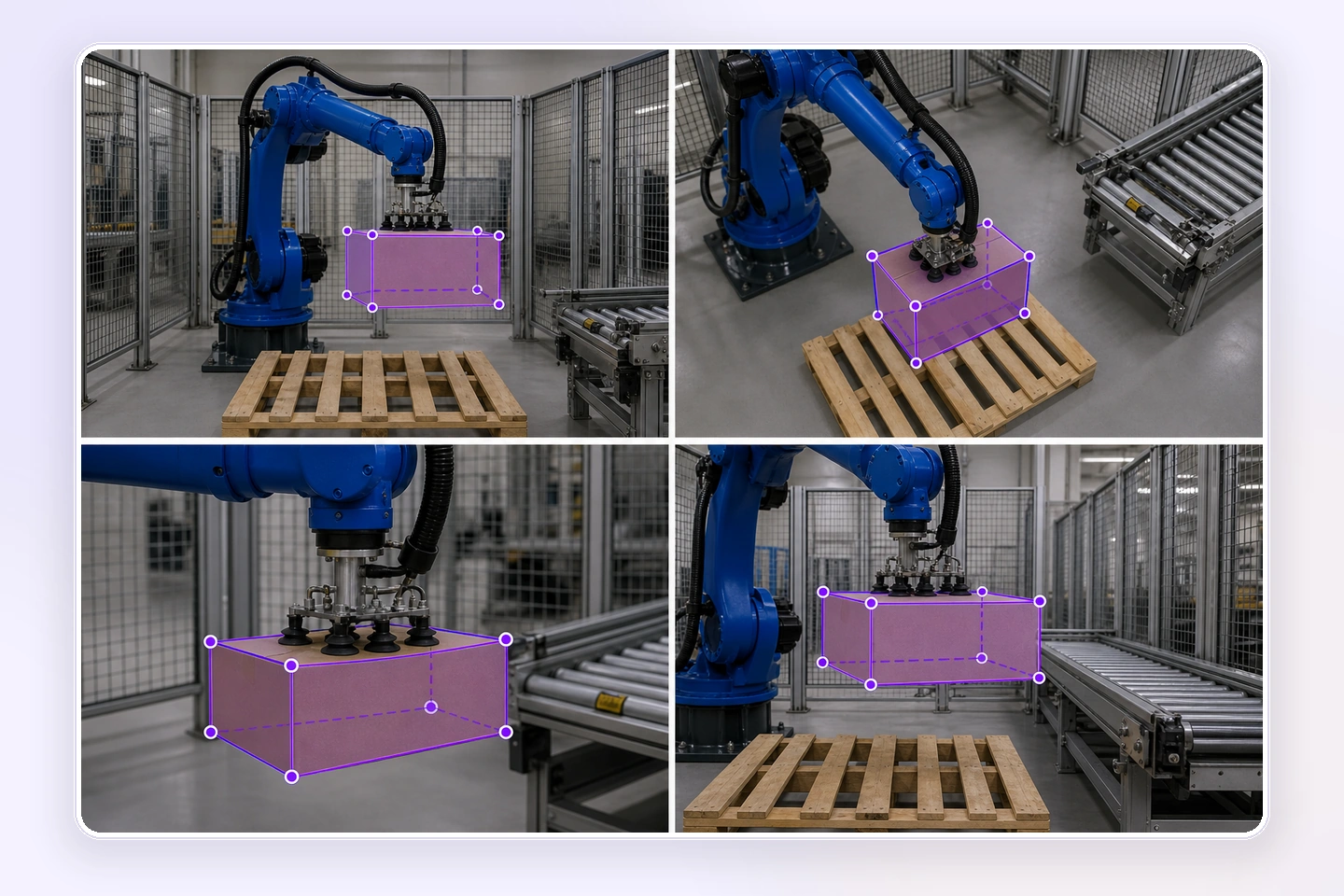
Annotate four camera views of one robotics task to follow the robot, gripper, cartons, and pallet across the work cell.
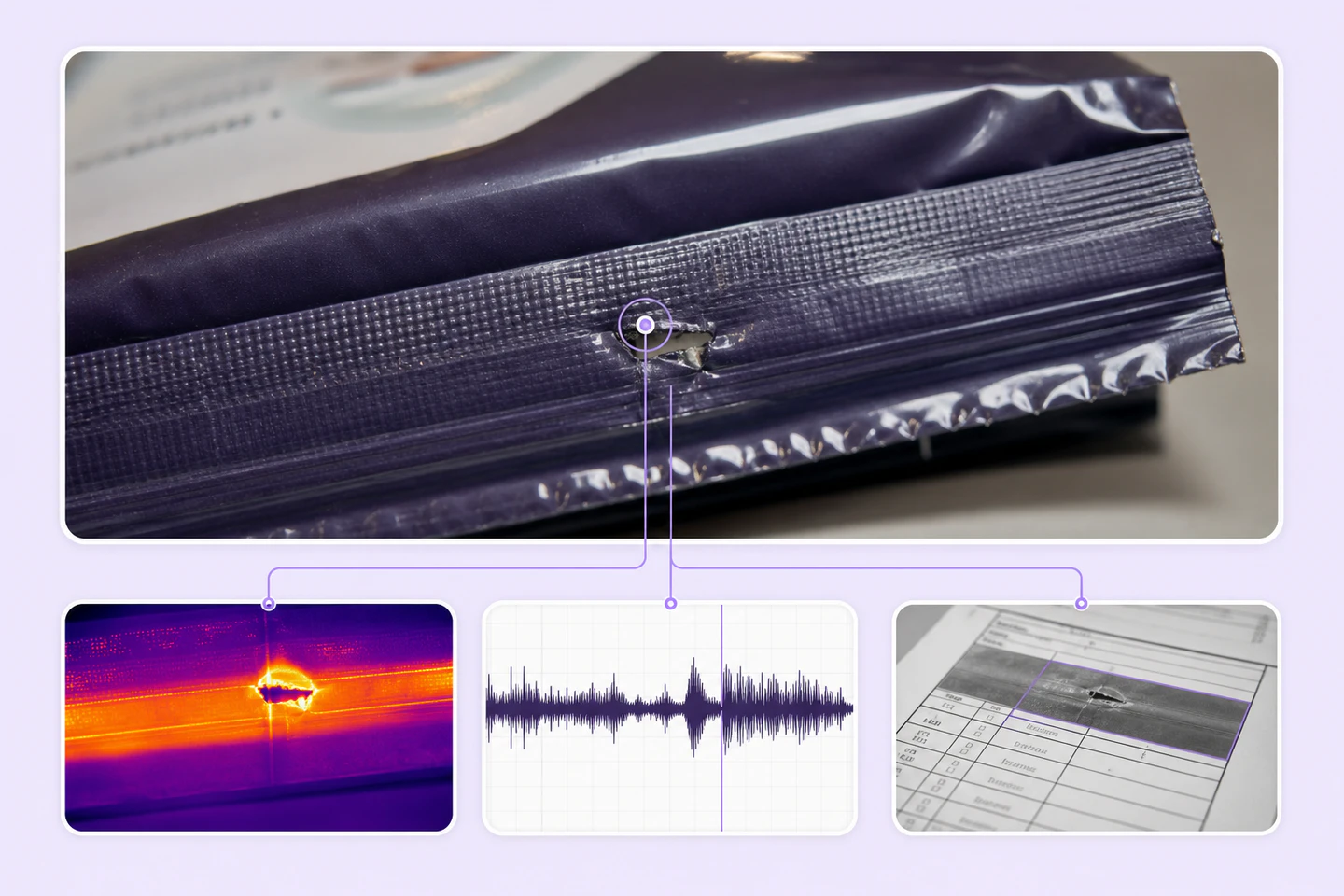
Label and connect information across different modalities within the same dataset or task.
Annotate complex multimodal datasets faster with AI-assisted automation, scalable workflows, and lower operational costs.
Unified labeling tools and automated workflows reduce manual multimodal annotation.
On average, 90% of multimodal labels are pre-labeled automatically, then reviewed and refined by humans.
The cost per accepted label can be up to 10× lower as curation, annotation, and QA are automated.
Use compatible native annotation types across grouped image, video, audio, text, PDF, and medical viewers, plus Item Properties and Relations at case level.
Mark rectangular regions in supported visual viewers; tracking applies only to compatible video sequences.
Create pixel-accurate masks in compatible image, video, or medical viewers.
Outline irregular regions in compatible visual viewers, including document markup when supported.
Label sound events or time ranges, segment speakers, and transcribe speech in the native audio viewer.
Trace paths, edges, and document markup in compatible native viewers.
Mark entities and spans, then connect them with ontology-backed relations in the native text viewer.
Select document text natively and add compatible visual markup when PDF review requires spatial context.
Label source, severity, quality, and other properties that describe the grouped case.
Connect evidence, entities, and compatible annotations across the case using explicit relations.
Compare labels across related sources, check approved references, and resolve issues with each native view in context. Keep quality decisions connected to the correct items, properties, and relationships.
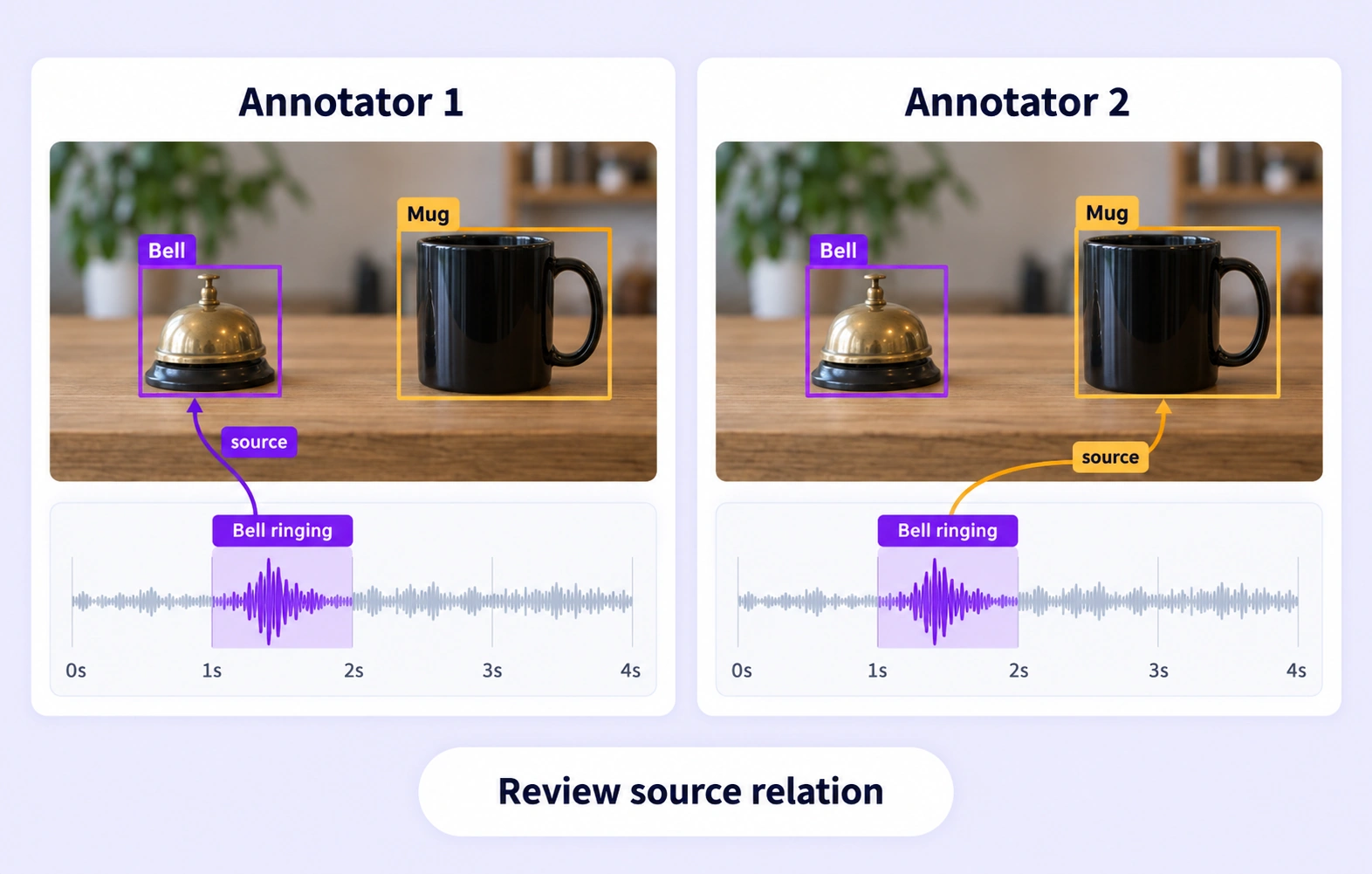
Compare independent annotations within the same grouped item. Review disagreements in supported labels, source properties, and relationship endpoints across native views.
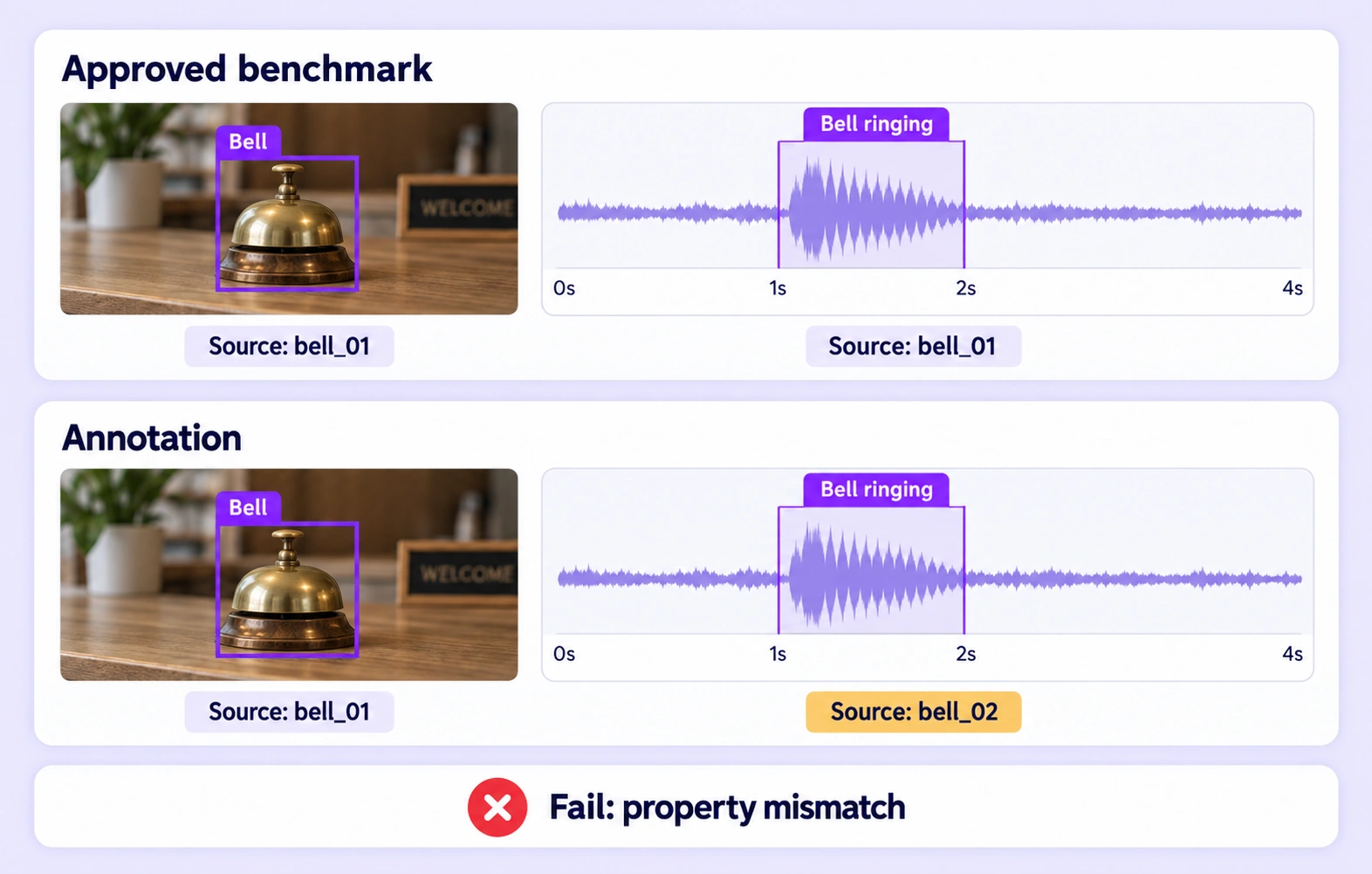
Check supported annotations against approved references hidden from annotators. Evaluate the relevant source panels and preserve not-evaluated outcomes when evidence cannot be compared.
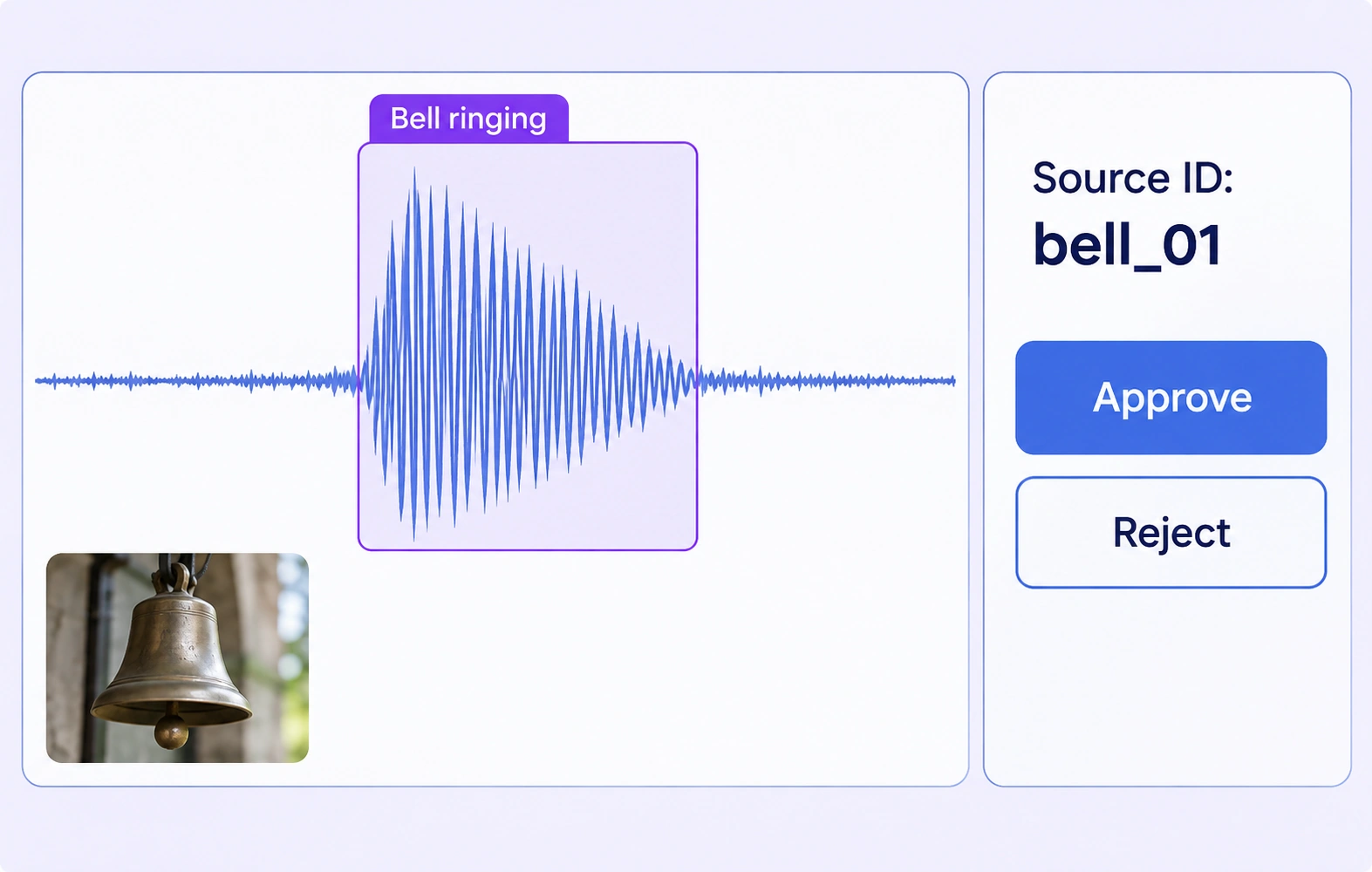
Inspect required properties and relationship issues across connected sources. Correct the affected annotations in their native views and resolve feedback before group approval.
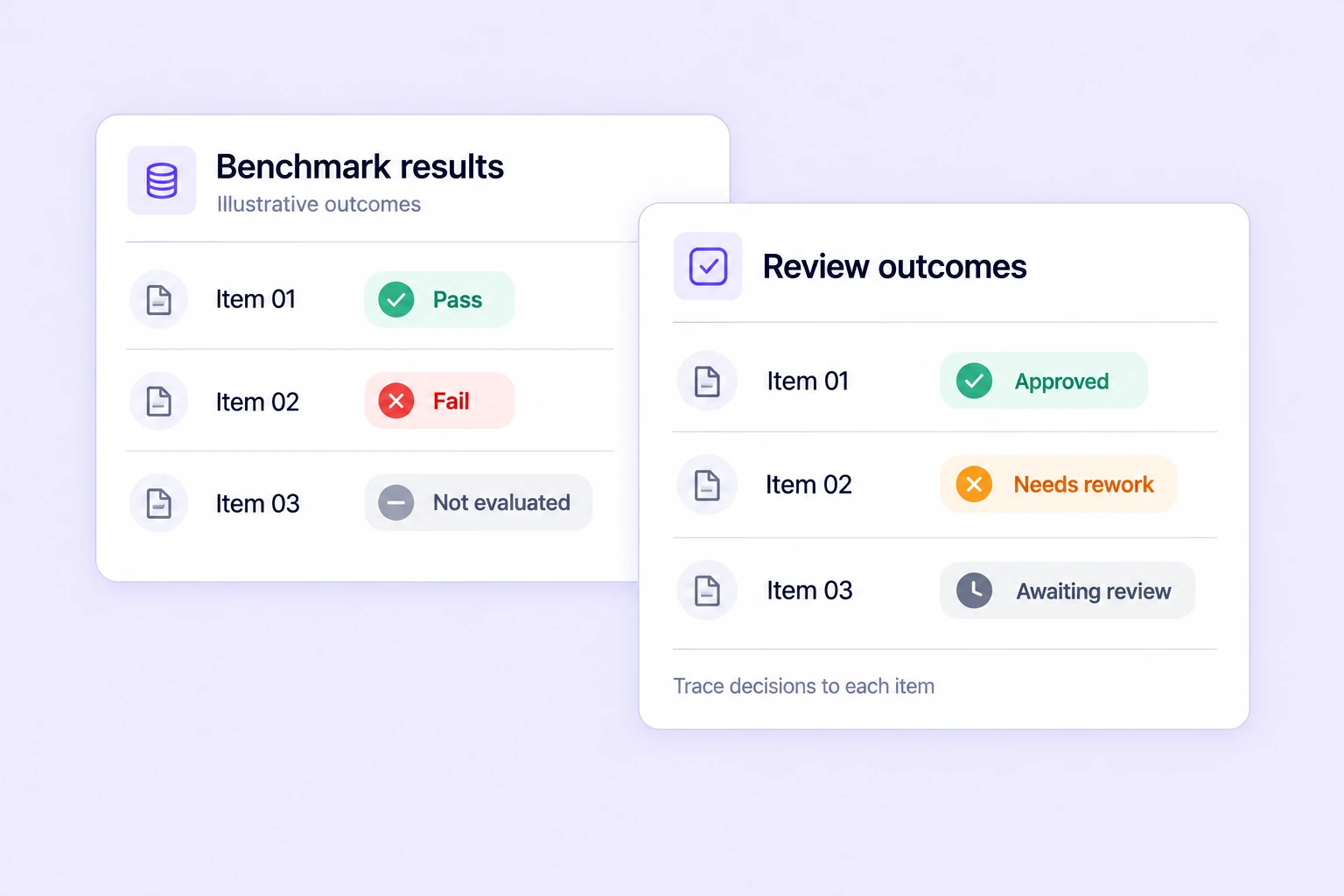
Track benchmark results, consensus outcomes, and review decisions for grouped tasks. Inspect the relevant source evidence when deciding which items need further review.
Search, version, and inspect multimodal datasets, connect AI models, and move annotations through review and approval.
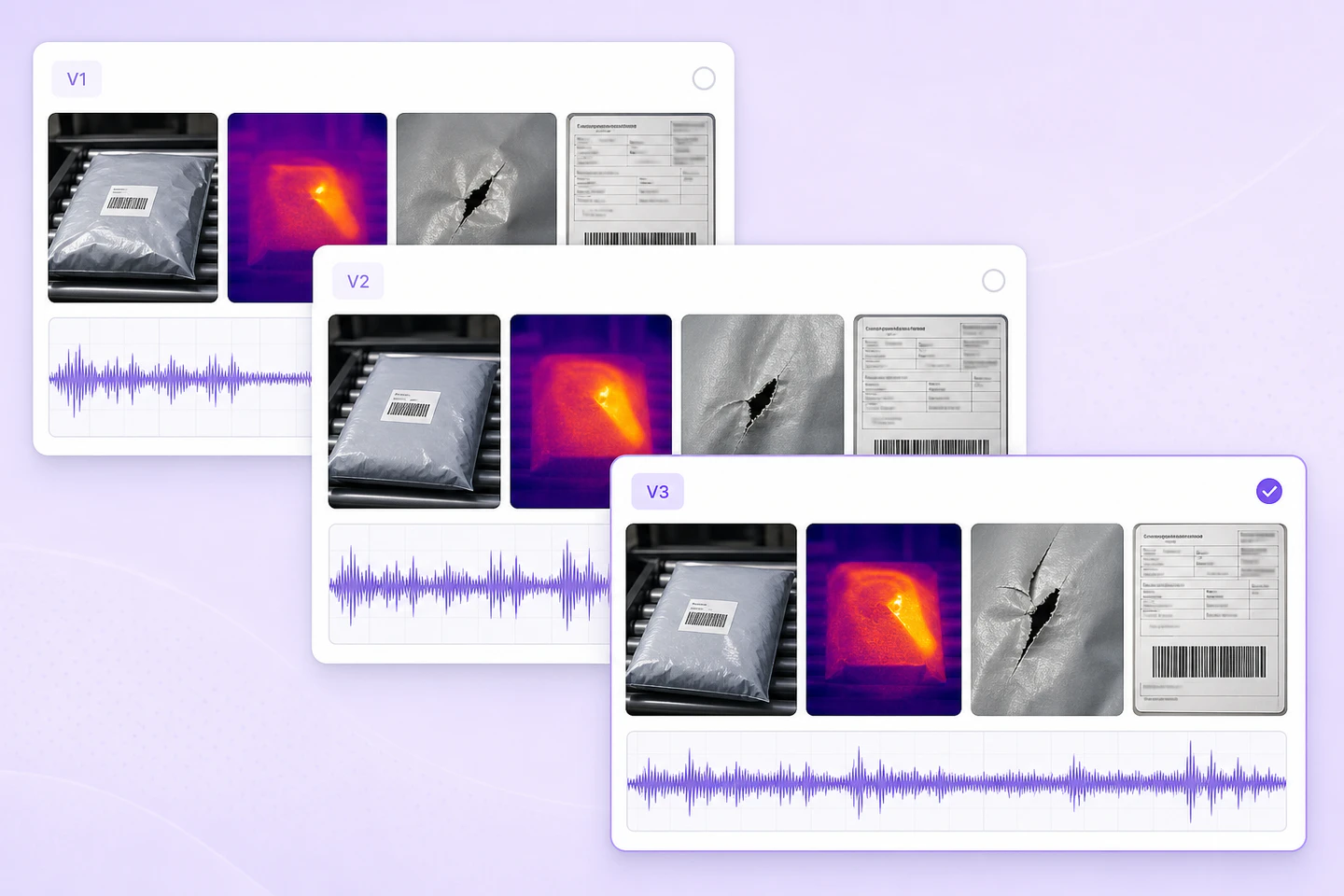
Create and manage dataset versions as multimodal data evolves. Track changes, assign work, and keep every version auditable and production-ready.
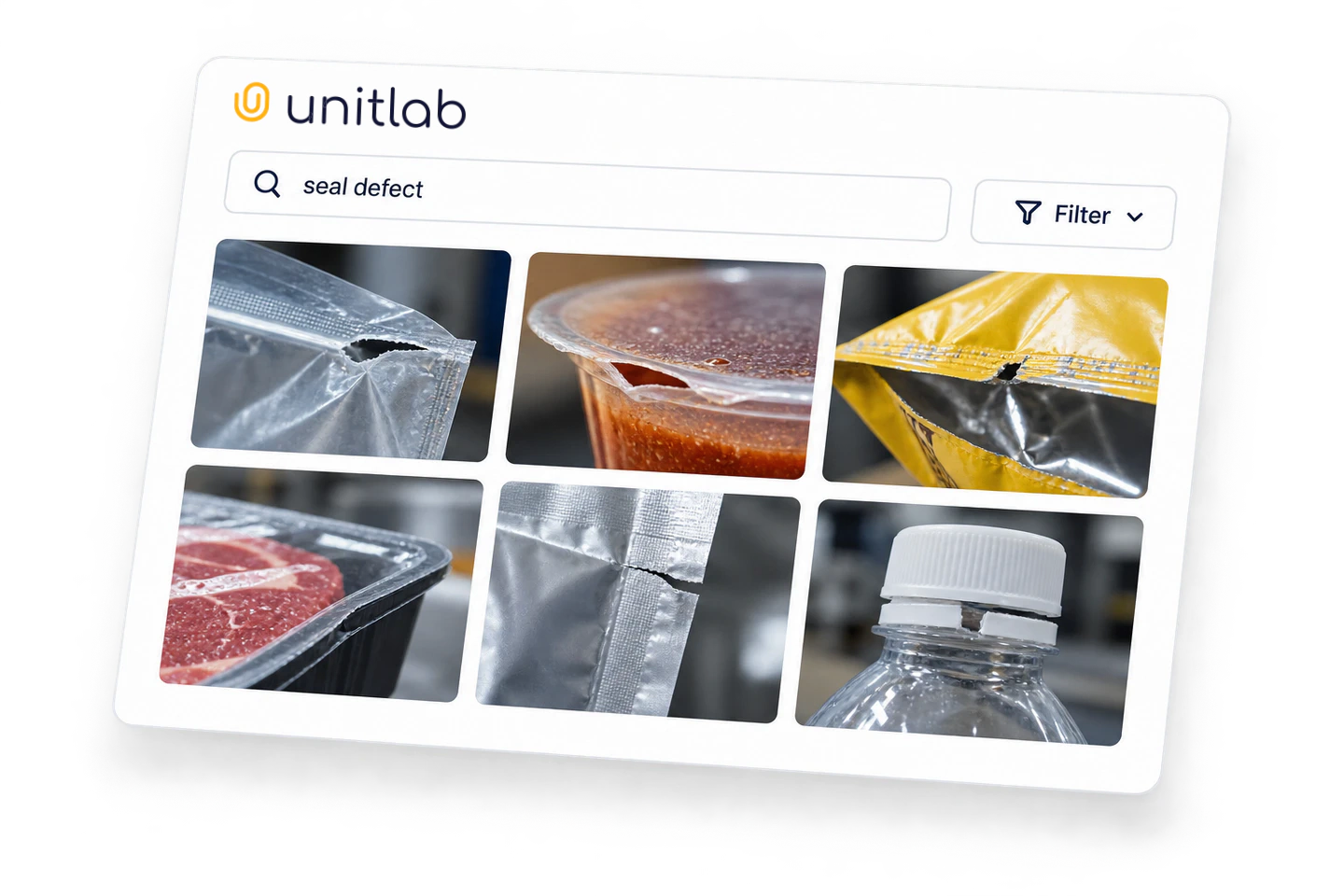
Search mixed-source cases and return consistent image, document, audio, text, or video evidence for one query.
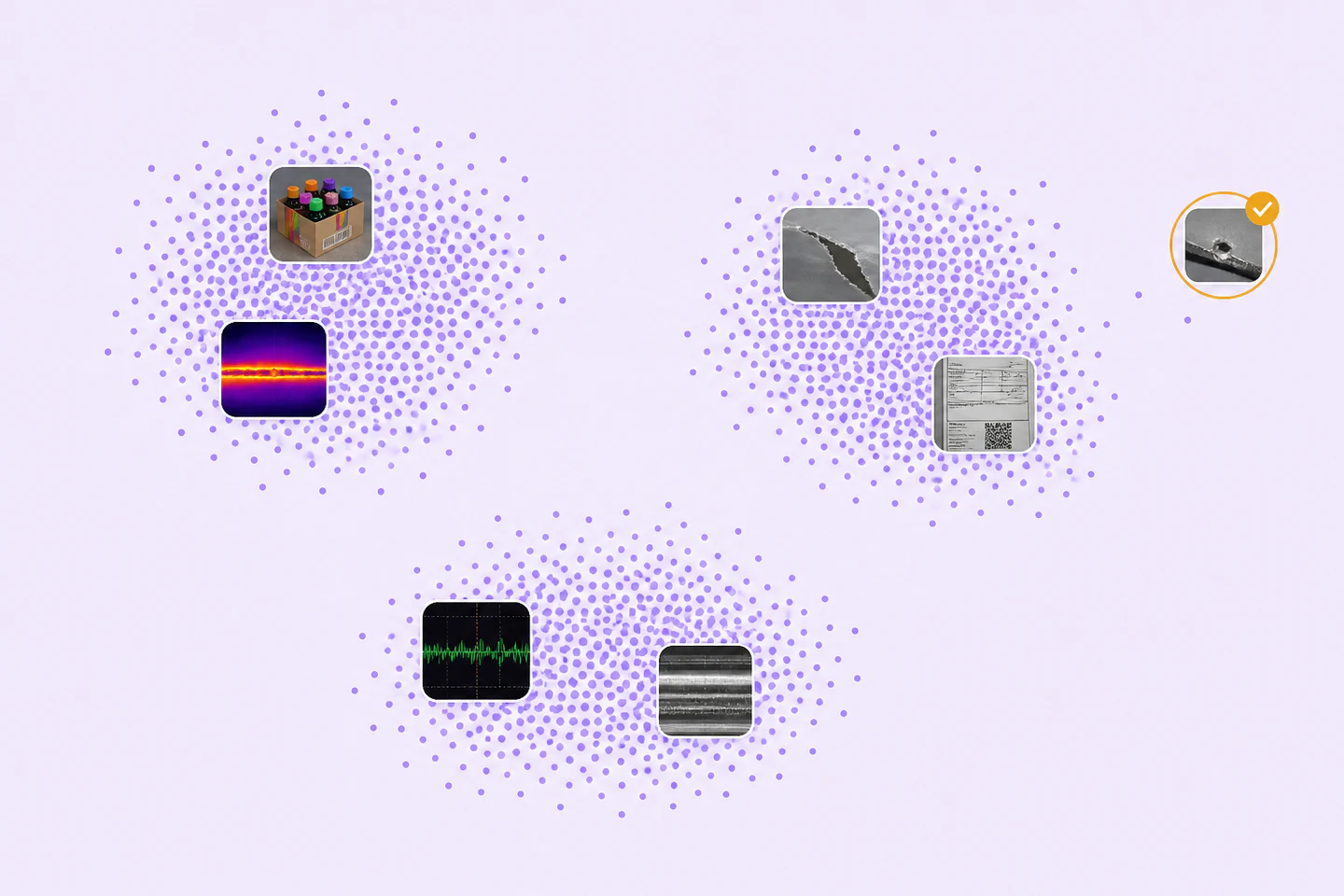
Inspect supported case- or asset-level clusters, similar samples, outliers, and quality issues before training.
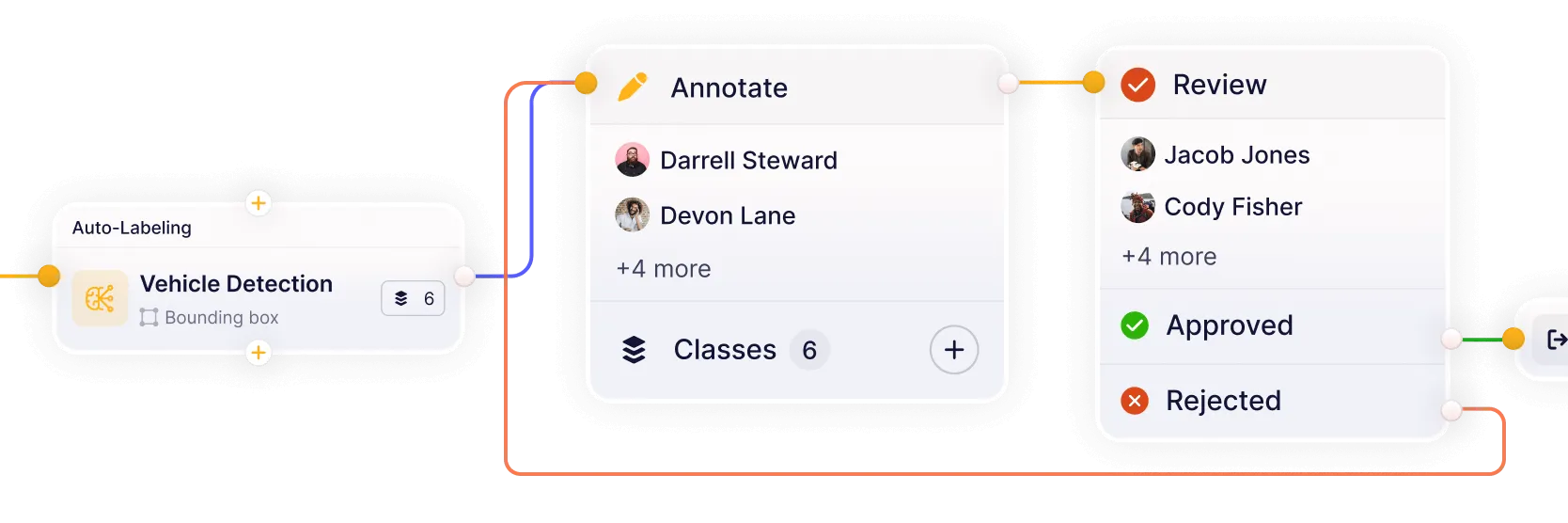
Route a grouped task through native-view annotation, case review, quality assurance, rework, and release while preserving context.
Connect your own AI models for pre-labeling and model-assisted annotation. Improve accuracy and iterate faster on real-world multimodal datasets.
Build reviewed datasets that bring related views, recordings, documents, and instructions into one labeling workflow.
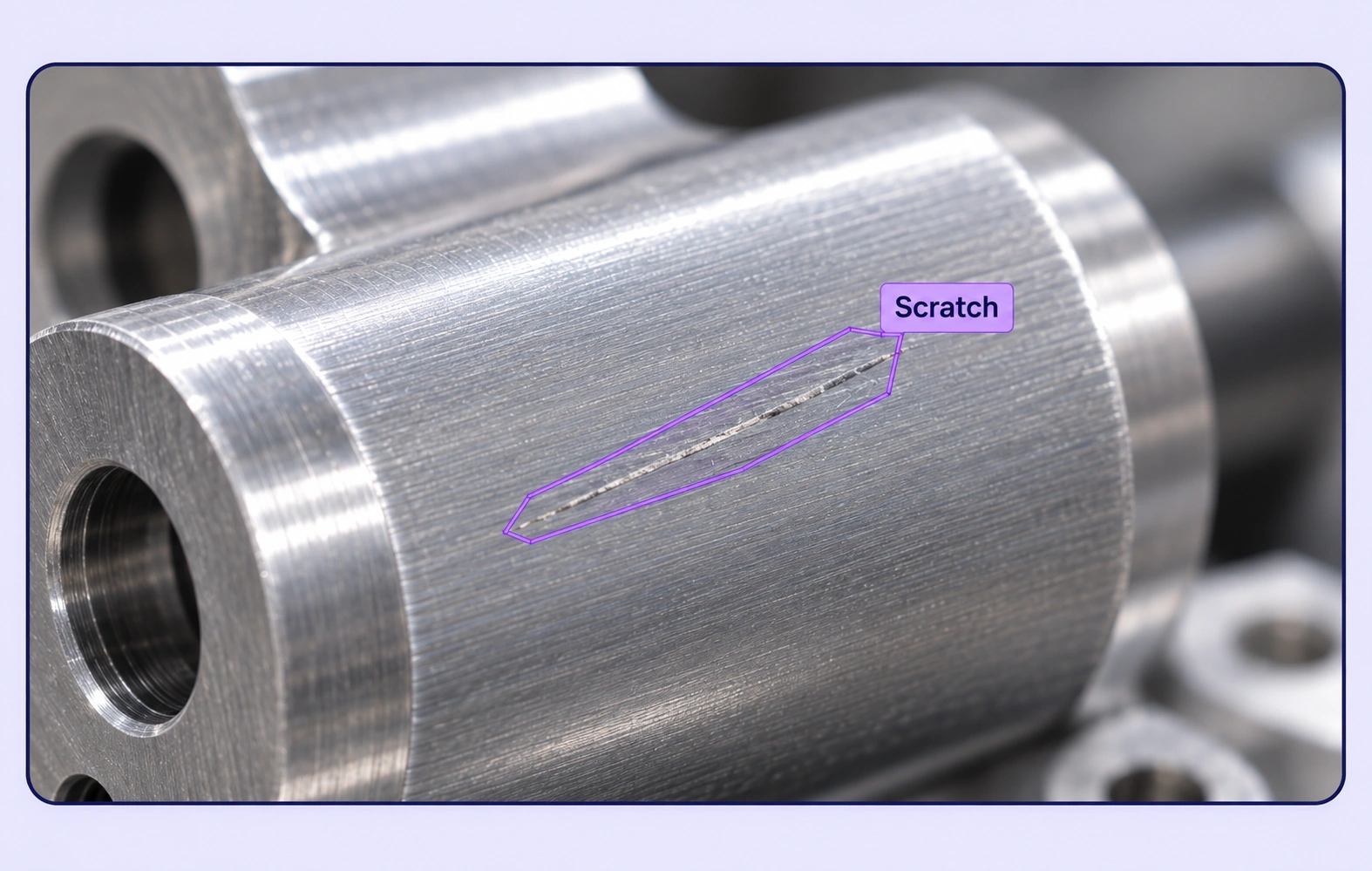
Review inspection images alongside related process recordings and notes. Label visible defects for consistent visual inspection training data.
Explore visual quality inspection →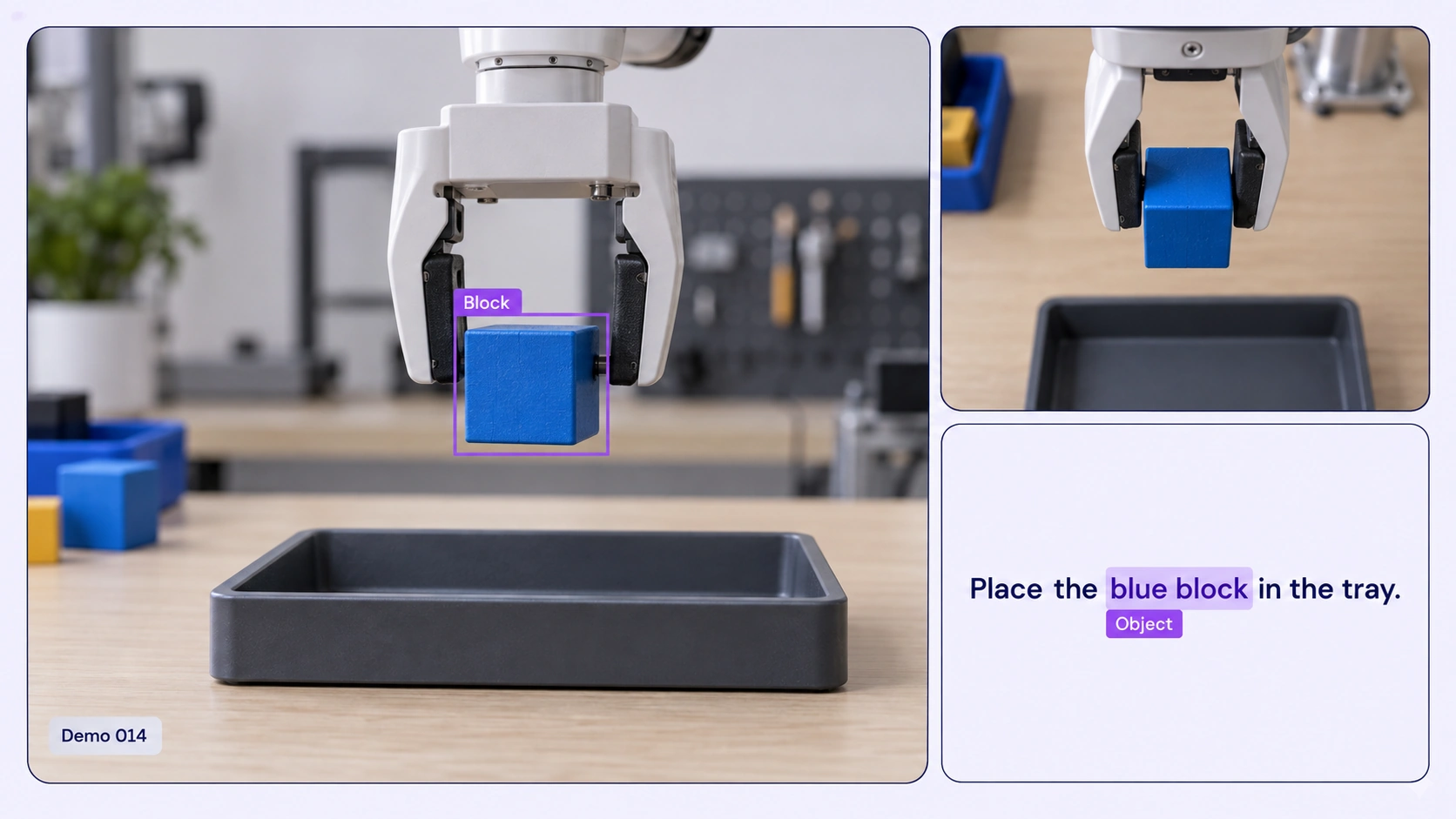
Label recorded robot tasks with multiple camera views, object annotations and instruction context for embodied AI datasets.
Explore robot demonstration datasets →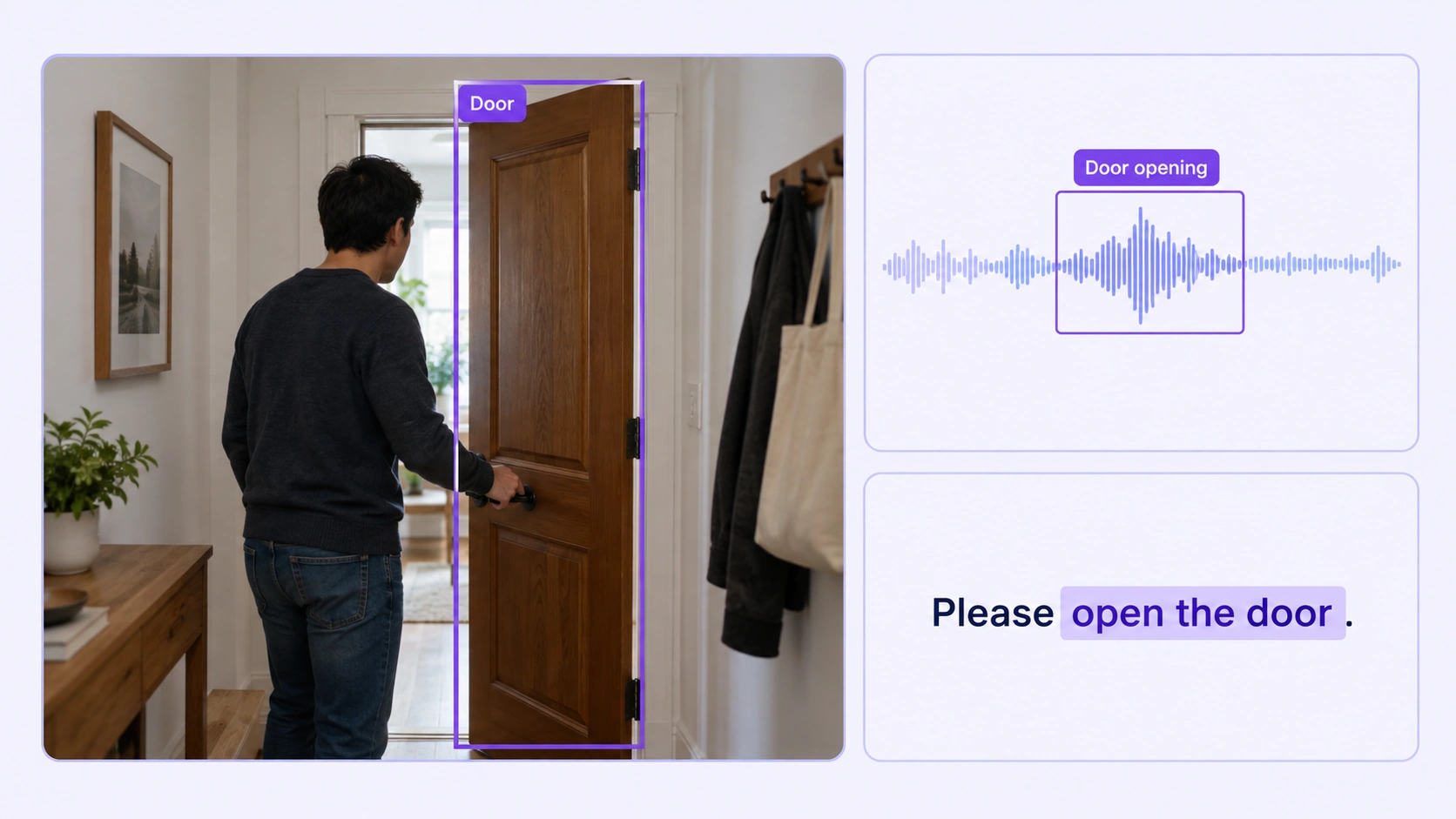
Mark audible events and their visible sources in related recordings to prepare reviewed audio-visual training datasets.
Explore sound localization →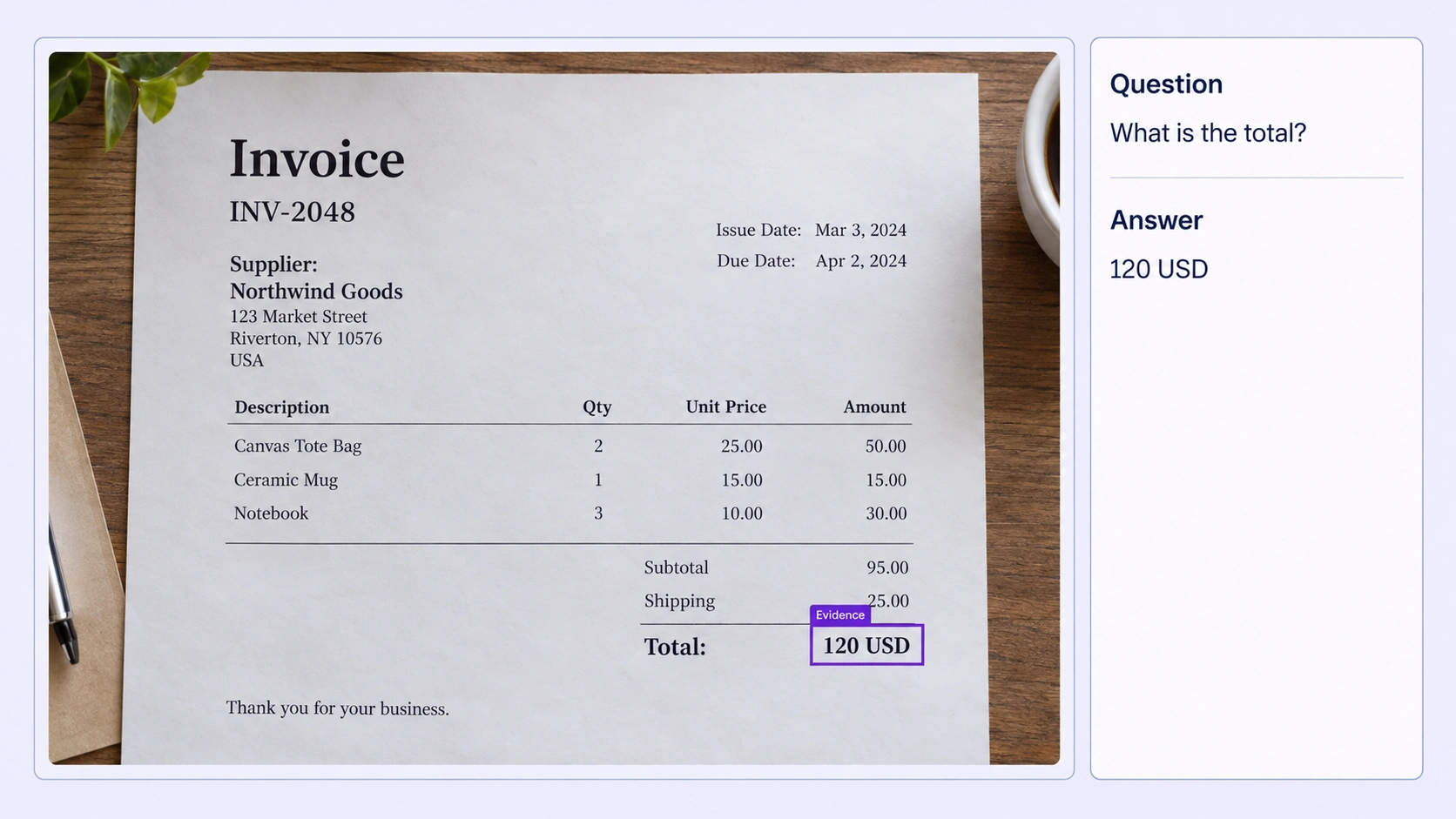
Prepare document question-answer pairs with source evidence, explicit answer fields and human review for document understanding models.
Explore document visual question answering →Answers about grouping related files, native viewers, shared ontologies, review, curation, and model-assisted workflows.
Talk with the Unitlab teamUse boxes, masks, polygons, and lines in visual viewers; audio events, ranges, segmentation, and transcription in audio; entities, spans, and relations in text; native text selection and compatible visual markup in PDF; plus Item Properties and Relations for grouped-case context.
Annotation documentationFilename patterns can group related uploads into a Data Group. The group becomes one assignable case, and a configurable layout presents each file through its compatible native viewer.
Multimodal annotation documentationOne active panel hosts the compatible native editor for the selected file. Passive panels preserve supported context from the same case without originating annotations or edits.
Multimodal layout documentationA shared project ontology defines classes, classifications, properties, and supported relations. Item Properties can capture case-level context while file annotations remain compatible with each native viewer.
Properties and relations documentationConfigurable workflows route multimodal tasks through annotation, review, rework, and approval. Instructions, assignments, comments, issues, annotation history, dataset versions, and releases keep quality decisions traceable for individual experts and enterprise teams.
Annotation and review documentationYes. Unitlab can bring custom models into the annotation workflow to generate pre-labels and predictions. Annotators review and correct model output instead of starting from zero, while human approval remains part of the governed quality process.
Model integration documentationYes. Teams can curate multimodal data with metadata filters, semantic search, embeddings, similarity, and outlier discovery, then annotate selected samples, review results, and publish controlled dataset versions for reproducible AI development.
Dataset management documentationCurate connected data, annotate each file in its native viewer, and review the complete case. Keep shared context, ontology rules, and reviewed annotation releases connected throughout your multimodal workflow.


We use cookies to improve your experience. See our Privacy Policy and Cookie Policy.