Document Annotation Platform

PDF & Document Annotation Platform for Document AI

Annotate PDFs, invoices, forms, tables, and scanned documents for Document AI with OCR-aware regions, text entities, relations, and governed quality assurance.

Document annotation features

Everything You Need for Complex Document Annotation

Navigate multipage PDFs, select native text, create page-aware regions, apply document ontologies, and review every change without losing context.

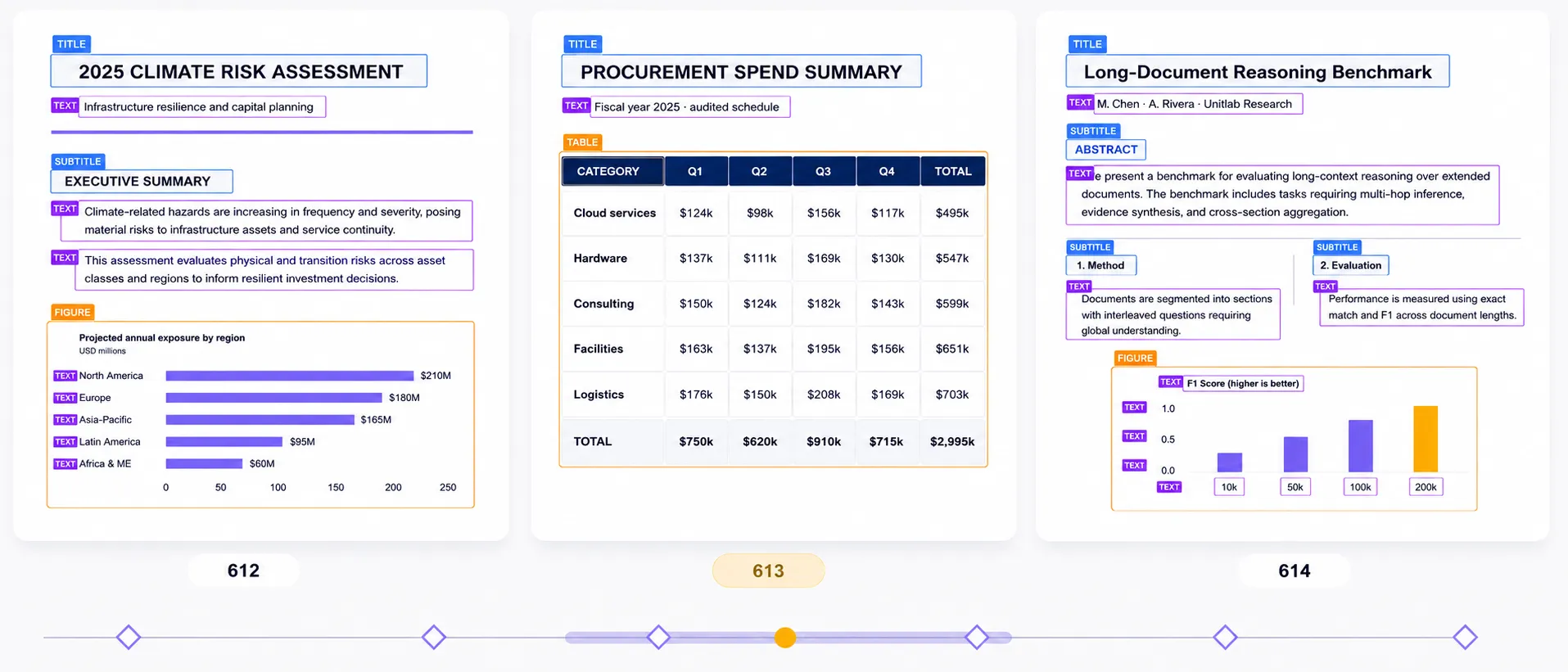
Three consecutive native PDF pages with structured annotations on titles, text, subtitles, tables, and figures, with page 613 active.
01 · Native PDF

Native PDF Annotation

Annotate the original multipage PDF directly, without converting pages into image files. Navigate pages while preserving document identity, annotations, review state, history, and release context.

Native PDFMulti-page annotationDocument context
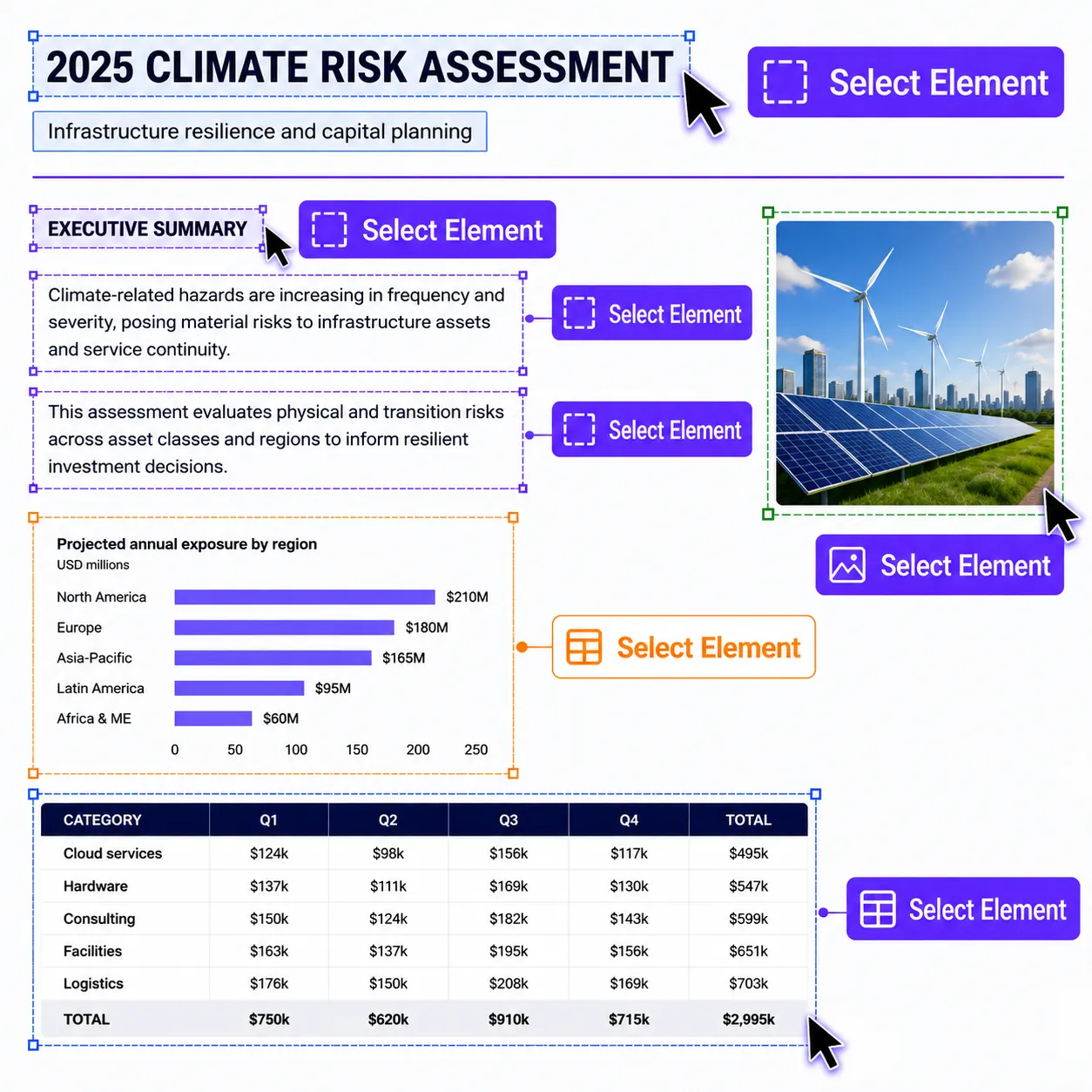
Close-up native PDF content showing lavender-selected text, an amber-highlighted embedded chart, and mint-selected table cells.
02 · PDF content

Selectable PDF Text, Images & Tables

Select native PDF text, images, tables, and other embedded page content directly. Copy text normally or turn selected content into structured, page-aware annotations.

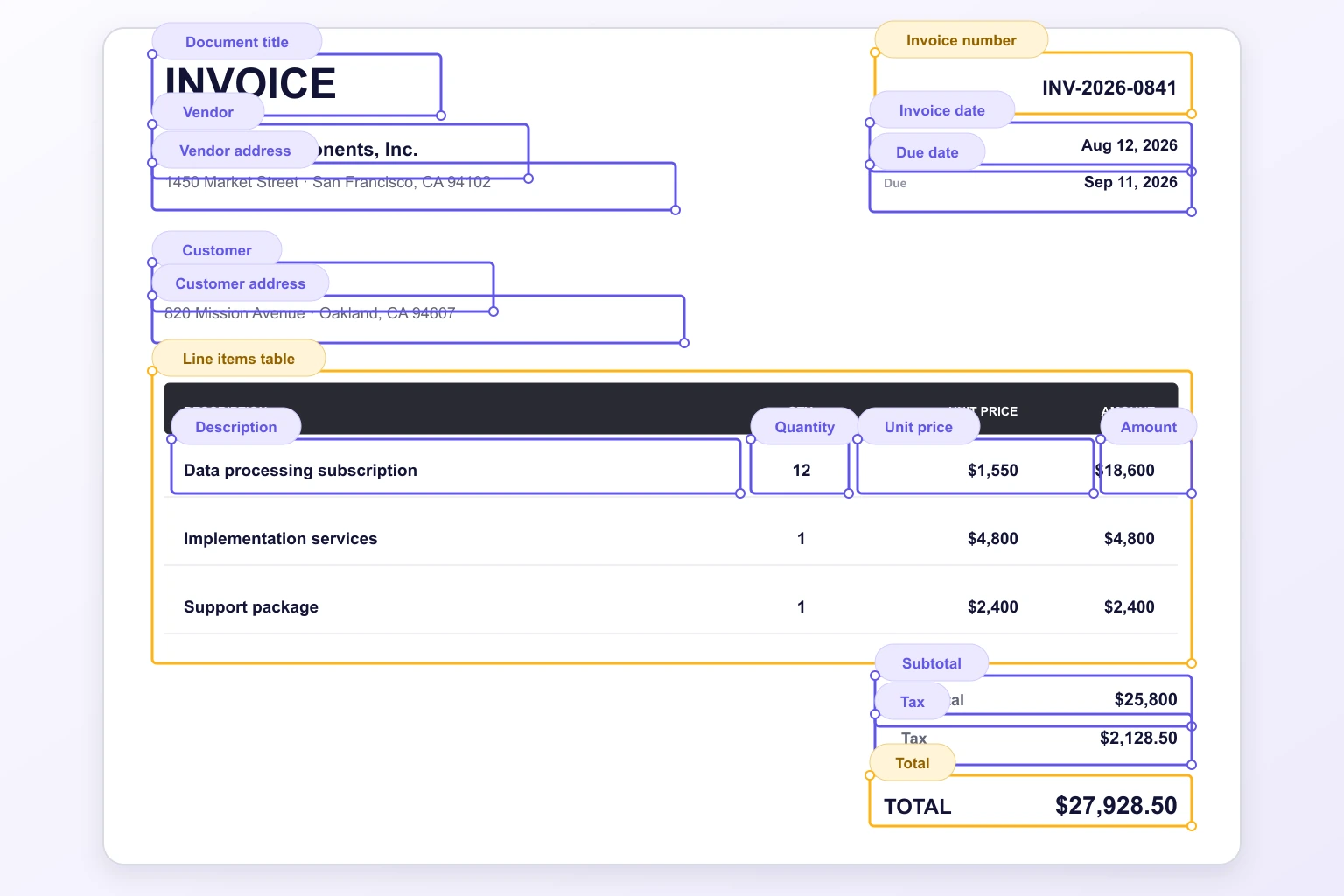
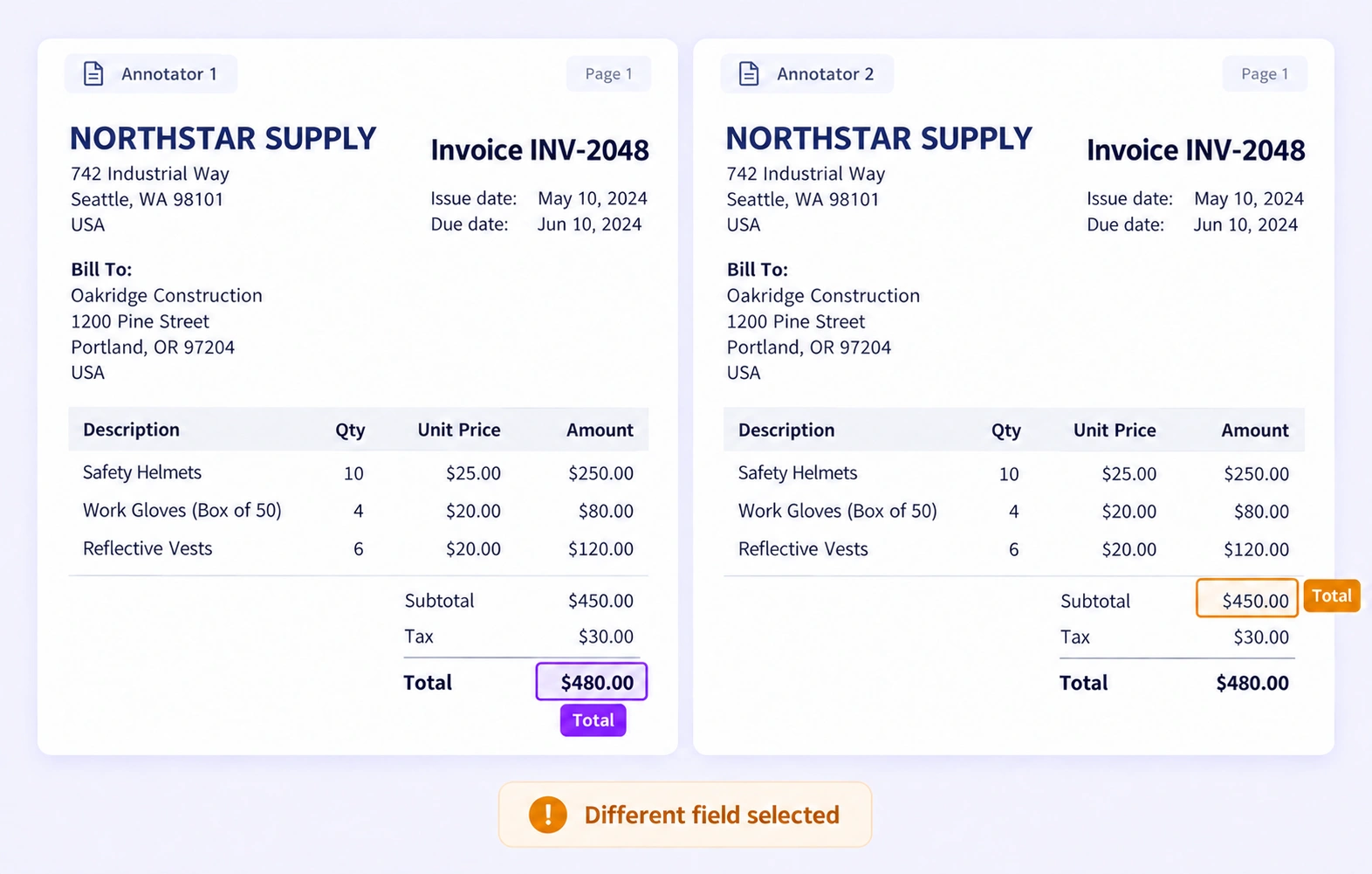
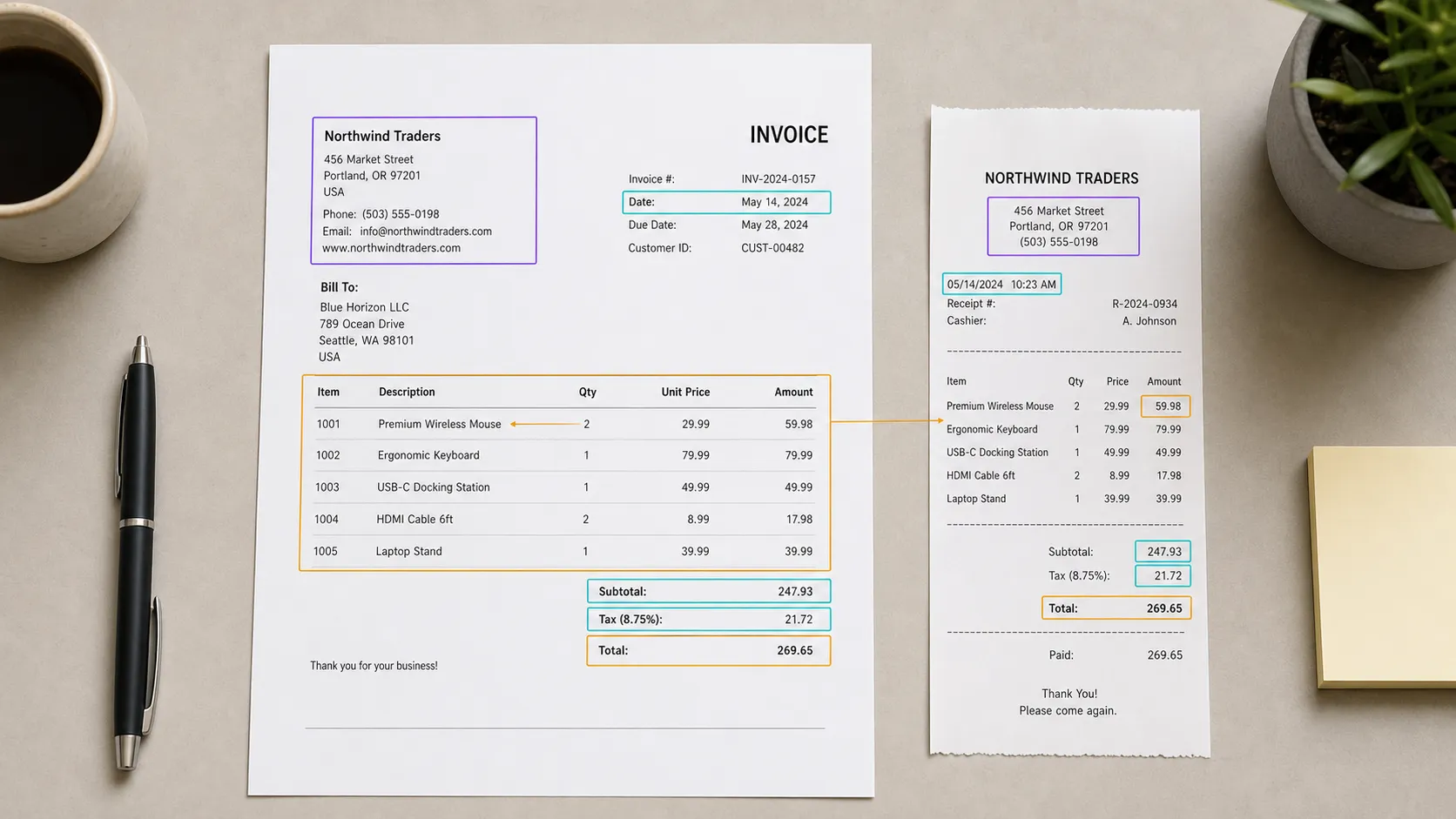
Invoice with single annotation labels for document text fields, dates, line-item table columns, subtotal, tax, and total.
03 · OCR & Extraction

Structured OCR & Text Extraction

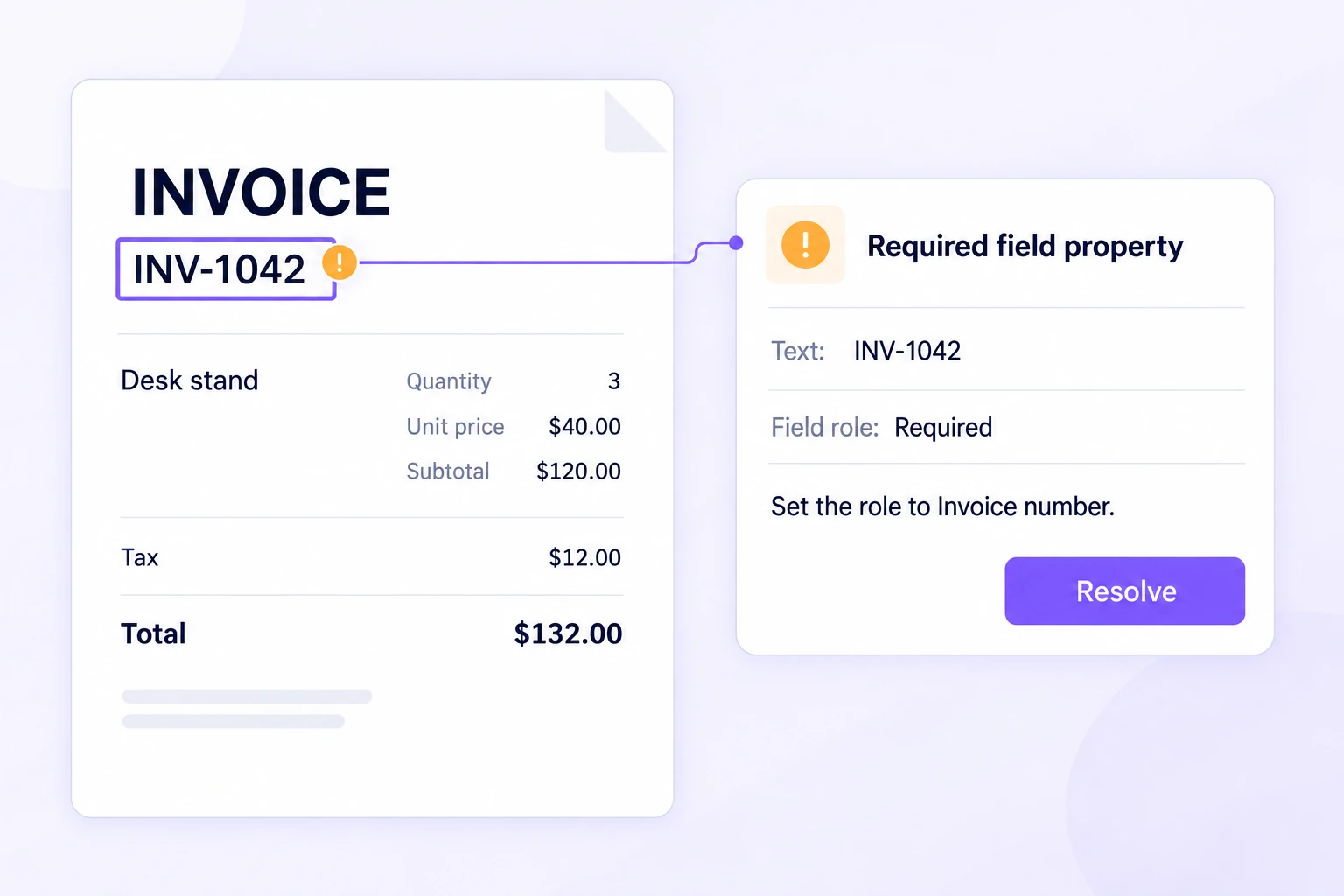
Review OCR output from invoices, label every text field and line-item table, and preserve extracted values with page-aware classes, properties, and relations.

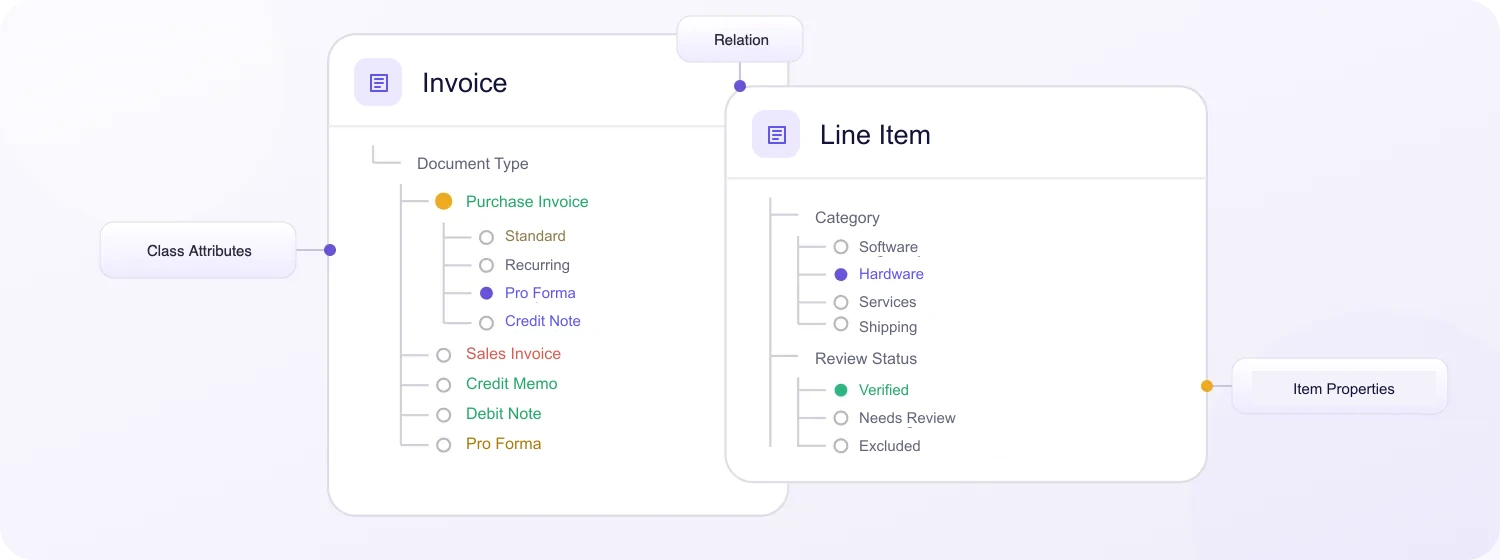
Video Annotation ontology interface preserved exactly with document-specific Invoice, Line Item, attributes, Relation, and Item Properties use cases.
04 · Structure

Document Ontologies & Relations

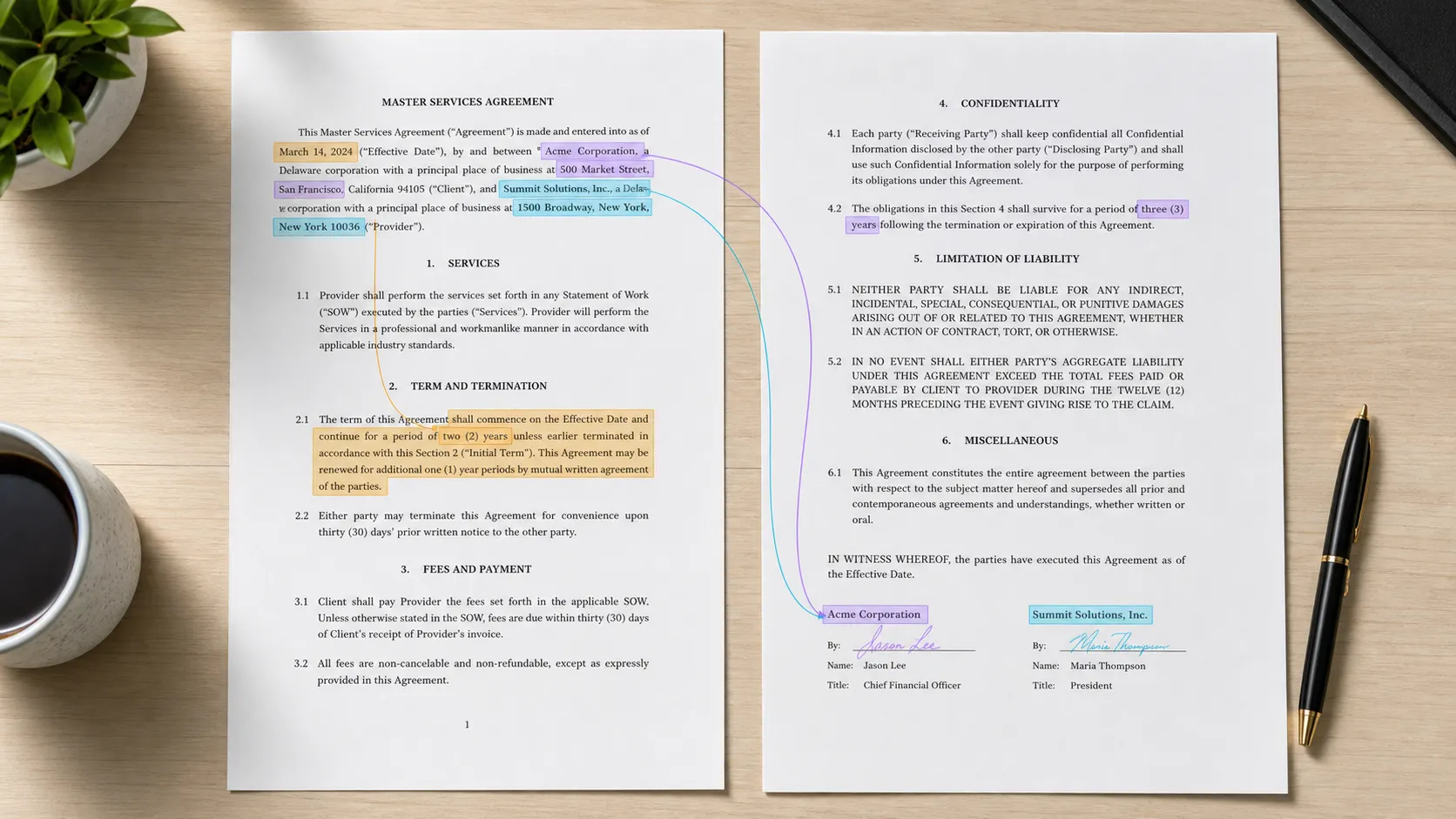
Model invoices, line items, clauses, parties, and other document concepts with nested class attributes, Item Properties, and relations while preserving page and document context.

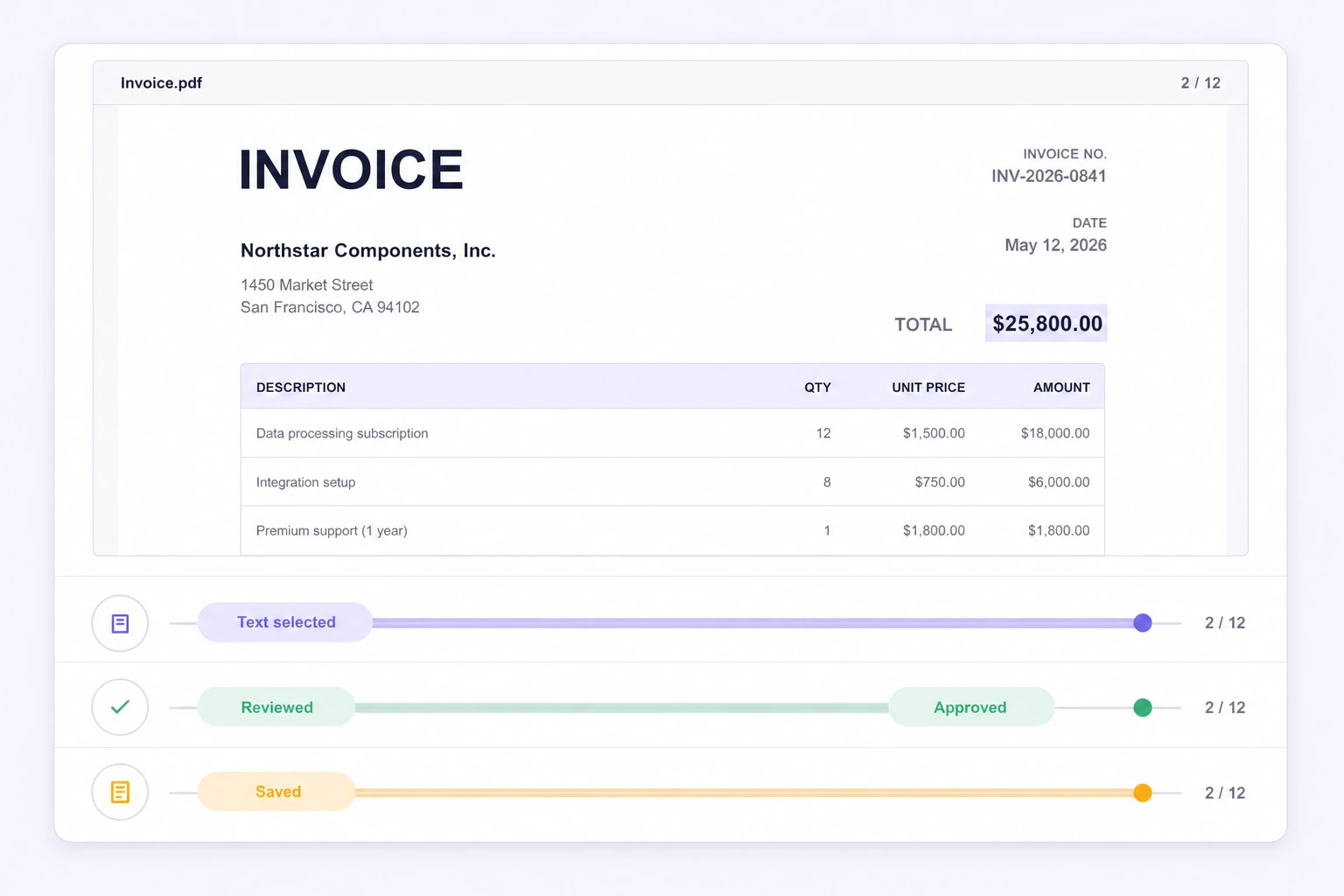
Page 2 of an invoice with clear page-aware text selection, review, approval, and save history lanes.
05 · Context

Page-Aware History & Review

Review page identity, selected text, labels, relations, comments, issues, save events, and approval decisions in one document-level history.

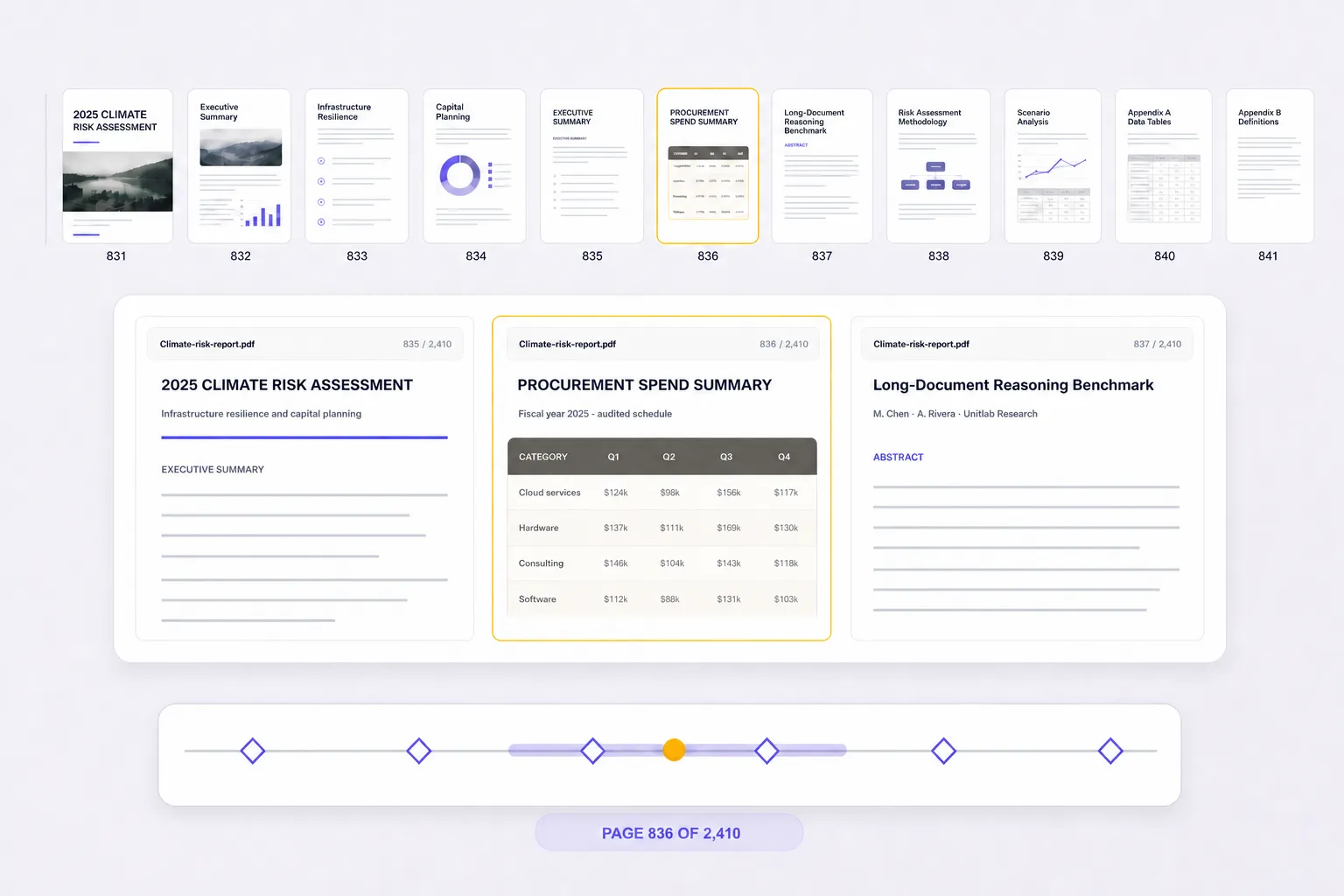
Overview and focused navigation for a 2,410-page PDF, with page 836 active.
Example document2,410 pages
06 · Scale

Large PDFs, One Document Context

Navigate 2,410-page PDFs with thumbnails and footer controls while preserving off-page annotations, Item Properties, review state, and complete document history.

Page thumbnailsSeparate work-item controls

Why AI Teams Choose Unitlab for Document Annotation

Annotate complex document datasets faster with AI-assisted automation, scalable workflows, and lower operational costs.

15X
Faster Document Annotation
90%
Automated Document Annotation
10X
Lower Annotation Costs
Supported document annotation types

All document annotation types in one platform.

Label text and entities, page-aware regions, document layouts, tables, OCR fields, classifications, figures, document properties, and relations on PDF pages.

01
Text and image regions

Text / Entity Annotation

Label selectable text spans and document entities with reusable classes, attributes, and page context.

02
Pixel-level masks

Bounding Box / Region

Mark text, field, image, or visual regions with page-aware bounding boxes.

03
Precise boundaries

Layout Region

Label headers, paragraphs, sections, columns, and other layout regions on PDF pages.

04
Pose structures

Table Annotation

Annotate tables, rows, columns, cells, headers, and line-item relationships.

05
Paths and edges

OCR Field Annotation

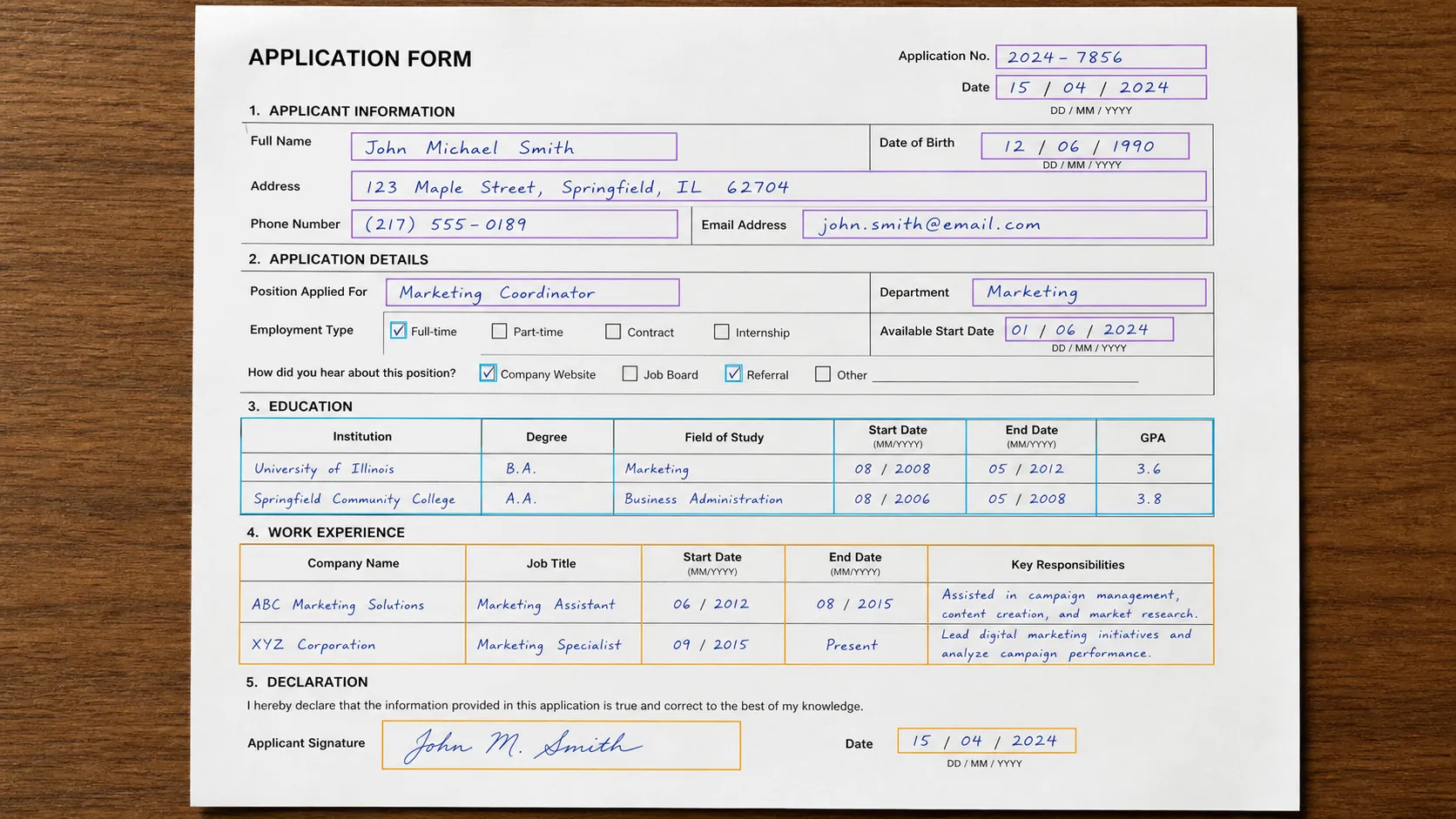
Review OCR text and label fields, values, and extracted text regions on scanned or native PDFs.

06
Landmark precision

Classification

Assign document type, page type, intent, status, or other whole-item labels.

07
Oriented volume

Image / Figure Region

Mark figures, diagrams, signatures, logos, and embedded image regions.

08
Document-level context

Item Properties

Describe the complete PDF with source, quality, category, and other document-level context.

09
Object connections

Relations

Connect clauses, parties, visual regions, properties, and other document objects explicitly.

Document dataset curation & annotation workflows

Curate document data and automate annotation workflows.

Search, version, and inspect document datasets, connect AI models, and move annotations through review and approval.

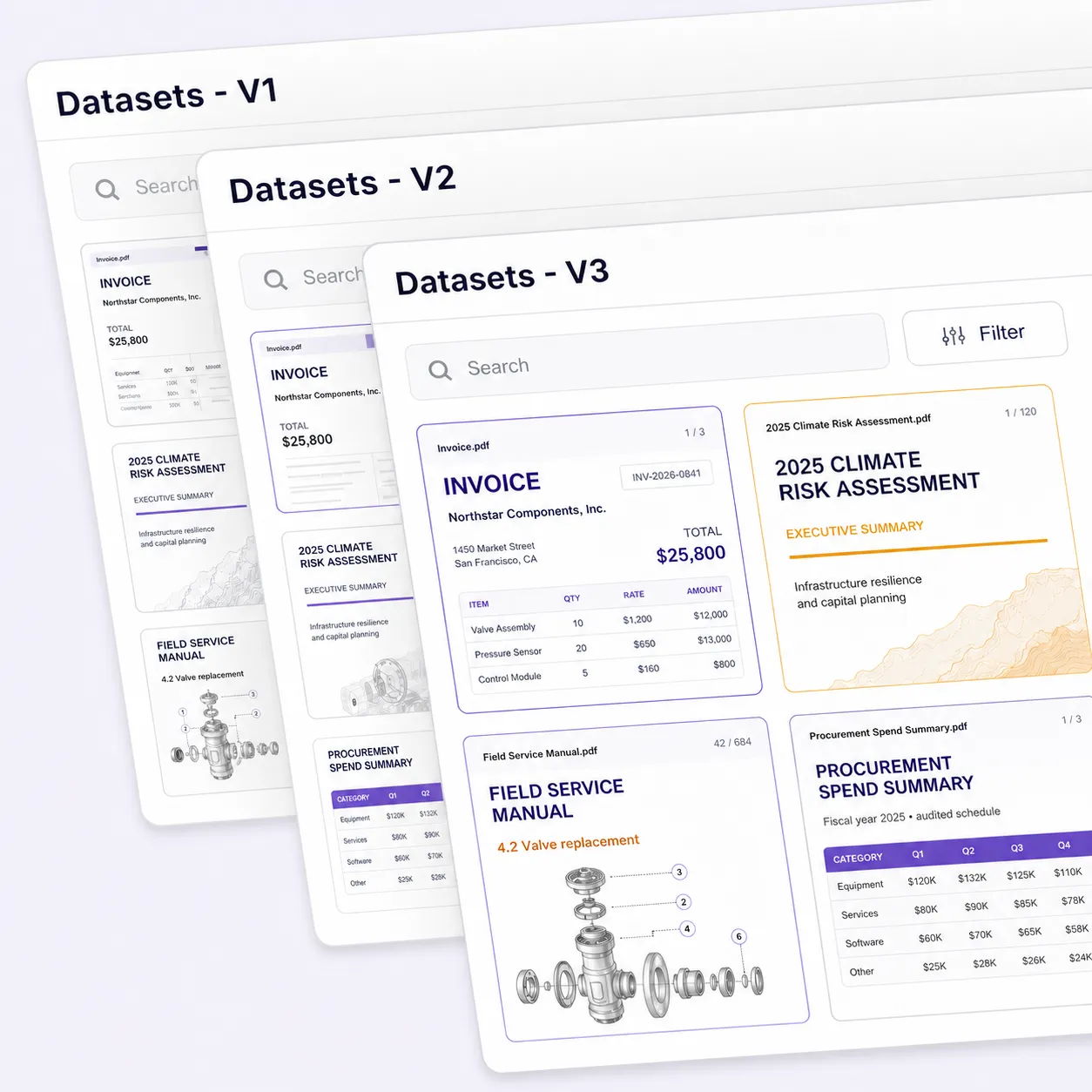
Three successive Unitlab dataset versions containing invoice, climate report, field manual, and procurement PDF pages.
Version

Dataset Versions

Create versioned snapshots of PDF datasets, page annotations, and curated collections while keeping every release traceable.

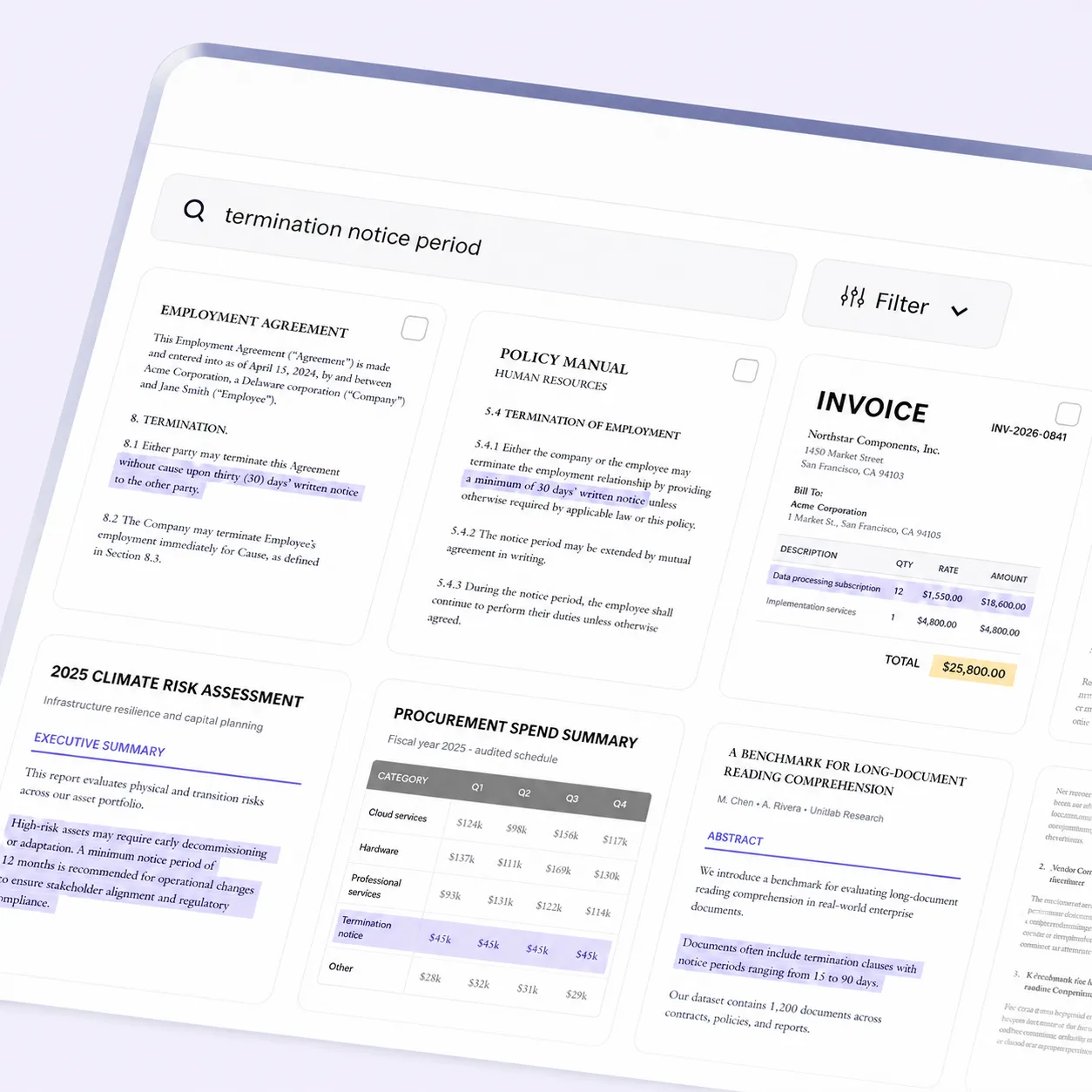
Unitlab semantic search for termination notice periods across six varied PDF document results.
Discover

Semantic Search

Search document datasets with natural-language queries and return only relevant PDFs, pages, or cases for curation and review.

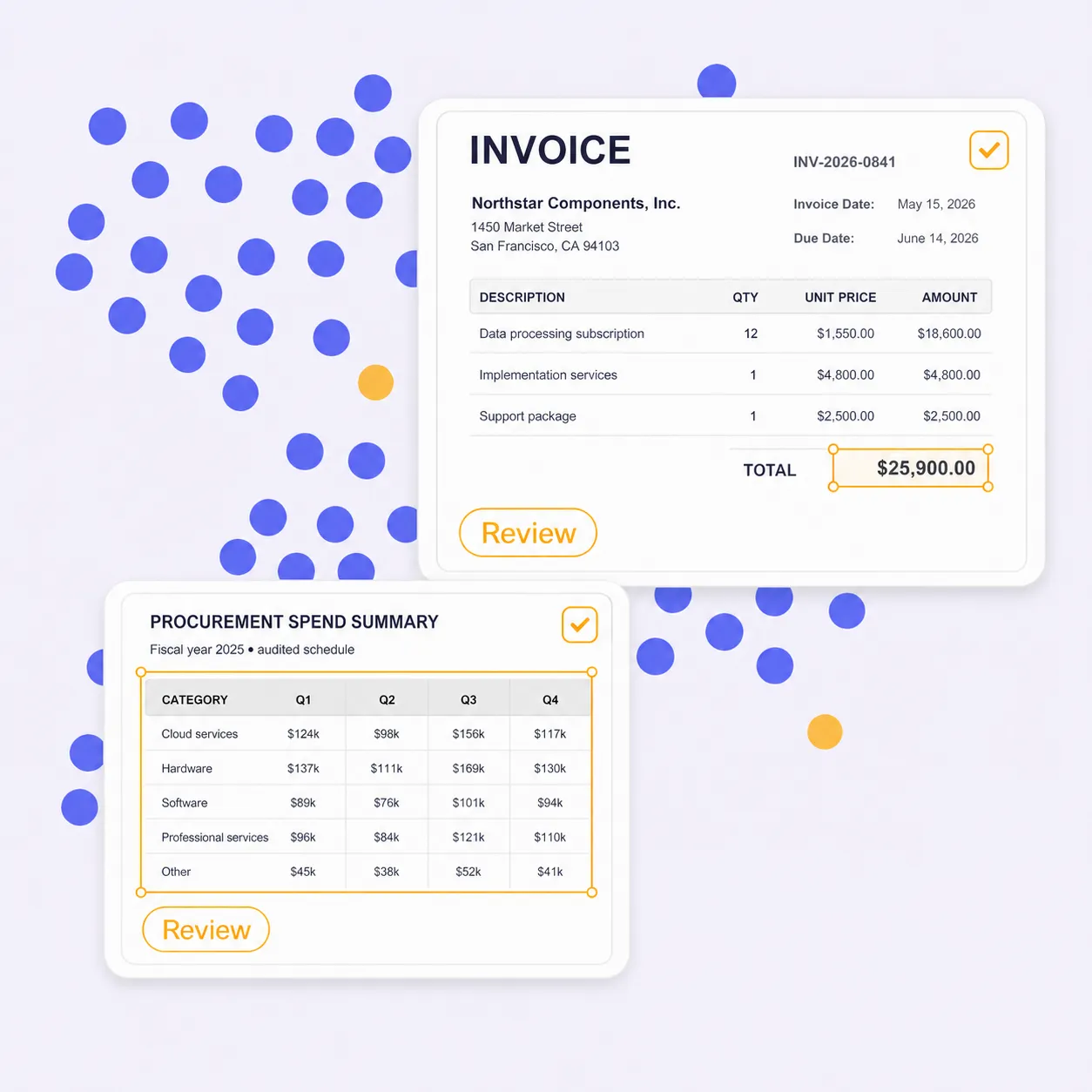
Document embedding clusters with an invoice and procurement table selected for review.
Inspect

Embedding View

Explore similar documents and pages, clusters, outliers, duplicates, and labeling issues before training.

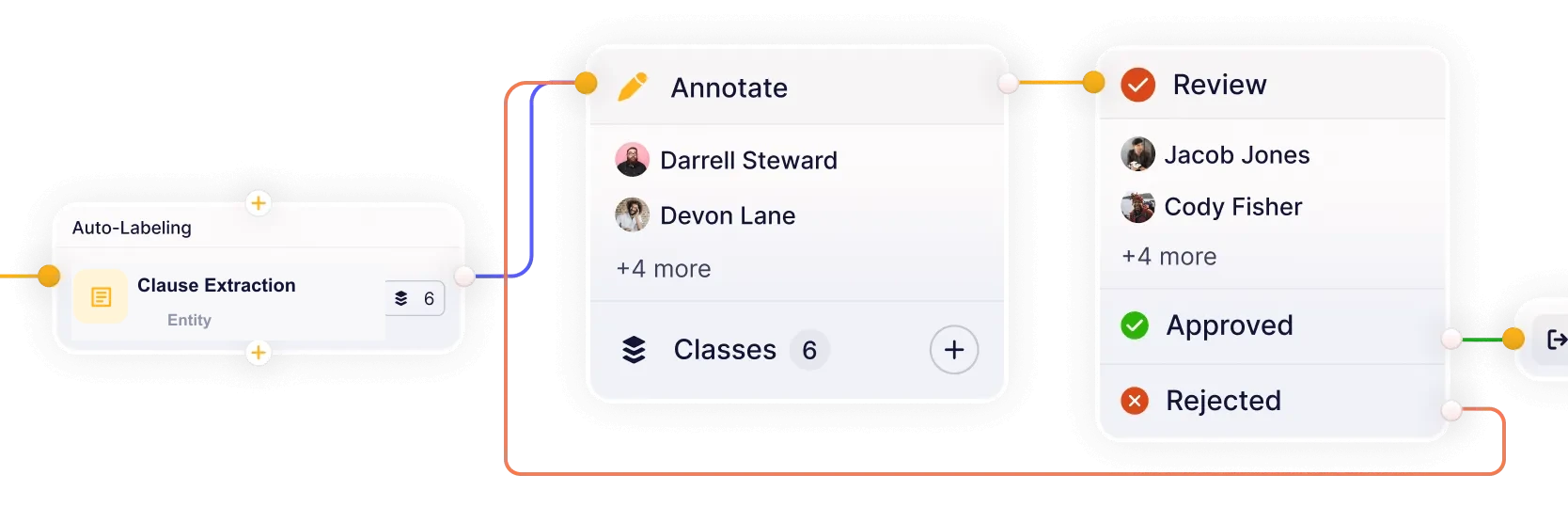
Existing Unitlab integrated workflow connecting Clause Extraction, annotation, review, approval, and rejected-item rework.
Orchestrate

Integrated Workflows

Build workflows that connect models, annotation, review, and quality assurance in one continuous loop. Reduce handoffs and keep datasets moving from labeling to approval.

Bring your Document model into Unitlab’s annotation workflow
Integrate

Bring Your Document Model

Connect document models for pre-labeling or extraction, then route predictions through human correction, review, and approval.

Questions, answered

Document Annotation Platform FAQs

Answers about PDF annotation, OCR review, document labeling, layout and table annotation, text extraction, ontologies, quality workflows, and Document AI datasets in Unitlab.

Talk with the Unitlab team
What document annotation types does Unitlab support?+

Unitlab supports native PDF text and entity annotation, page-aware regions, layout regions, tables, OCR fields, classifications, figures, document properties, and relations.

Document annotation documentation
How does native PDF page navigation work in Unitlab?+

One uploaded PDF remains one work item. Top-center previous and next controls change work items, while the bottom page footer changes pages inside the current PDF without losing off-page annotations.

PDF page navigation documentation
Can Unitlab select and annotate native PDF text?+

Yes. When a native text layer is available, Select PDF Text enables normal selection and copying. Selected text rectangles can become editable page-aware bounding regions; scanned PDFs can require different OCR handling.

PDF text selection documentation
How do document ontologies, properties, and relations work?+

Document ontologies define classes, nested attributes, Item Properties, and relations. Each text or visual annotation keeps its page context while document-level properties describe the complete PDF.

Properties and relations documentation
How does Unitlab manage document annotation quality and review?+

Configurable workflows route document tasks through annotation, review, rework, and approval. Instructions, assignments, comments, issues, annotation history, dataset versions, and releases keep quality decisions traceable for individual experts and enterprise teams.

Annotation and review documentation
Can teams use their own AI models for document pre-labeling?

Yes. Unitlab can bring custom models into the annotation workflow to generate pre-labels and predictions. Annotators review and correct model output instead of starting from zero, while human approval remains part of the governed quality process.

Model integration documentation
Can Unitlab curate, annotate, and version document datasets in one platform?

Yes. Teams can curate document data with metadata filters, semantic search, embeddings, similarity, and outlier discovery, then annotate selected samples, review results, and publish controlled dataset versions for reproducible AI development.

Dataset management documentation
DOCUMENT ANNOTATION PLATFORM

Build Production-Ready Document Datasets with Unitlab

Annotate, review, and manage native PDF data in one AI-assisted workspace. Move from selectable text and page-aware regions to governed approval and versioned releases without losing document context.