
Built-in auto-labeling tools and automated workflows reduce manual annotation work.
Automate curation, dataset management, and versioning so engineers can focus on models.
Curated data, reusable ontologies, and quality control reduce annotation rework.
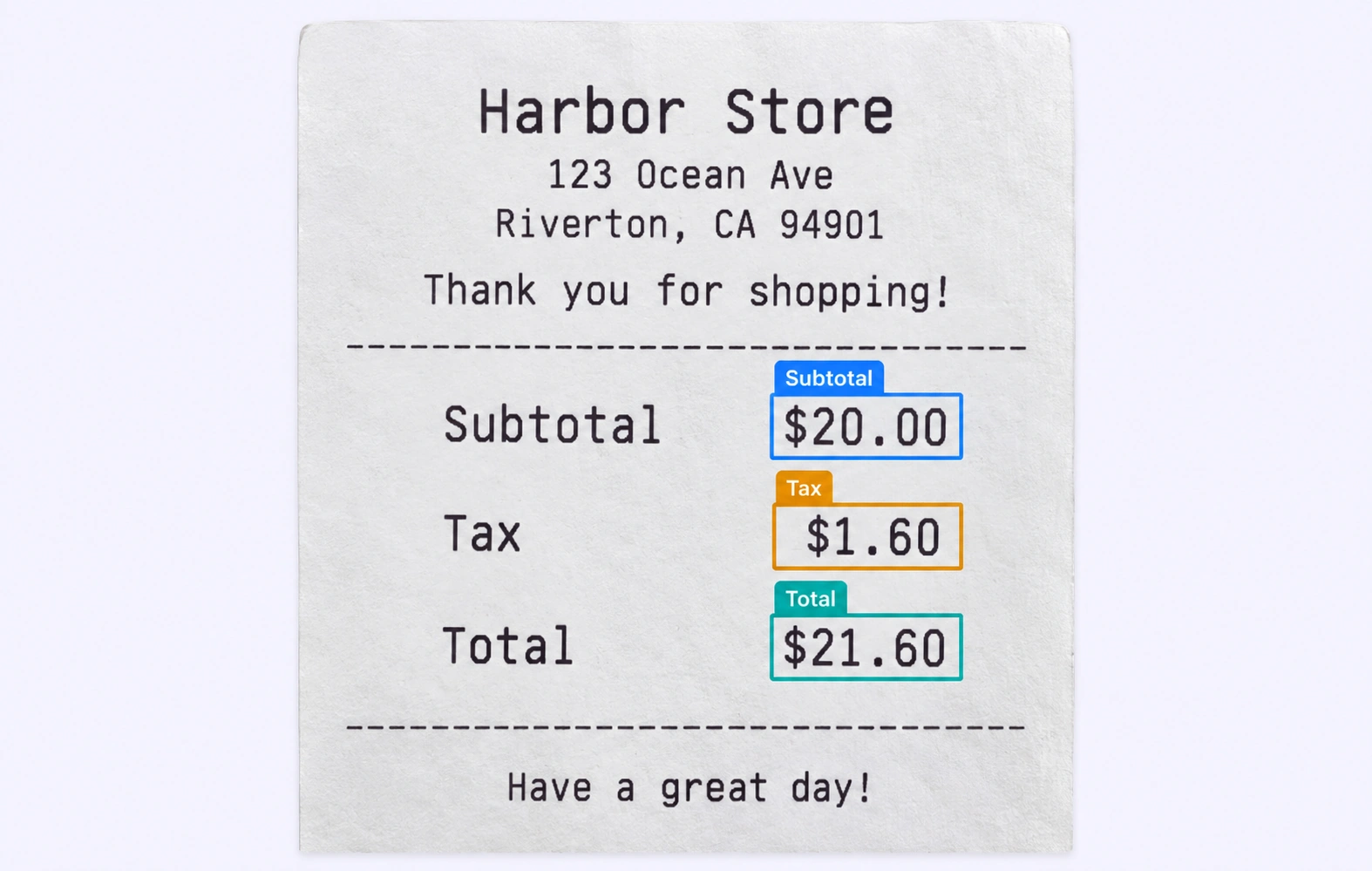
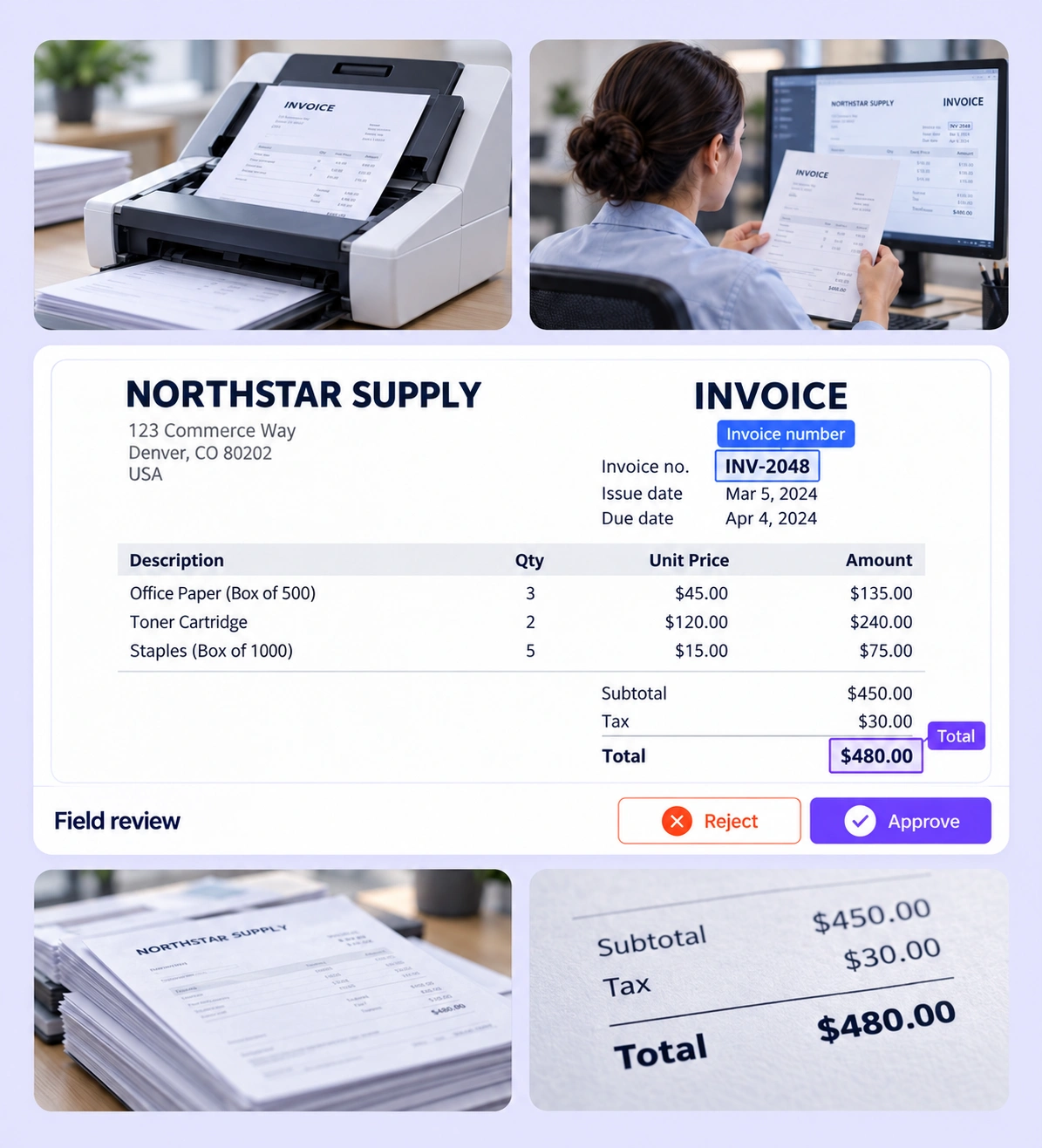
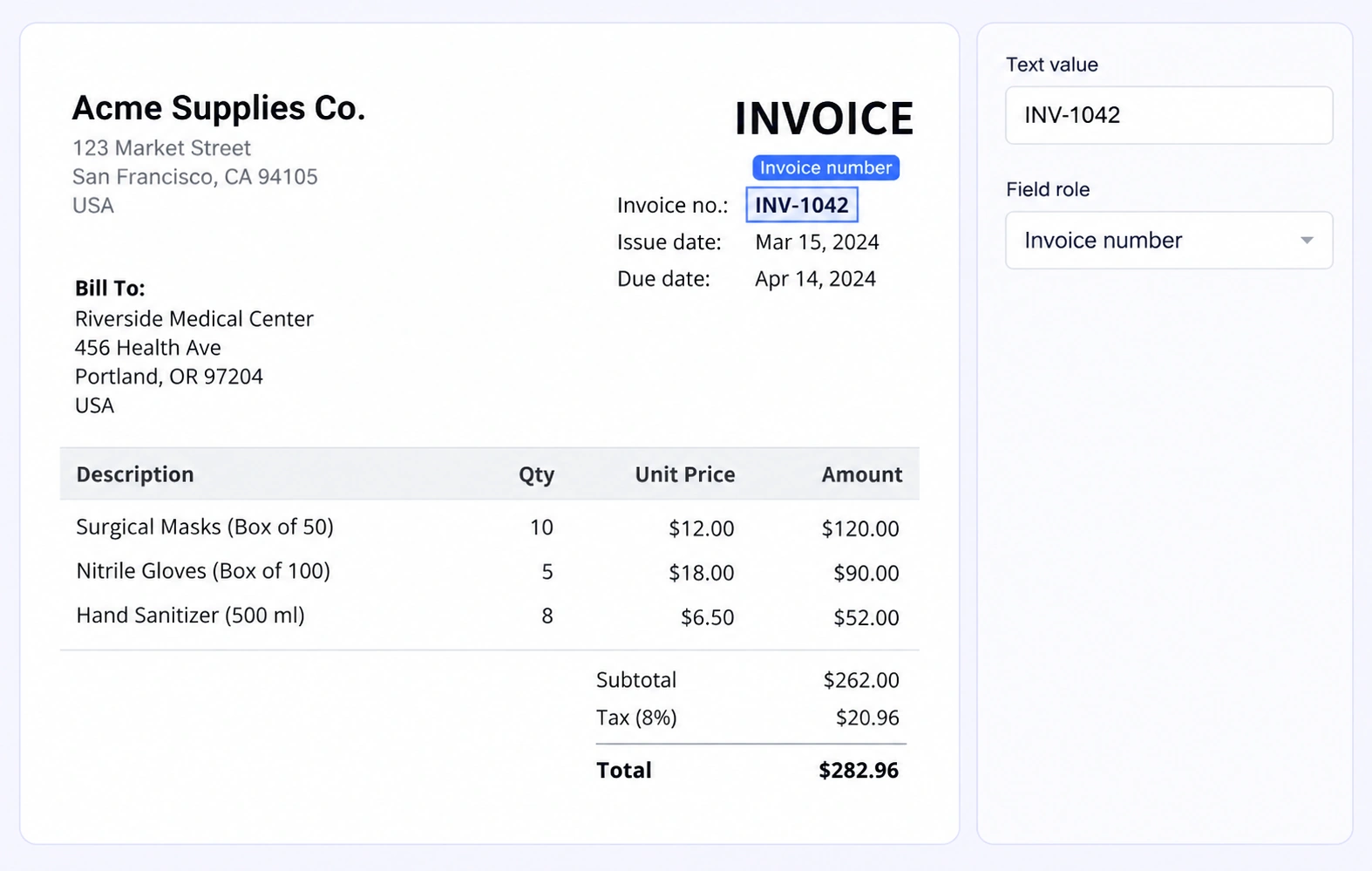
Check invoice numbers, dates, totals, and line-item regions against the source page. Confirm that each label points to the intended field and that recorded values follow the project’s extraction rules.
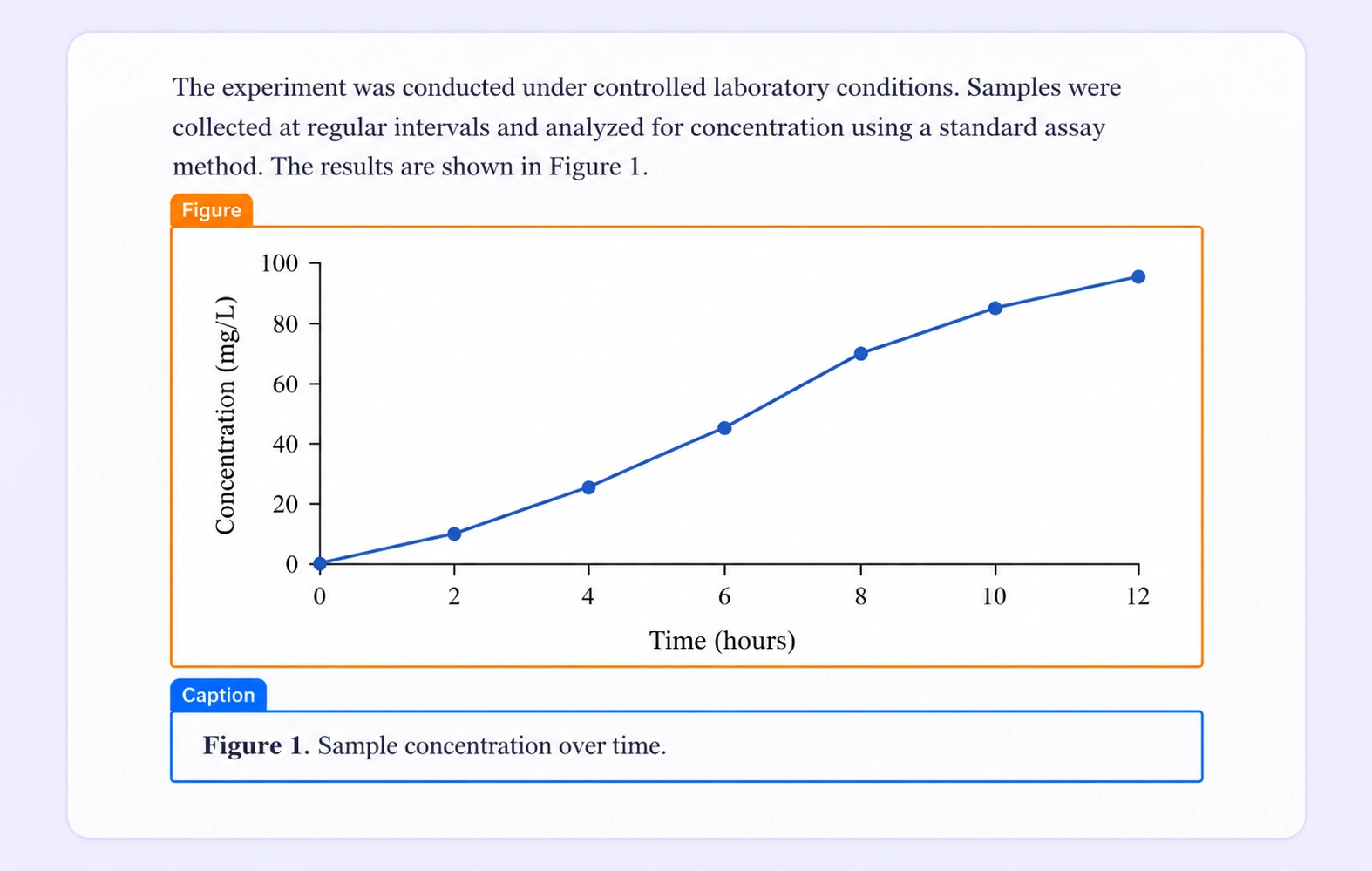
Inspect figures and captions as separate page-aware layout regions. Correct boundaries that include neighboring text or attach a caption to the wrong visual element before releasing layout training data.
It is the review of PDF annotations for field completeness, correct classes, region boundaries, and page context. Unitlab keeps the original document, its annotations, and review decisions together. QA overview
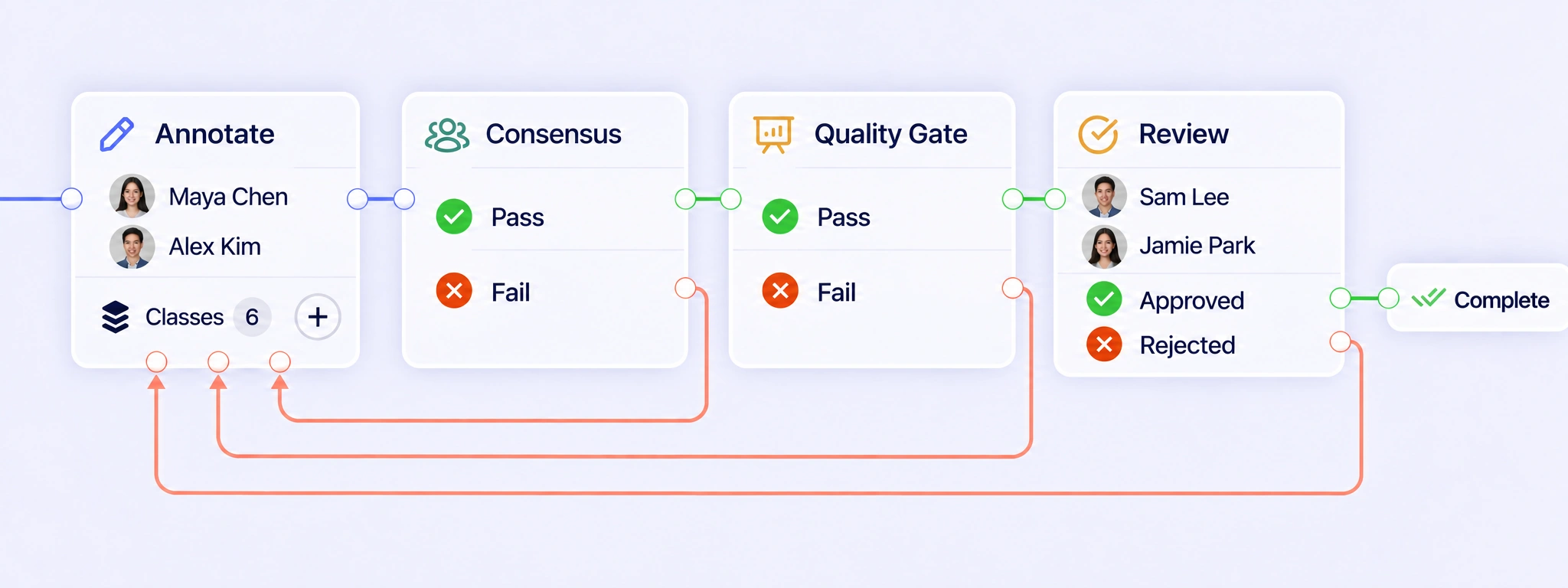
Configure annotation, Consensus, Quality Gate, and Review stages around the document task. Pass results can move forward; failed checks and rejected reviews can return the PDF for correction. The same document stays connected to its pages, annotation attempts, and decisions throughout the workflow. QA workflows
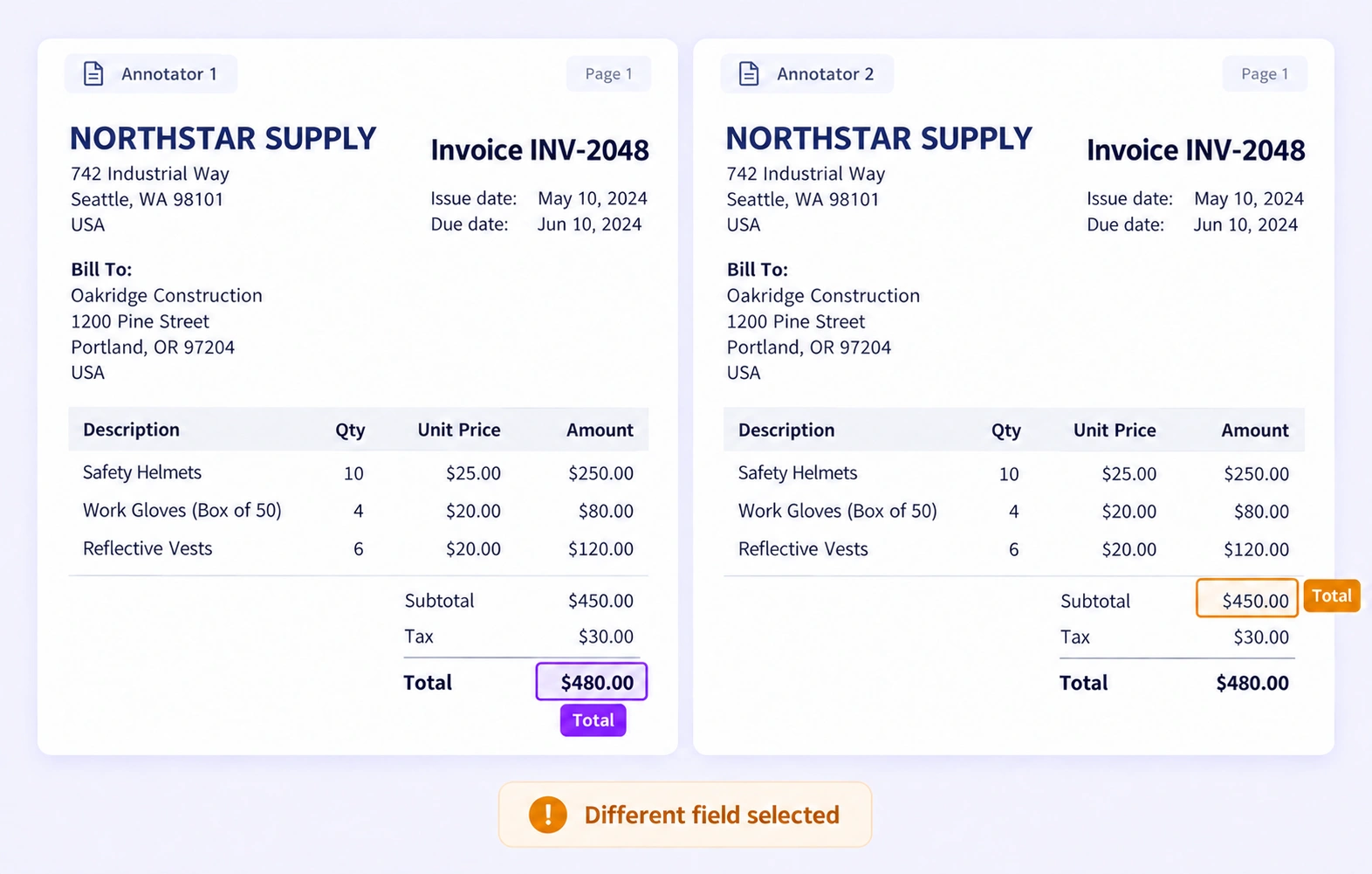
Consensus compares independent annotations of the same PDF under configured agreement settings. Reviewers can inspect differences in field classes, page regions, and properties. Consensus measures agreement between annotators; a Quality Gate checks an approved answer key. Shared mistakes still require review against the original document. Consensus guide
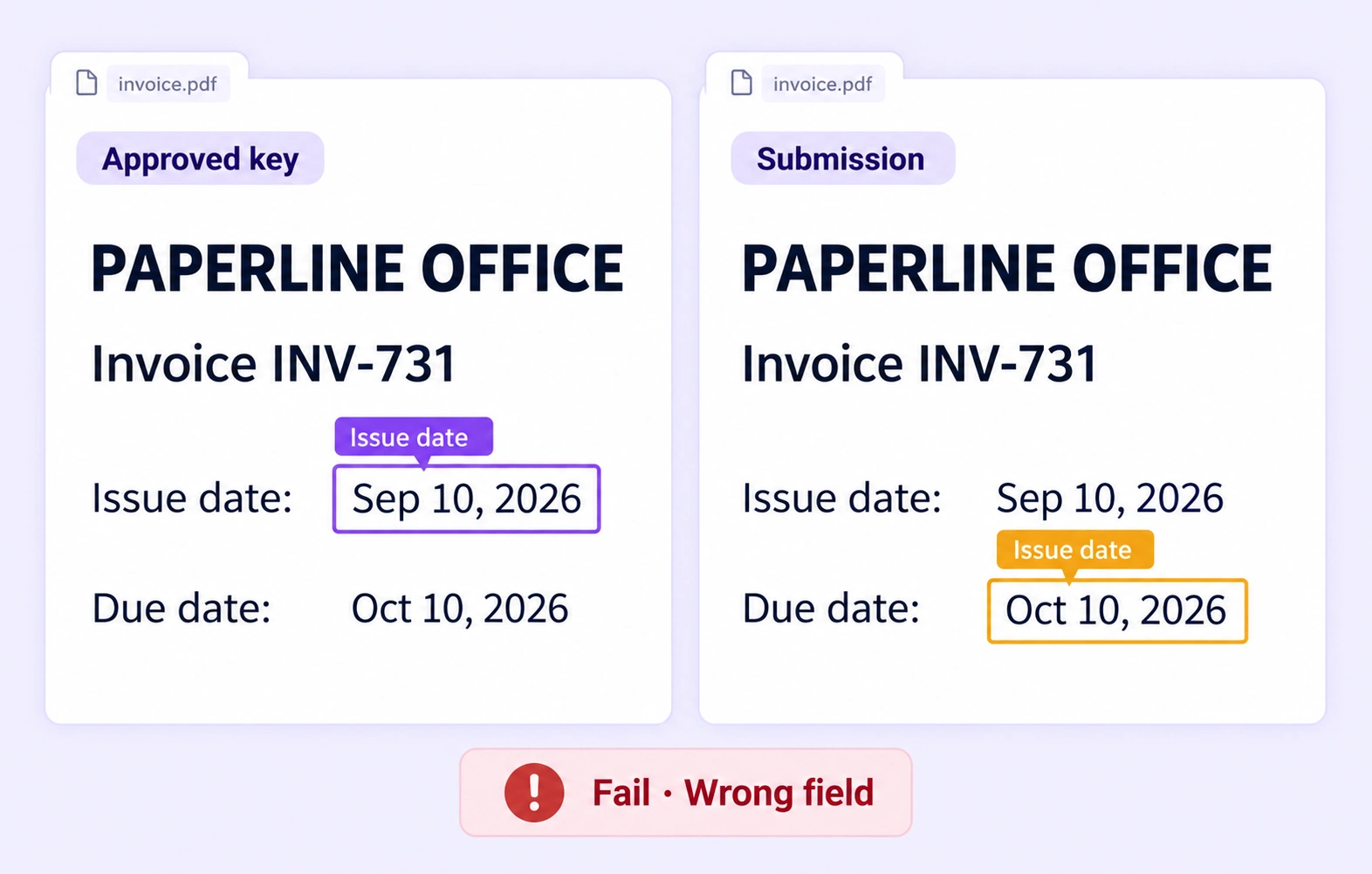
A Quality Gate compares an eligible submission with an approved answer key for the same PDF. The reference stays hidden from annotators. Page-aware checks can reveal missing fields, class differences, or inaccurate regions. Pass and Fail follow configured routes; unavailable or incompatible comparisons use Not evaluated. Quality Gate guide
Yes. One uploaded PDF remains one work item, so reviewers can move between pages without separating the document’s review history. Page-aware annotations distinguish repeated fields, such as a subtotal on one page and a total on another, while document-level properties remain attached to the item. Review stages
Where a PDF has a native text layer, reviewers can select text and inspect its page region. Scanned pages may require separate OCR handling. Check the visible source and recorded field values together, especially for faint characters, rotated text, or amounts that OCR could confuse. Review stages
Check that every required field is present, uses the intended class, and belongs to the correct page region. For example, distinguish an invoice date from a payment due date, or a subtotal from the final total. Apply the project’s field definitions when refining labels and properties. Review stages
Use a defined policy for missing, ambiguous, or unreadable content before annotation begins. Reviewers should inspect the source page and apply the available ontology choices consistently. Return uncertain work for clarification or correction instead of treating annotator agreement as proof that a field value is right. Review stages
Create a reviewed dataset release and select an export supported by the document task. Keep page context, region annotations, properties, and ontology definitions aligned with the downstream extraction or layout model. Confirm that corrected fields and the intended document version are included before using the release. Export documentation


We use cookies to improve your experience. See our Privacy Policy and Cookie Policy.