HTML Annotation Platform

HTML Annotation Platform for
Webpage Training Data

Turn saved web pages into reliable AI training data. Label text in its original layout, connect entities, and review annotations with shared ontologies and quality workflows.

HTML annotation features

Everything You Need for HTML Annotation

Annotate rendered pages with precise text spans, contextual relations, reusable ontologies, and traceable human review.

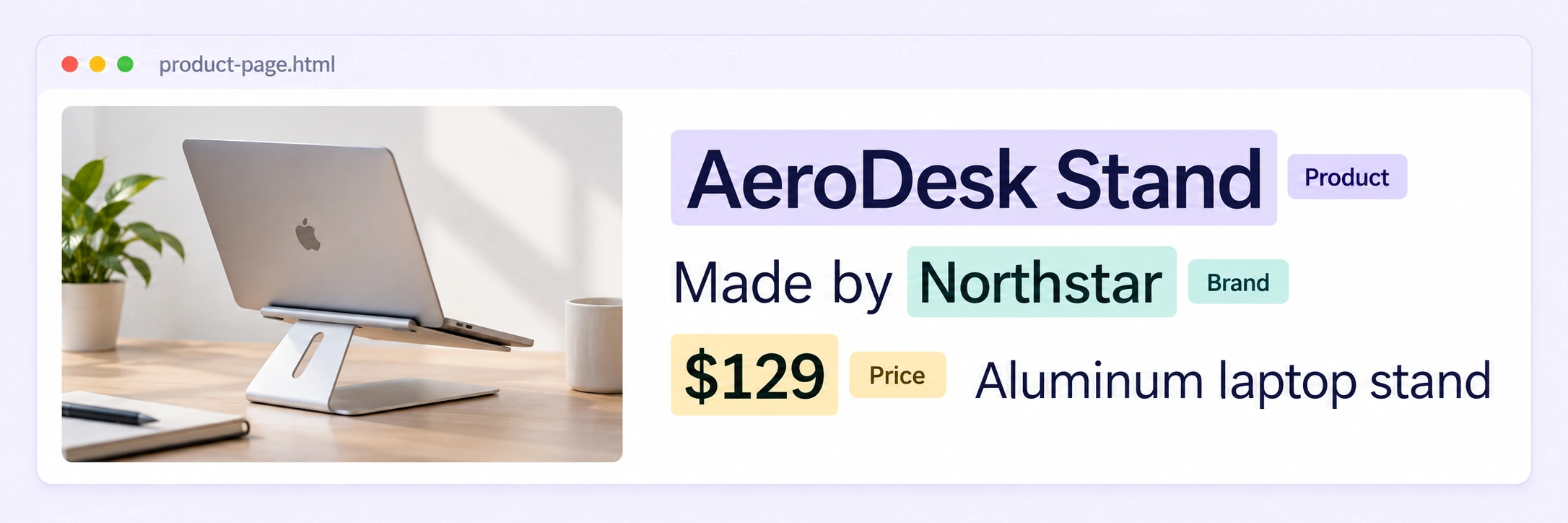
Rendered product page with Product, Brand and Price labels on AeroDesk Stand, Northstar and $129.
01 · Precision

Text Span Annotation

Select product names, job titles, prices, and other visible text directly on a rendered HTML page. Keep each label anchored to the exact words and their surrounding context.

Precise text selectionInline labelsOriginal page context
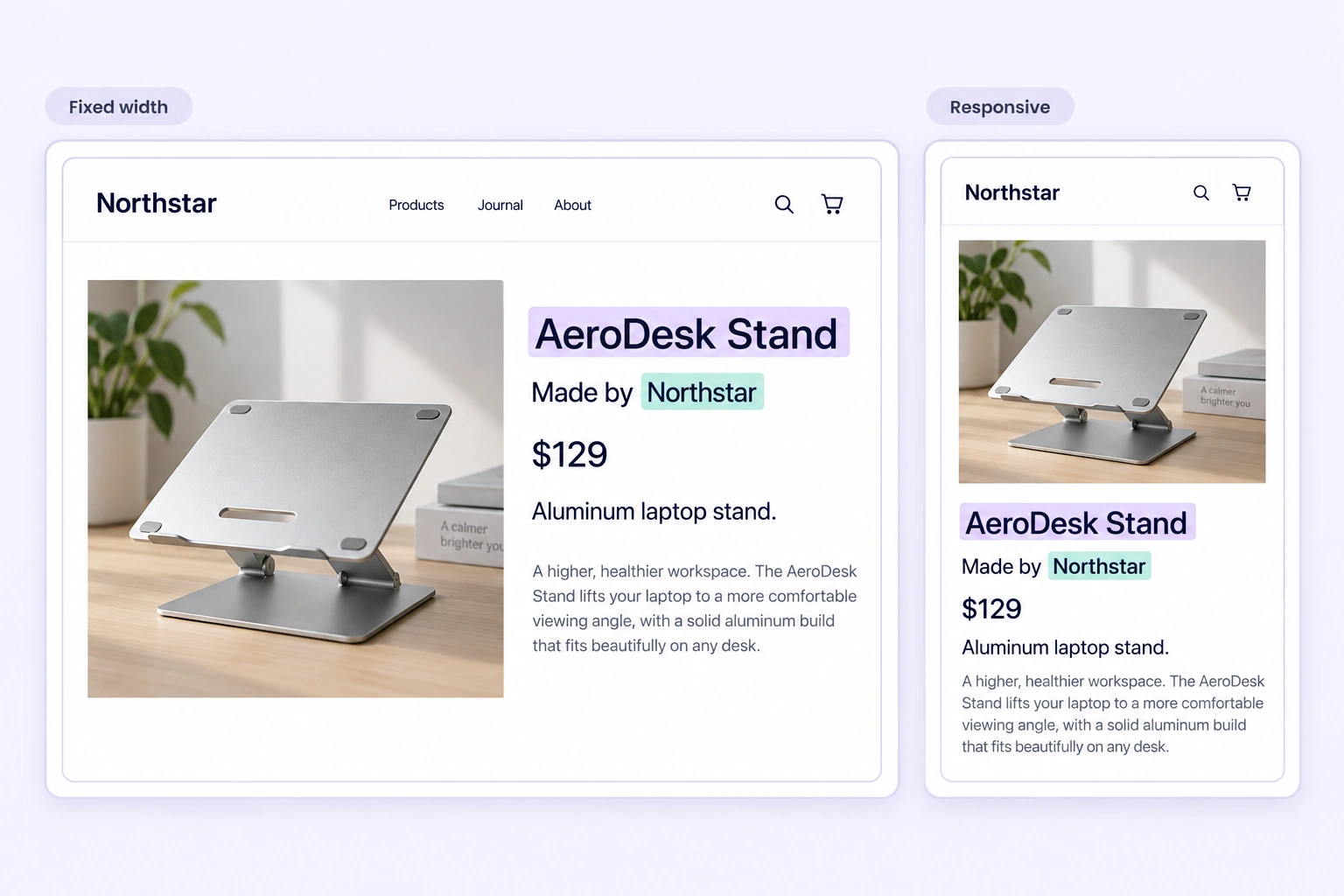
The same product page in fixed-width and responsive views with Product and Brand text spans preserved.
02 · Context

Context-Preserving HTML Viewer

Keep headings, tables, images, and nearby text visible while annotating. Switch between fixed-width, fit, and responsive views to inspect each saved page comfortably.

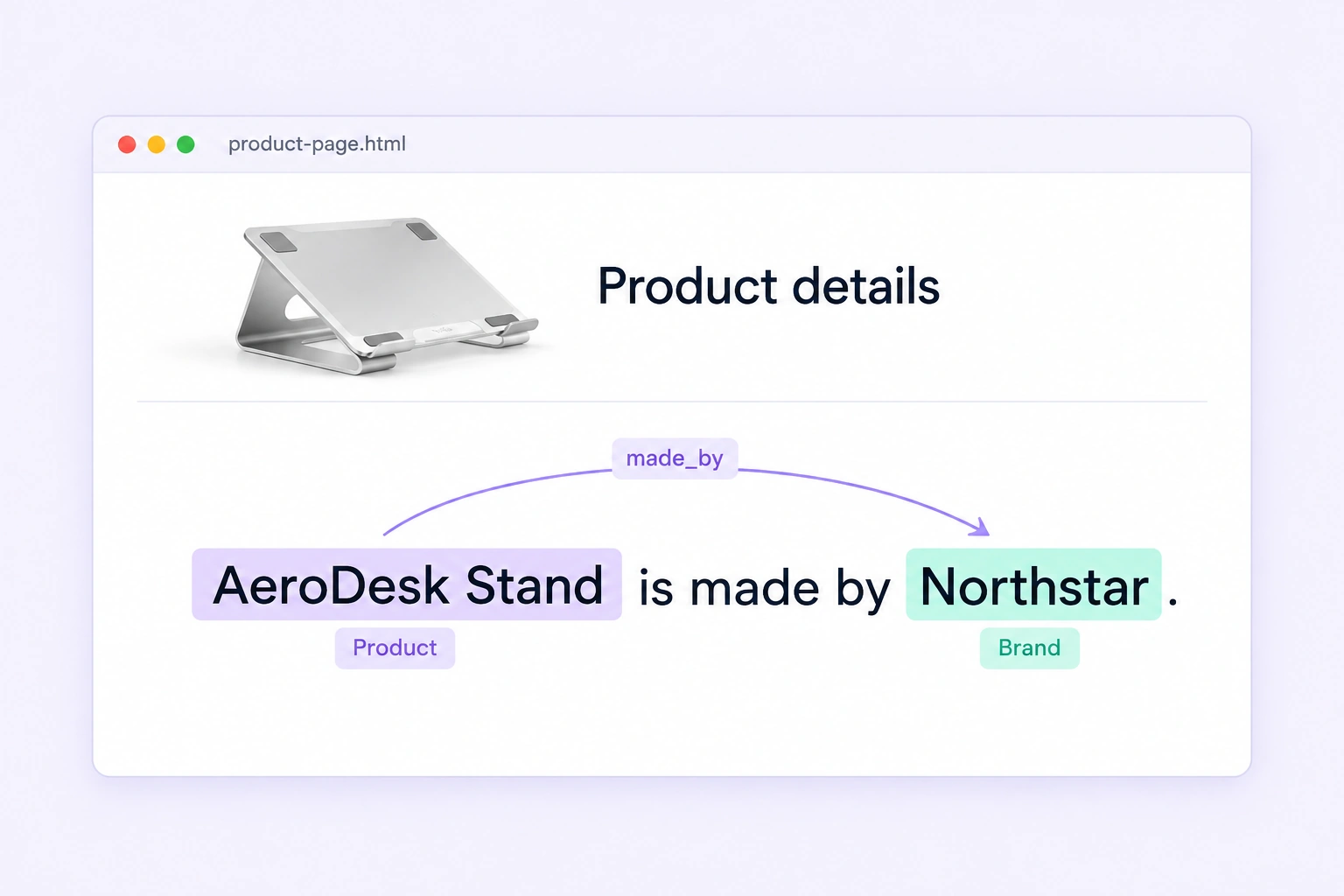
A made_by relationship connects the AeroDesk Stand product span to the Northstar brand span in a rendered HTML page.
03 · Connections

Entity Relations

Connect labeled entities within a page, such as a product and its brand or a job and its employer. Make the relationships your extraction models need explicit.

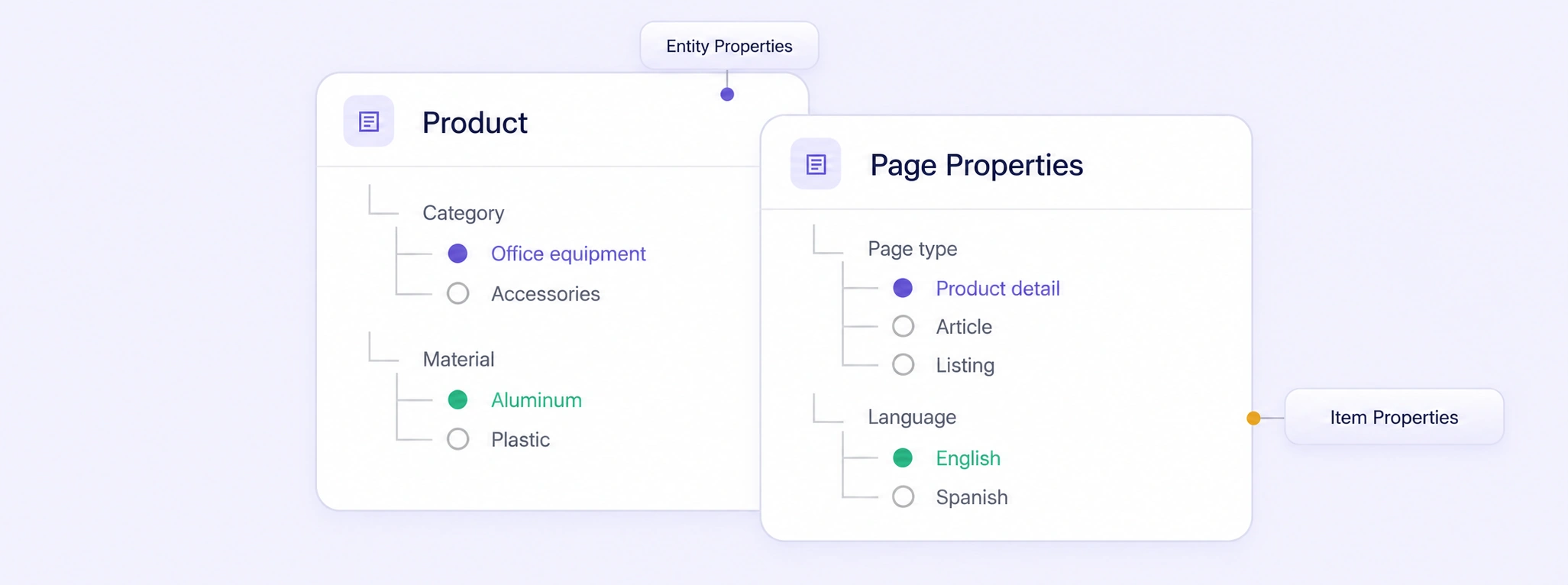
Product entity properties and page-level properties in two semantic ontology cards.
04 · Structure

Advanced Ontologies

Define reusable entity classes, nested properties, page-level fields, and allowed relationships. Keep teams aligned on the same labeling rules across HTML datasets.

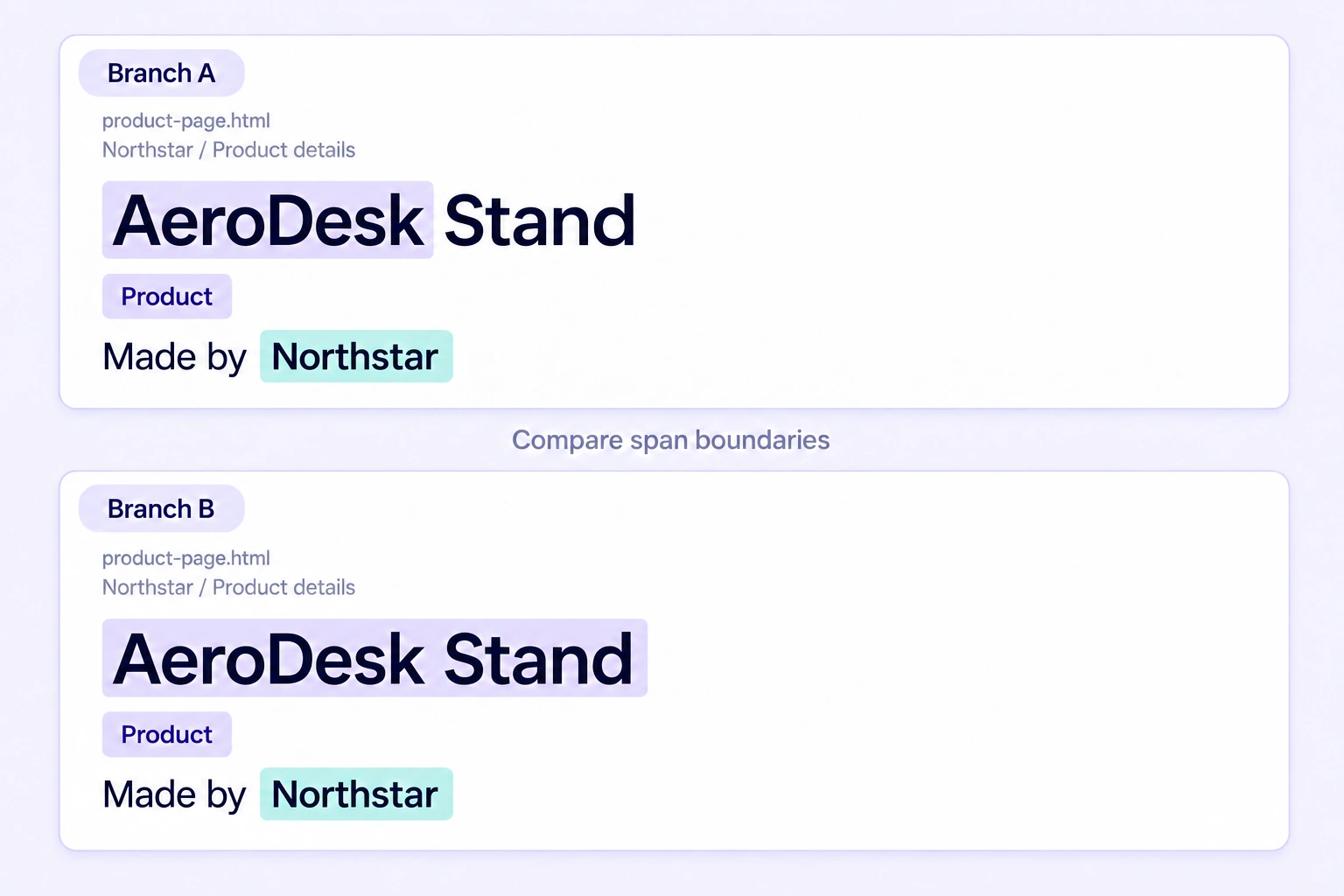
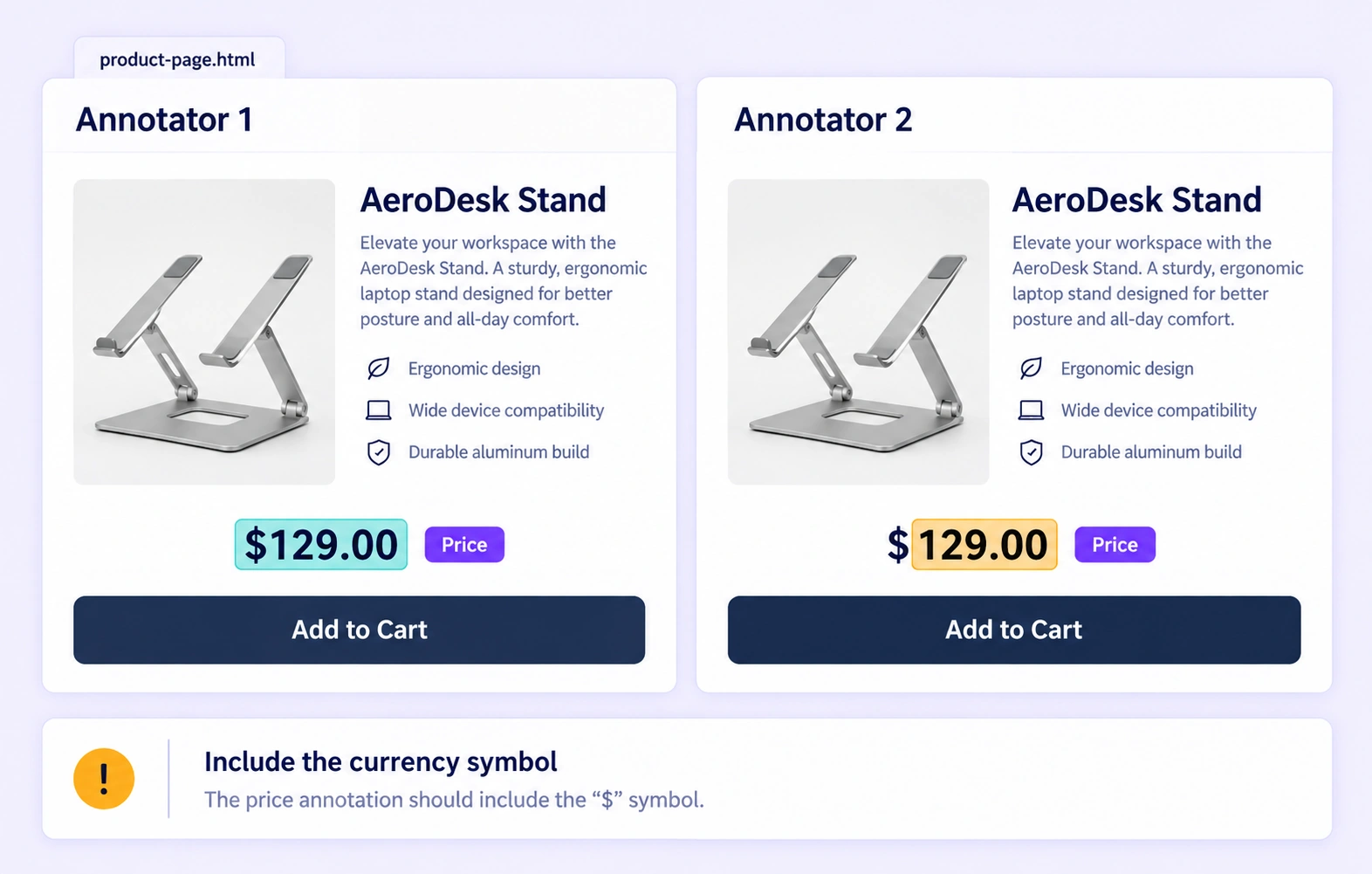
Two annotation branches compare a partial AeroDesk span with the complete AeroDesk Stand span on the same HTML source.
06 · Agreement

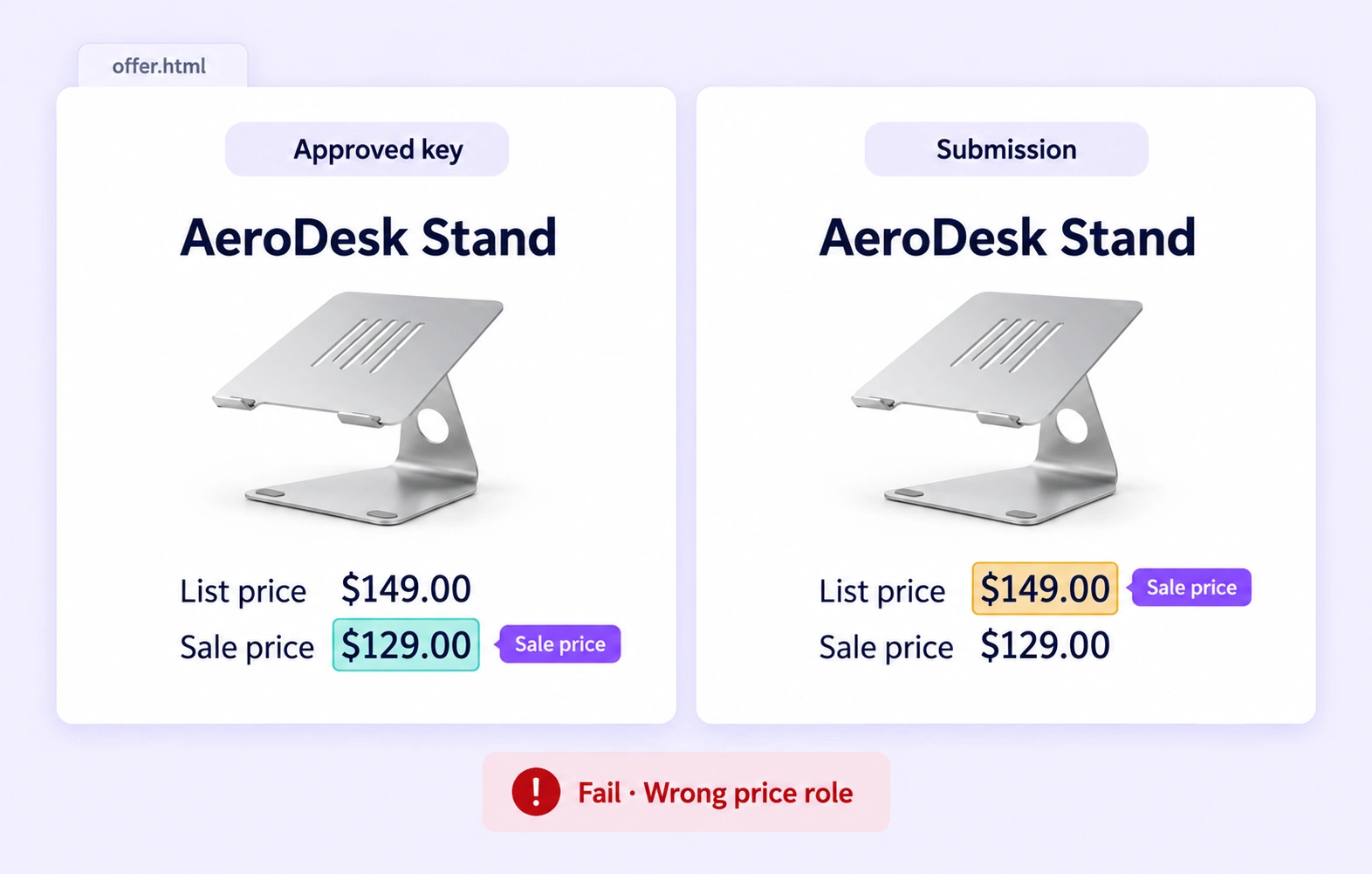
Consensus Comparison

Compare annotators’ labels on the same HTML page. Inspect highlighted differences and resolve disagreements against shared guidelines.

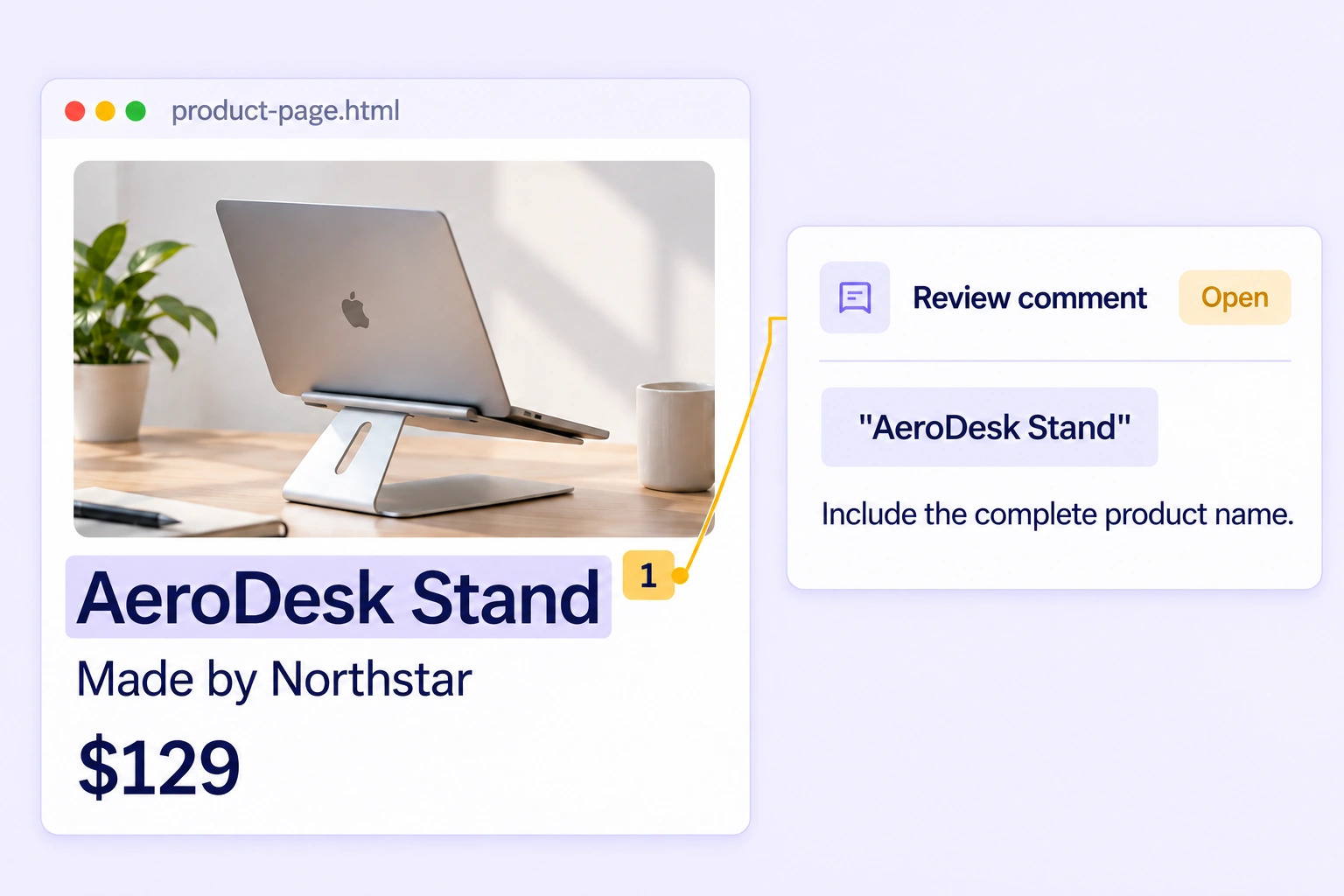
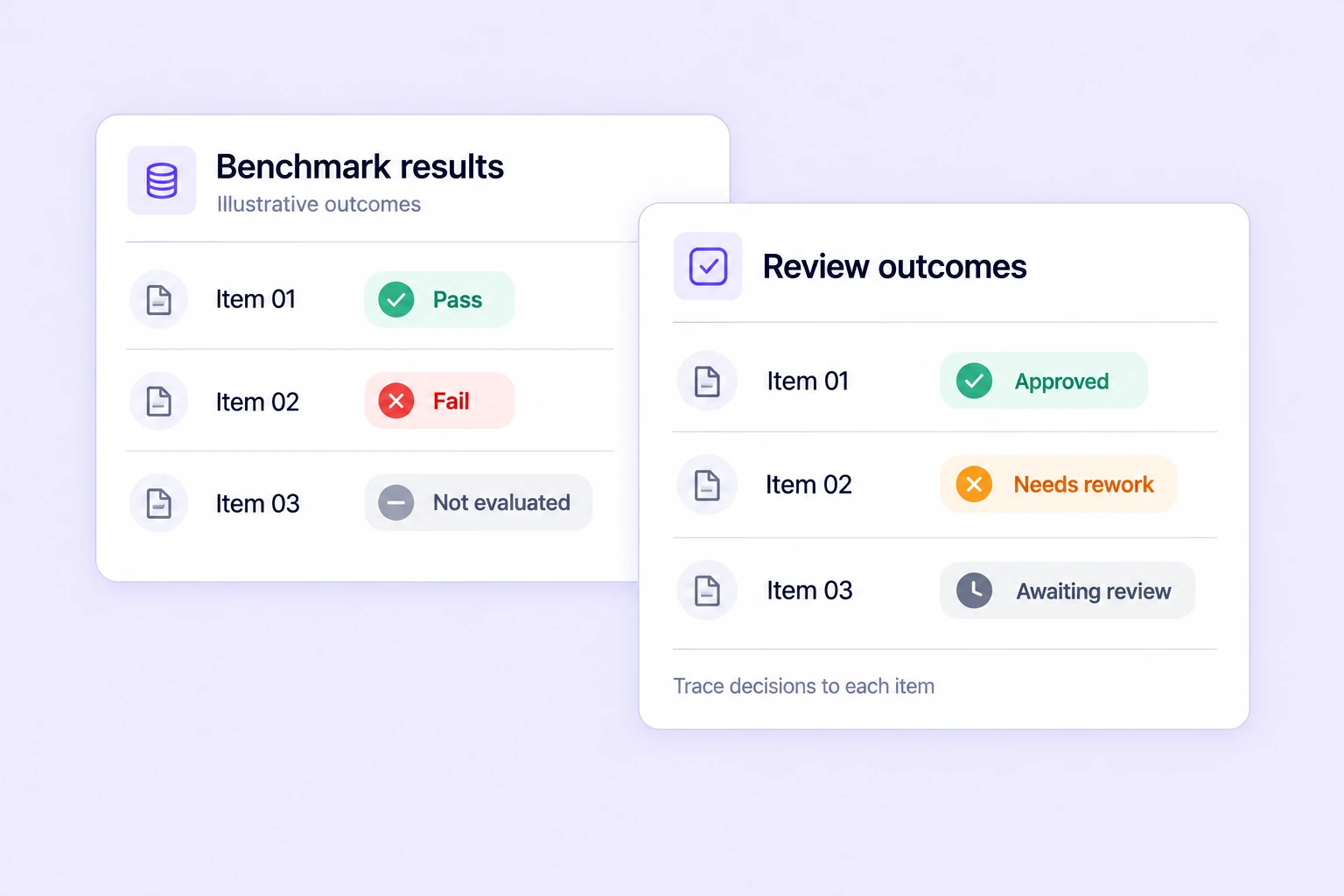
An open review comment is anchored to the AeroDesk Stand text span on a rendered product page.
In contextReview and rework
05 · Review

Anchored Review and Comments

Leave feedback beside the text that needs attention. Reviewers can inspect the original page, request corrections, and keep quality decisions connected to each annotation.

Anchored commentsTraceable decisions

Why AI Teams Choose Unitlab for HTML Annotation

Give AI teams one place to label HTML pages, review ambiguous cases, and maintain reusable training datasets.

15X
Faster HTML Annotation
60%
Free Up AI Engineers’ Time
5X
Lower AI Development Costs
Supported HTML annotation types

Structured labels for
rendered HTML pages.

Capture the words, relationships, and contextual fields your models need while keeping the original page visible.

01
Visible text

Text Spans

Label exact words or passages as names, prices, titles, dates, descriptions, and other entities defined by your task.

02
Meaningful connections

Entity Relations

Connect annotated text entities to describe relationships such as product-to-brand or job-to-employer.

03
Entity details

Class Properties

Add structured attributes to labeled entities, including category, status, and other details required by your ontology.

04
Page-level context

Item Properties

Classify the complete HTML page with fields such as content type, topic, language, relevance, or review status.

HTML dataset curation & annotation workflows

Curate HTML pages and connect annotation workflows.

Organize saved pages, select relevant examples, and move annotations through review into a versioned training-data release.

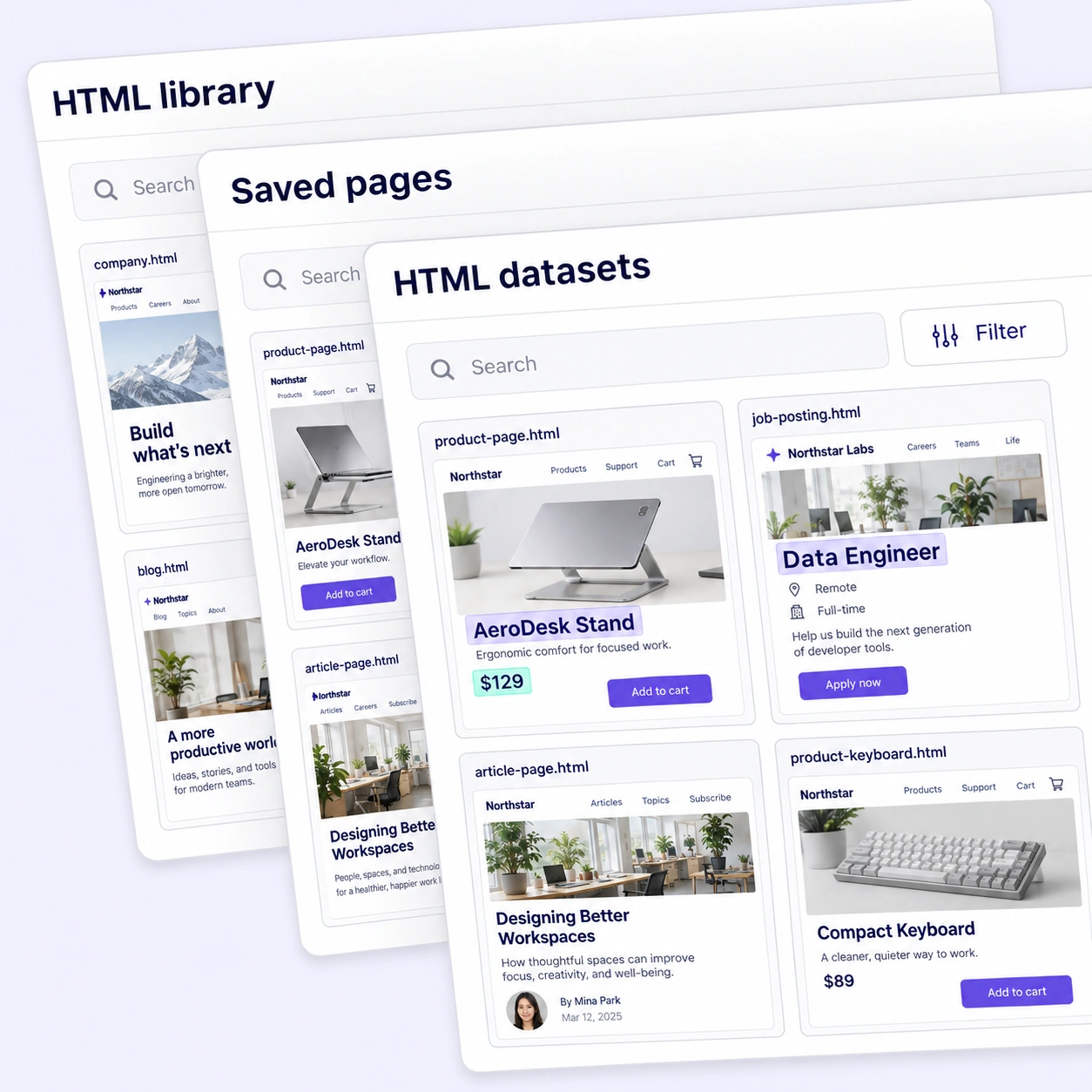
Overlapping HTML library panels with saved product, job posting, and article page previews.
Organize

HTML Data Library

Bring uploaded HTML snapshots into a shared data space with page previews and source metadata. Keep source pages organized as your dataset grows.

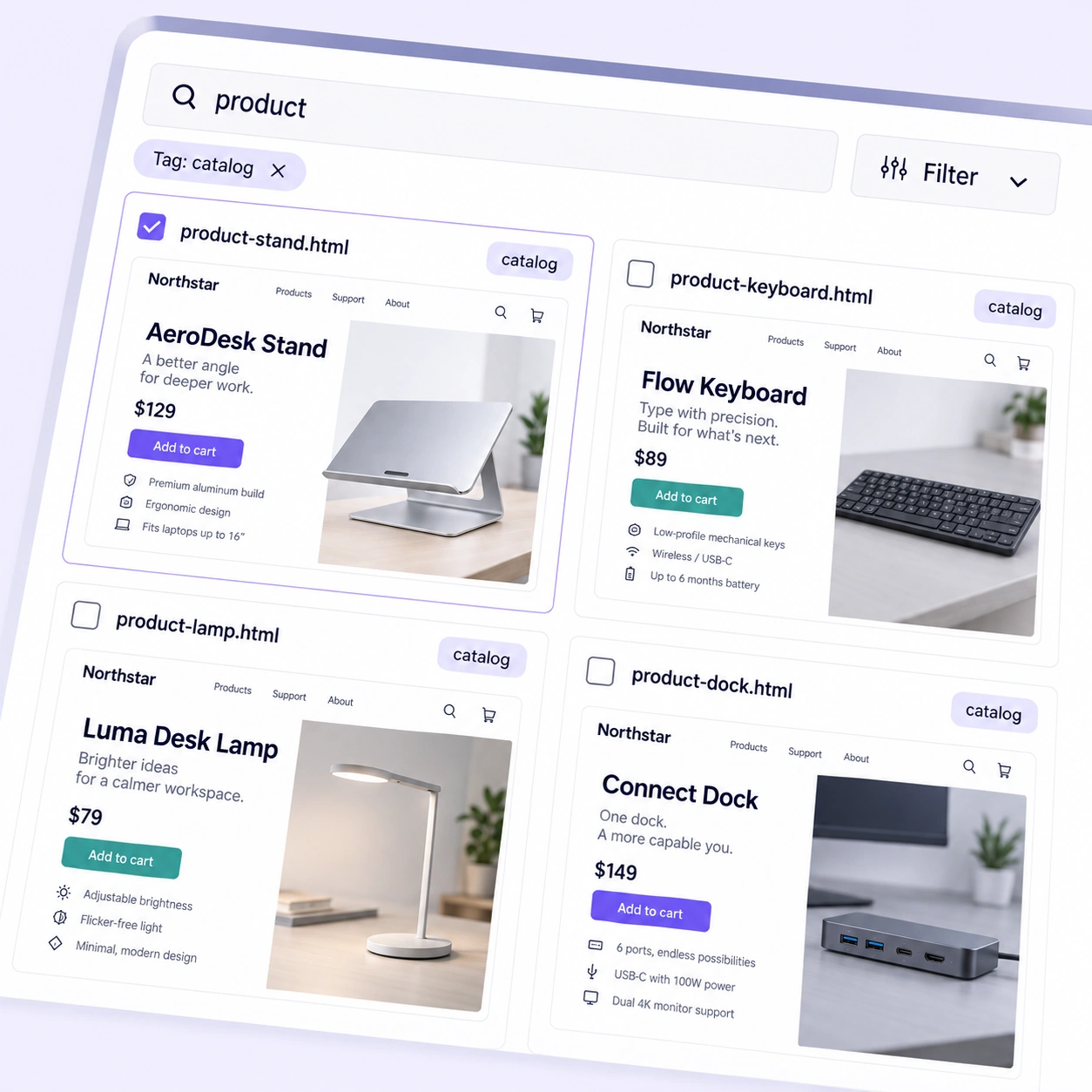
Product filename search and catalog tag filter above four saved HTML product page previews.
Discover

Search & Filter Pages

Find saved pages by name, tags, folders, and metadata. Narrow the source collection to the examples needed for your annotation task.

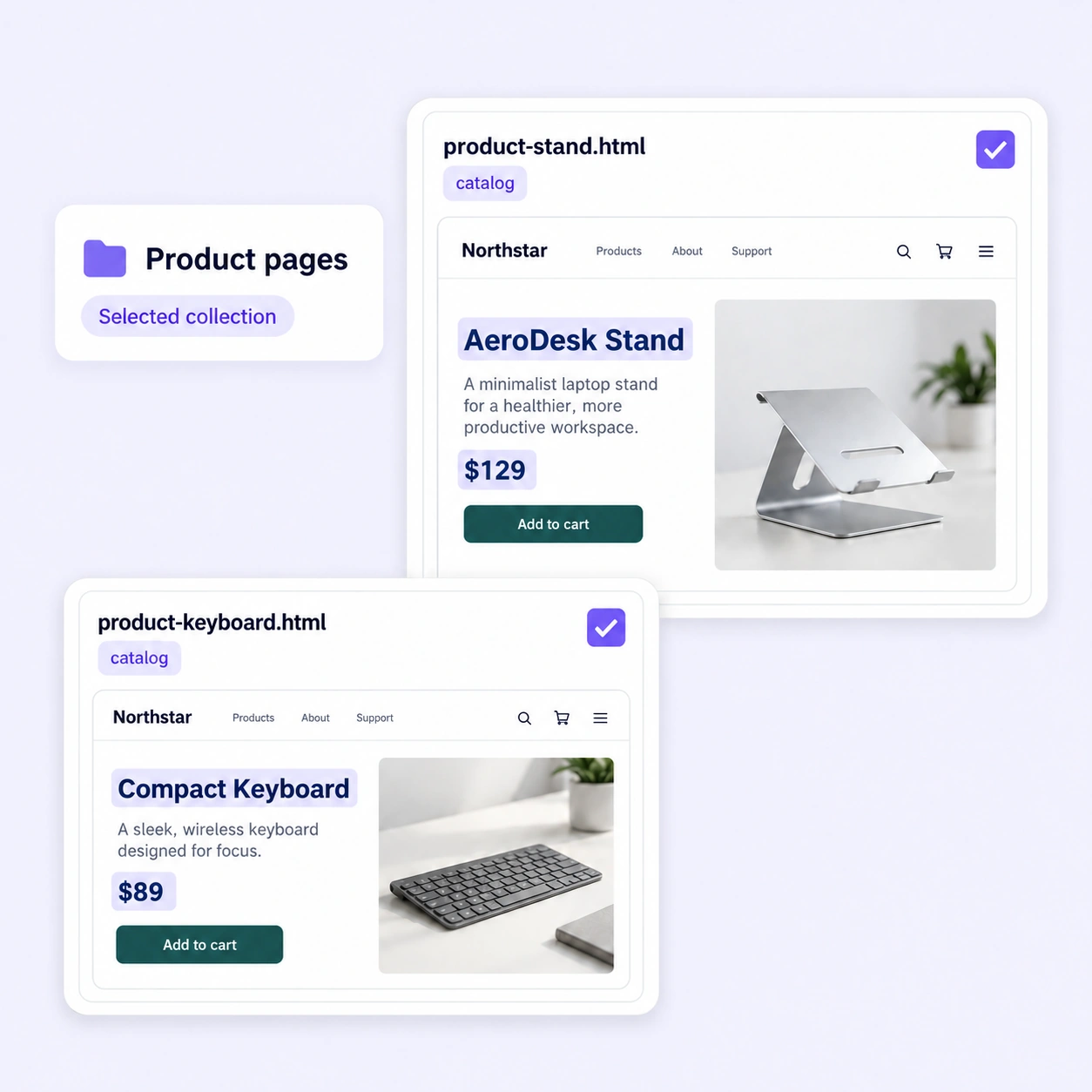
Two selected HTML product pages with catalog tags and highlighted product names and prices.
Select

Curated Collections

Group selected pages by source, category, or task. Prepare a consistent set of examples before handing the collection to annotators.

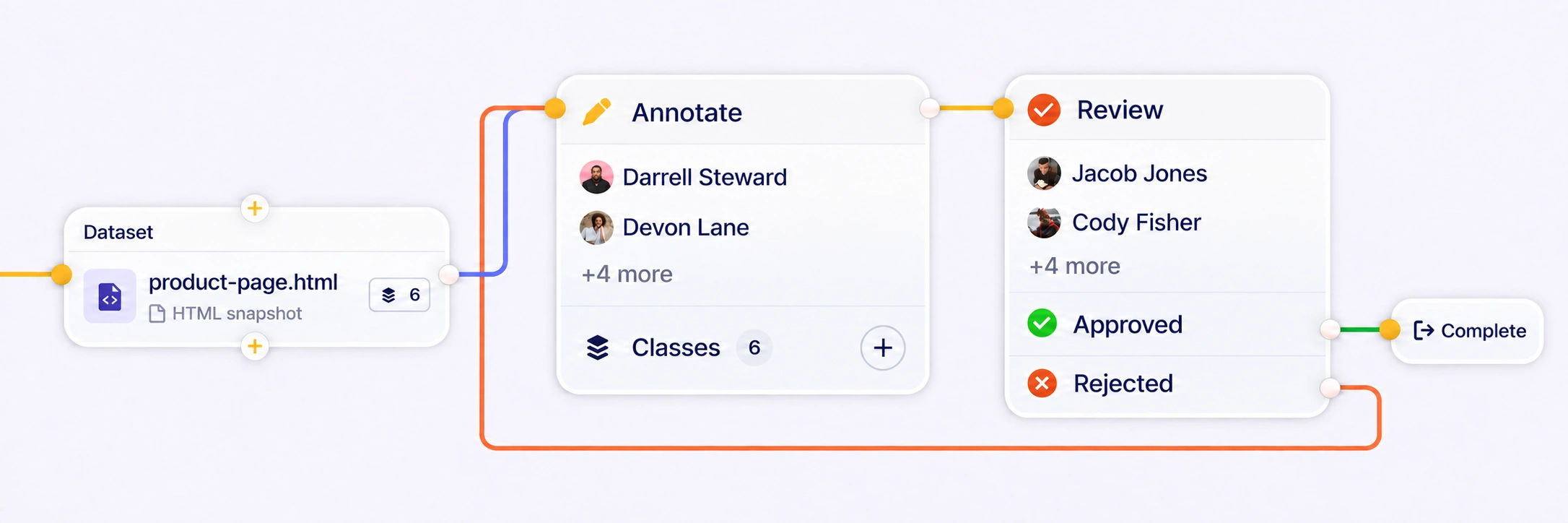
HTML snapshot dataset connected to Annotate, Review, and Complete nodes, with a rejected-work return loop.
Orchestrate

Annotation & Review Workflows

Assign HTML pages, apply shared instructions, and route work through annotation, review, and rework. Keep reviewers and annotators connected around the same source content.

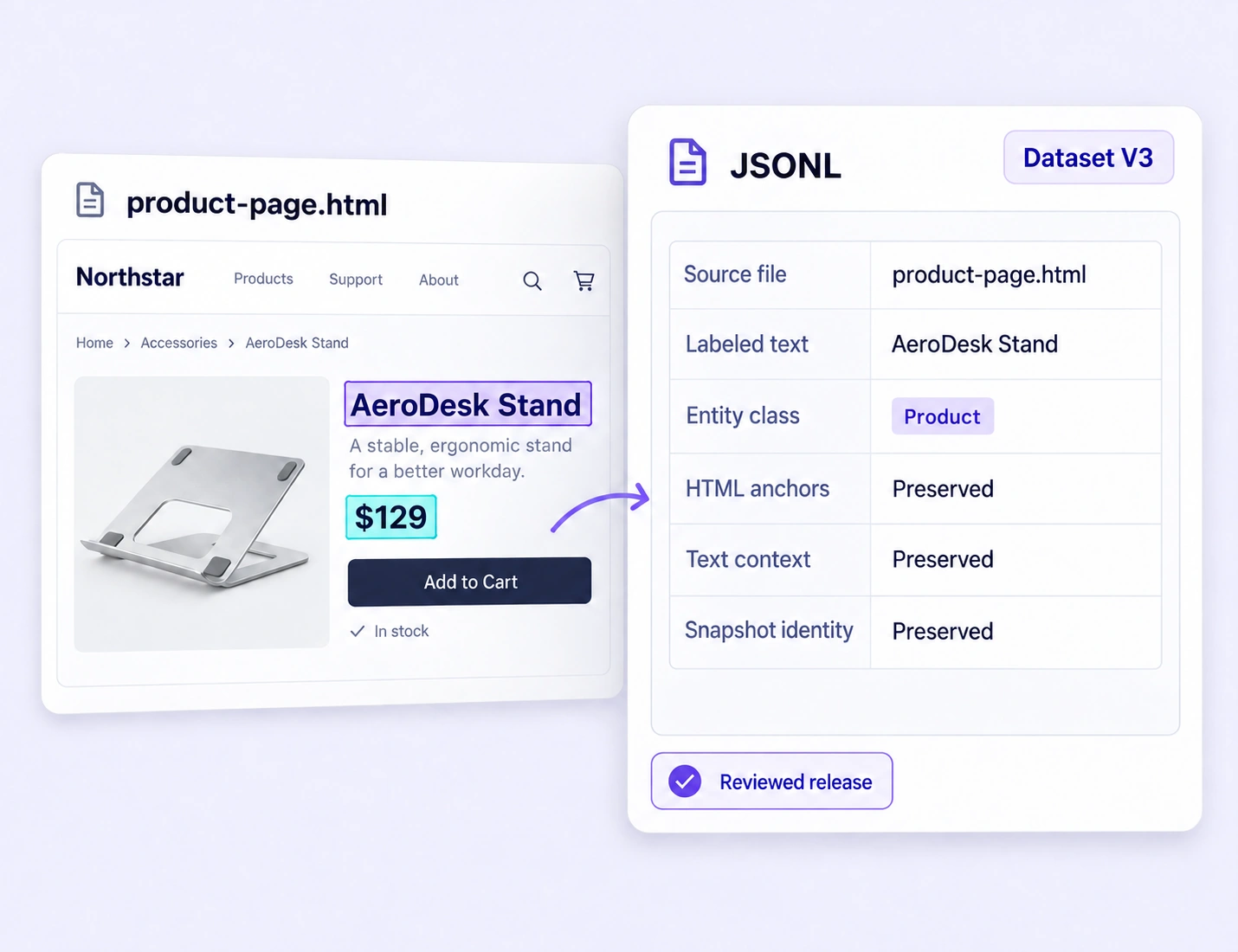
A labeled HTML product page beside a JSONL export summary showing preserved text anchors, context, and snapshot identity.
Release

Annotation Releases & Exports

Use dataset versions to track source pages. After review, create a project annotation release to freeze the labels and export them with their source context. Keep each training-data handoff traceable.

Questions, answered

HTML Annotation Platform FAQs

Answers about labeling rendered HTML, preserving page context, defining ontologies, reviewing annotations, and preparing web training datasets.

Talk with the Unitlab team

What is HTML annotation?

+

HTML annotation labels information in saved web pages to create training and evaluation data. In Unitlab, annotators work with the rendered page, select visible text, connect entities, and add structured properties while retaining the surrounding layout.

Web-content extraction

What can I label in an HTML page?

+

You can label visible text spans such as product names, job titles, prices, locations, authors, dates, and article passages. Entity relations connect labeled spans, class properties describe each entity, and item properties classify the page as a whole.

Product-page extraction

Does HTML annotation preserve the page layout?

+

Yes. Unitlab displays an uploaded HTML snapshot so annotators can interpret text alongside headings, tables, images, and nearby content. Fixed-width, fit, and responsive viewing modes help teams inspect the same saved source at a comfortable size.

Job-posting extraction

How do ontologies keep HTML labels consistent?

+

A shared ontology defines the entity classes, properties, and relations used across the project. Structured choices, required fields, and reusable rules help annotators apply the same interpretation to similar content across different page layouts.

Ontology documentation

How can teams review HTML annotation quality?

+

Reviewers can inspect labels in the original page, leave anchored comments, and return work for correction. Consensus comparison helps teams examine differences between annotators and resolve ambiguous spans or relationships using shared guidelines.

Annotation quality assurance

Can I organize and select HTML pages before annotation?

Yes. Use the data library, folders, tags, metadata, and filters to organize uploaded HTML pages and select the examples needed for a task. Curated collections and dataset versions keep the chosen source set traceable through annotation and review.

Data curation

How do I export HTML annotations for model training?

Keep the selected source pages traceable with a dataset version. After review, create a project annotation release to freeze the labels, then export JSONL or Unitlab’s native UUEF format. HTML exports preserve labeled text, entity properties, relationships, snapshot identity, and text anchors.

Export documentation
HTML ANNOTATION PLATFORM

Build Reliable HTML Training Datasets with Unitlab

Turn saved web pages into reviewed labels, meaningful entity relationships, and versioned datasets. Give your extraction models consistent training data with the original page context intact.