
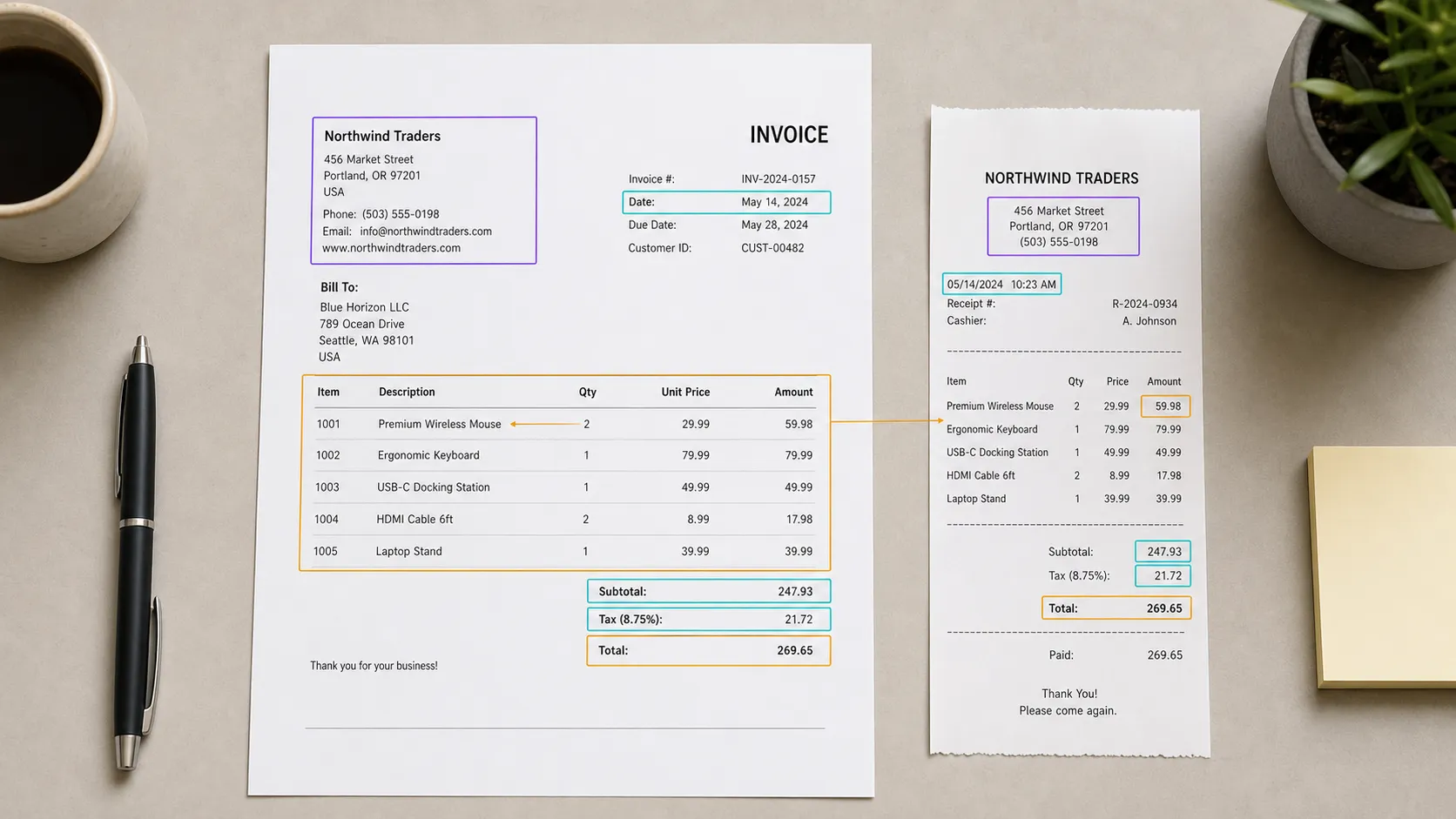
Training data for fintech AI
Prepare financial documents, text, and structured records for extraction and classification models. Keep every field label connected to its original source.
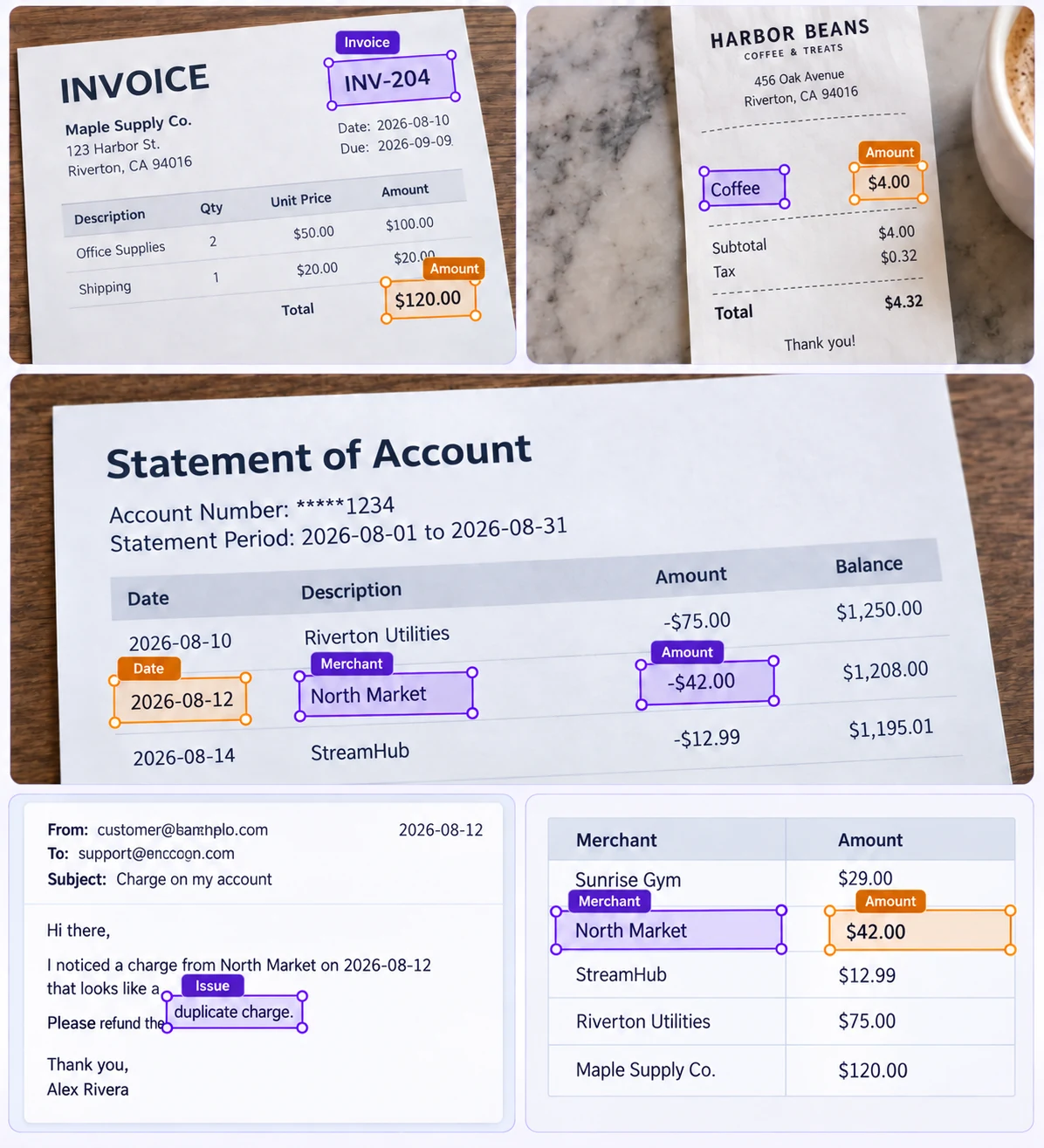
Annotation use cases for fintech
Turn source data into clear, task-specific training examples.
Invoice fields
Label invoice identifiers, totals, and source regions for extraction training.
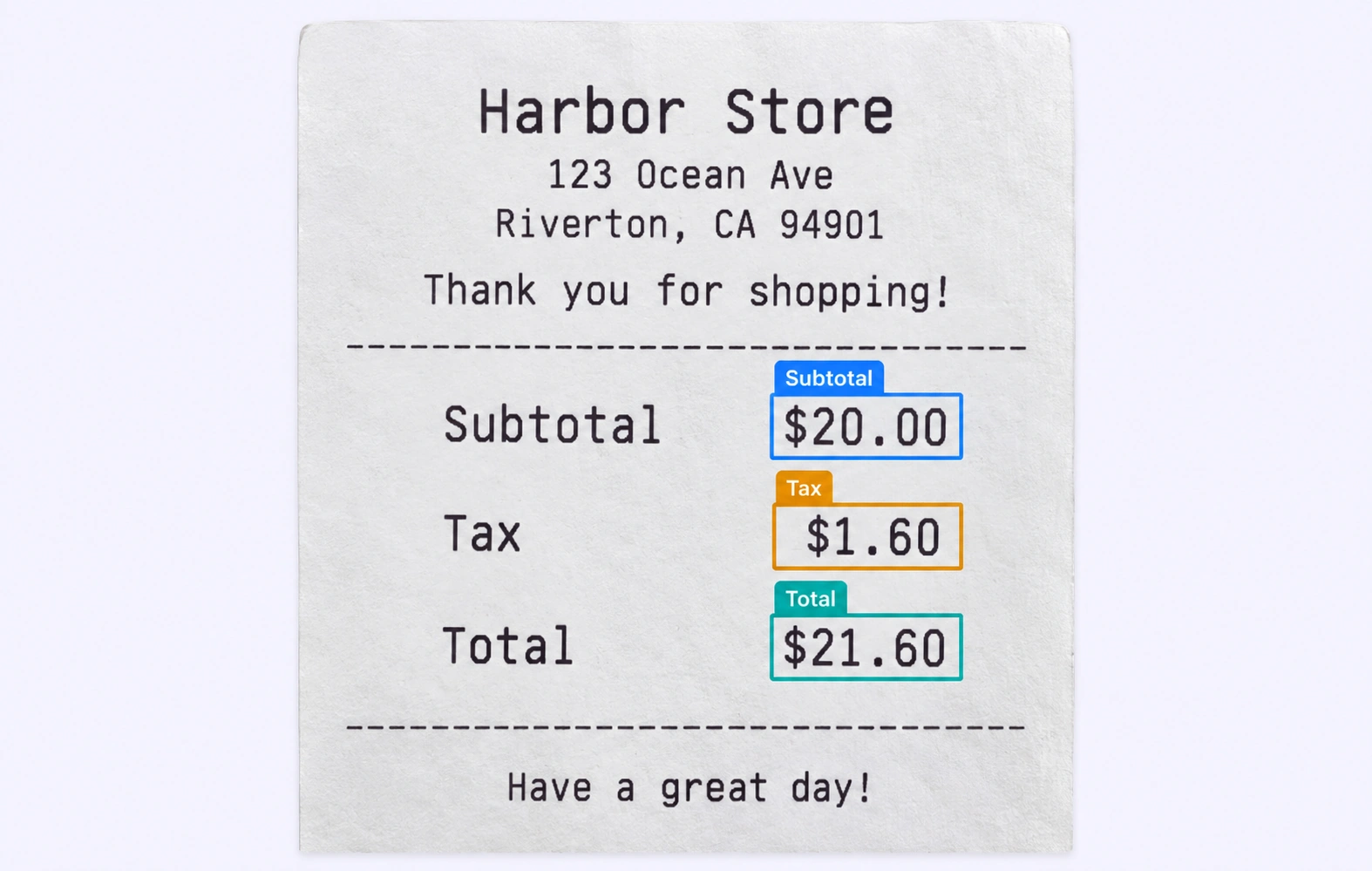
Receipt amounts
Distinguish subtotal, tax, and total fields with consistent definitions.
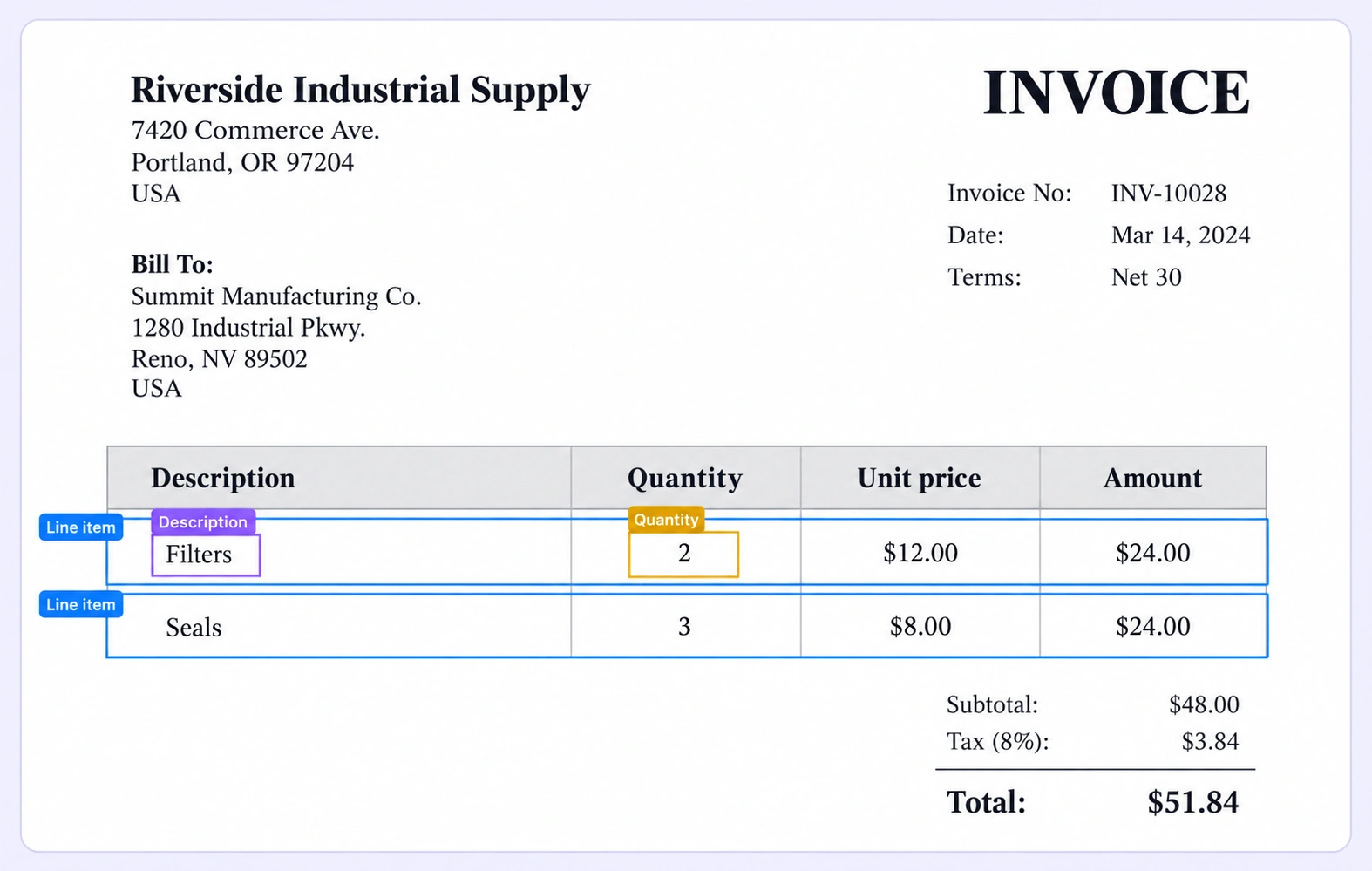
Line-item structure
Keep descriptions and quantities associated with the correct line items.
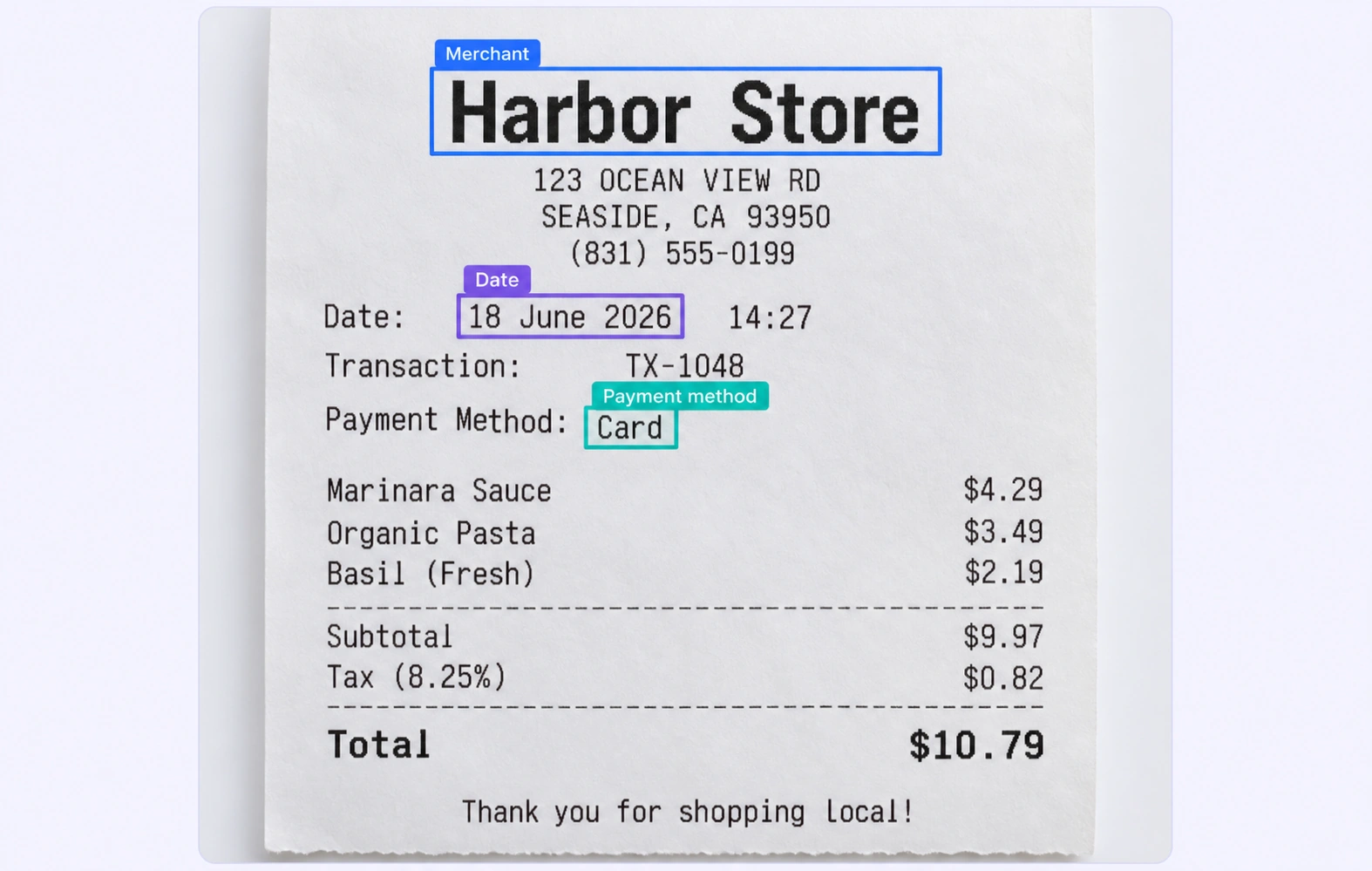
Transaction context
Annotate merchant, date, and payment fields in the original receipt.
Built for AI Data at Scale
Connect data curation, shared label definitions, review, and dataset versions in one workflow.
15X
Faster financial data annotation
Label financial documents and structured fields with shared schemas and review.
60%
Less time on data operations
Automate curation, management, and versioning of financial datasets.
5X
Lower Training Data Costs
Reusable ontologies and governed quality control reduce labeling and review rework.
Labels that preserve source context
Match the annotation geometry and properties to your model’s task.
Field regions and values
Mark the source region for each required invoice field. Distinguish identifiers, dates, and amounts using consistent names and normalization rules.
Receipt entity annotation
Label merchant and payment information in its original layout. Review ambiguous characters and field assignments before exporting extraction examples.
Fintech FAQs
What is data annotation for fintech?
Data annotation adds defined labels to source data so models can learn a specific task. For fintech, examples include invoice fields and receipt amounts. Unitlab connects this work in its data annotation platform.
Which data types can teams annotate?
Choose the tools that match the source data: document annotation, text annotation, tabular annotation. Keep linked sources together when the task requires shared context. Confirm input formats and annotation requirements before starting a project.
Which fintech use cases can I explore?
Explore invoice and receipt processing and structured field extraction for focused labeling examples. These solution pages explain the training-data task; the linked modality pages describe the annotation tools.
How do I keep annotation rules consistent?
Define classes, required properties, and boundary rules before labeling. Use examples such as invoice fields to resolve ambiguous cases. See the classes and annotation types guide.
How do I select representative training data?
Use data curation to inspect examples and filter available metadata. Plan coverage across document formats, field layouts, languages, and transaction types, then check for missing or overrepresented conditions before annotation.
How are annotations reviewed before training?
Use annotation quality assurance to inspect labels against the task guidelines. Consensus helps compare annotator agreement; Quality Gate stages apply configured checks before work advances. Route uncertain examples to the appropriate reviewer.
What is the difference between a dataset version and an annotation release?
A dataset version records a source-data selection; an annotation release packages the annotation outputs for downstream use. Use dataset management to inspect and organize data, and consult the guide to annotation releases before preparing training exports.
Can I export data and connect my training pipeline?
Choose an output format supported for your annotation task and validate the result with your training code. Read the export formats guide and the API, SDK, and CLI documentation for automation and integration options.
How do I get started?
Start with a representative sample, a clear label specification, and an agreed review process. Read the document annotation documentation or discuss your workflow with the Unitlab team.
Related resources:document annotation · invoice and receipt processing · Data curation · Quality assurance
Need help defining your annotation workflow?
Talk to UnitlabBuild your fintech dataset
Bring data selection, annotation, and reviewed dataset delivery into one workflow.
Talk to sales


