Training data for identity & biometrics

Curate image, video, and document examples for identity and biometric models. Define precise labels, resolve difficult cases, and manage the datasets used in model development.
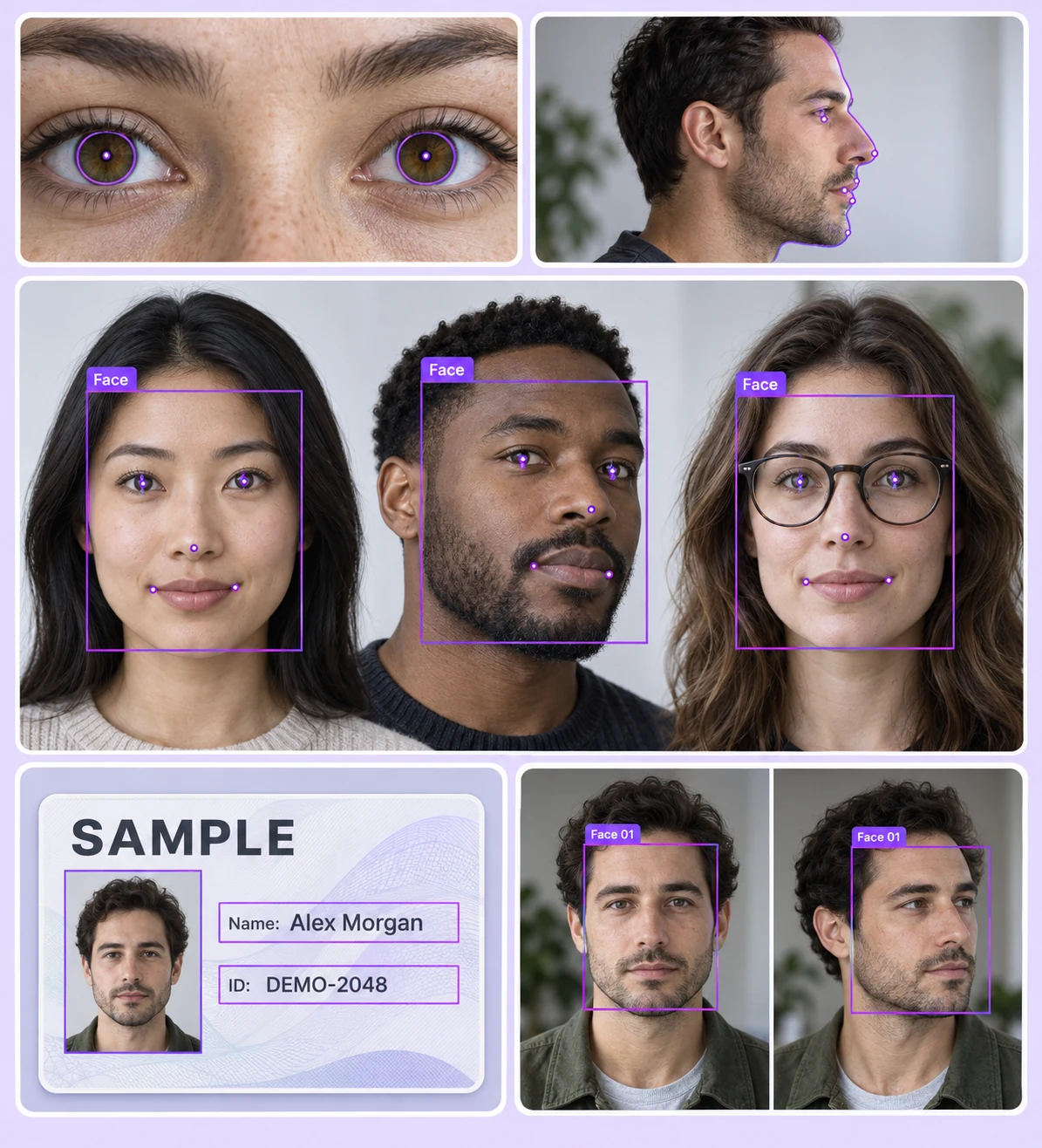
Identity and biometrics annotation examples with facial landmarks, iris contours, document fields, and face tracking

Label the evidence your model needs

Prepare consistent facial, regional, and capture-condition labels across representative identity datasets.
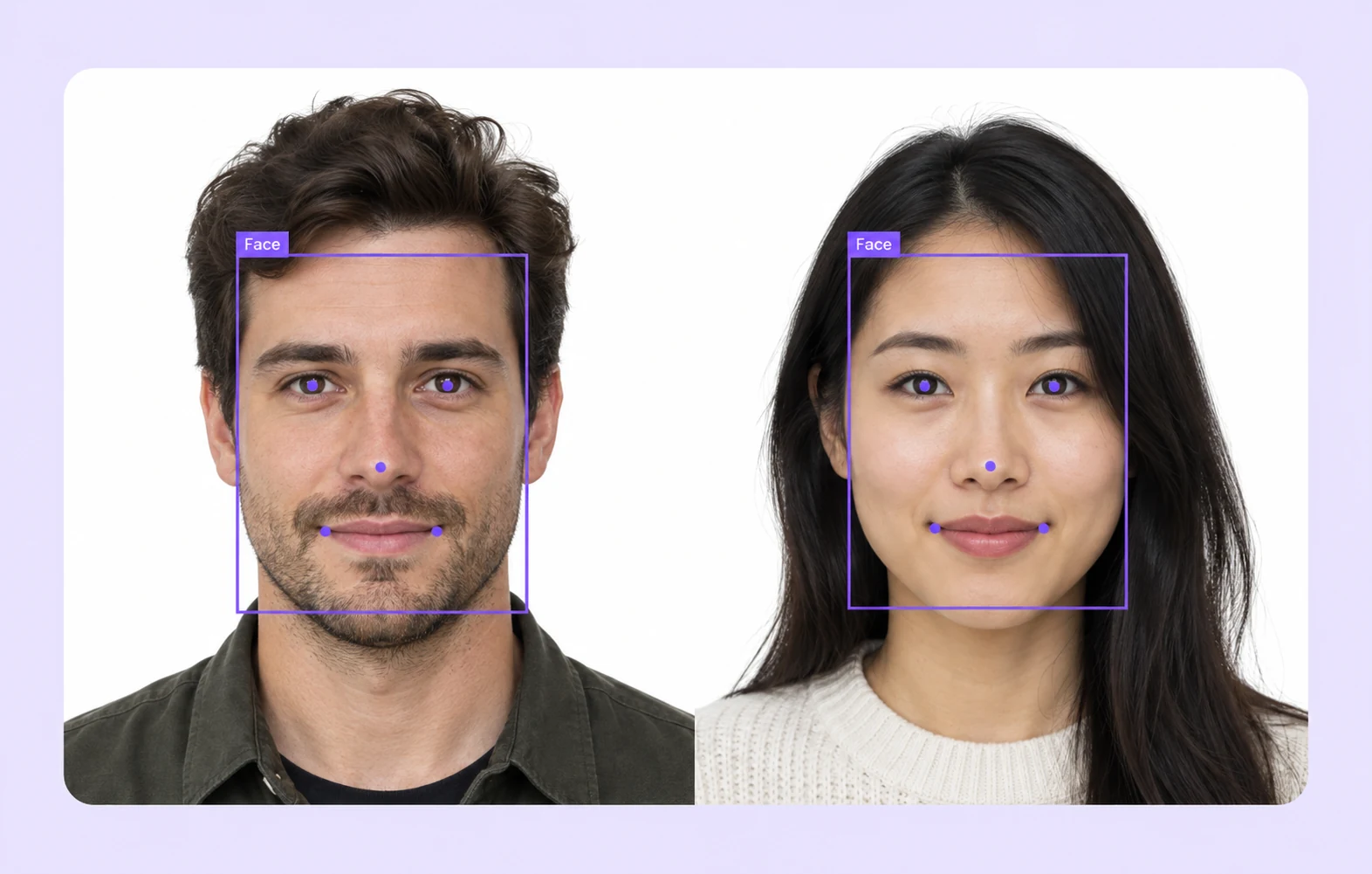
Face bounding boxes and facial landmark annotations on two portraits

Facial landmarks

Place landmarks on visible eyes, nose, and mouth according to a defined point convention and occlusion policy.
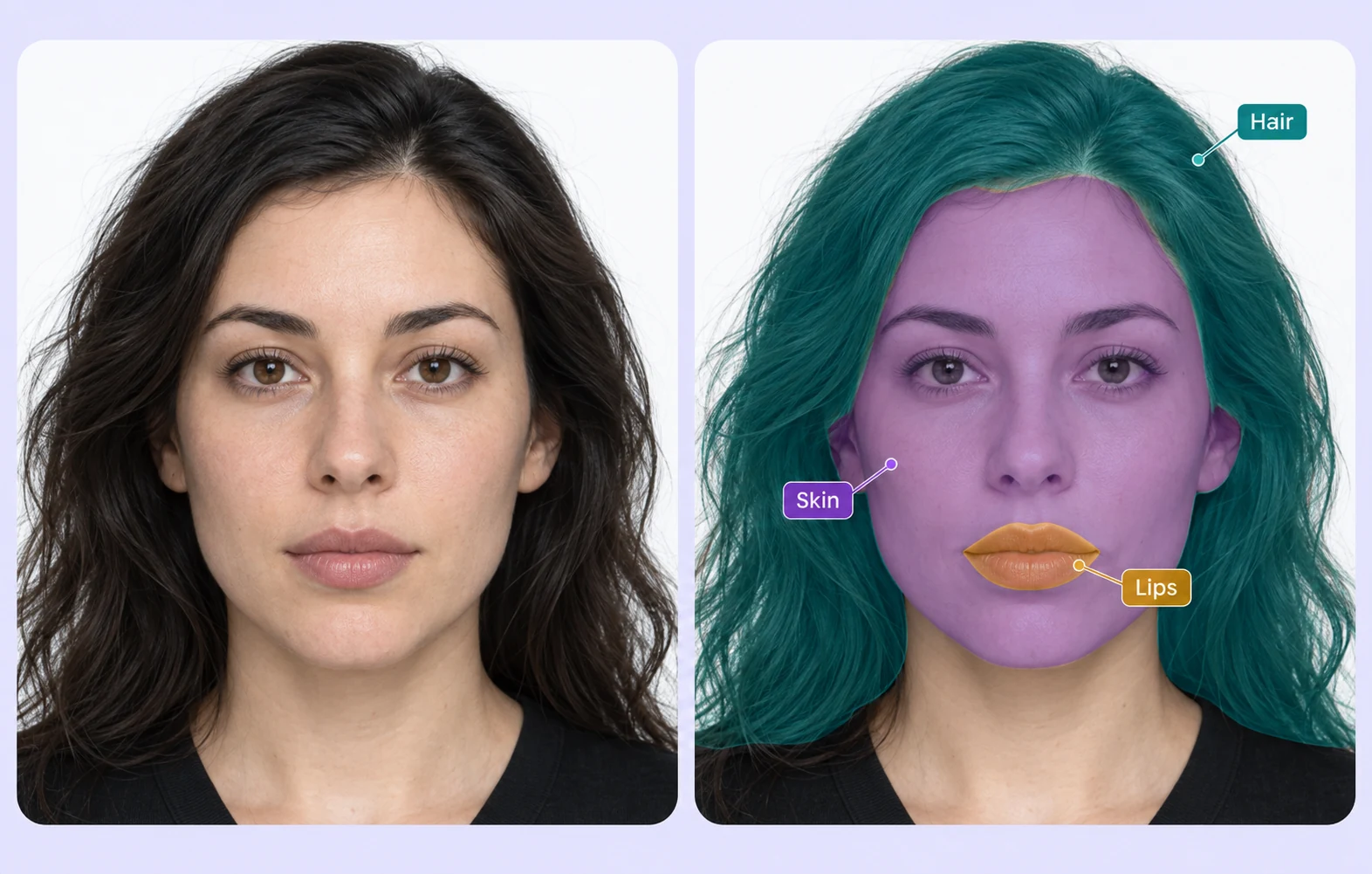
Facial region segmentation masks compared with the original portrait

Facial region segmentation

Outline and segment facial regions using a consistent class taxonomy while preserving the original image context.
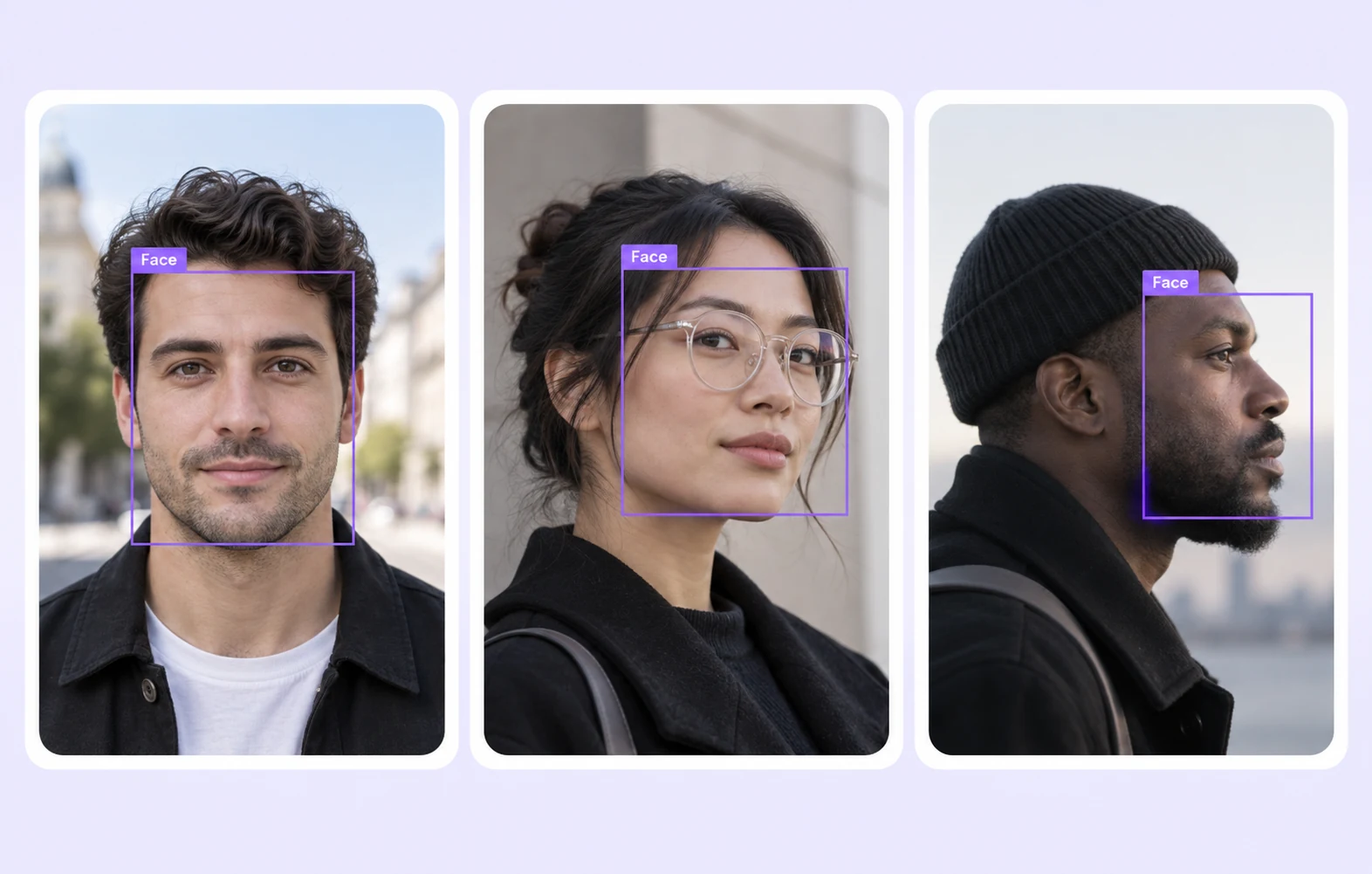
Face annotation examples across different poses and lighting conditions

Pose and capture variation

Select examples across viewpoint, lighting, glasses, and partial occlusion to reflect your intended capture conditions.
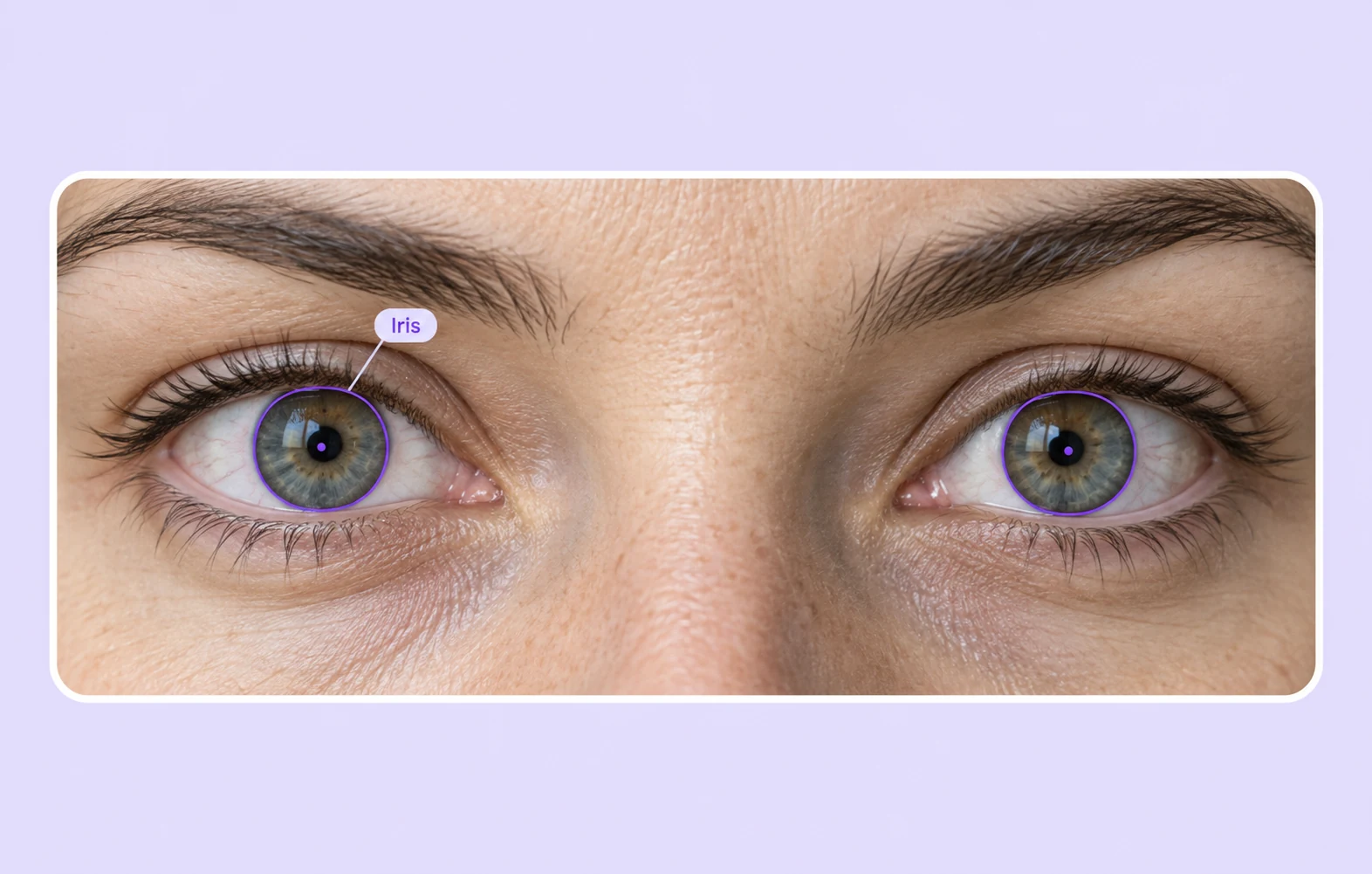
Iris contours and pupil landmarks on eye images

Iris and eye regions

Annotate visible iris boundaries and eye landmarks with the geometry and inclusion rules specified by your protocol.

Why AI Teams Choose Unitlab

Connect representative data selection, shared annotation rules, reviewer decisions, and versioned datasets for identity model development.
15X
Faster Data Annotation
60%
Free Up AI Engineers’ Time
5X
Lower AI Development Costs

Annotation types for identity datasets

Use explicit geometry to locate faces, identify landmarks, and distinguish relevant image regions.
Face bounding boxes and facial landmark annotations on two portraits

Face boxes and keypoints

Locate each face with a bounding box and mark visible landmarks. Apply the same convention across viewpoints and capture conditions.

Region masks and contours

Separate facial regions with masks or polygons when the training task requires labeled areas rather than individual points.

Facial region segmentation masks compared with the original portrait

Identity & Biometrics FAQs

Is Unitlab an identity verification service?

Unitlab is a training data platform. It helps teams prepare labeled datasets; your downstream models and systems perform verification or recognition.

How does this relate to facial recognition?

Facial recognition is one use case within identity and biometrics. This page covers the broader data workflow across images, video, and related documents.

Which data can teams annotate?

Teams can label image and video evidence and annotate document fields or regions with the appropriate modality tools.

Can I define a custom landmark scheme?

Define classes and labeling instructions that match your task. Specify point placement and how annotators should handle hidden or ambiguous features.

How do teams cover difficult capture conditions?

Curate examples across relevant lighting, pose, image quality, and occlusion conditions. Document the selection criteria used for each dataset.

Can related sources be organized together?

Use multimodal workflows where related images, video, and documents need shared project context and consistent labeling rules.

How are uncertain labels resolved?

Reviewers inspect the source evidence and apply shared instructions. Consensus and quality gates can support the review process where appropriate.

Can I manage versions of annotated data?

Yes. Inspect and filter annotated examples, then preserve dataset versions so teams can trace the data used for model development.

Where can developers find integration guidance?

Unitlab documentation provides annotation and integration guidance. Follow the API and SDK instructions for your data pipeline and supported export formats.