

Built-in auto-labeling tools and automated workflows reduce manual annotation work.
Automate curation, dataset management, and versioning so engineers can focus on models.
Curated data, reusable ontologies, and quality control reduce annotation rework.
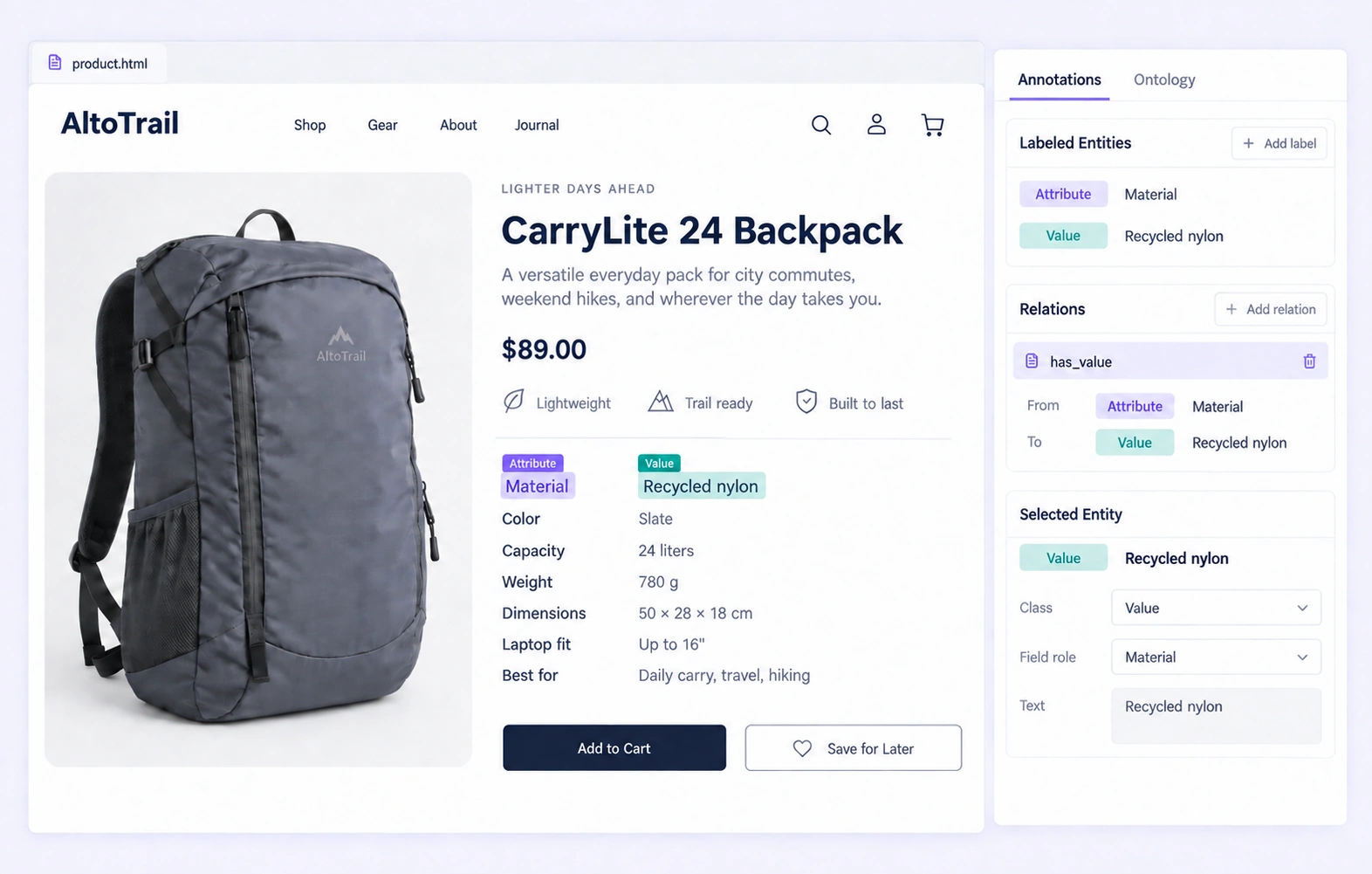
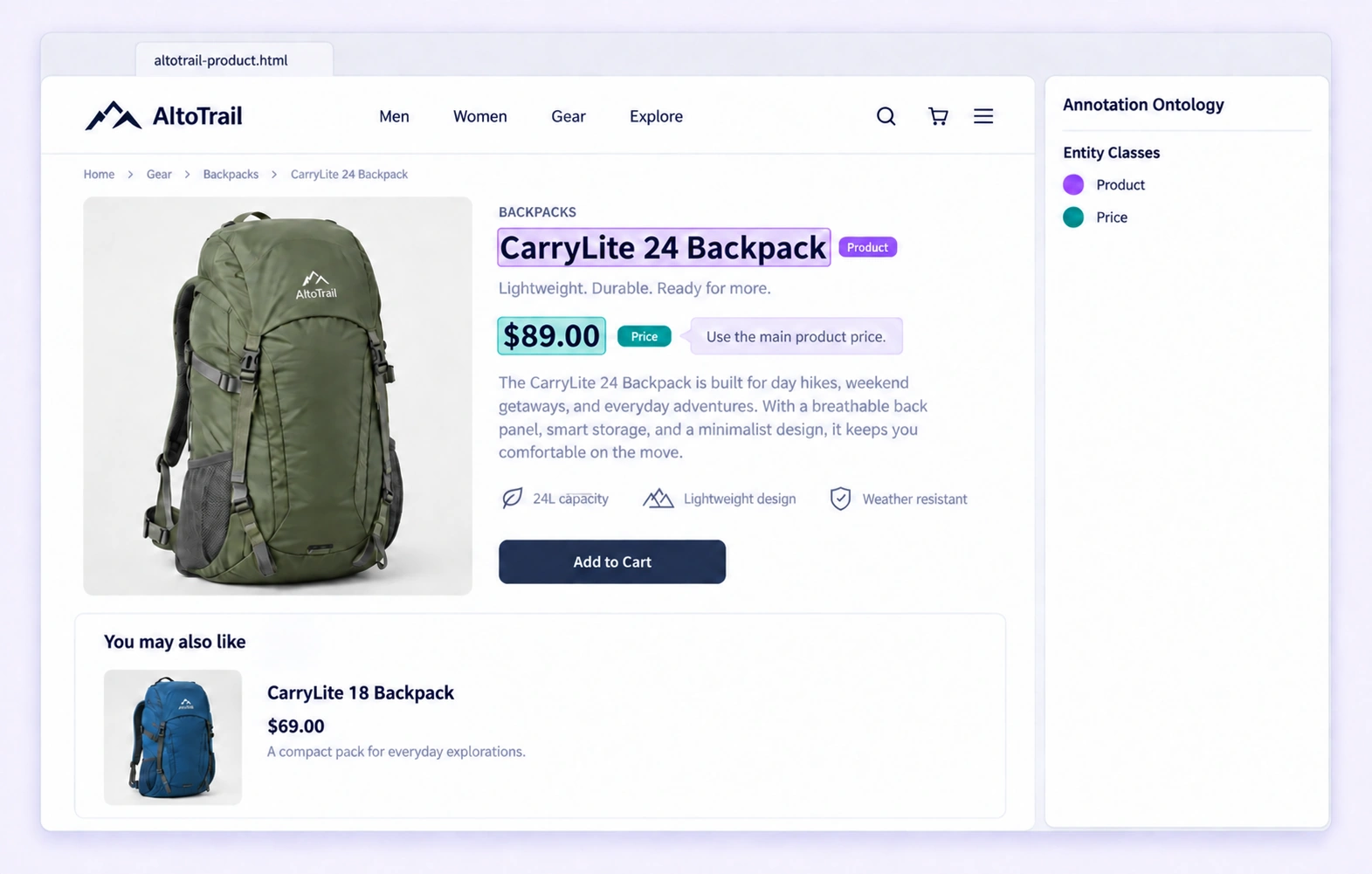
Review product identity, price roles, and specification values in their rendered context. Check that same-page relationships connect the intended labeled entities and that semantic properties follow the ontology.
Distinguish required skills from preferred experience using the wording and headings in a saved job posting. Review contiguous text spans and their configured properties without inferring requirements that the page does not state.
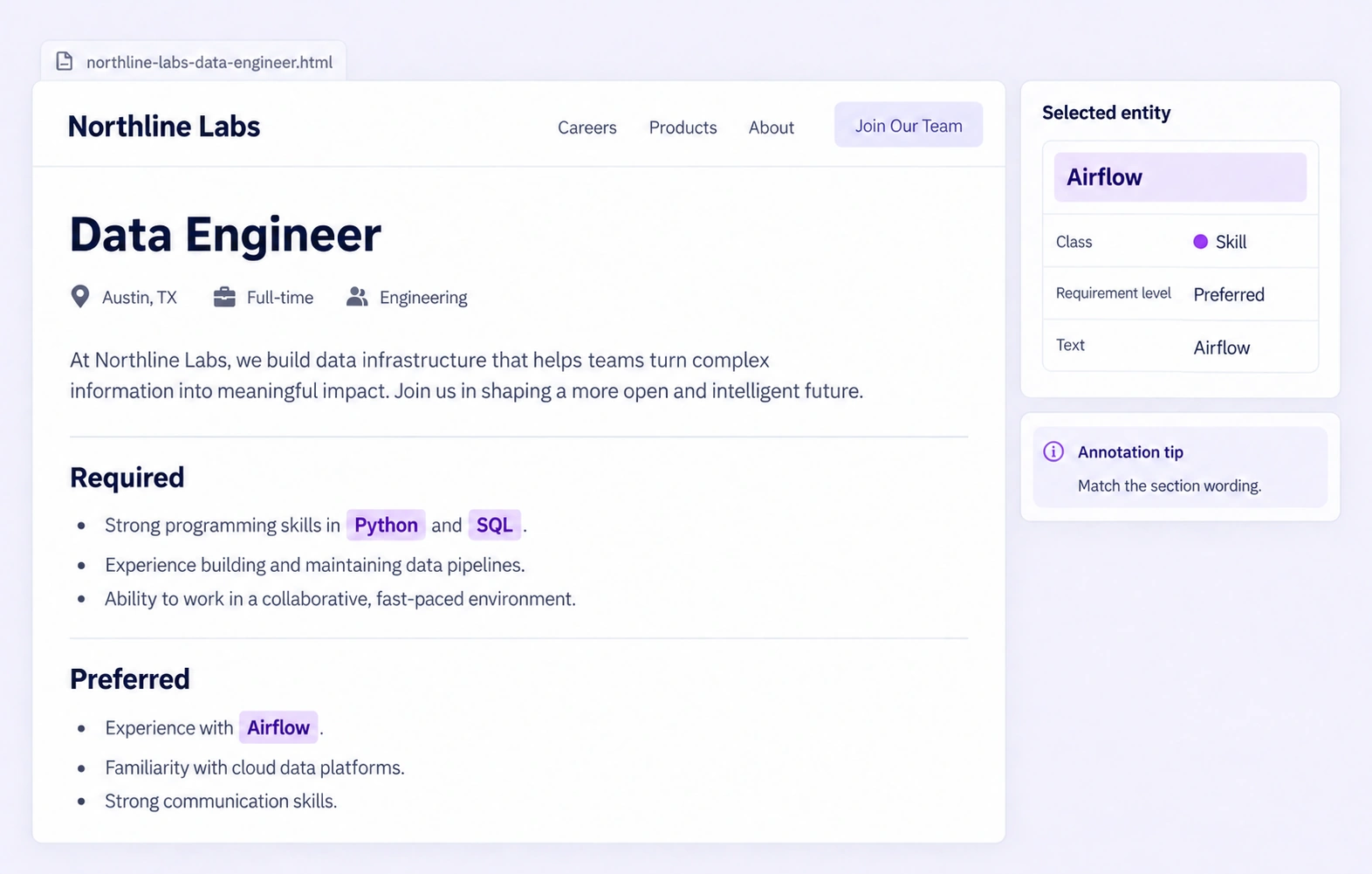
It is the review of visible-text entities, same-page relationships, and semantic properties in a stored HTML snapshot. The rendered page helps reviewers distinguish the intended field from surrounding content. QA overview
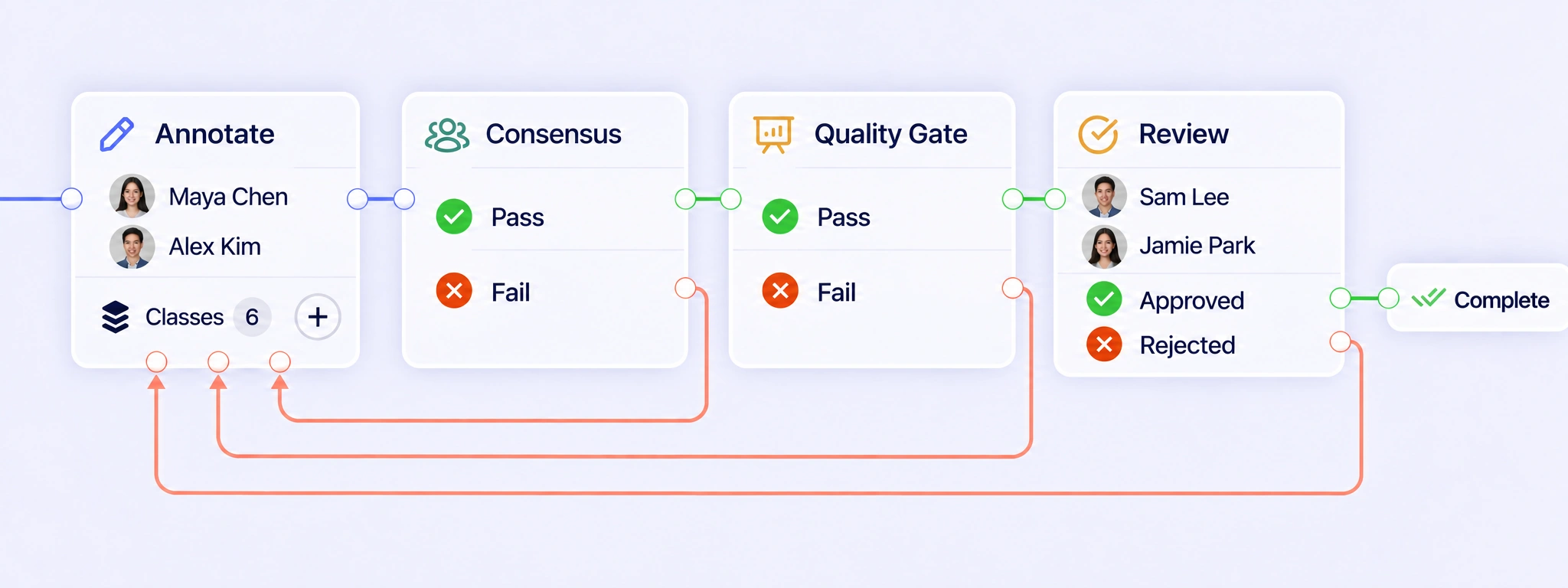
Configure annotation, Consensus, Quality Gate, and Review stages for each saved HTML item. Pass results can advance; failed checks and rejected reviews can return the item for correction. Keeping the same rendered snapshot throughout the workflow lets reviewers resolve the label without losing its page context. QA workflows
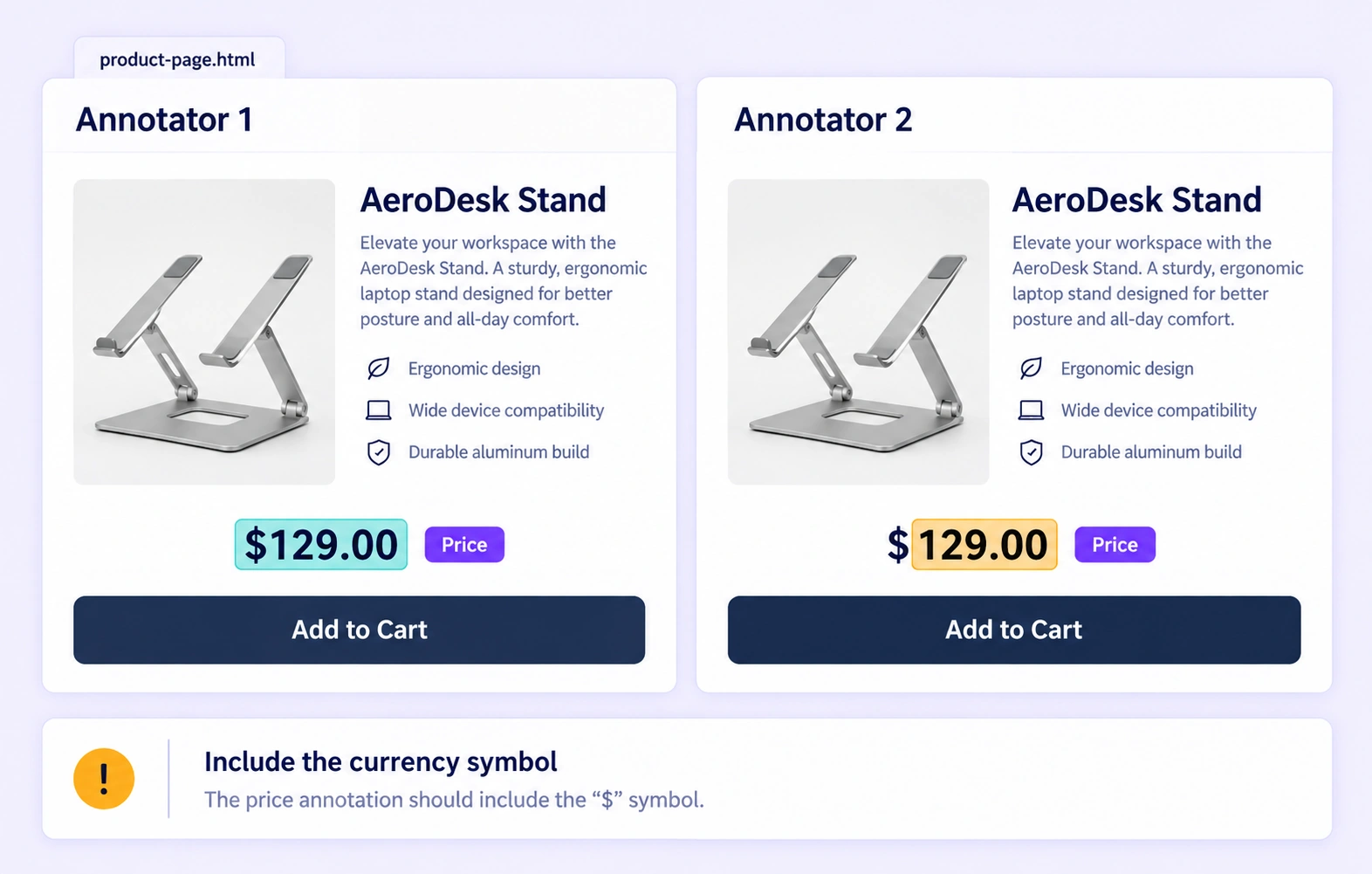
Consensus compares independent annotations of the same stored snapshot, including supported text-span boundaries, labels, and properties. It can expose differences such as a price span that omits its currency symbol. Agreement measures consistency between annotators; a Quality Gate checks an approved answer key. Reviewers still resolve meaning in context. Consensus guide
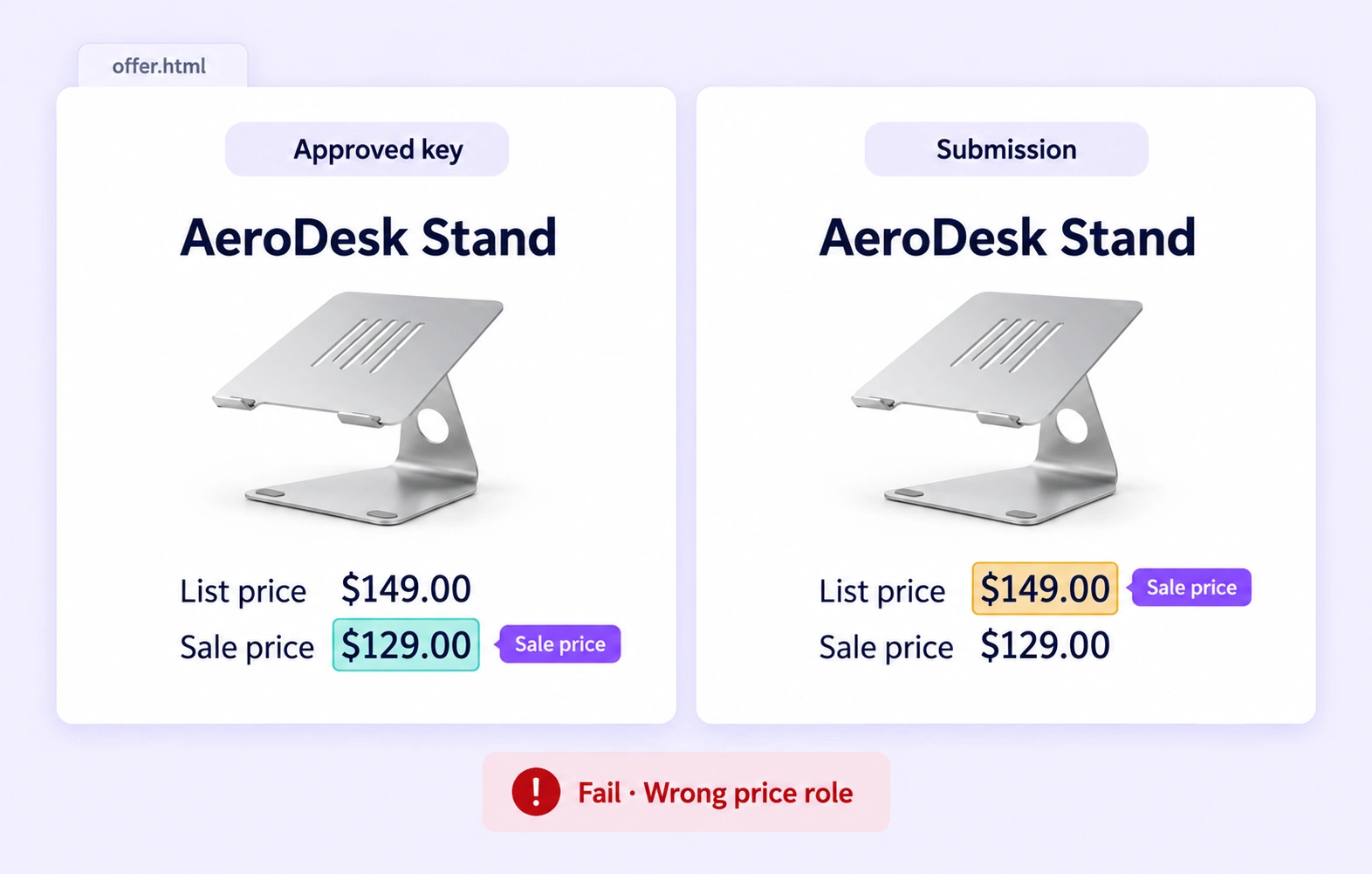
A Quality Gate compares an eligible HTML submission with an approved, frozen answer key for that snapshot. The key remains hidden from annotators. Supported span and label differences inform the check. Pass and Fail use configured routes, while unavailable or incompatible comparisons follow Not evaluated rather than counting as acceptance. Quality Gate guide
Inspect the highlighted text together with the rendered heading, table, and surrounding page content. On a product page, a sale price may sit beside a previous price or a recommendation. Apply the ontology’s field definition, then check the selected span and its relationship to the intended product. Review stages
Each entity must be one contiguous, non-overlapping selection of visible text. A selection can cross adjacent text nodes, but it should not overlap another entity. Define how punctuation, units, and currency symbols belong in each class, then review boundaries consistently across examples of the same field. Review stages
Check that a relationship connects the intended labeled entities within the same snapshot, such as a product and its price. Review the relationship type and direction alongside semantic entity properties. Page-level properties classify the whole item; they are separate from text spans and raw HTML attributes. Review stages
Review is anchored to the processed snapshot of an uploaded HTML or HTM file. Reflow, Fit, and other display modes change its presentation while preserving source identity. A revised website is a different source; do not assume its text inherits the reviewed spans from an earlier snapshot. Review stages
Versioned releases support JSONL and Unitlab’s native format, preserving labeled text, supported properties, same-page relationships, and snapshot identity. Text anchors and surrounding context connect the labels to their saved source. Check that the release contains the intended snapshot and reviewed annotations before using it for extraction training. Export documentation


We use cookies to improve your experience. See our Privacy Policy and Cookie Policy.