
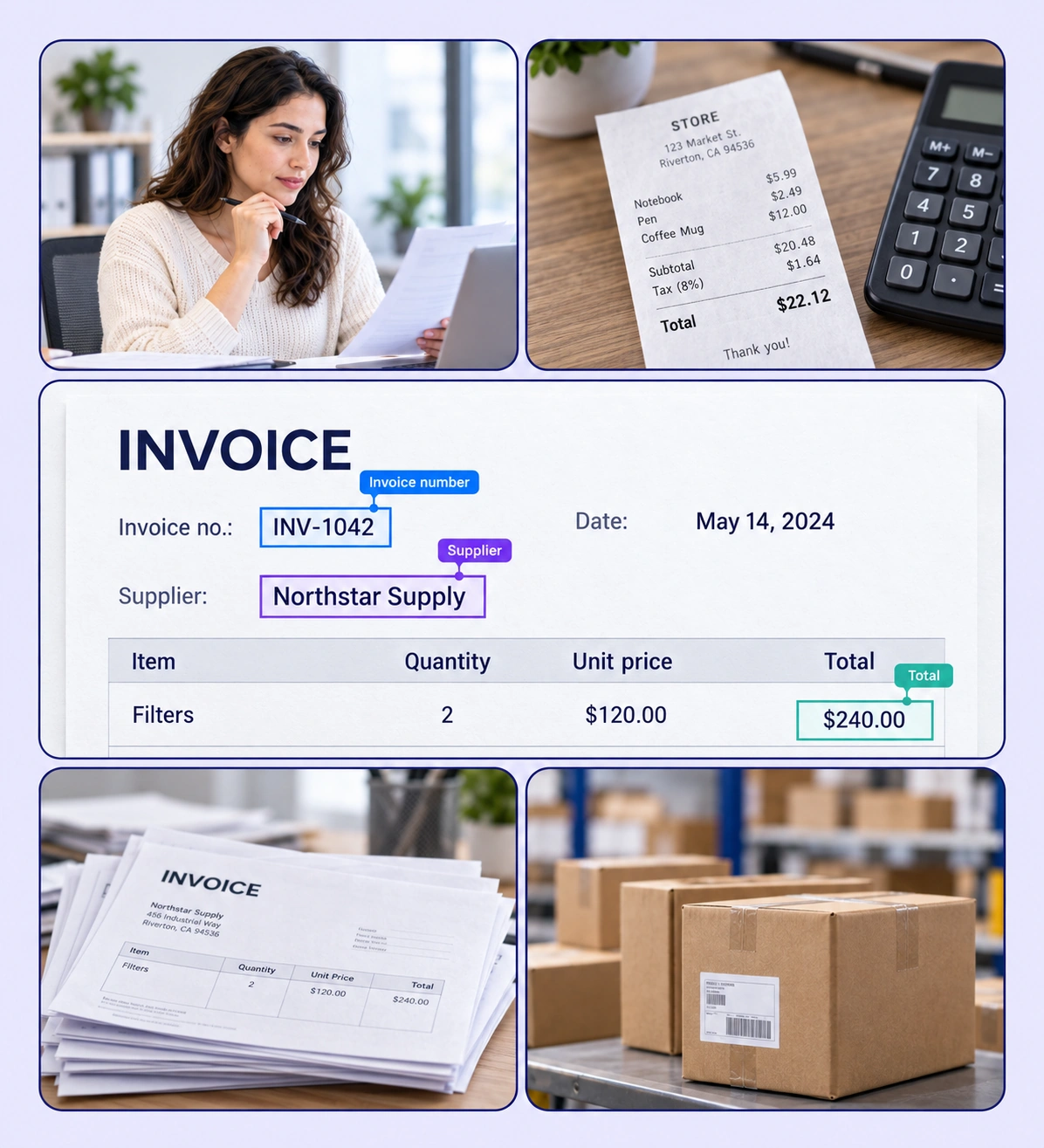
Label invoice fields and line items with reusable schemas and review workflows.
Automate curation, management, and versioning of invoice datasets.
Reusable ontologies and governed quality control reduce labeling and review rework.
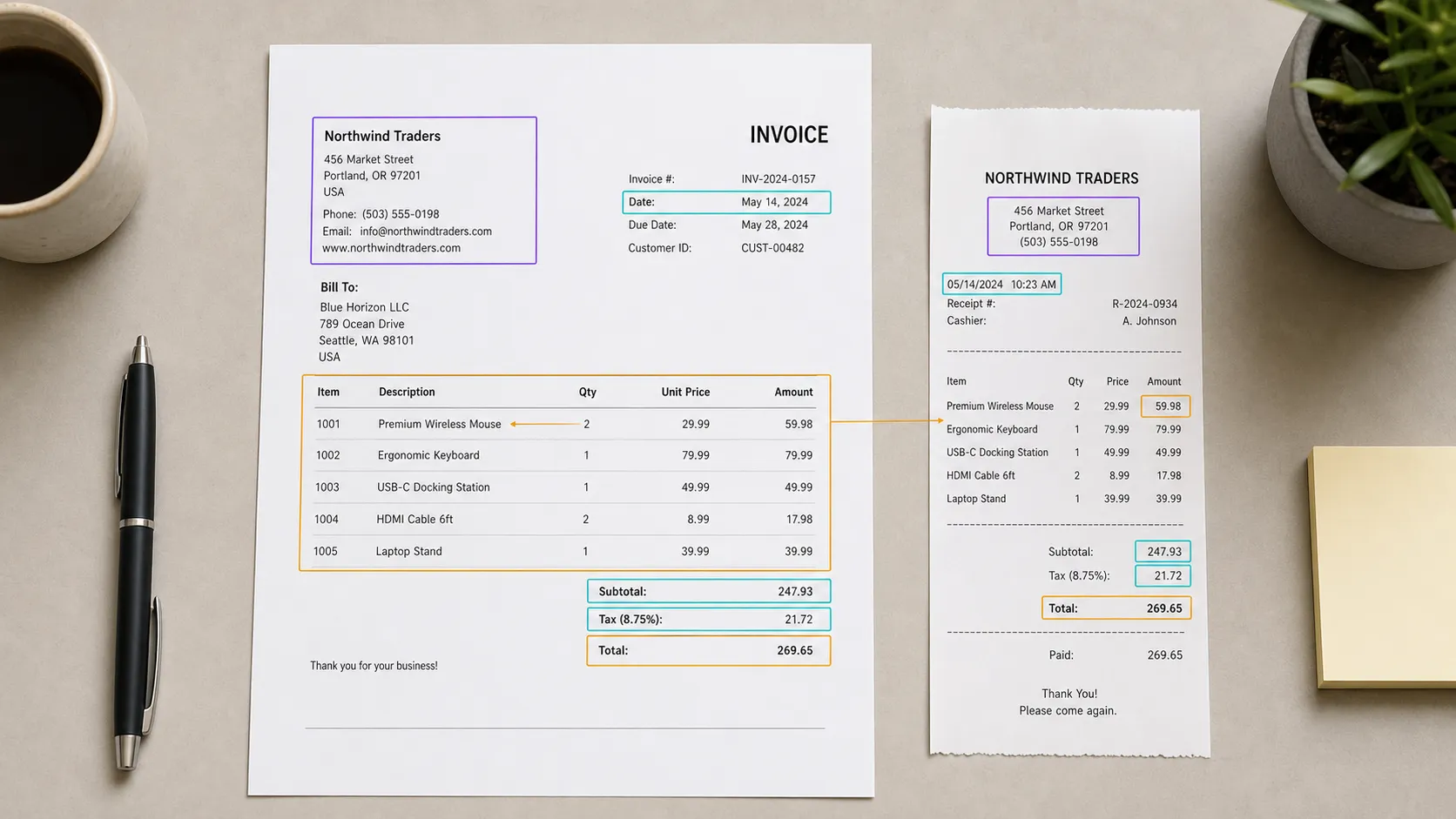
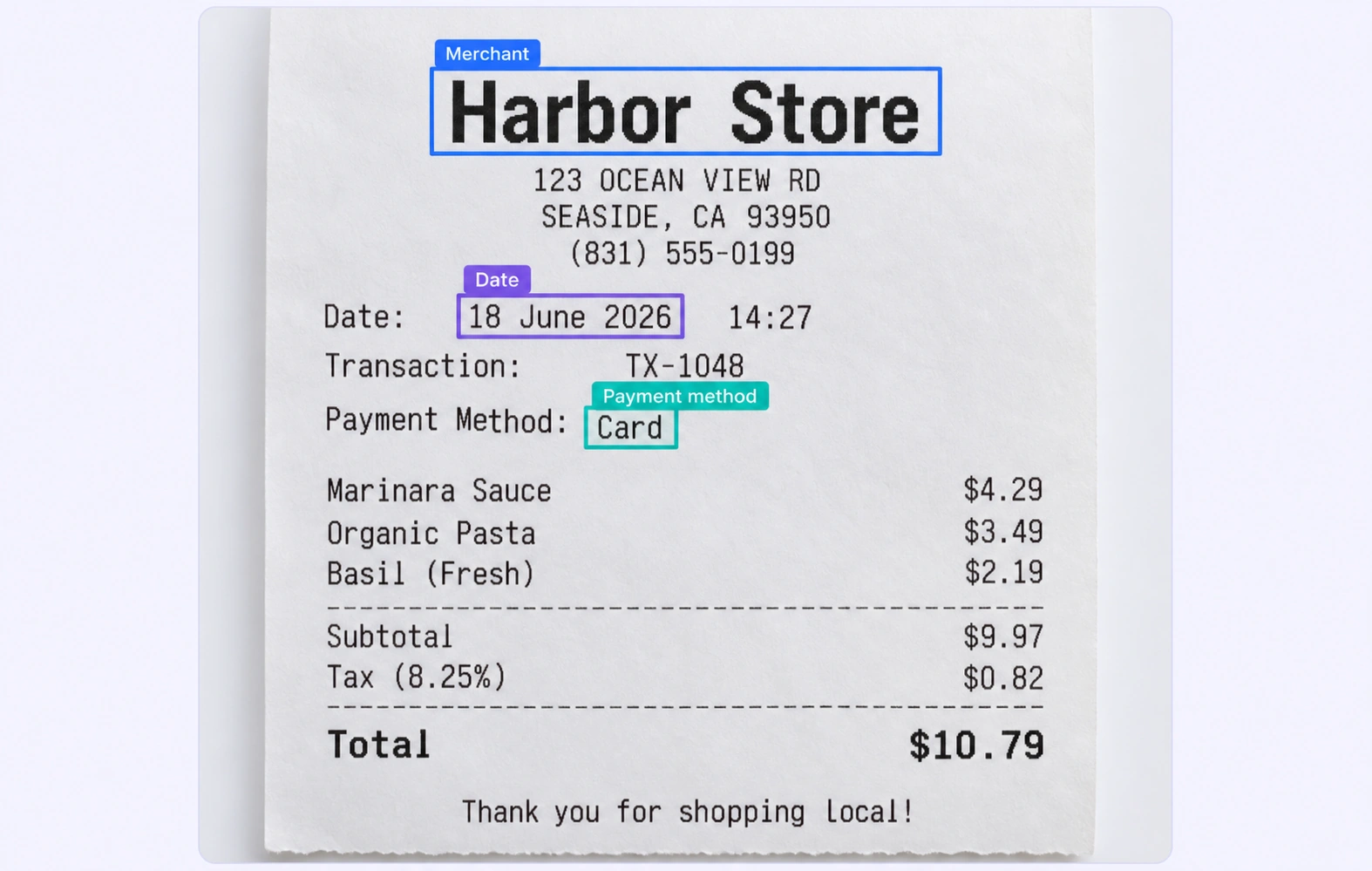
Draw or create labeled regions around invoice and receipt fields, retaining their PDF page context.
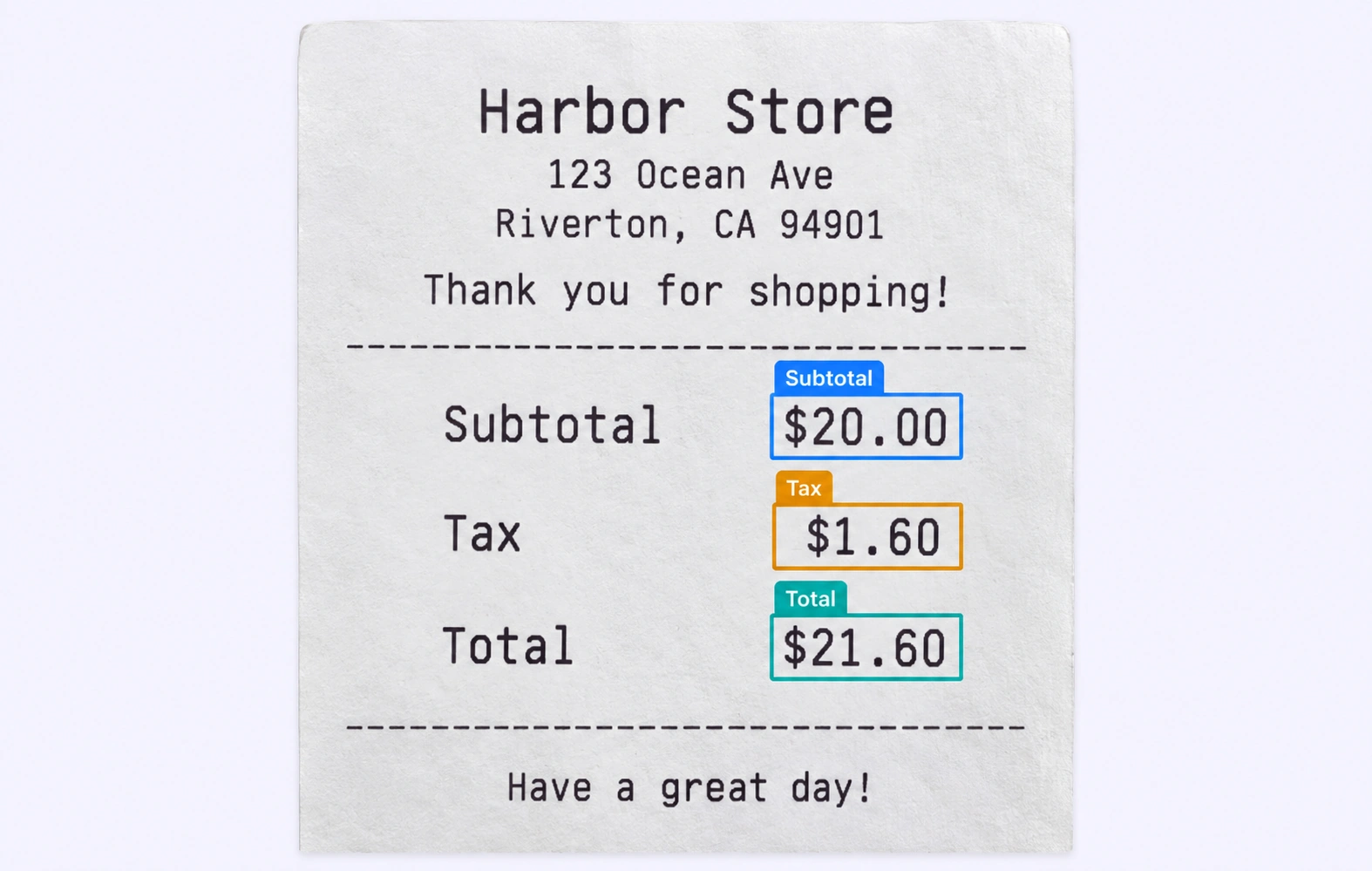
Attach the text value and other defined properties to a labeled field so the annotation captures meaning as well as position.
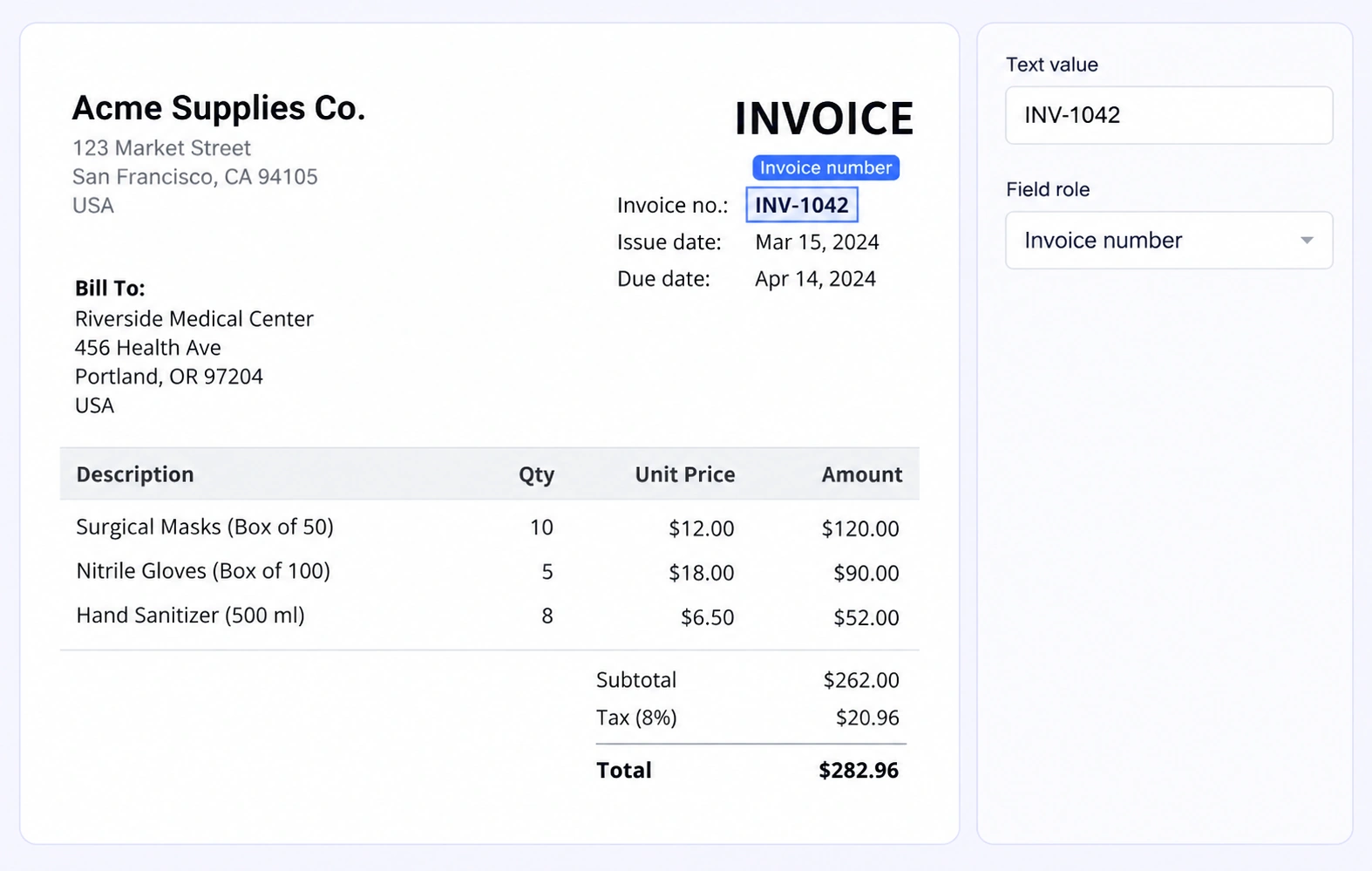
It is the process of labeling the fields and regions that a document extraction model should identify, such as supplier names, invoice numbers, tax values, and totals.
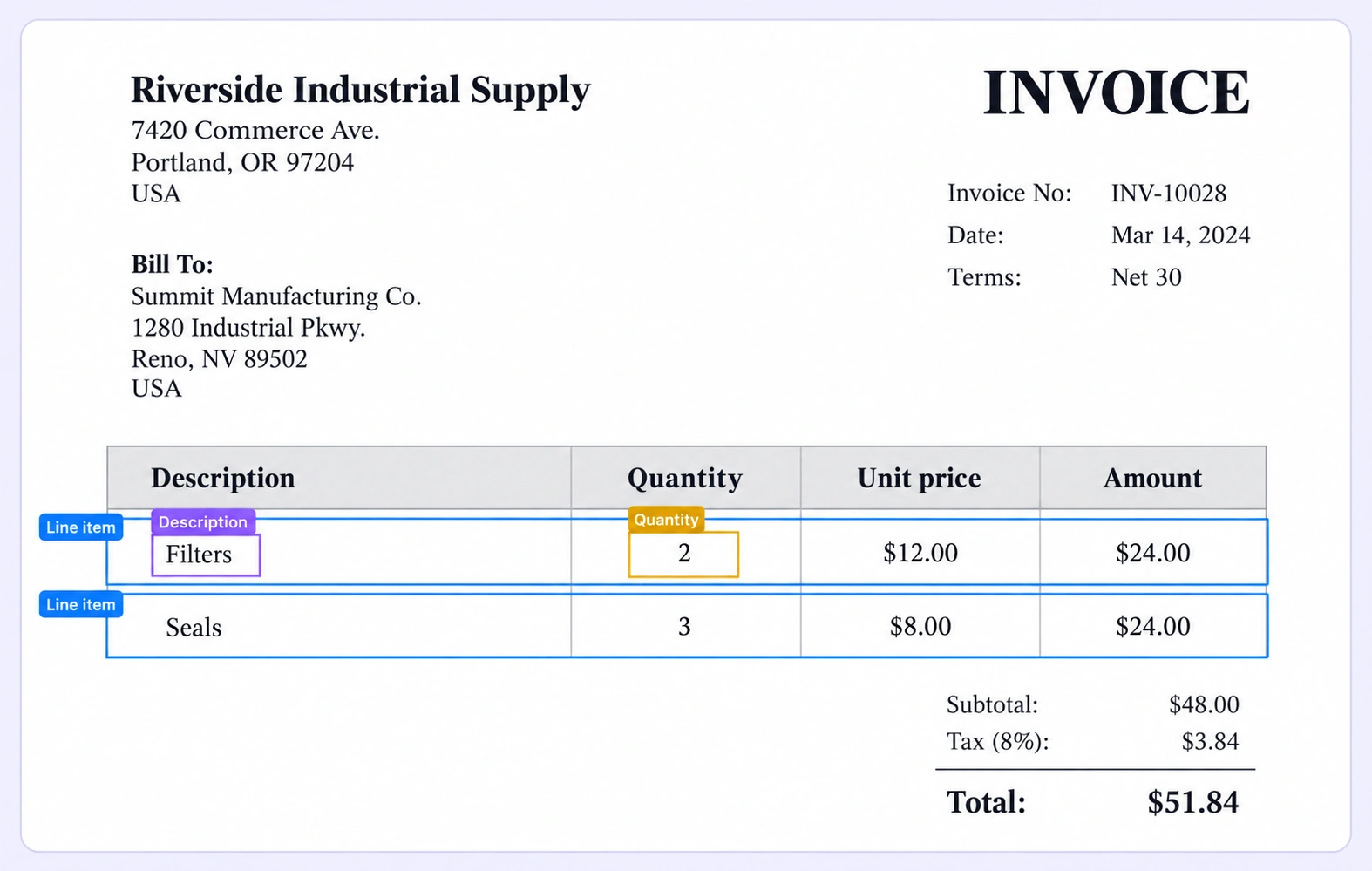
Yes. Define region classes for header fields, totals, rows, and individual line-item fields according to your model’s training needs.
Yes. The PDF text-selection layer can create visual annotation regions from selectable text. Scanned content can be labeled with the document’s visual tools.
Yes. Use separate classes or properties for each field role so visually similar numbers are not treated as interchangeable labels.
Invoices often require supplier details, invoice numbers, and line items. Receipts emphasize the merchant, transaction date, and totals. A shared ontology can define the field roles needed by each document type.
Collect examples across layouts, use the same field definitions, and review difficult tables or ambiguous values against the original page.
The native document workflow supports PDF files. Each PDF remains one work item, with annotations attached to their original page numbers as teams navigate the document.
Reviewers inspect page regions and their labels, resolve comments, and correct or reject work through the configured workflow. Shared classes and properties keep document labeling consistent.
Yes. Unitlab Unified Export Format preserves document metadata and page numbers alongside labels, properties, and supported relationships for downstream document AI pipelines.


We use cookies to improve your experience. See our Privacy Policy and Cookie Policy.