Document layout annotation for document AI

Label titles, text blocks, tables, figures, and references in PDF pages. Build reviewed layout datasets that preserve where each element appears and the role it plays.
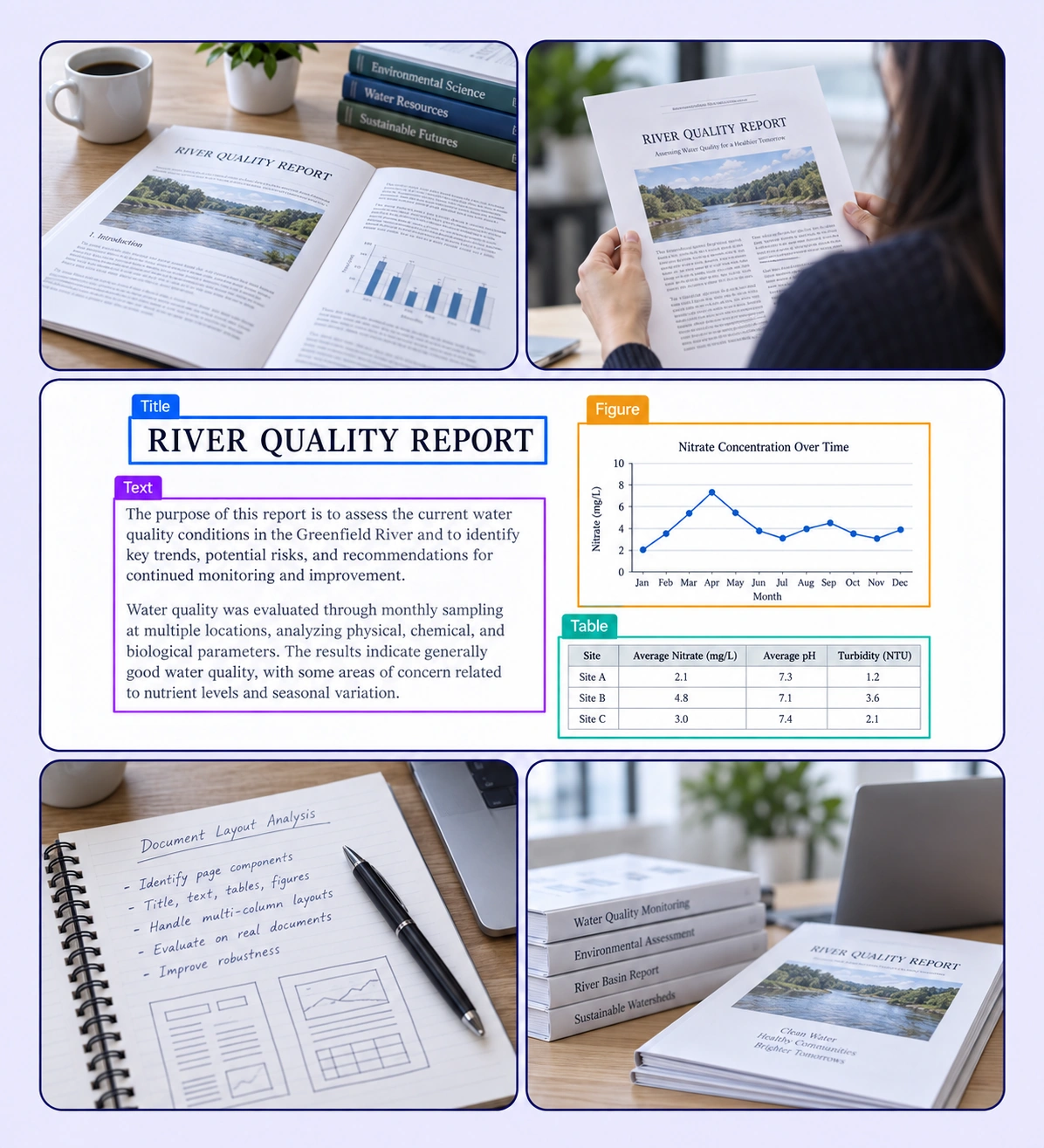
Document Layout Analysis example with source-data annotations and contextual photographs.

Teach models the structure of a page

Create layout labels for the content elements found in reports, papers, forms, and other PDFs.
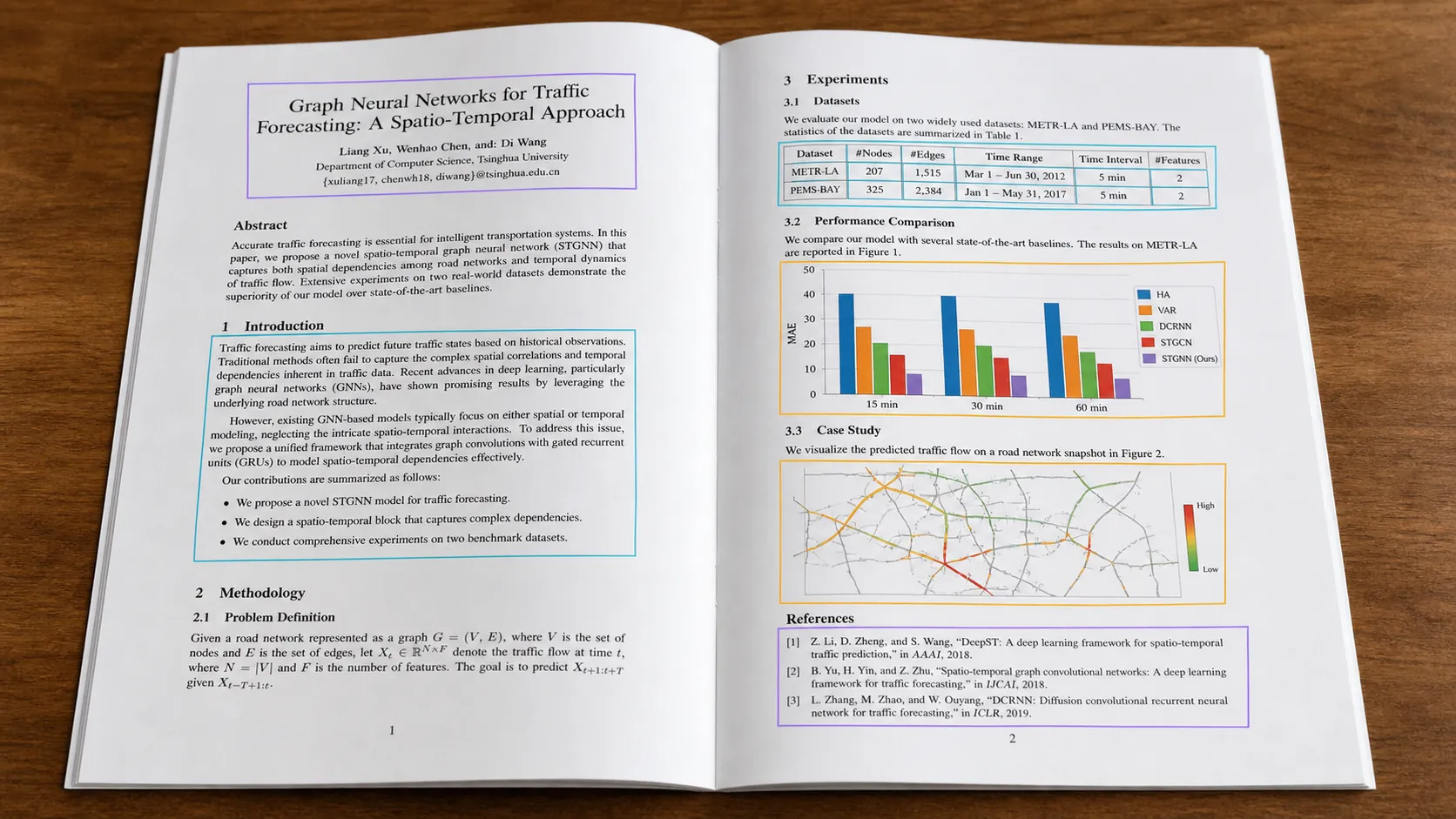
Multi-page technical PDF with structured text, figure, and table annotations.

Titles and text blocks

Label titles, section headings, paragraphs, and other text blocks with a consistent page-layout taxonomy.
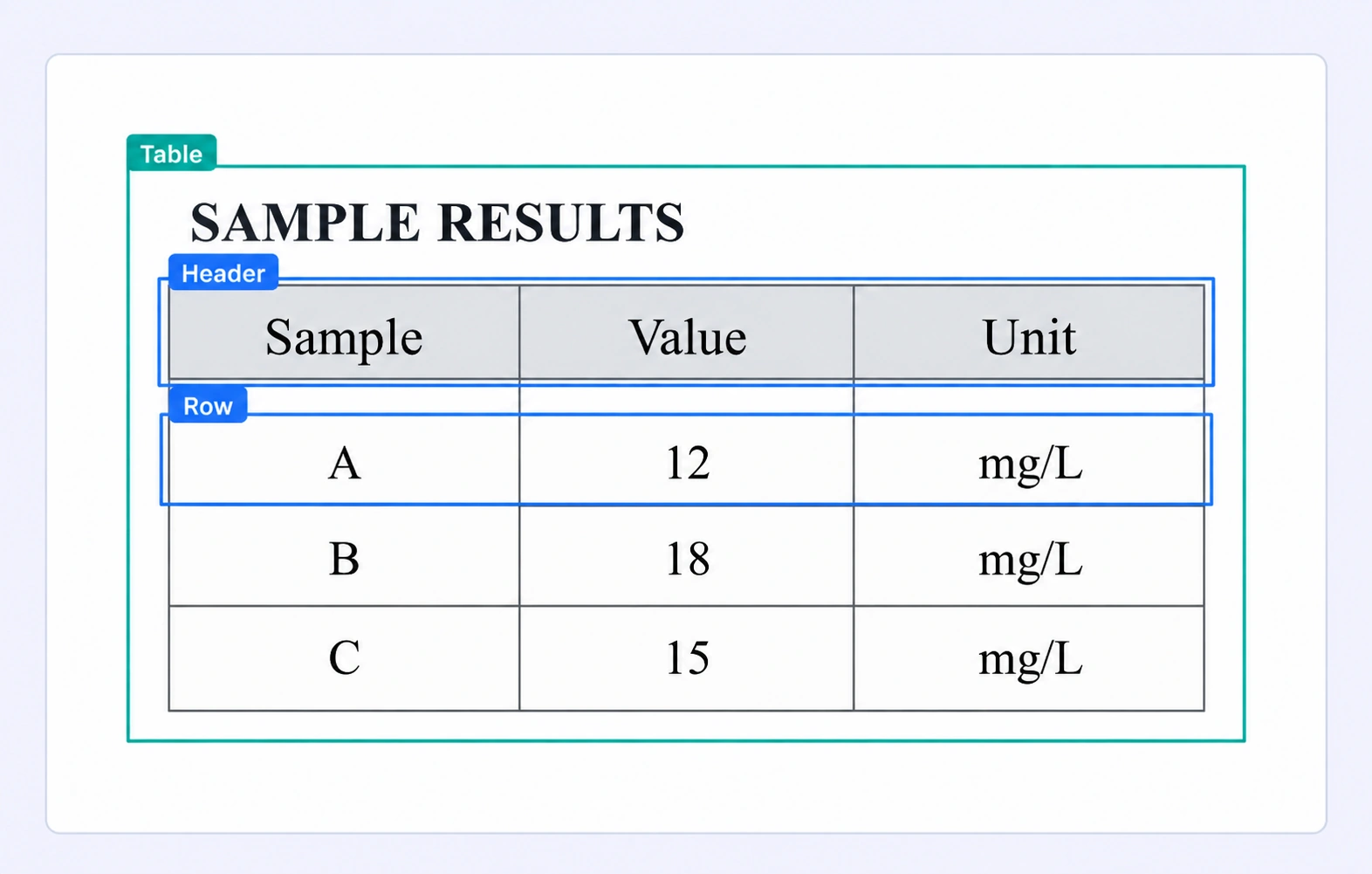
PDF table with table, header, and row region labels.

Tables and repeated structure

Identify table regions and task-defined row or field areas while retaining their placement on the original page.
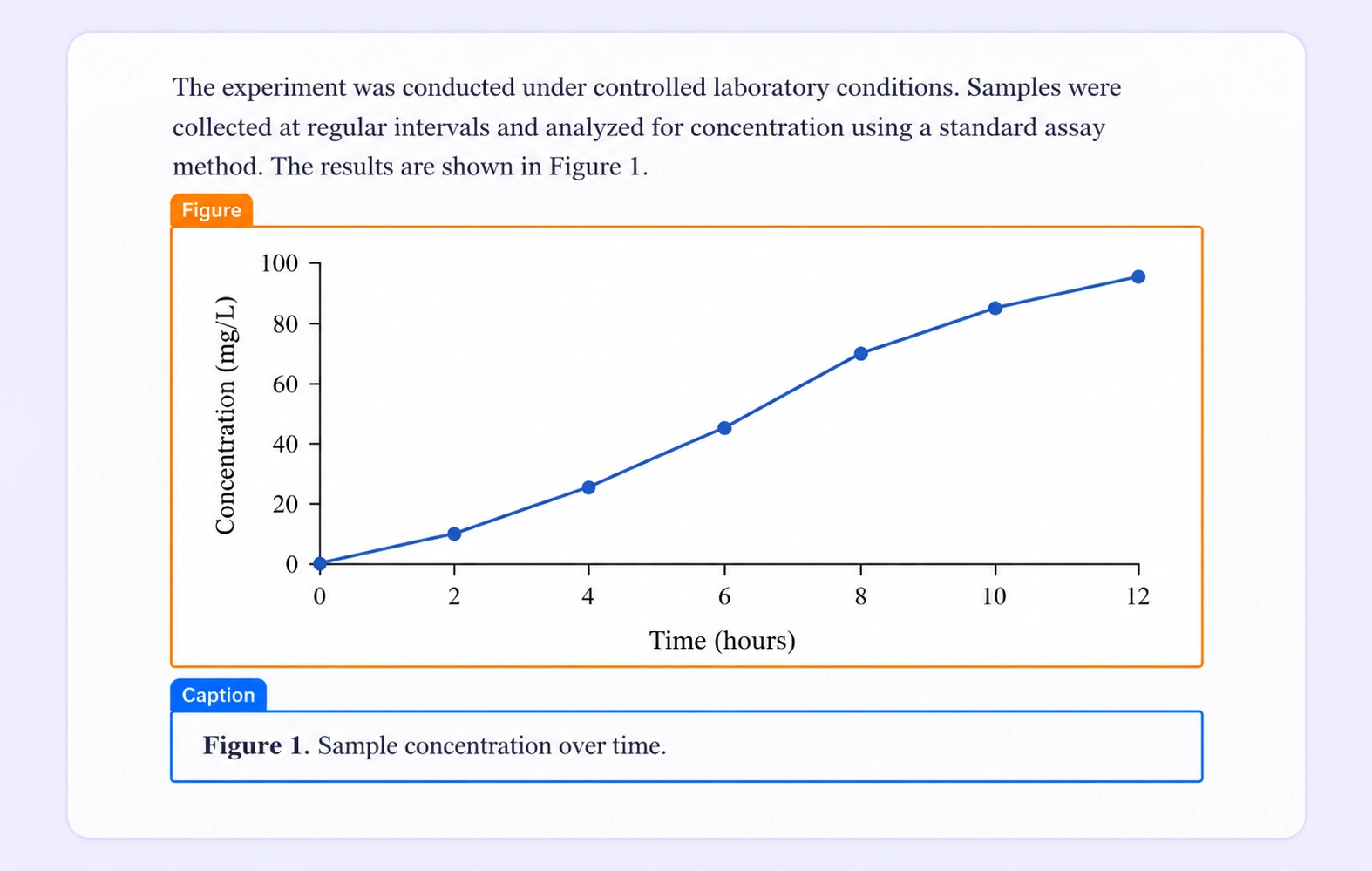
Scientific PDF figure and caption labeled as distinct layout regions.

Figures and captions

Mark figure and caption regions separately so document models learn their positions and semantic roles.
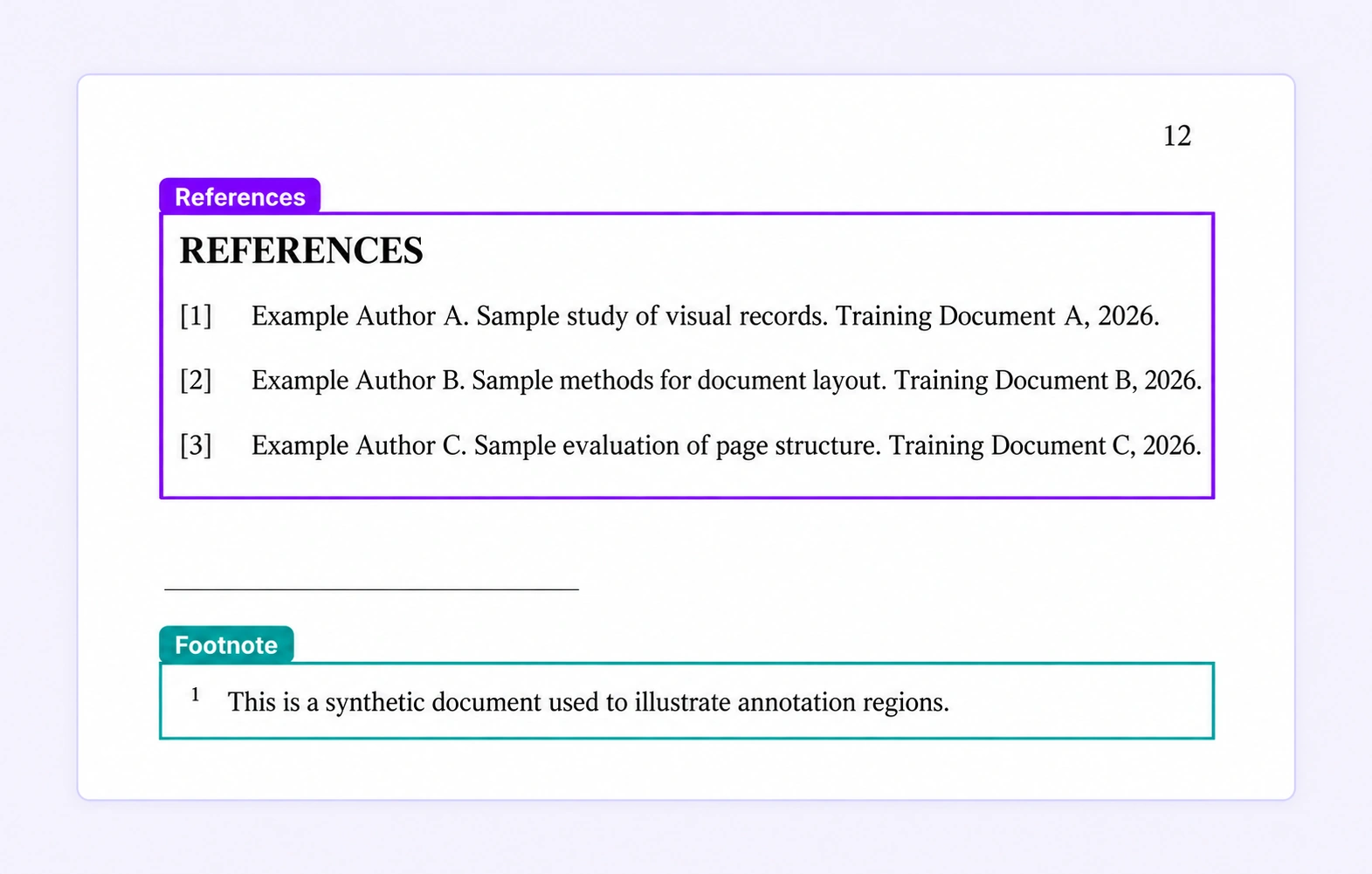
PDF references and footnote labeled as distinct layout elements.

References and footnotes

Identify reference entries and footnote regions as distinct layout elements on dense document pages.

Why AI Teams Choose Unitlab

Bring document annotation, shared ontologies, expert review, and dataset delivery into one workflow so your team can focus on useful training data.
15X
Faster Document Annotation
60%
Free Up AI Engineers’ Time
5X
Lower AI Development Costs

Annotation types for document layout analysis

Pair page-aware visual regions with structured labels, text values, and properties for the document task.
Multi-page technical PDF with structured text, figure, and table annotations.

Layout region labels

Use page-aware boxes and polygons to distinguish the text, table, figure, and reference regions of a document.

Region properties

Attach a region’s type and task-specific values using a shared ontology that reflects the document schema.

Scientific PDF figure and caption labeled as distinct layout regions.

Document Layout Analysis FAQs

What is document layout analysis annotation?

It labels the positions and semantic classes of page elements such as titles, text blocks, tables, figures, captions, and references so models can learn document structure.

Can I annotate figures and captions?

Yes. Mark figure and caption regions with separate classes so their positions and semantic roles remain explicit.

Can I label tables without flattening the PDF?

Yes. Annotate table regions in the original page view. Define row or field labels where your training task requires more detail.

Can selectable PDF text help create labels?

Yes. Selectable text can be used to create annotation regions. Visual tools remain available for scanned pages and graphical content.

Can the same layout schema cover different document types?

Yes. A shared region taxonomy can be applied to varied PDFs, including reports, papers, forms, and business documents. Include representative layouts in your annotation guidelines.

How do teams keep dense document layouts consistent?

Define the region taxonomy before labeling, include difficult layouts in the guidelines, and review ambiguous boundaries or overlapping content.

Which document format does Unitlab support?

The native document workflow supports PDF files. Each PDF remains one work item, with annotations attached to their original page numbers as teams navigate the document.

How are document annotations reviewed?

Reviewers inspect page regions and their labels, resolve comments, and correct or reject work through the configured workflow. Shared classes and properties keep document labeling consistent.

Does export preserve document page context?

Yes. Unitlab Unified Export Format preserves document metadata and page numbers alongside labels, properties, and supported relationships for downstream document AI pipelines.