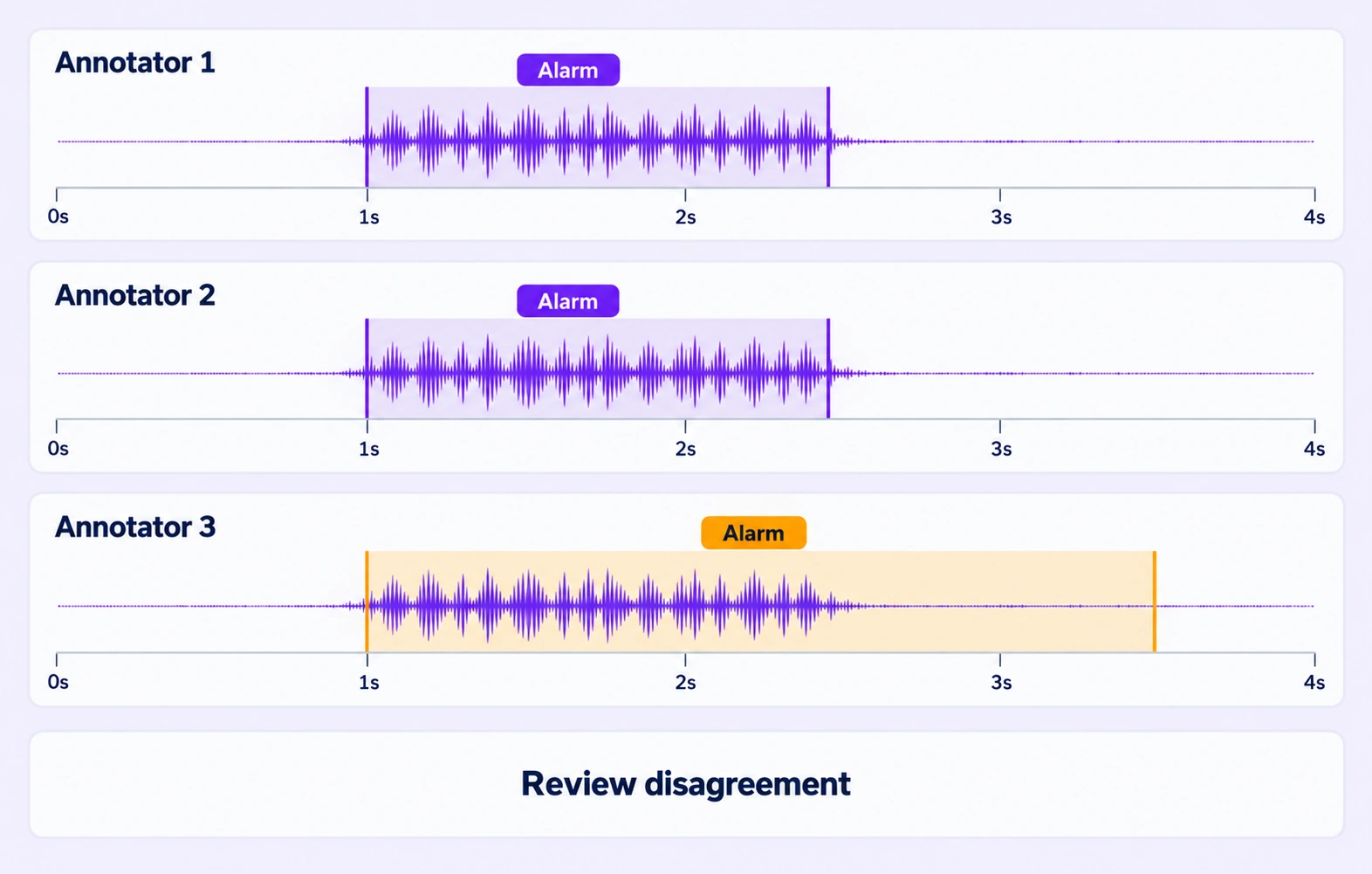

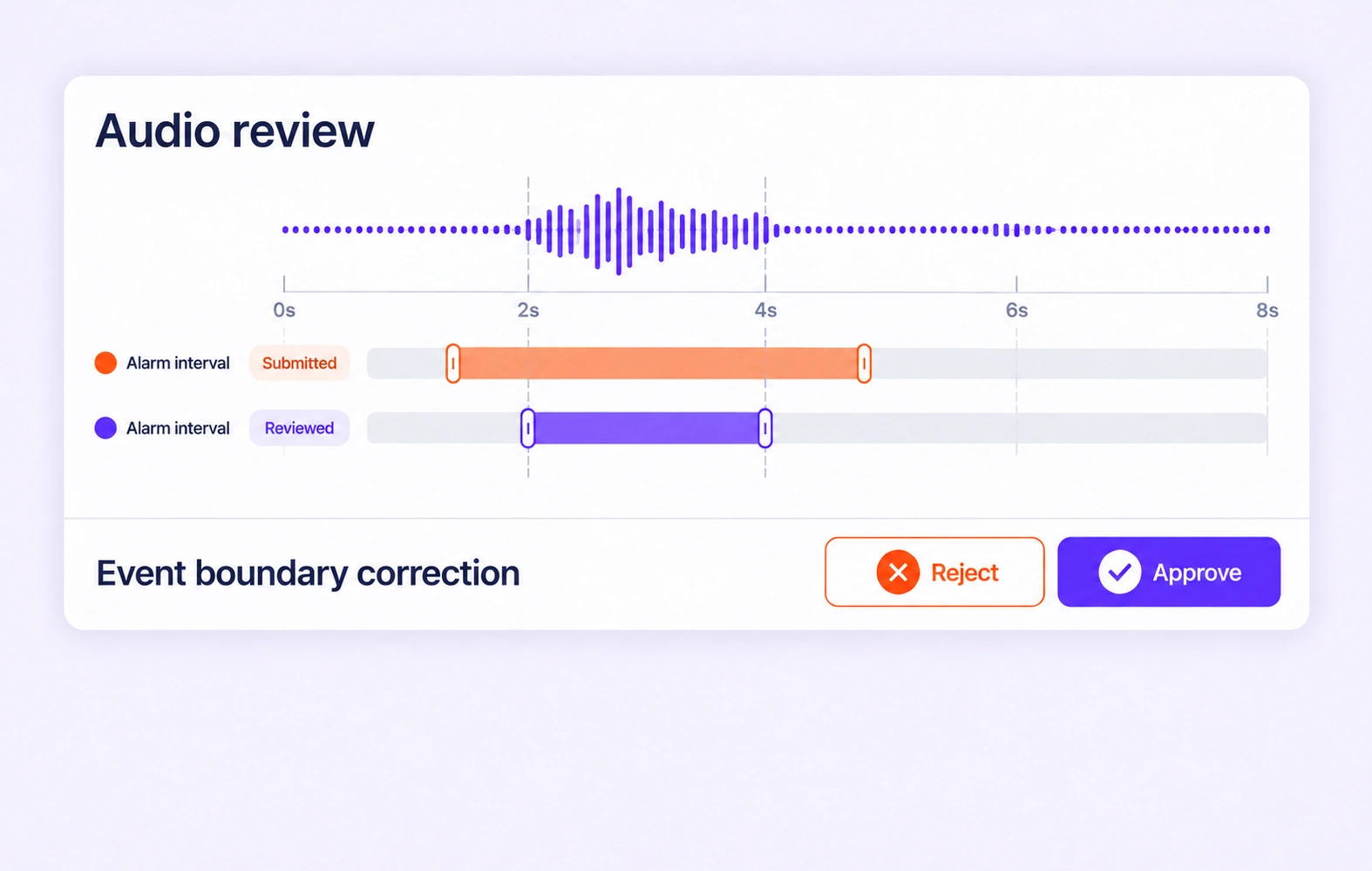
Collect independent annotations of the same recording. Compare speaker assignments and event intervals, then review disagreements before accepting the representative result.
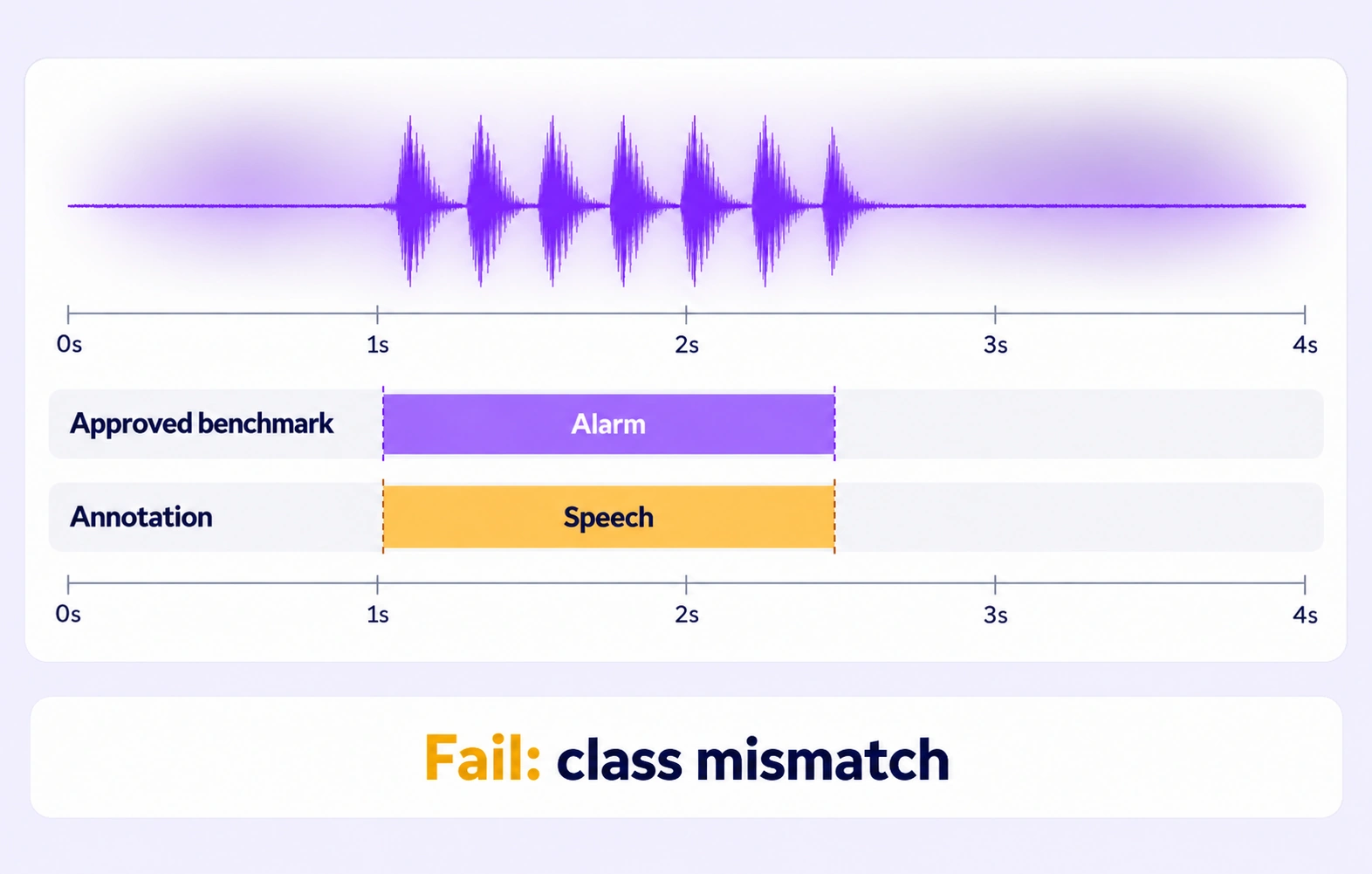
Compare supported audio labels and properties with an approved answer key hidden from annotators. Use the configured threshold to route Pass, Fail, and Not evaluated outcomes.
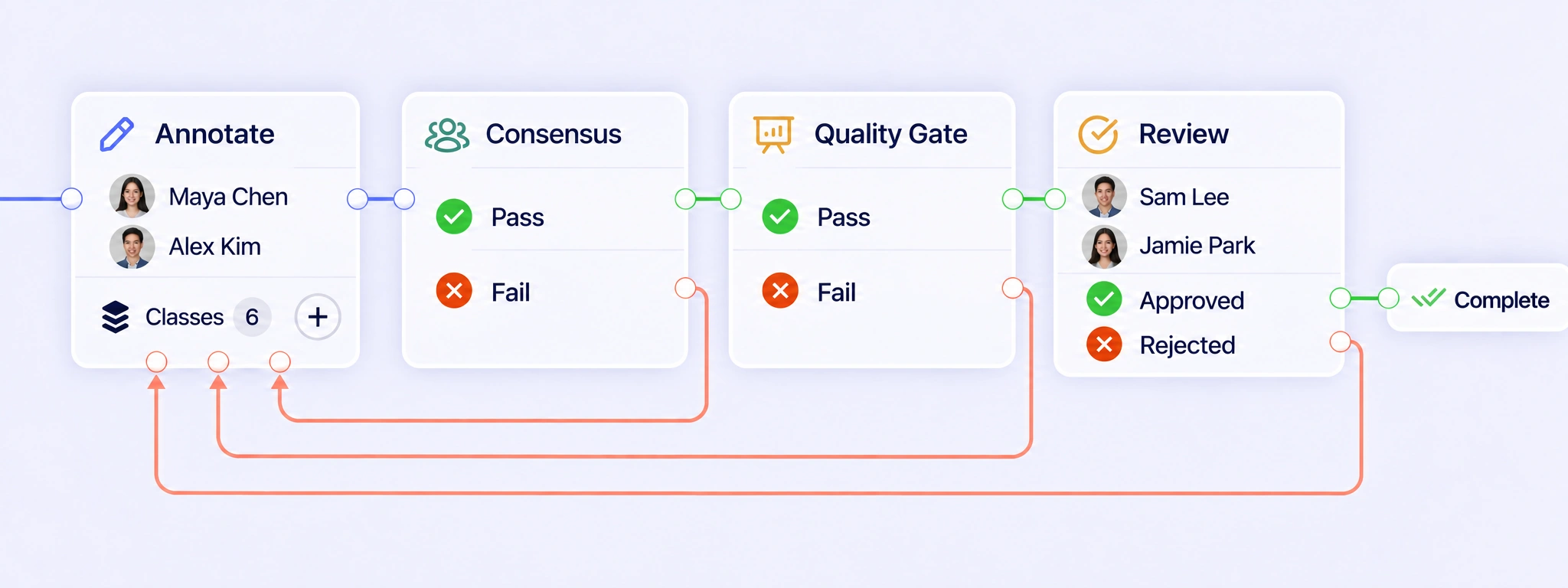
Connect audio annotation, consensus, quality gates, and review in one workflow. Return rejected transcripts or intervals for correction and send the next attempt through review.
Built-in auto-labeling tools and automated workflows reduce manual annotation work.
Automate curation, dataset management, and versioning so engineers can focus on models.
Curated data, reusable ontologies, and quality control reduce annotation rework.
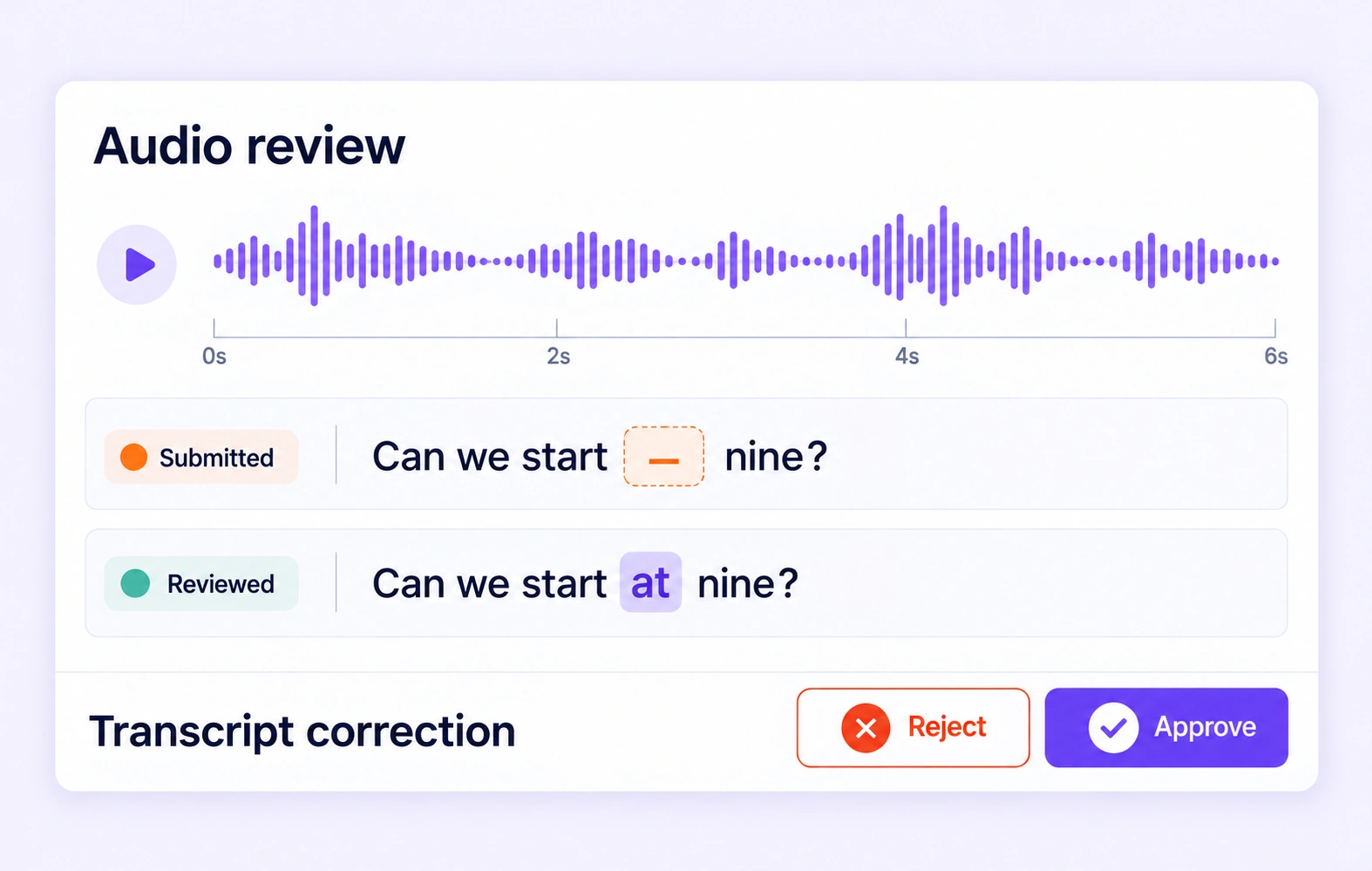
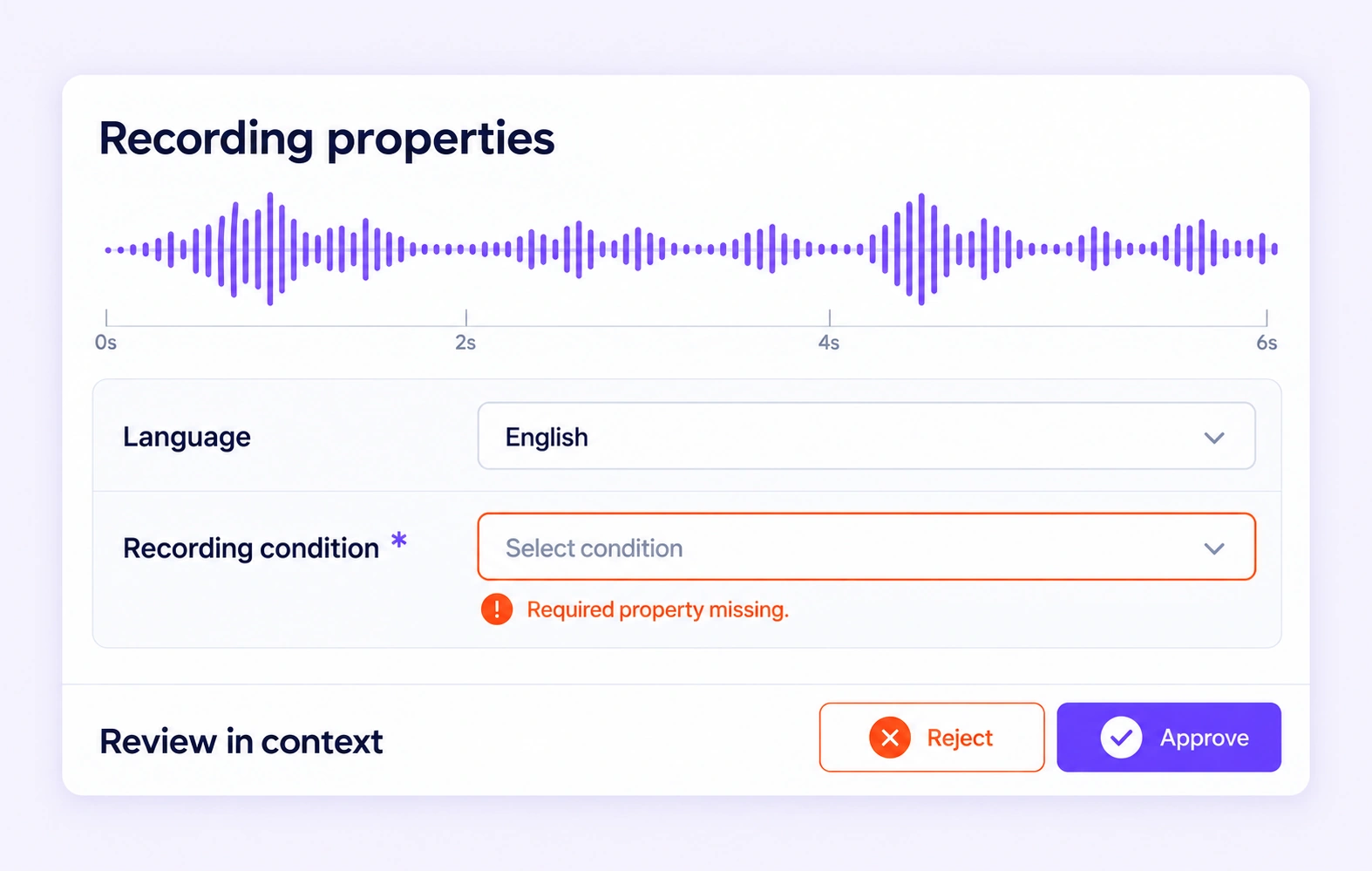
Listen to the source and correct interval-level or item-level transcript properties in context. Approve the reviewed annotation or send it back for another pass.
Inspect intervals against the waveform and audio. Adjust boundaries and labels using the agreed speaker and event definitions before the dataset is released.
It is the review of transcript text, speaker attribution, timed sound labels, and recording properties against the source audio. Unitlab combines an audio workbench with contextual review and workflow routing. QA overview
QA Workflows connect audio annotation, Consensus, Quality Gates, and Review. Configure Pass and Fail routes for quality checks, then let reviewers approve work or return transcripts, speaker labels, or intervals for correction. Revised submissions follow the configured review path, with attempts and decisions retained in workflow history. QA workflows
Consensus collects independent submissions for the same recording and compares supported intervals, labels, and properties using your agreement settings. Reviewers can inspect differences against the source audio and refine the representative result. Agreement shows annotator consistency; it does not establish that the transcript or speaker assignment is correct. Consensus guide
A Quality Gate compares supported audio annotations with an approved reference key hidden from annotators. The configured threshold determines Pass or Fail for evaluated submissions. Keep Not evaluated on a separate route when comparison data is missing or incompatible, and send failures for review or rework according to your workflow. Quality Gate guide
Reviewers listen to the source recording while checking the transcript stored on an interval or, when configured, as a whole-file property. They can correct missing words and wording in context. Define how the project handles fillers, false starts, punctuation, and uncertain speech so corrections follow one transcription policy. Review stages
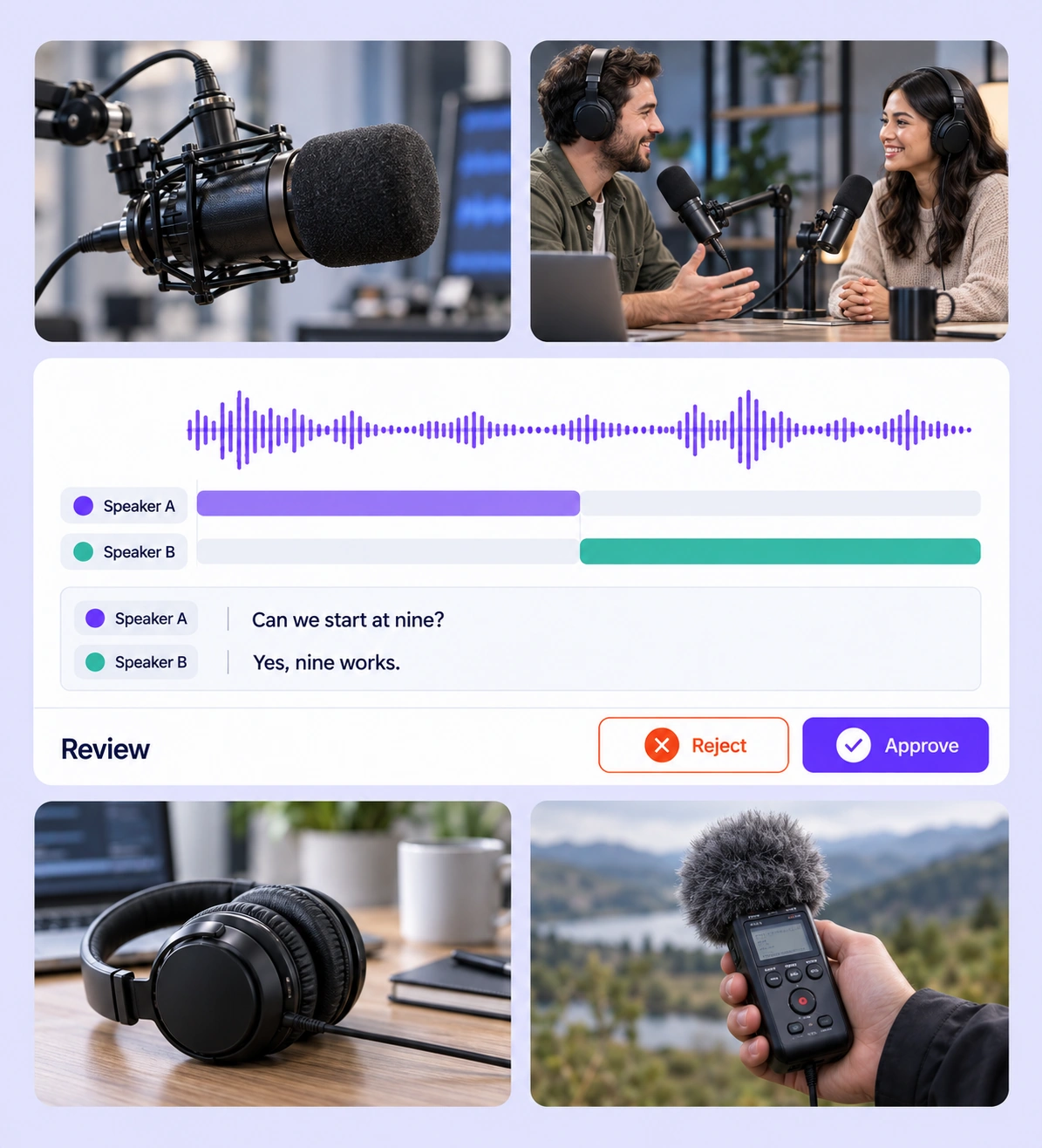
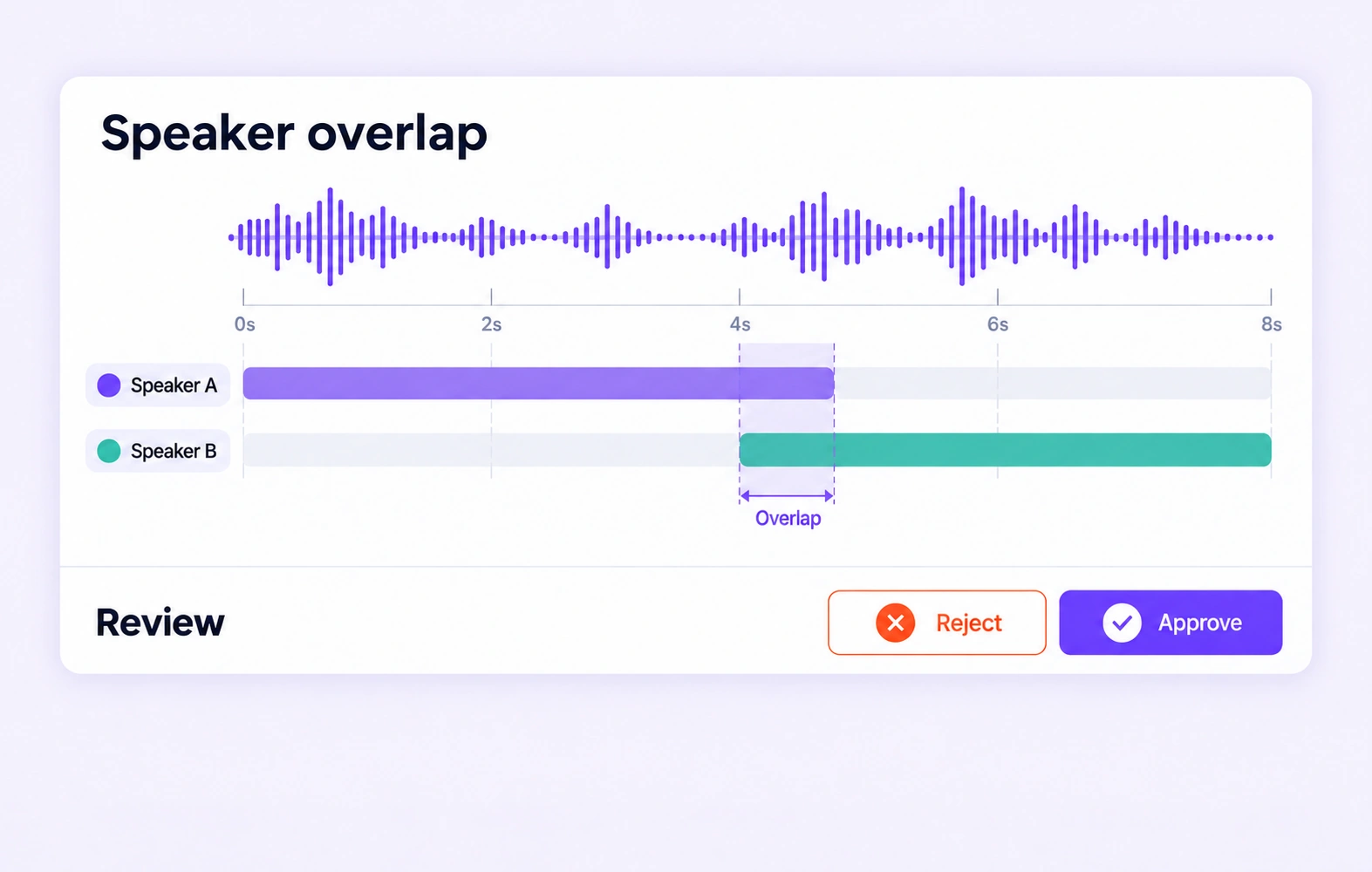
Reviewers check each speaker label and turn boundary against the recording. Audio annotations support overlapping intervals, so simultaneous speech can remain represented instead of being forced into consecutive turns. Project guidelines should define speaker identities and overlap conventions, including how to handle voices that cannot be confidently distinguished. Review stages
Reviewers listen to the recording and inspect its waveform while checking the labeled interval. They can adjust start and end boundaries and correct the event class. Define whether an event includes its onset, decay, or intermittent pauses, then apply that convention consistently to sounds such as alarms, applause, or machinery. Review stages
Yes. Teams can configure item properties such as language or recording condition in the ontology and review those values alongside the source audio. Clear allowed values help reviewers resolve missing or inconsistent selections. Keep recording-level context separate from properties that describe one speaker turn or sound event. Review stages
Annotation comparisons check supported intervals and stored properties. Transcript text values are compared for exact matches, which differs from word error rate (WER) or diarization error rate (DER). For speech model evaluation, use the metric required by your task alongside review of transcript wording, speaker labels, and timing in the source recording. Review stages


We use cookies to improve your experience. See our Privacy Policy and Cookie Policy.