
Built-in auto-labeling tools and automated workflows reduce manual annotation work.
Automate curation, dataset management, and versioning so engineers can focus on models.
Curated data, reusable ontologies, and quality control reduce annotation rework.
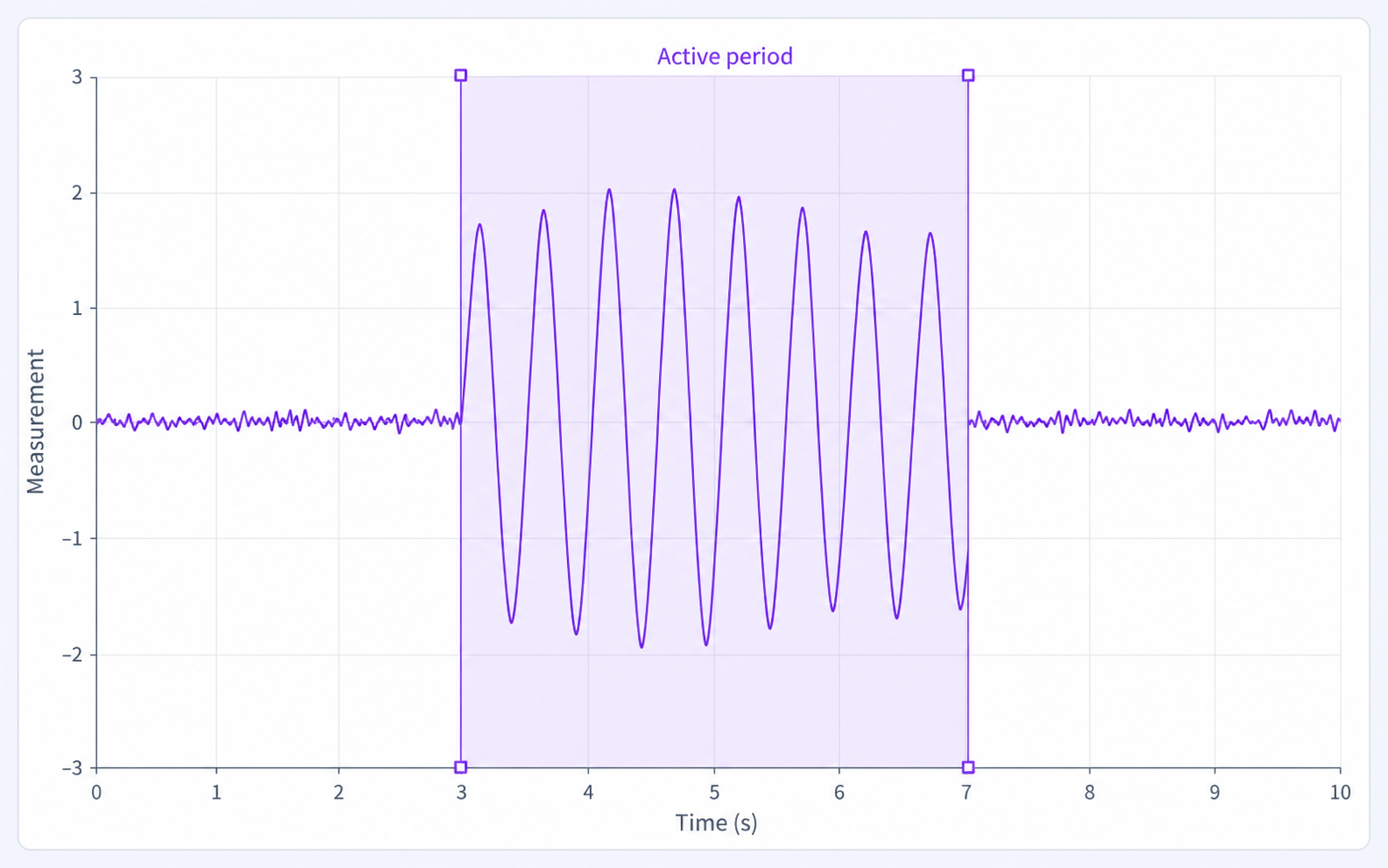
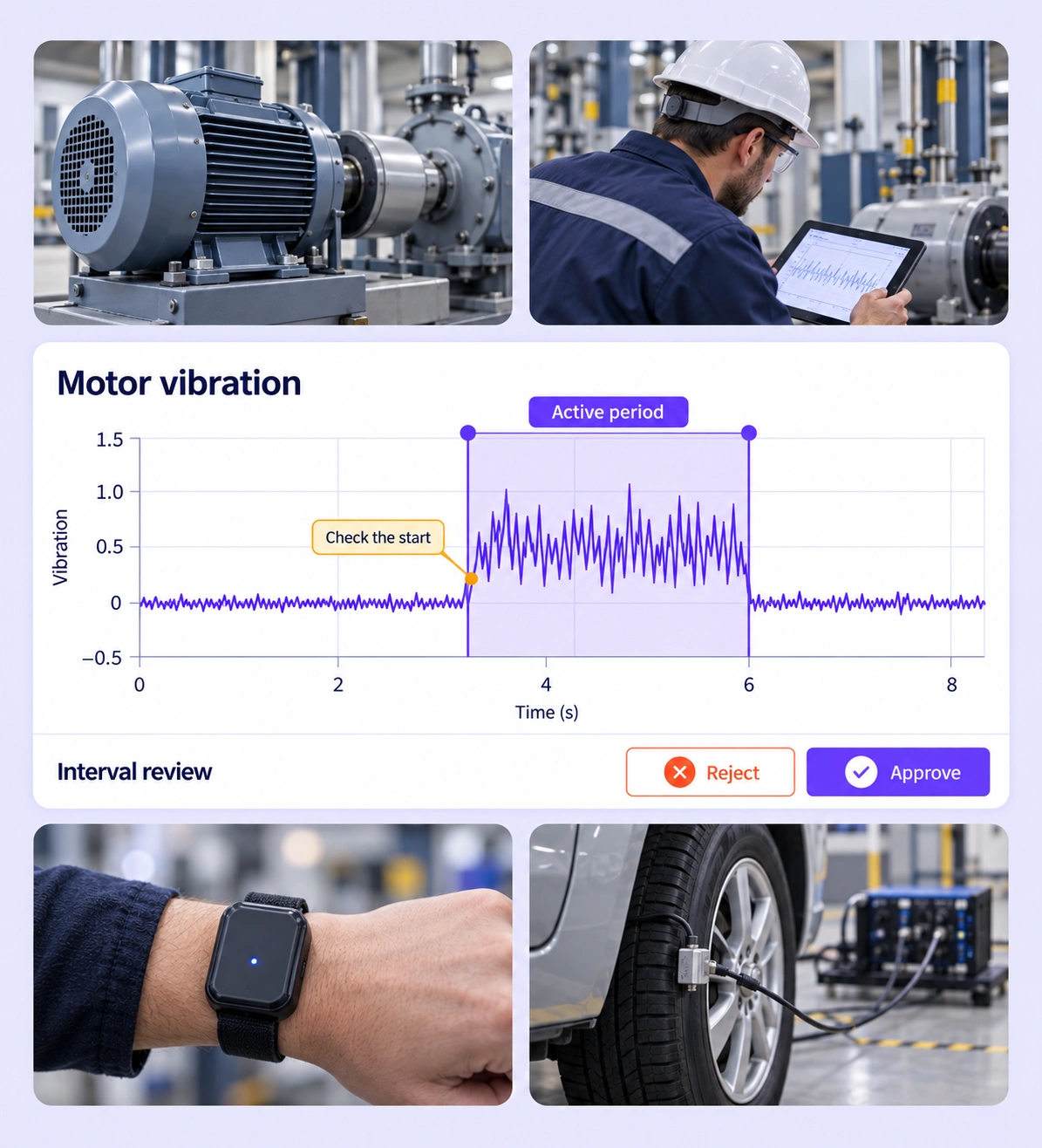
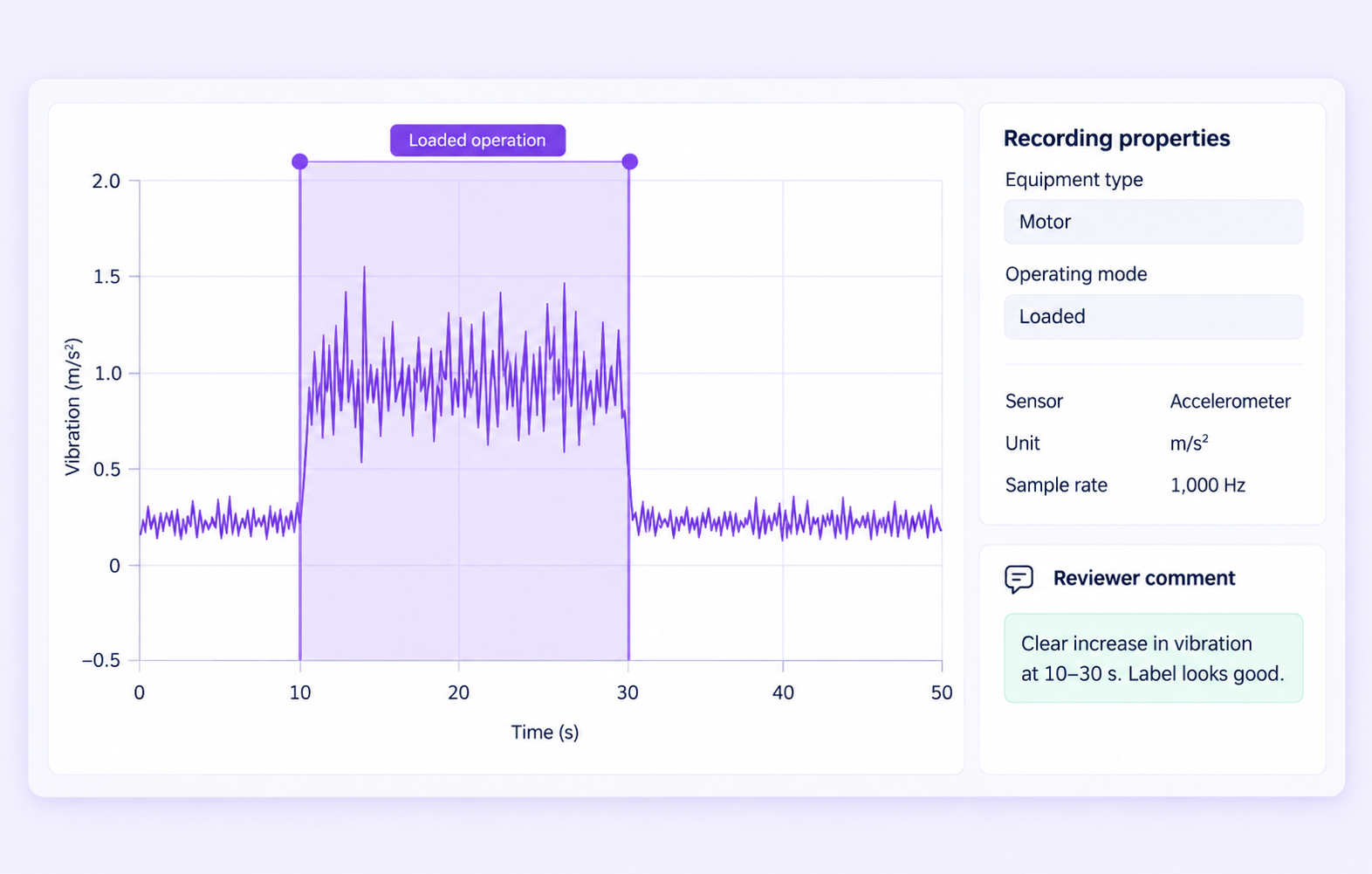
Inspect the start and end of an active period in the signal. Review whether the range includes the complete event and whether its class, channel, and structured properties follow the labeling policy.
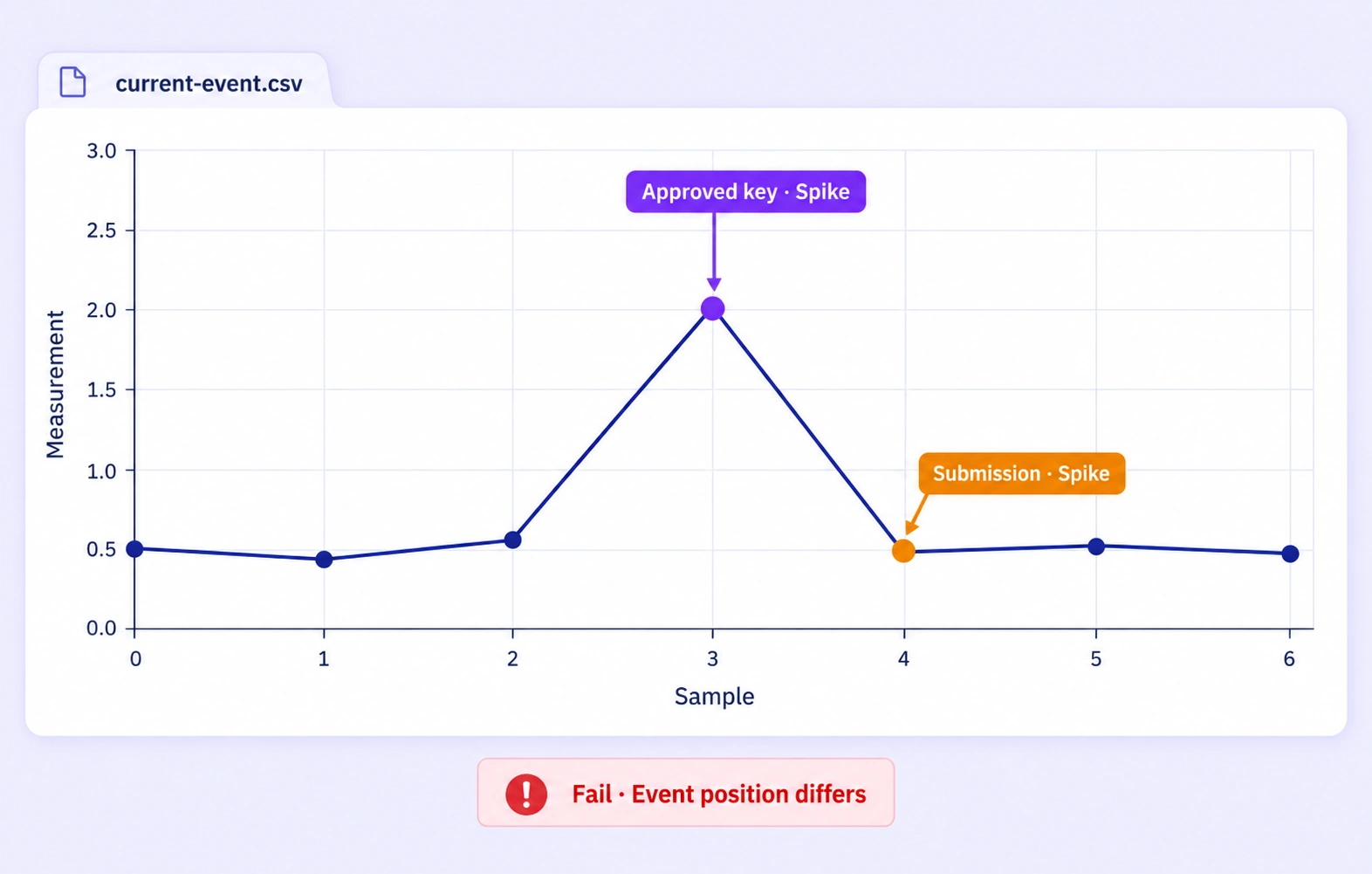
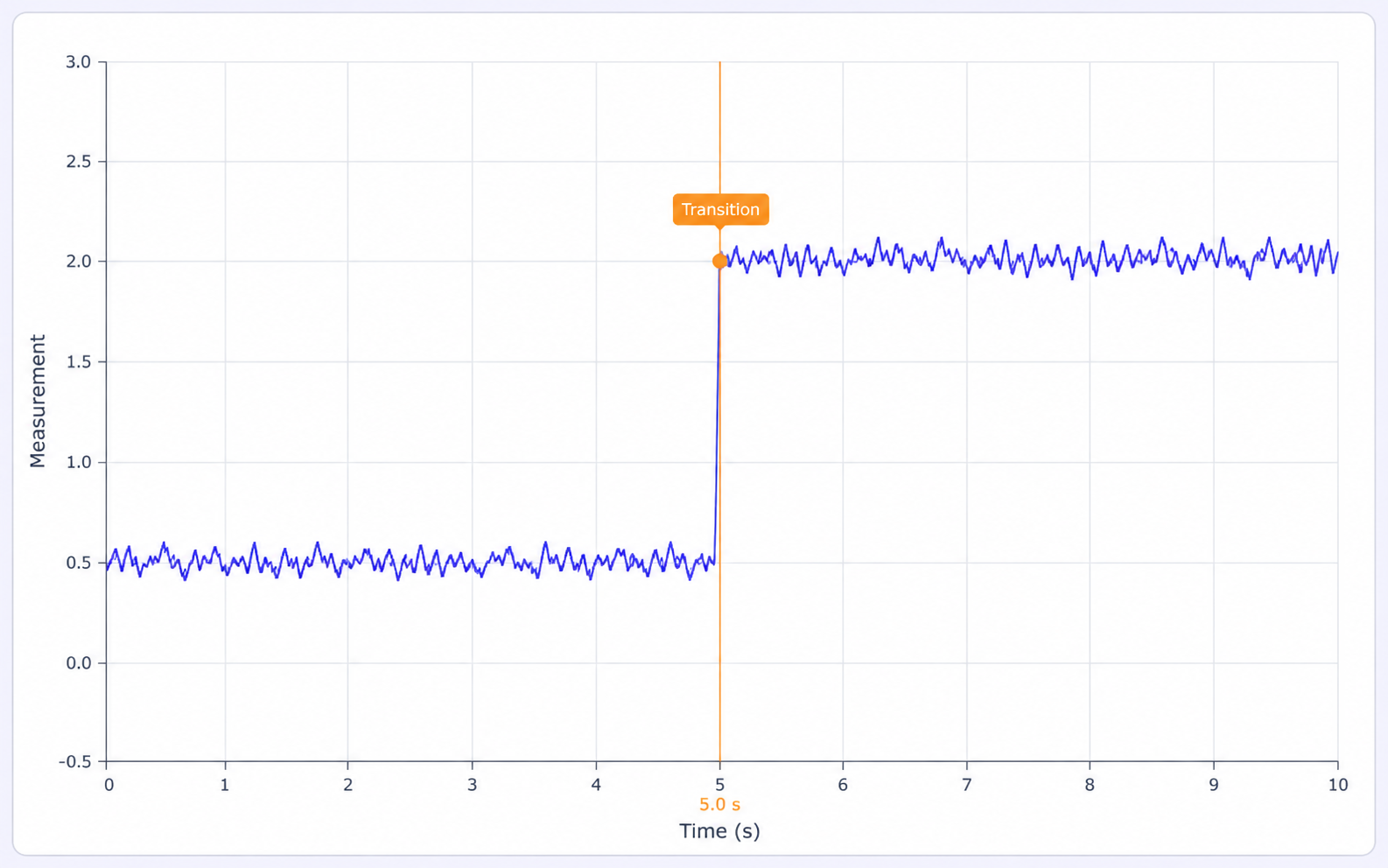
Check that a point event marks the intended sample and source X value. Review transitions or spikes in chart context to keep event labels grounded in the recorded signal.
It is the review of time-series labels for interval boundaries, sampled event positions, class choices, and channel context. Unitlab keeps those labels connected to the original CSV signal and its review workflow. QA overview
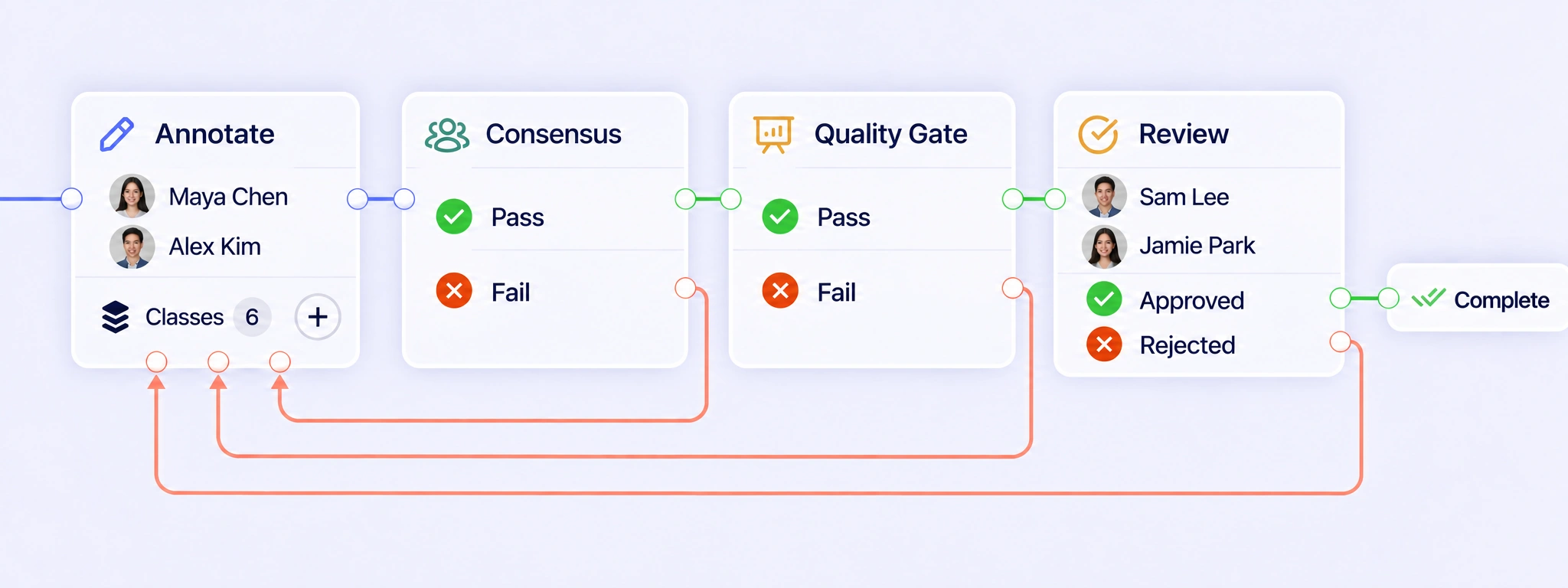
Connect annotation, Consensus, Quality Gate, and Review around the sensor recording. Pass results can move forward, while failed checks and rejected reviews can return the item for correction. Reviewers keep the signal, channel context, and previous attempts together when checking whether a revised label follows the task guidelines. QA workflows
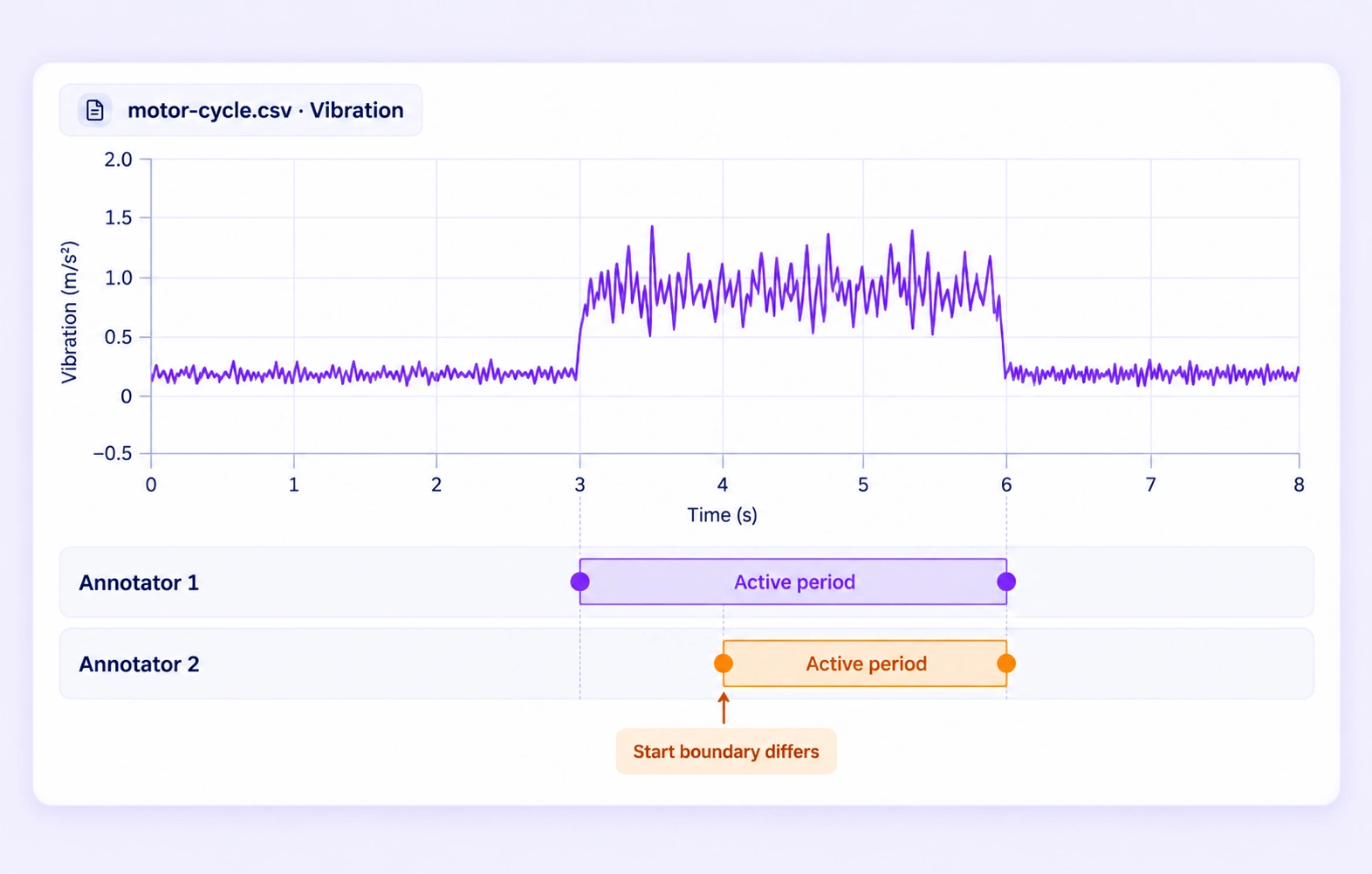
Consensus compares independent submissions for the same recording under configured agreement settings. Reviewers can inspect differences in range boundaries, sampled event positions, and supported properties against the signal. Agreement measures consistency between annotators; a Quality Gate compares an approved answer key. Neither replaces the project’s definition of an event. Consensus guide
A Quality Gate checks an eligible submission against an approved reference for the same recording, hidden from annotators. Comparisons respect supported ranges, sampled points, and channel context. Pass and Fail follow configured routes. Missing or incompatible comparison data uses Not evaluated, so an unavailable check is not counted as acceptance. Quality Gate guide
The time-series editor supports CSV recordings with a numeric or timezone-aware timestamp X-axis and numeric measurement channels. Choose the interpretation and channels that match the source. Reviewers can then inspect labels against the recorded samples, whether the task concerns machine operating states, wearable events, or telemetry transitions. Review stages
A range describes a period between two X-axis values, such as a machine’s operating state. A point event marks a particular sampled position, such as a transition or spike. Define the appropriate annotation type before labeling, then check that each reviewed event follows that definition. Review stages
Inspect selected channels in separate charts with a shared X-axis window or in a combined view. Check which channel each annotation describes, especially when related signals change at different times. A vibration event should retain its intended channel context rather than be interpreted as a temperature event. Review stages
Define the signal evidence that marks an event’s start, end, or sampled point in the labeling guidelines. Reviewers can inspect neighboring samples and relevant channels before refining a disputed label. Use the project’s operating-state or anomaly definitions consistently, and return unclear examples for clarification when necessary. Review stages
JSONL releases can preserve labeled ranges and points, source X values, channel context, and supported properties. Numeric axes retain their source units; datetime axes use canonical UTC epoch milliseconds. Confirm these conventions against the downstream pipeline so a reviewed interval or event is interpreted at the intended position. Export documentation


We use cookies to improve your experience. See our Privacy Policy and Cookie Policy.