
Built-in auto-labeling tools and automated workflows reduce manual annotation work.
Automate curation, dataset management, and versioning so engineers can focus on models.
Curated data, reusable ontologies, and quality control reduce annotation rework.
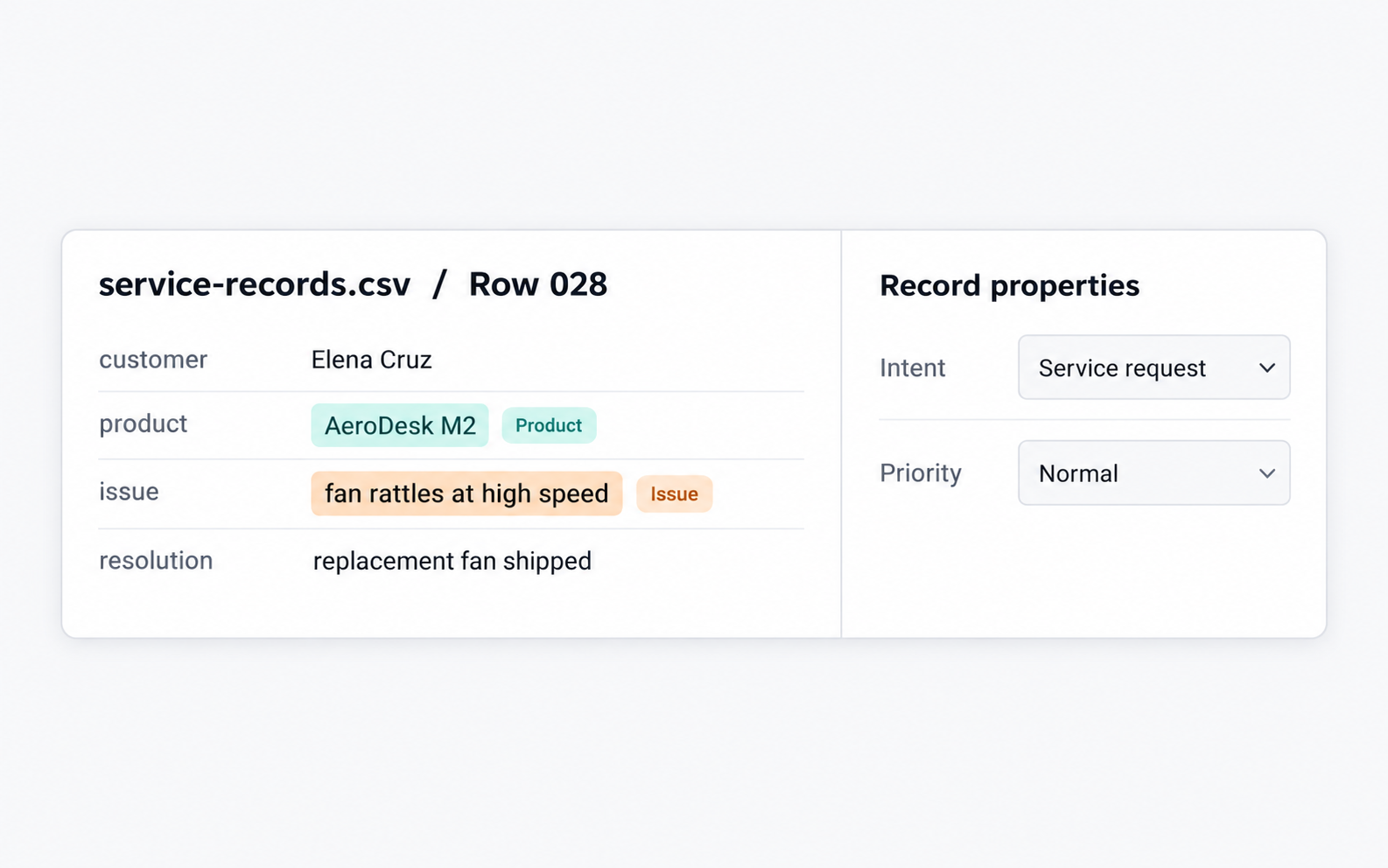
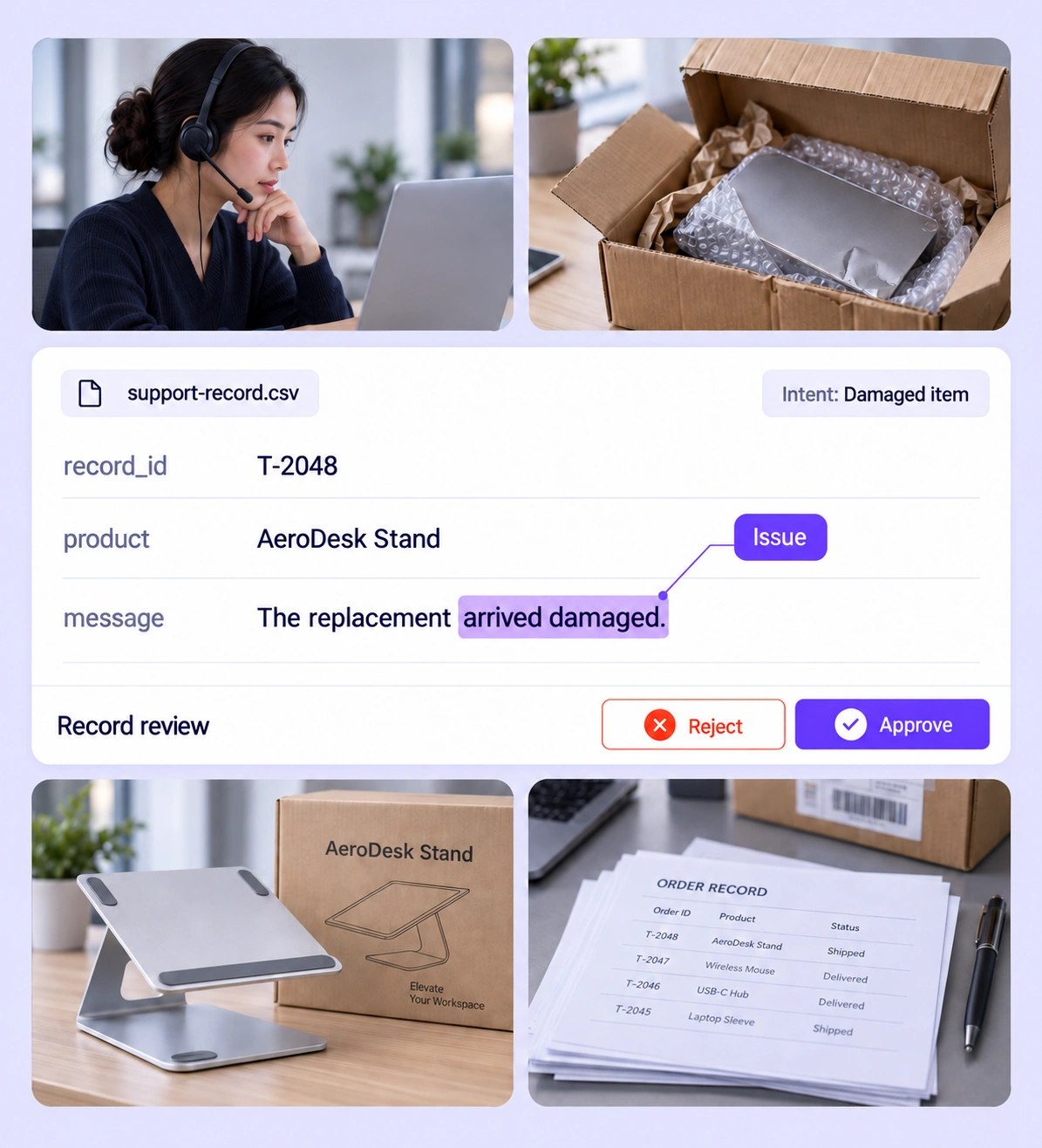
Inspect product and issue spans in the original text fields alongside record-level intent and priority. Check that the selected words and structured choices follow one labeling policy.
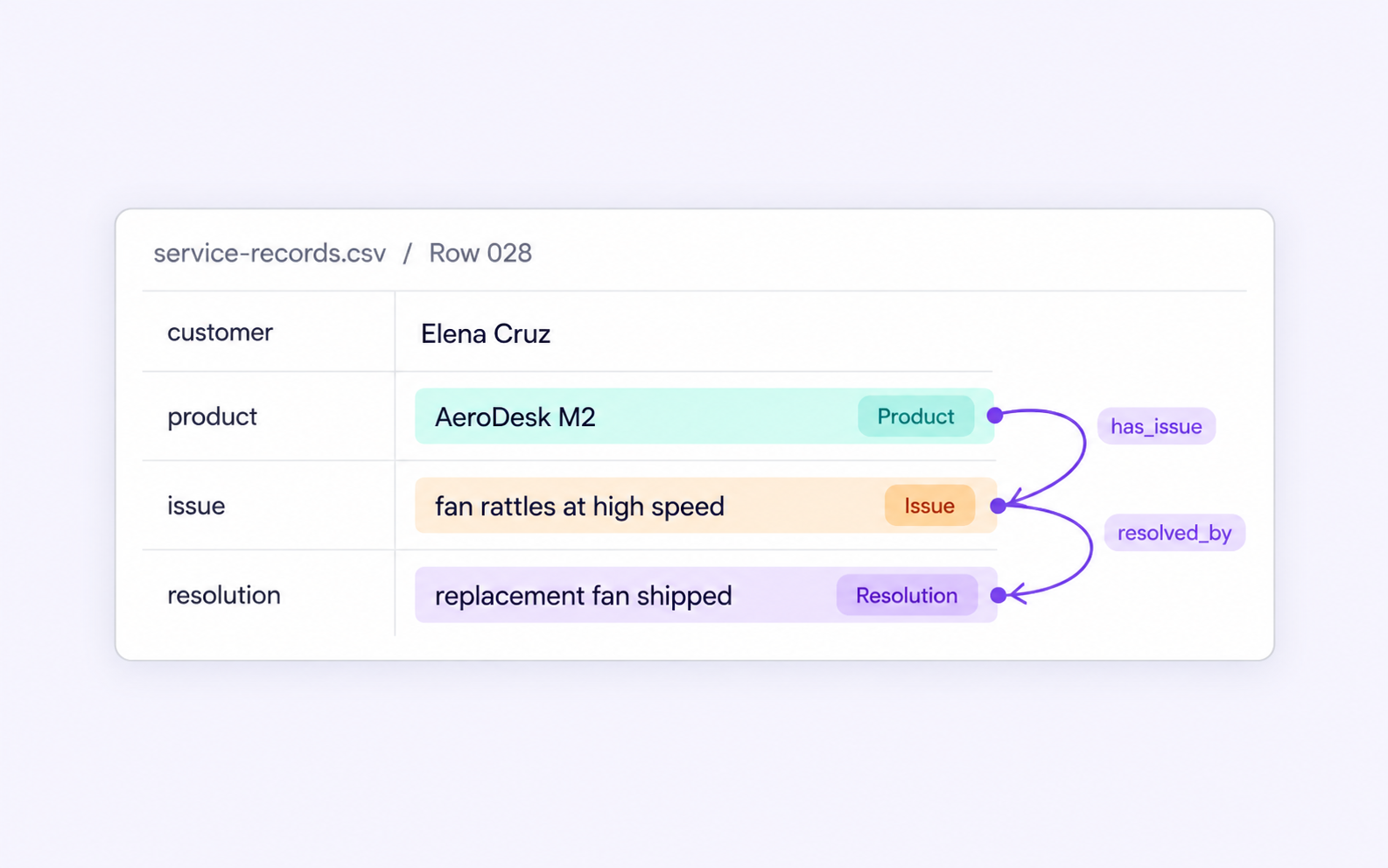
Check that a product connects to the issue reported for it and that the issue links to the stated resolution. Correct relation endpoints and labels while keeping each entity tied to its original column.
It is the review of structured-record labels, cell entities, column semantics, and within-record relationships. Unitlab keeps the source row and its field context available while teams inspect and correct annotations. QA overview
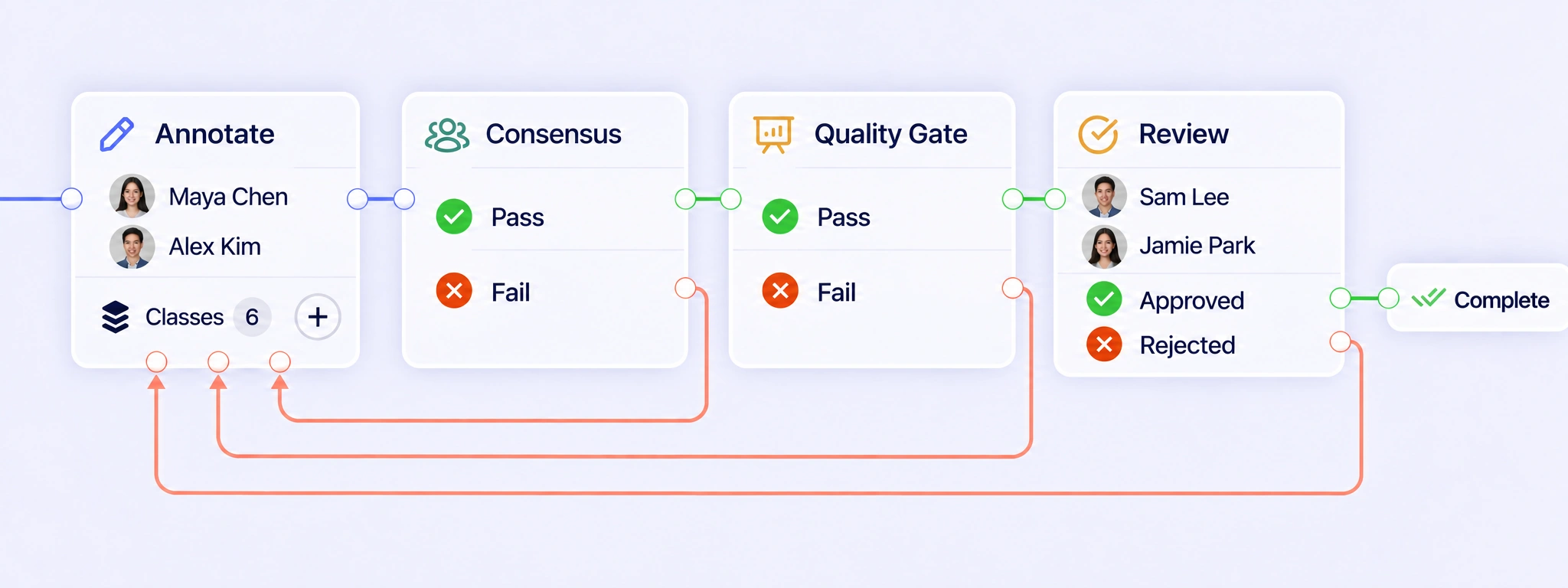
In row mode, each CSV record is a separate annotation item. Connect annotation, Consensus, Quality Gate, and Review around that item. Pass results can move forward; failed checks and rejected reviews can return the record for correction while its original fields, annotation attempts, and decisions remain connected. QA workflows
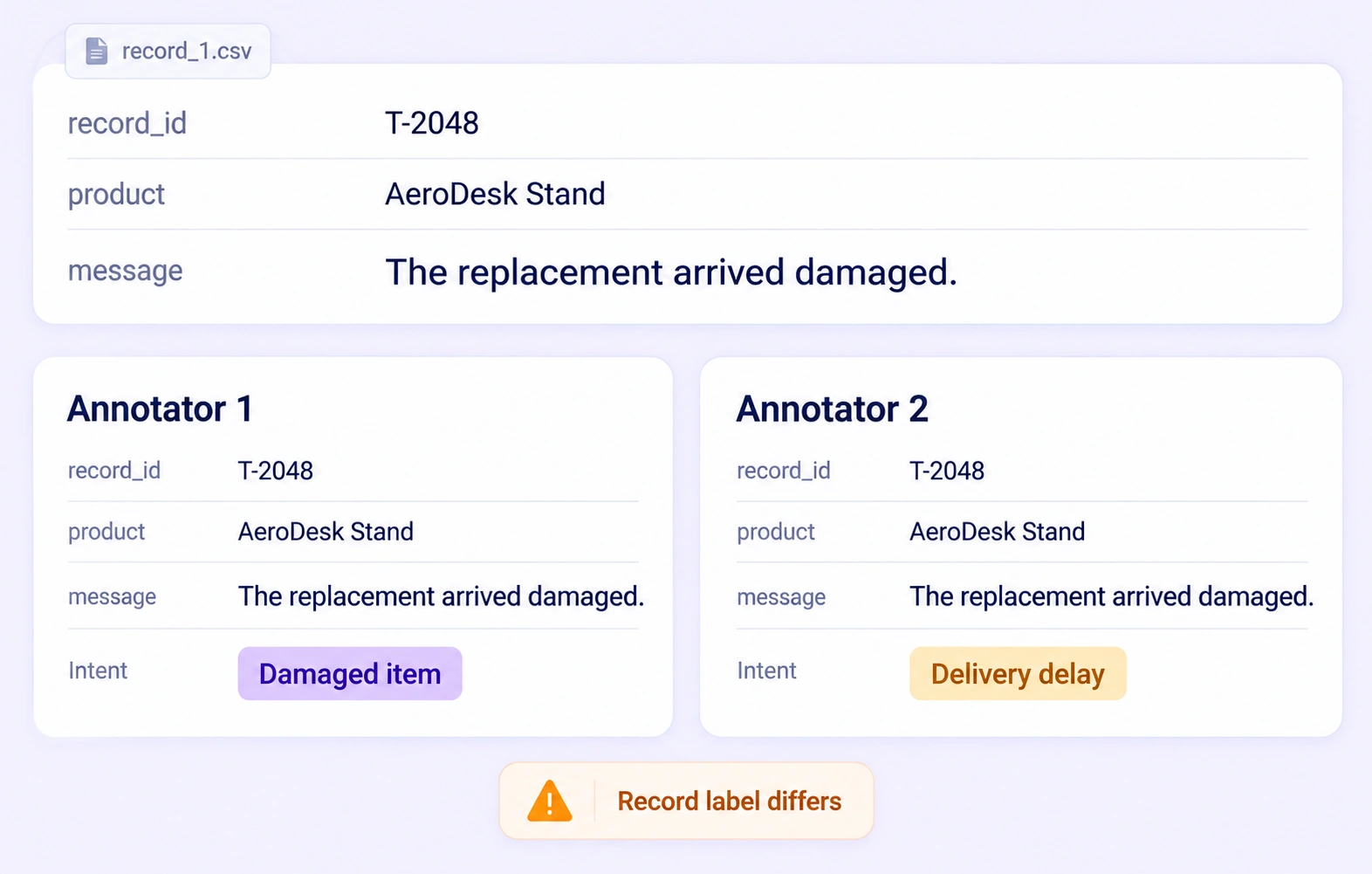
Consensus compares independent annotations of the same row, including supported cell entities, field labels, relationships, and record properties. Each field retains its identity when results are compared. Agreement measures consistency between annotators; a Quality Gate checks an approved answer key. Reviewers resolve disagreements using the original record. Consensus guide
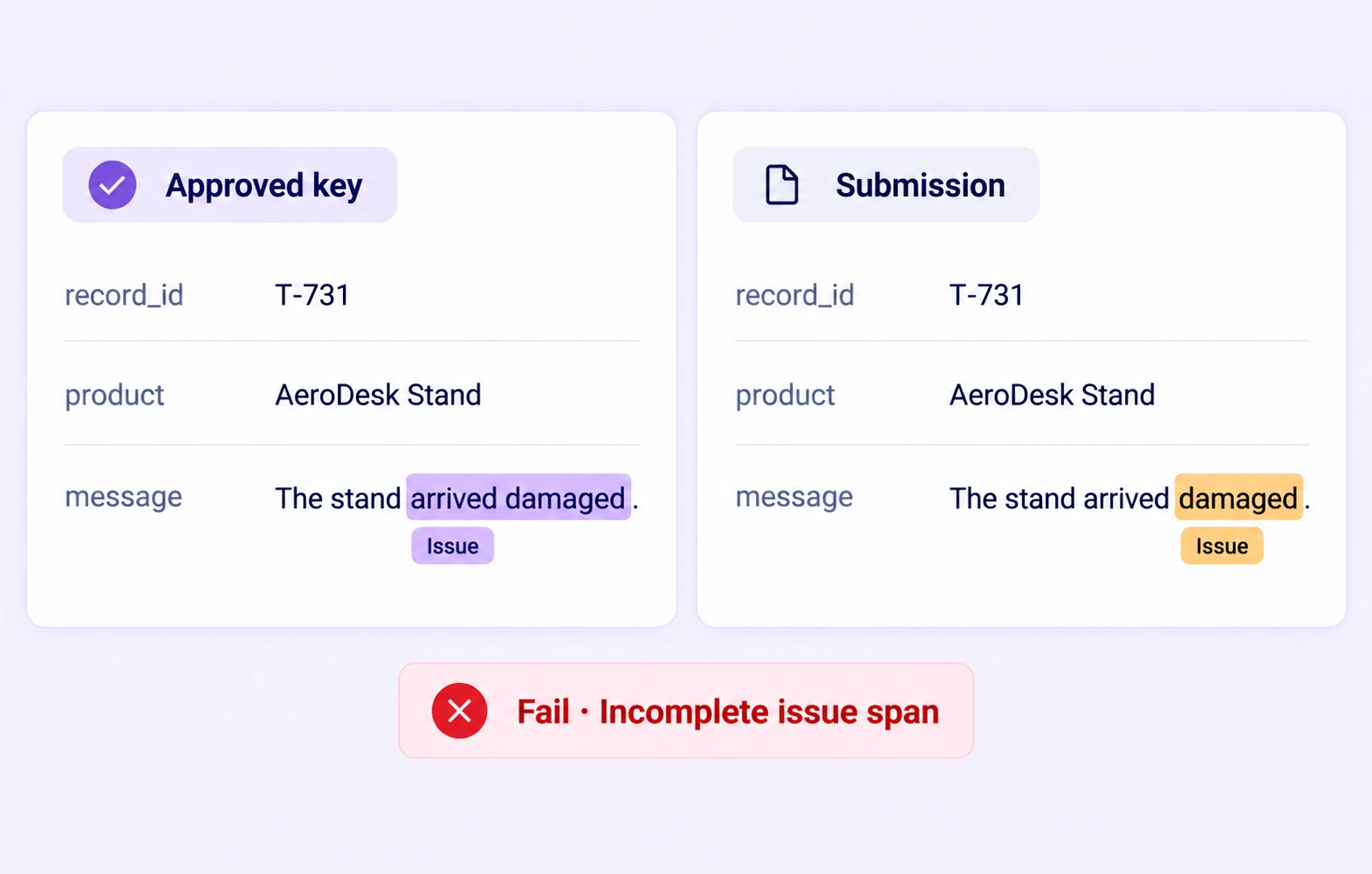
A Quality Gate compares an eligible row submission with an approved, frozen answer key that stays hidden from annotators. Checks retain the relevant field and annotation context. Pass and Fail follow configured routes; missing or incompatible comparison data uses Not evaluated, so an unavailable check is not treated as approval. Quality Gate guide
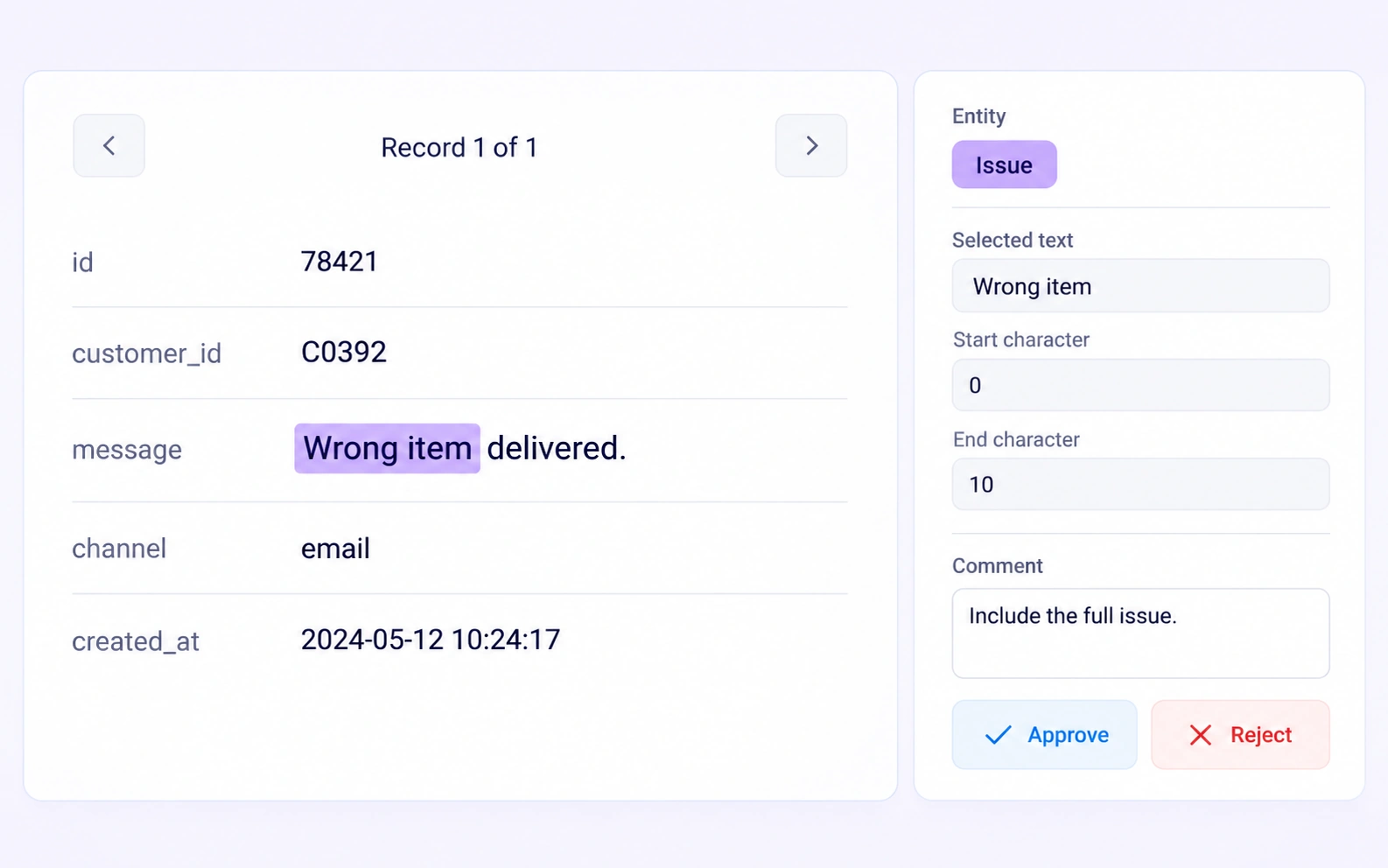
Each cell-text annotation retains its column identity and character offsets. Reviewers can distinguish a product name in a title from the same words in a customer’s complaint. Check both the selected text and its field context before correcting a label, property, or relationship endpoint. Review stages
Record-level properties classify or describe the row as a whole, such as a support request’s intent. Column labels and header spans describe field semantics within that row’s annotation history. Reviewers should check the intended level of the label; changing one row does not automatically relabel every row. Review stages
Inspect both labeled endpoints in the same record and verify the relationship’s type and direction. For example, a product mentioned in one field may be linked to an issue in another. The supported scope is the current record, so the relation should not imply an external or cross-row join. Review stages
Apply a documented policy for empty cells, incomplete text, and ambiguous values. Review the fields that are actually present and use the configured ontology choices consistently. Return unclear labels for clarification when needed, rather than inferring missing facts from annotator agreement or a similar record. Review stages
JSONL exports contain one line per record, with row values, column schema, labeled entities, relationships, and supported record properties. Field identity and text spans stay attached to the annotations. Verify the reviewed release and ontology against the downstream task before using those records for training or evaluation. Export documentation


We use cookies to improve your experience. See our Privacy Policy and Cookie Policy.