Video Training Data for Sports and Human Activity

Create reviewed person tracks, pose labels, and observable action annotations in recorded video. Build consistent examples for movement, activity recognition, and sports computer vision.
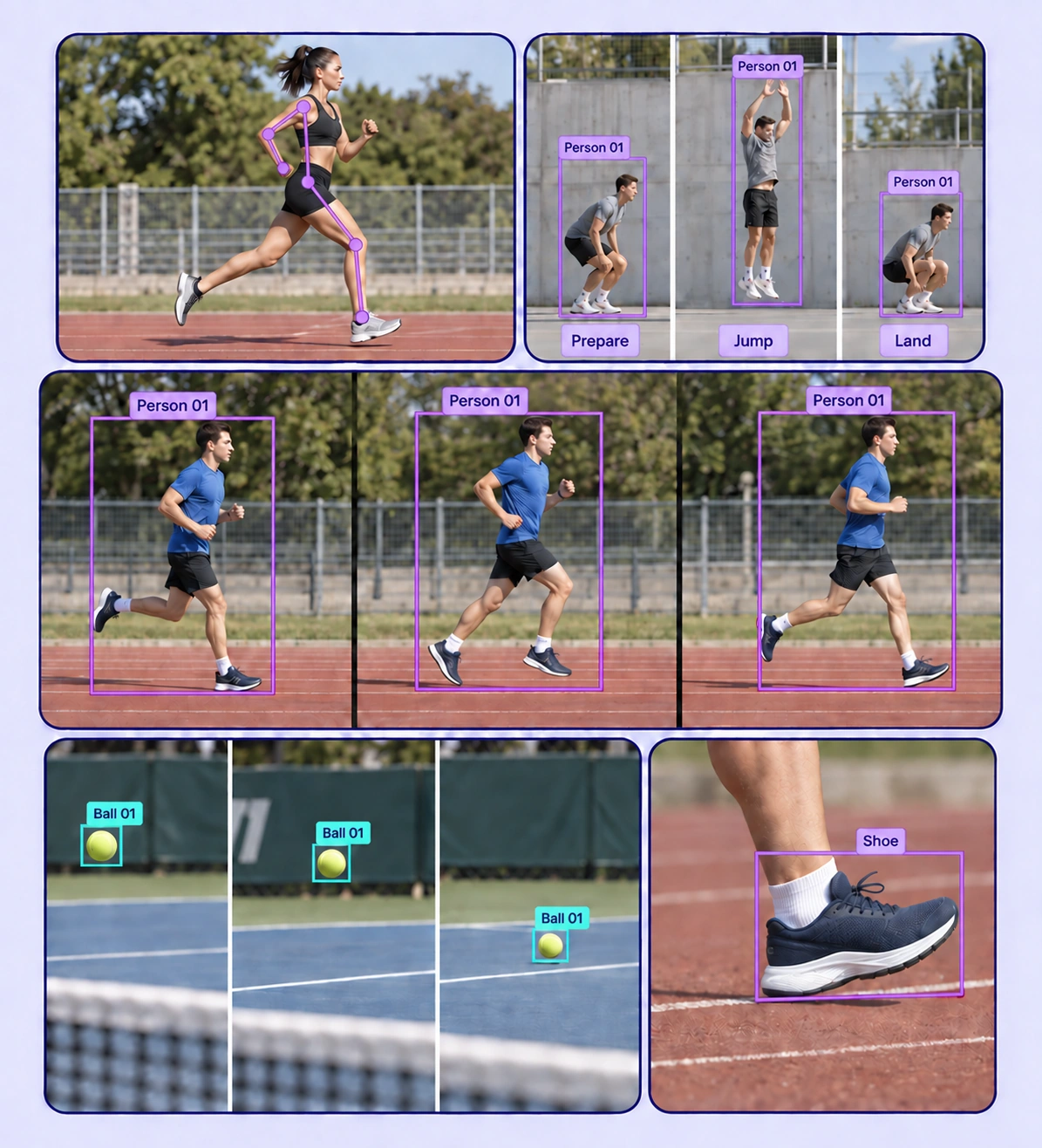
Annotated sports and human activity examples arranged in a five-panel collage.

Data Annotation for Sports and Human Activity

Prepare labeled examples for the sports and human activity recognition tasks your models need to learn. Each use case keeps the source data, annotation rules, and reviewed labels connected.
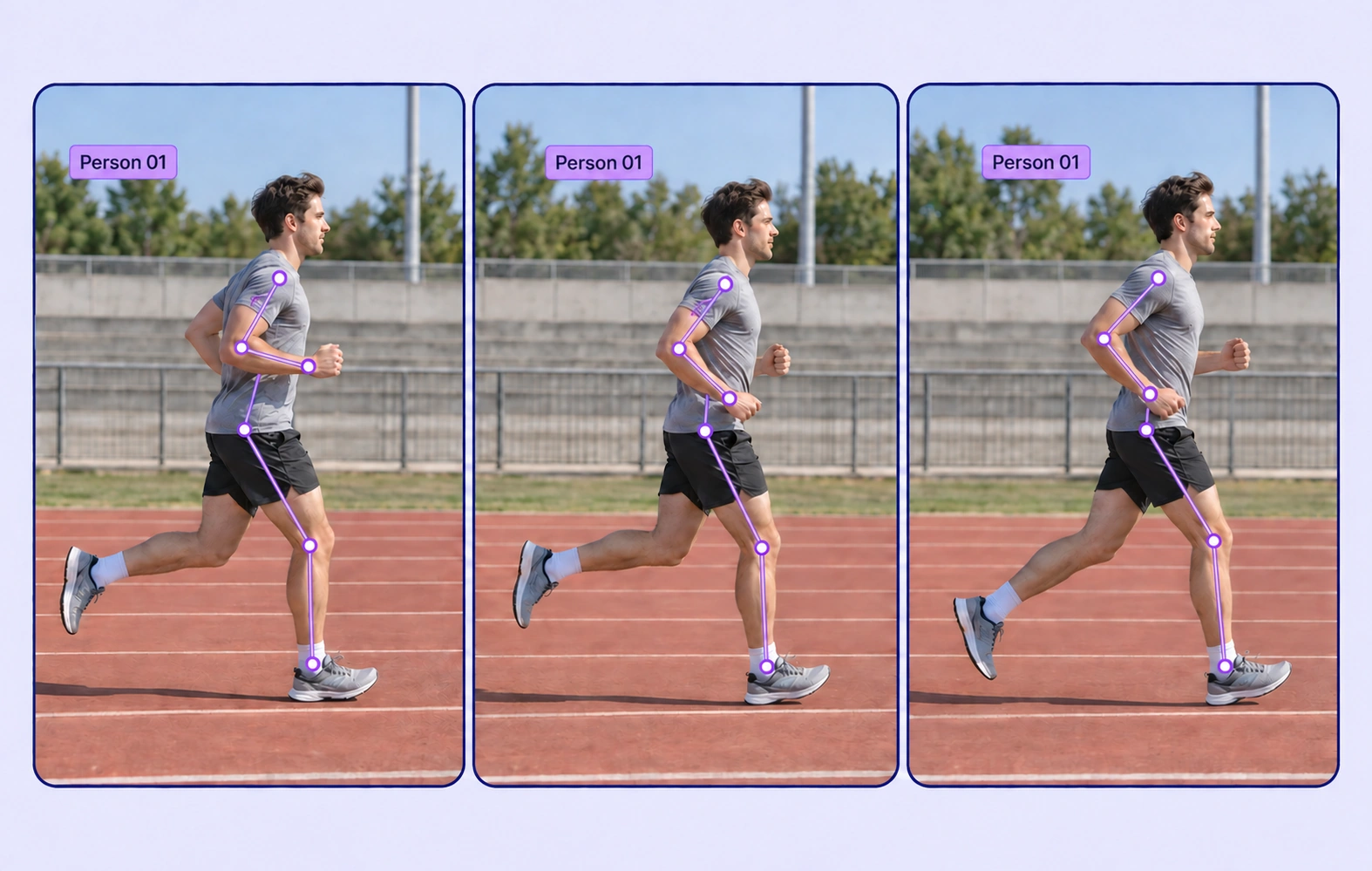
The same Person 01 pose is labeled across three running frames.

Player and Participant Tracking

Maintain person identities across recorded activity sequences. Review changes in scale, viewpoint, and visibility without inferring personal identity.
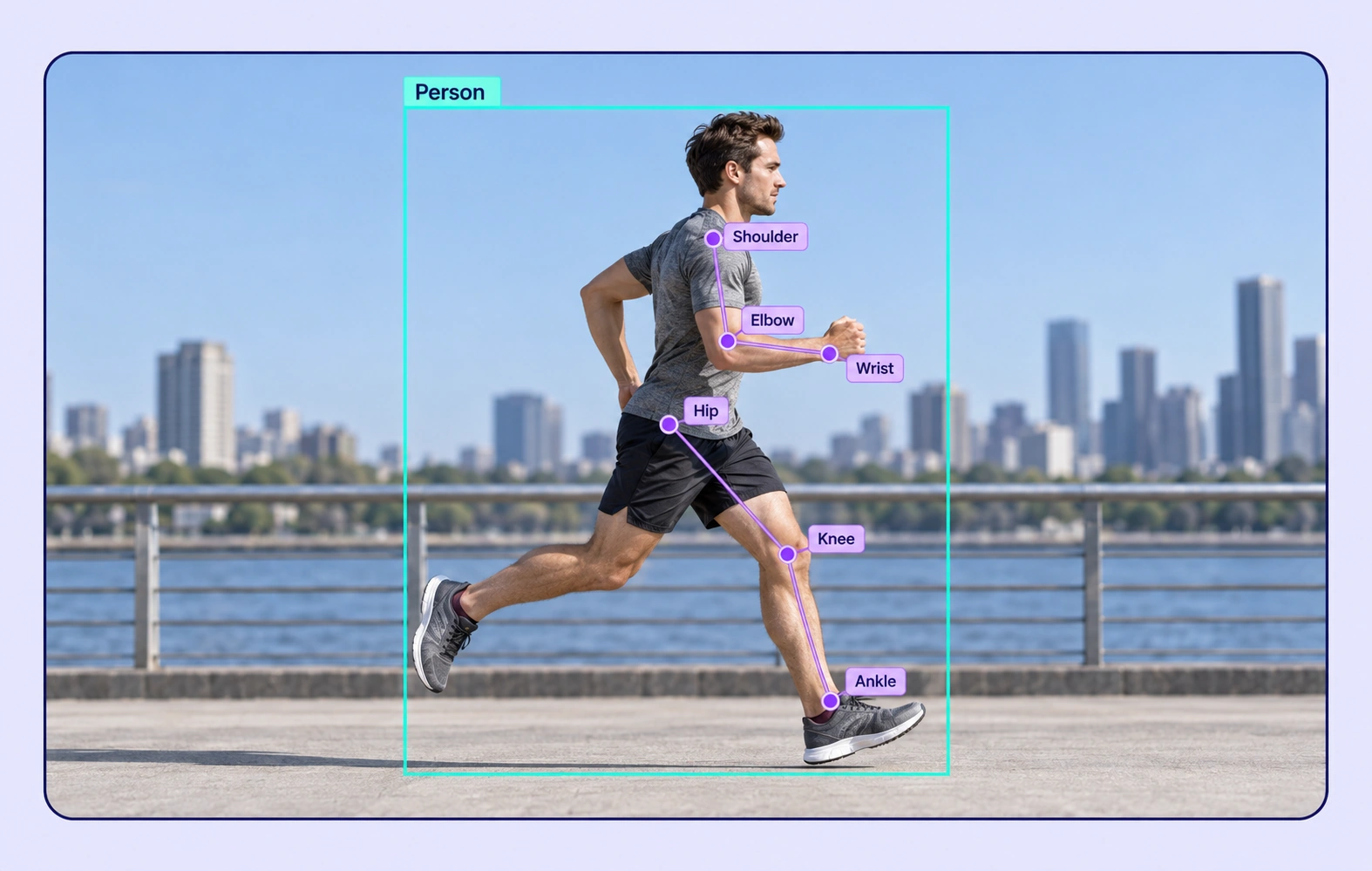
Human Pose Estimation annotation example showing the source data and task-specific labels.

Human Pose Estimation

Place task-defined body landmarks on visible joints across relevant frames. Use a consistent skeleton schema and explicit rules for occluded points.
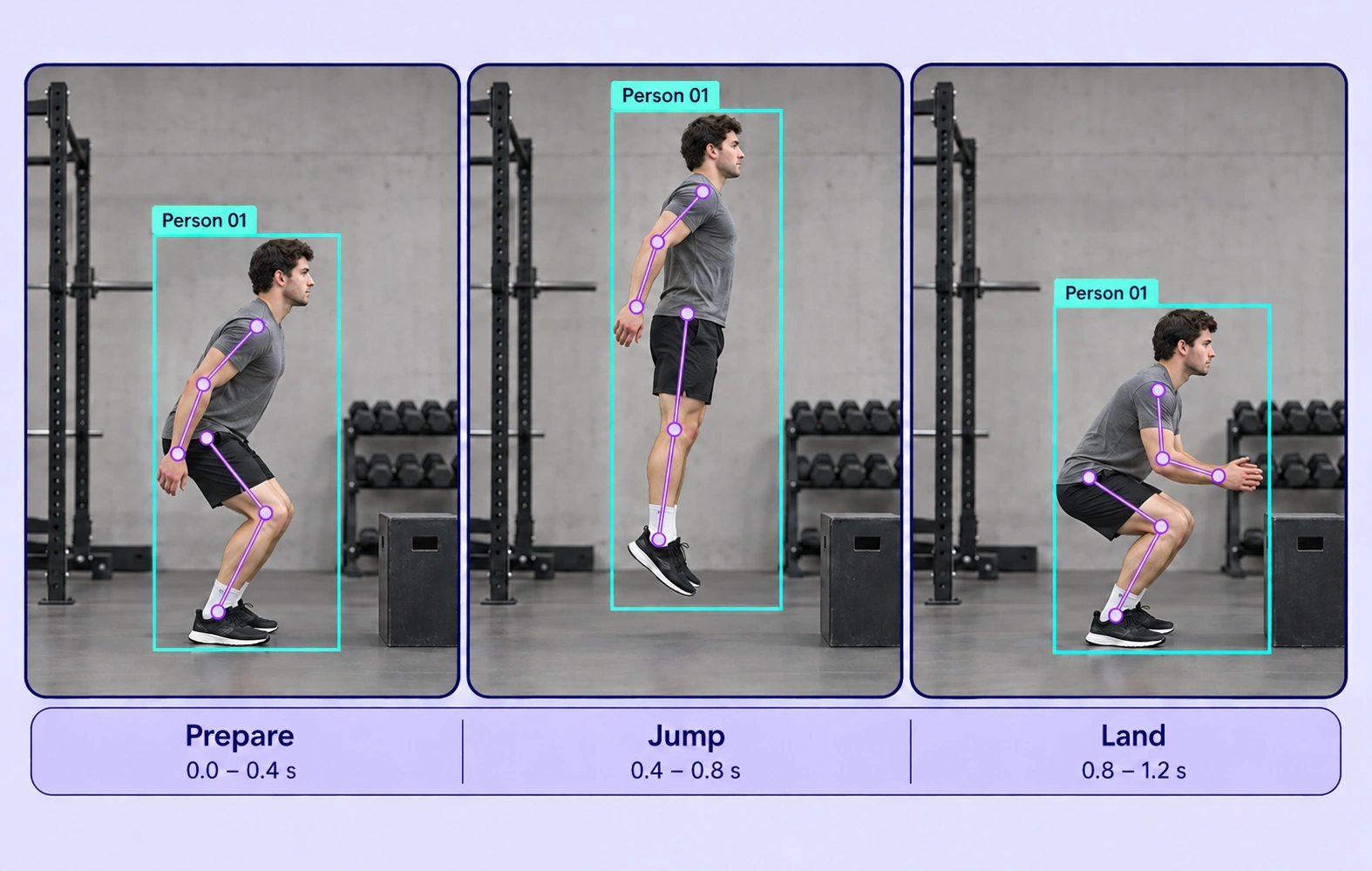
Action Recognition annotation example showing the source data and task-specific labels.

Action Recognition

Label observable actions such as running, jumping, throwing, or lifting. Define the visual evidence and frame boundaries that distinguish each action.
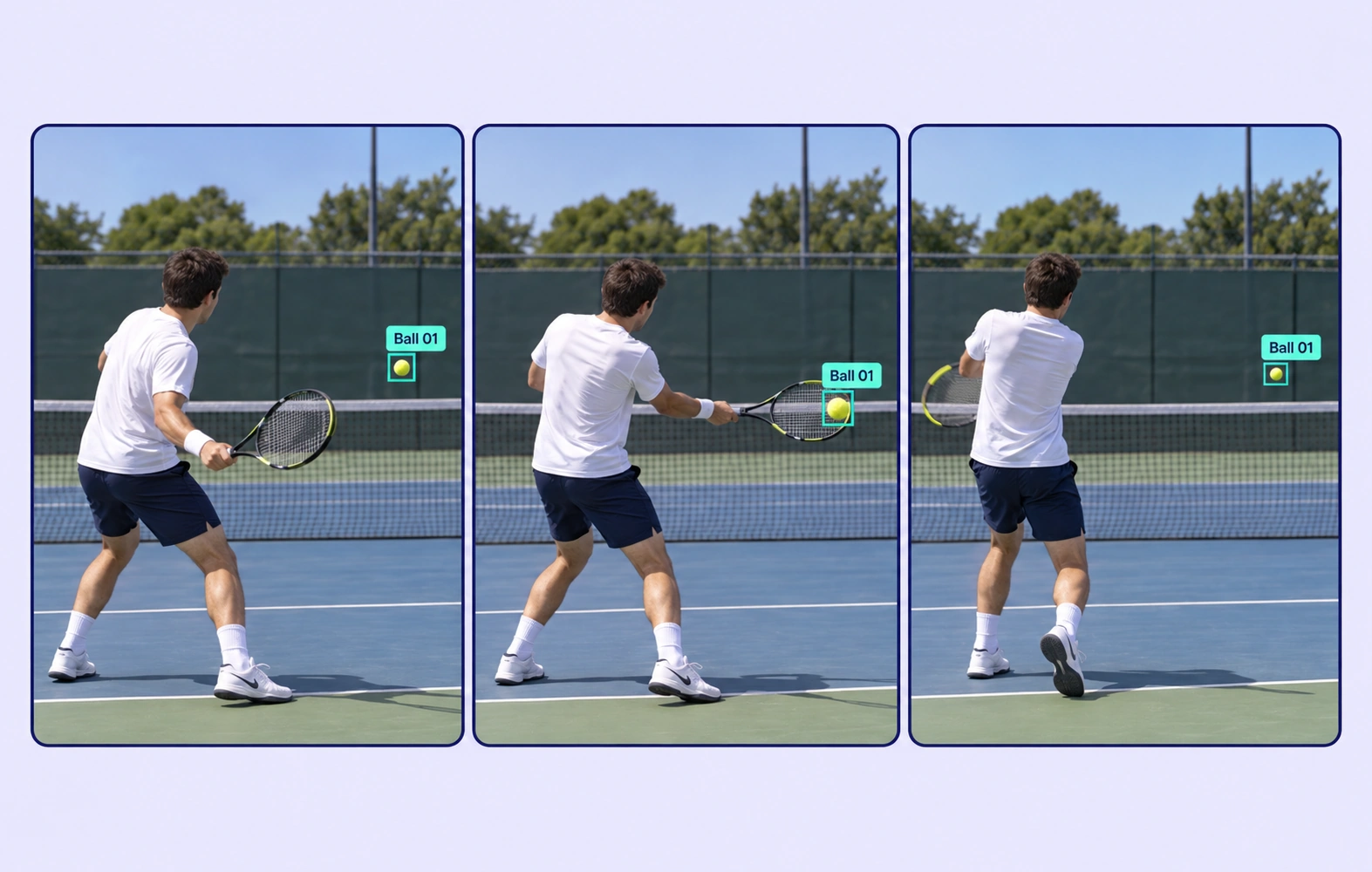
Ball and Equipment Tracking annotation example showing the source data and task-specific labels.

Ball and Equipment Tracking

Track a ball, racket, or other relevant equipment across the recording. Review fast motion, small objects, and temporary occlusion frame by frame.

Why AI Teams Choose Unitlab

Bring video data preparation, consistent labels, and expert review into one workflow for sports and human activity recognition datasets.
15X
Faster Video Annotation
60%
Free Up AI Engineers’ Time
5X
Lower AI Development Costs

Annotation Methods for Sports and Human Activity

Choose the label structure that matches the intended model output. Keep geometry, timing, or properties grounded in the original video data.
The same Person 01 pose is labeled across three running frames.

Person and Equipment Tracks

Use supported tracked geometry to localize participants and equipment through time. Refine keyframes at motion changes and visibility boundaries.

Human Pose Keypoints

Apply an explicit skeleton definition and place landmarks on the corresponding anatomy. Review point visibility and consistency across frames.

Human Pose Estimation annotation example showing the source data and task-specific labels.

Sports and Human Activity FAQs

What is human activity video annotation?

It is the labeling of people, poses, equipment, and observable actions across recorded video. The resulting training data supports activity recognition, pose estimation, and sports tracking models.

Can I use a custom human pose schema?

Yes. Define the relevant skeleton or point structure for the task and apply it consistently. Guidelines should explain point placement, visibility, and how to handle occluded anatomy.

Can I label actions as they change during a clip?

Yes. Use defined dynamic properties on relevant tracks or frames and review their timing against the original recording. Clear action definitions help reduce boundary disagreements.

Can fast-moving balls or small equipment be tracked?

Yes. Annotators can label the visible object and refine its keyframes. Difficult motion, blur, and occlusion still require review against the source frames.

What makes an activity label reliable?

A useful label has an observable definition, consistent timing rules, and representative examples. Expert review should resolve ambiguous actions and pose placements before release.

How can teams keep sports and human activity recognition labels consistent?

Define shared classes, structured properties, and clear labeling instructions before work starts. Use representative examples and contextual review to resolve disagreements in the sports and human activity recognition dataset.

Can uncertain examples be reviewed and corrected?

Yes. Route video annotation through Review and Rework stages. Reviewers can inspect the source data, correct labels, and send an item back when more work is needed.

Can I curate the video data before annotation?

Yes. Use dataset search, metadata, tags, and available filters to select relevant video assets. Keep representative conditions and difficult examples visible in the preparation workflow.

How do reviewed annotations reach the model pipeline?

Export reviewed video annotations in a supported format appropriate to the label types. Dataset versions help teams identify which prepared examples belong to the training or evaluation release.

Need help preparing sports and human activity recognition training data?Talk to Unitlab