
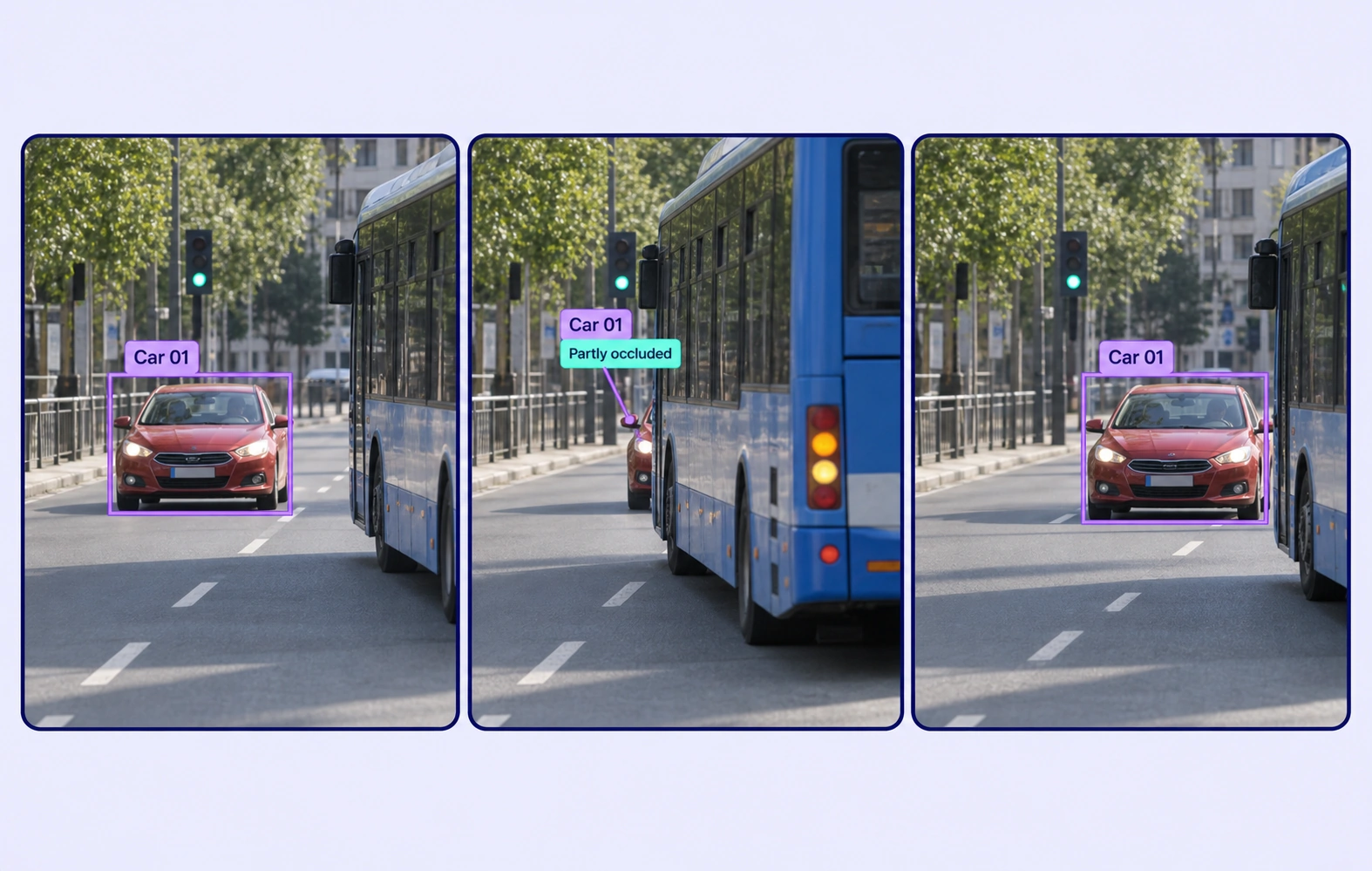
Track road users and label traffic events with automated annotation workflows.
Automate curation, management, and versioning of traffic video datasets.
Reusable ontologies and governed quality control reduce labeling and review rework.
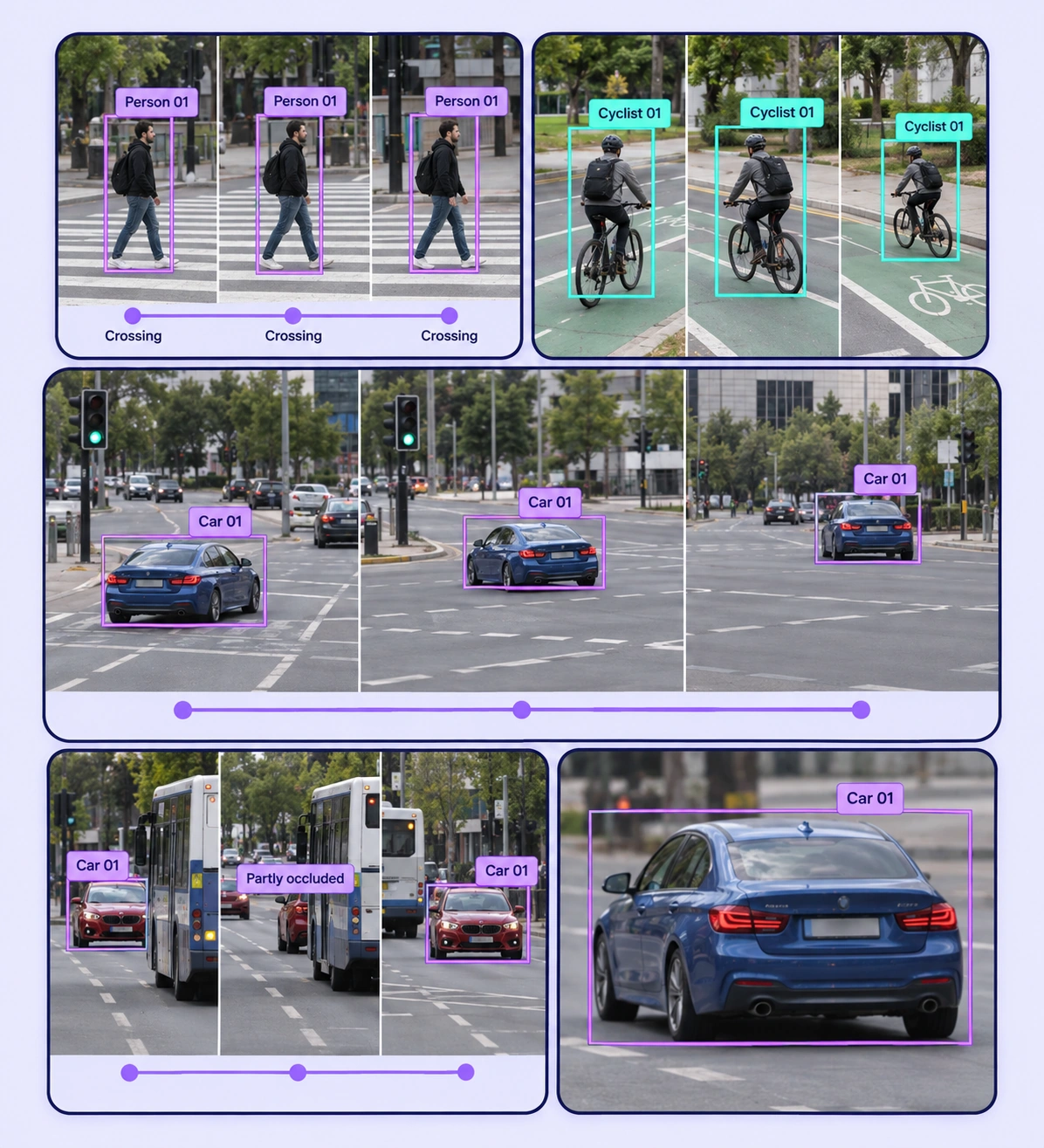
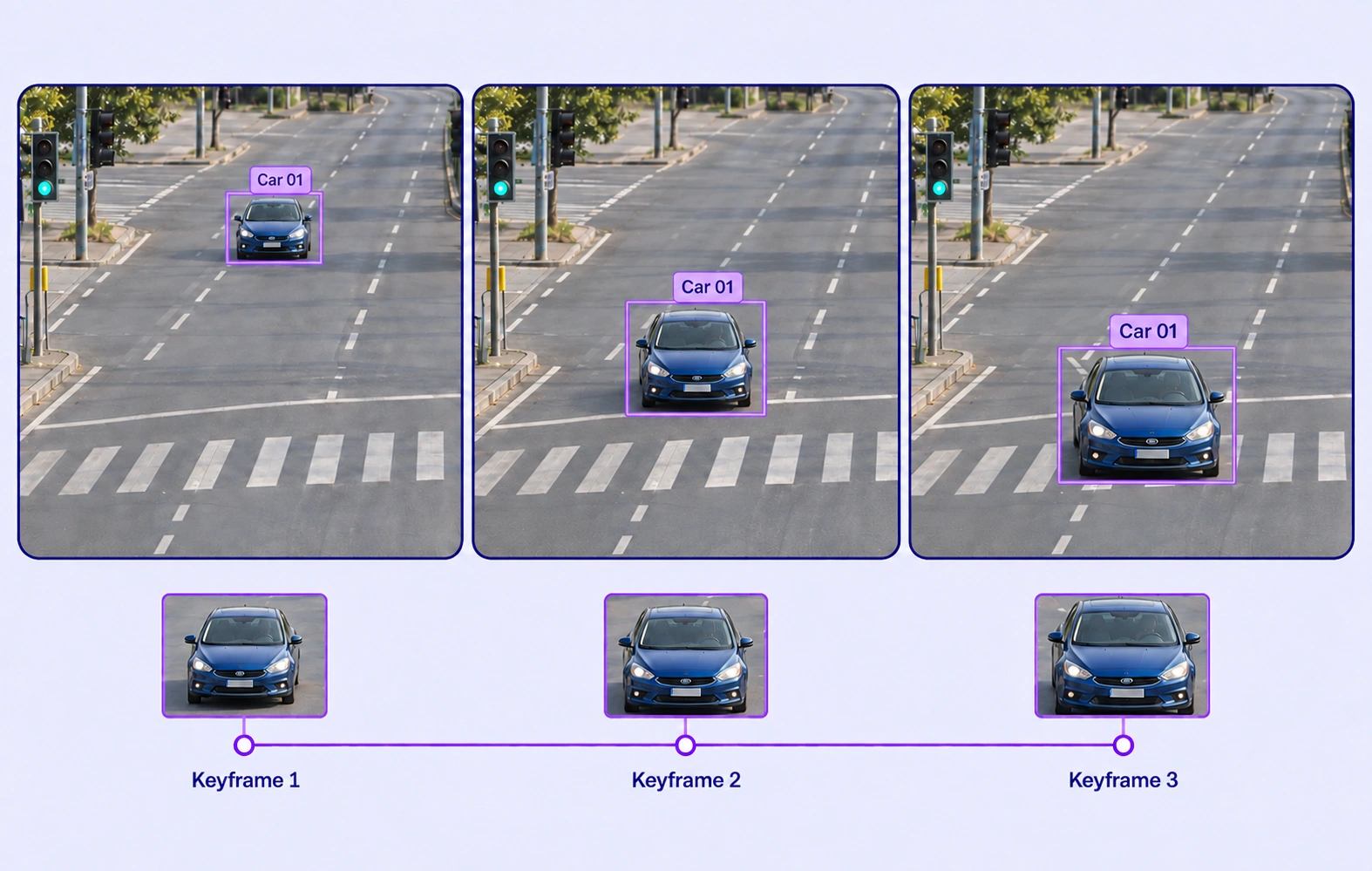
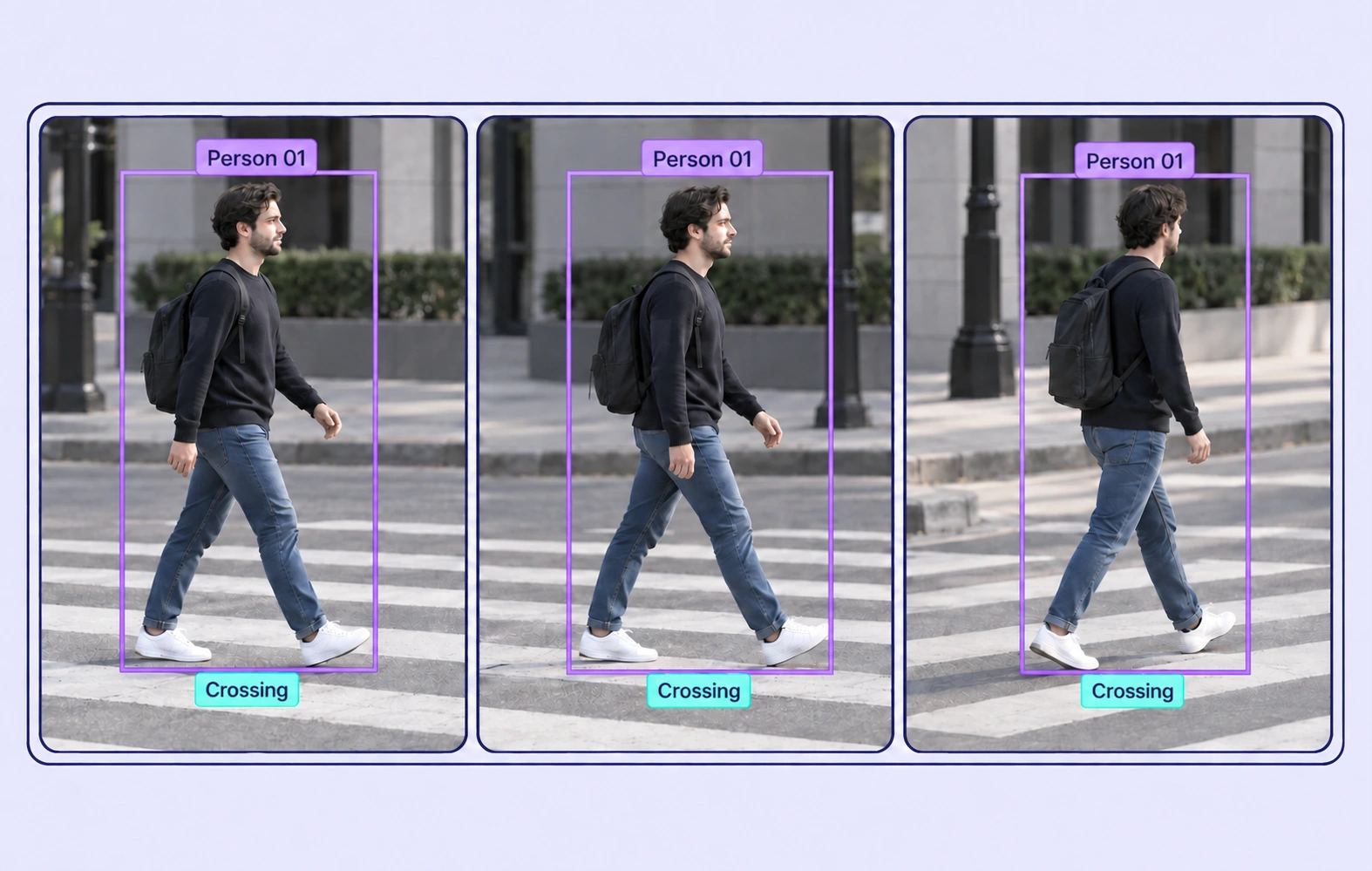
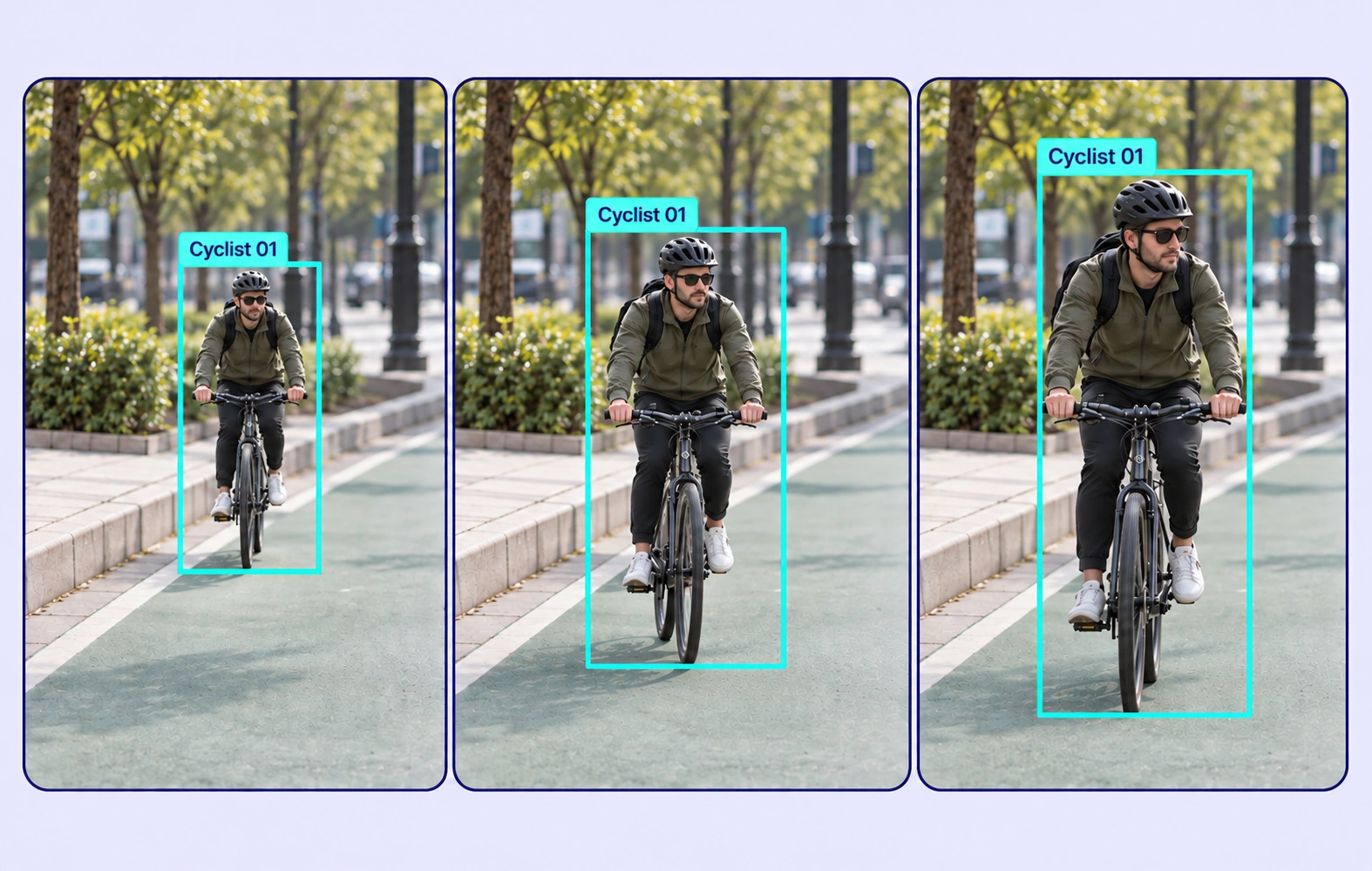
Maintain persistent labels for vehicles, pedestrians, and cyclists across the recording. Inspect geometry at keyframes and wherever motion or visibility changes.
Use frame-level visibility and explicit keyframes to resolve occlusion sequences. Review interpolated geometry against the actual camera frames.
It is the preparation of object tracks and changing labels across recorded road footage. These datasets support downstream tracking, traffic analysis, and camera-based driving perception models.
Yes. A video object track connects supported geometry across frames. Annotators can refine keyframes and review periods of partial visibility, occlusion, or reappearance.
Yes. Define observable activity states and annotate their changes on the relevant tracks or frames. Shared guidelines should explain when the activity begins and ends.
Define a consistent visibility policy, inspect the frames before and after occlusion, and refine keyframes where needed. Send ambiguous track associations to review rather than relying on unverified propagation.
No. This workflow labels recorded camera footage. Vehicle telemetry annotation labels numeric time-series measurements such as speed, acceleration, or other selected sensor channels.
Define shared classes, structured properties, and clear labeling instructions before work starts. Use representative examples and contextual review to resolve disagreements in the traffic video understanding dataset.
Yes. Route video annotation through Review and Rework stages. Reviewers can inspect the source data, correct labels, and send an item back when more work is needed.
Yes. Use dataset search, metadata, tags, and available filters to select relevant video assets. Keep representative conditions and difficult examples visible in the preparation workflow.
Export reviewed video annotations in a supported format appropriate to the label types. Dataset versions help teams identify which prepared examples belong to the training or evaluation release.


We use cookies to improve your experience. See our Privacy Policy and Cookie Policy.