
Built-in auto-labeling tools and automated workflows reduce manual annotation work.
Automate curation, dataset management, and versioning so engineers can focus on models.
Curated data, reusable ontologies, and quality control reduce annotation rework.
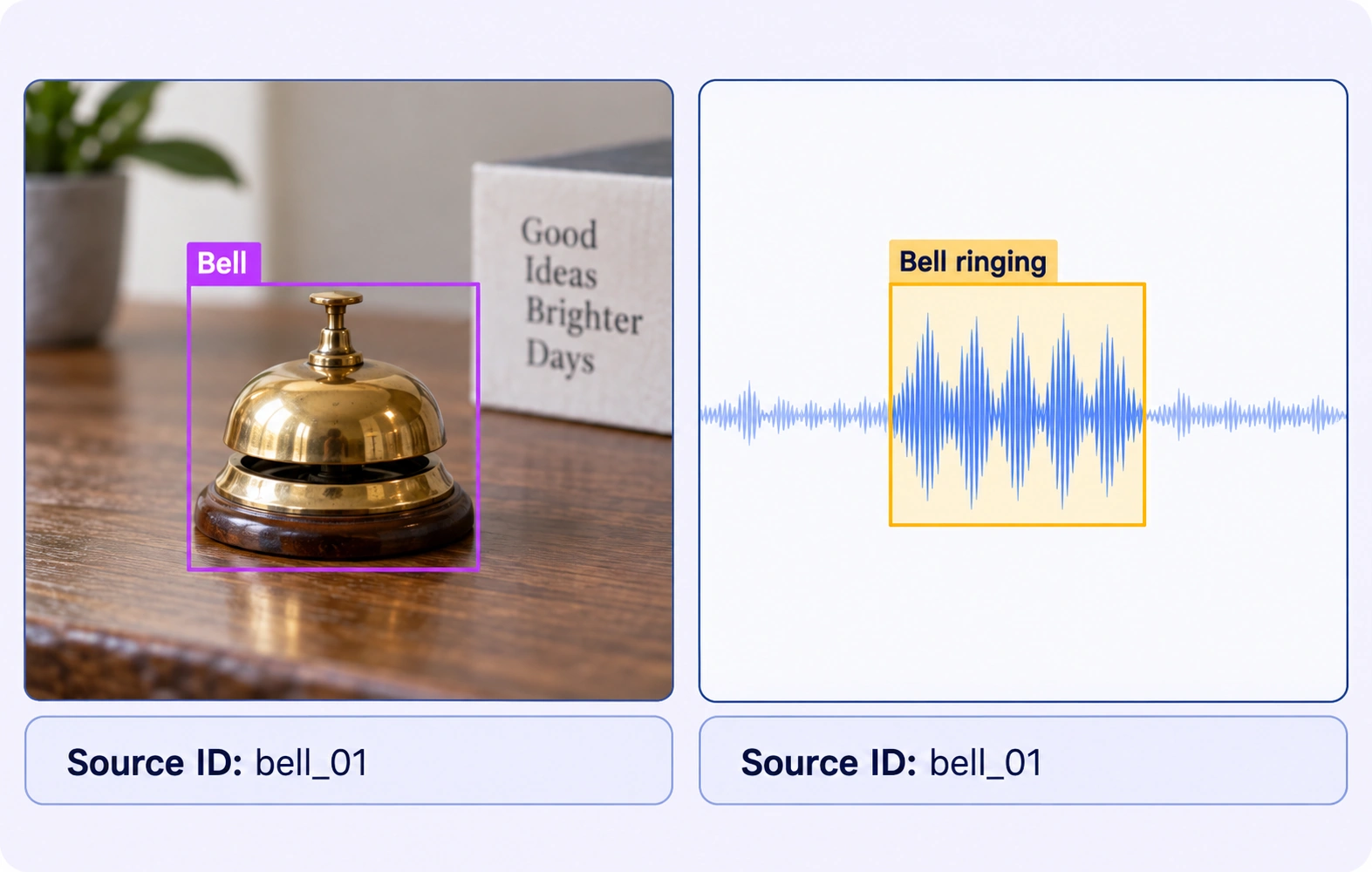
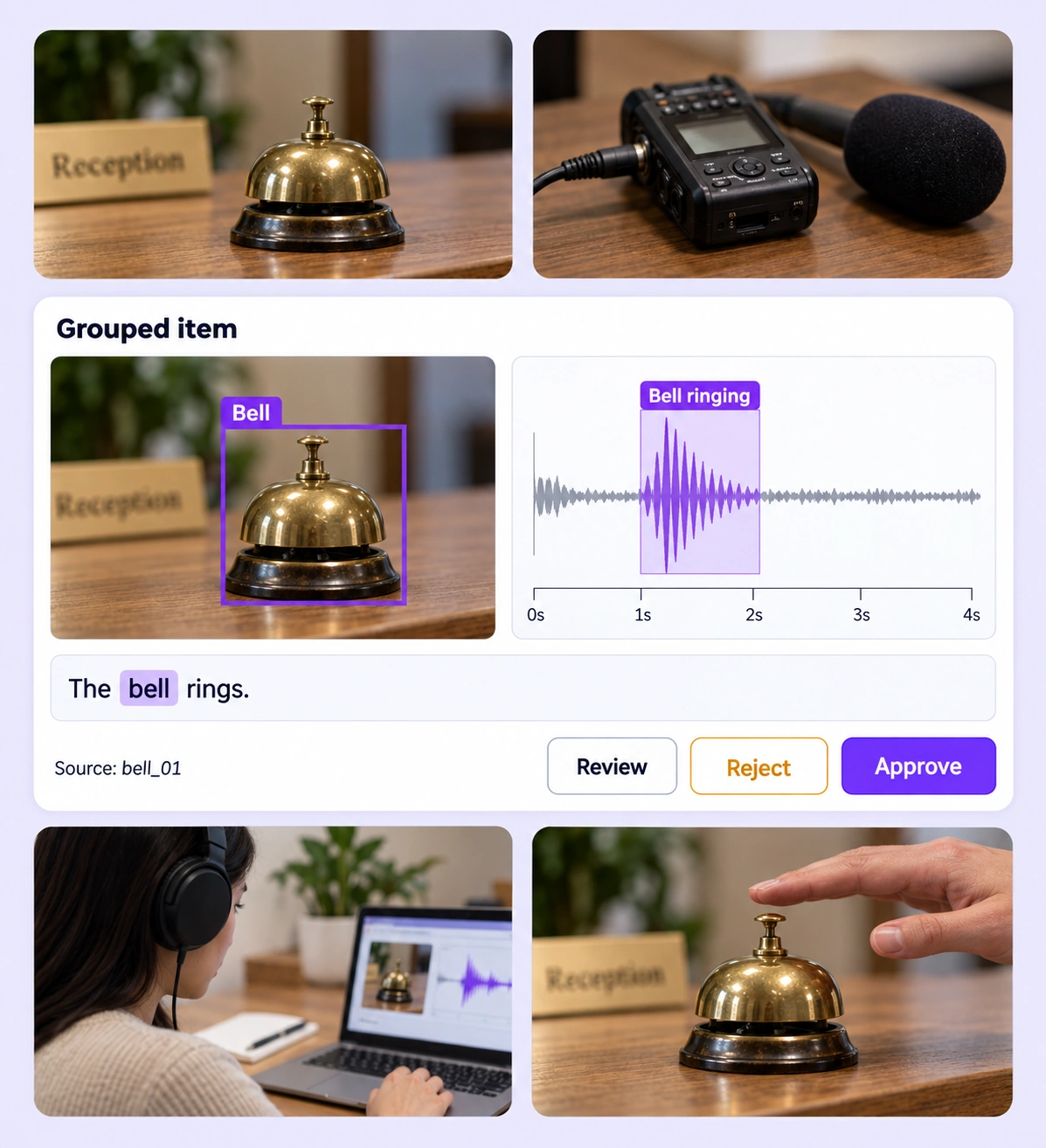
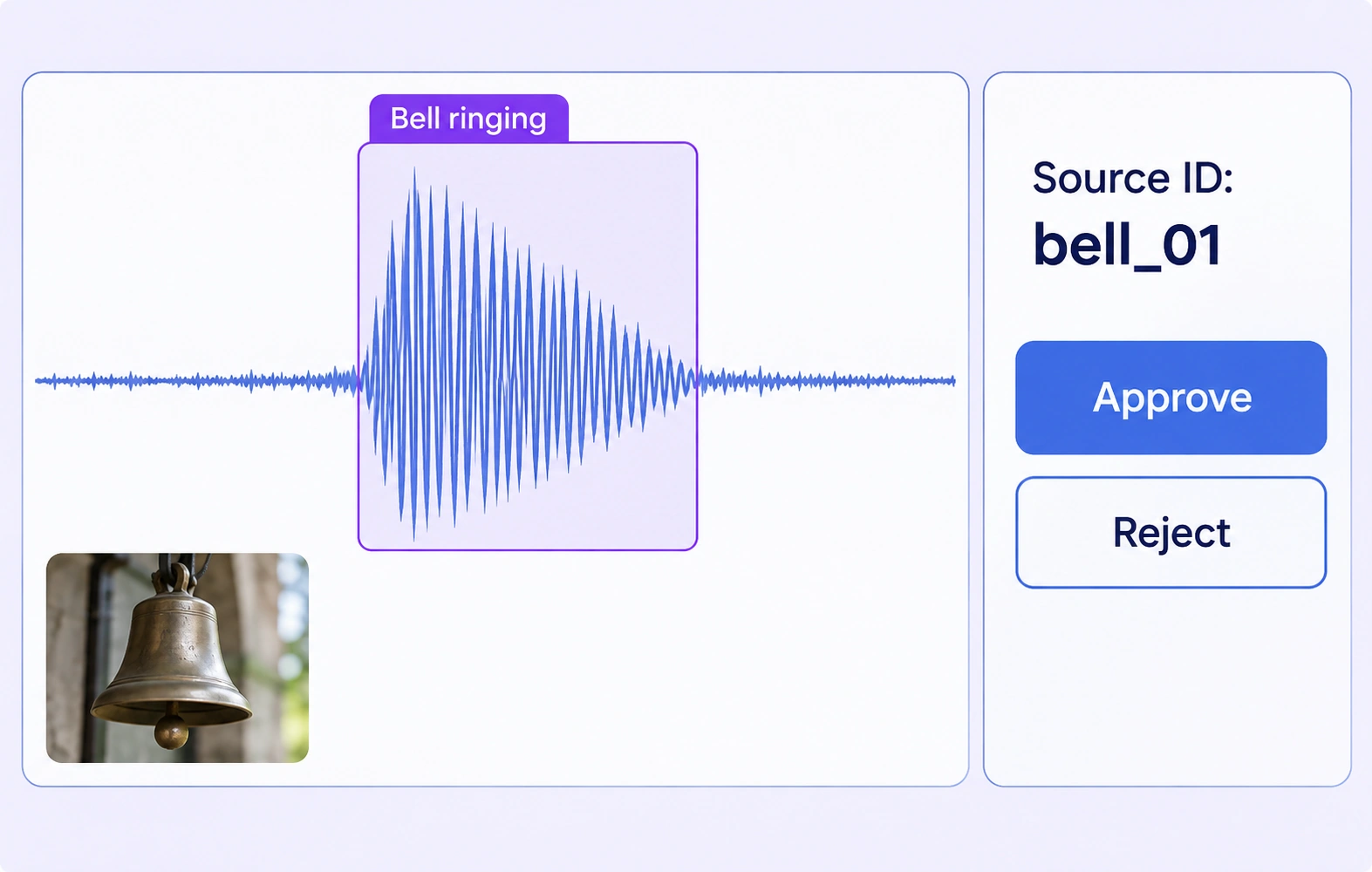
Inspect the visible source and its audio interval together. Check event classes, boundaries, and source identifiers or supported relationships so related annotations refer to the intended event.
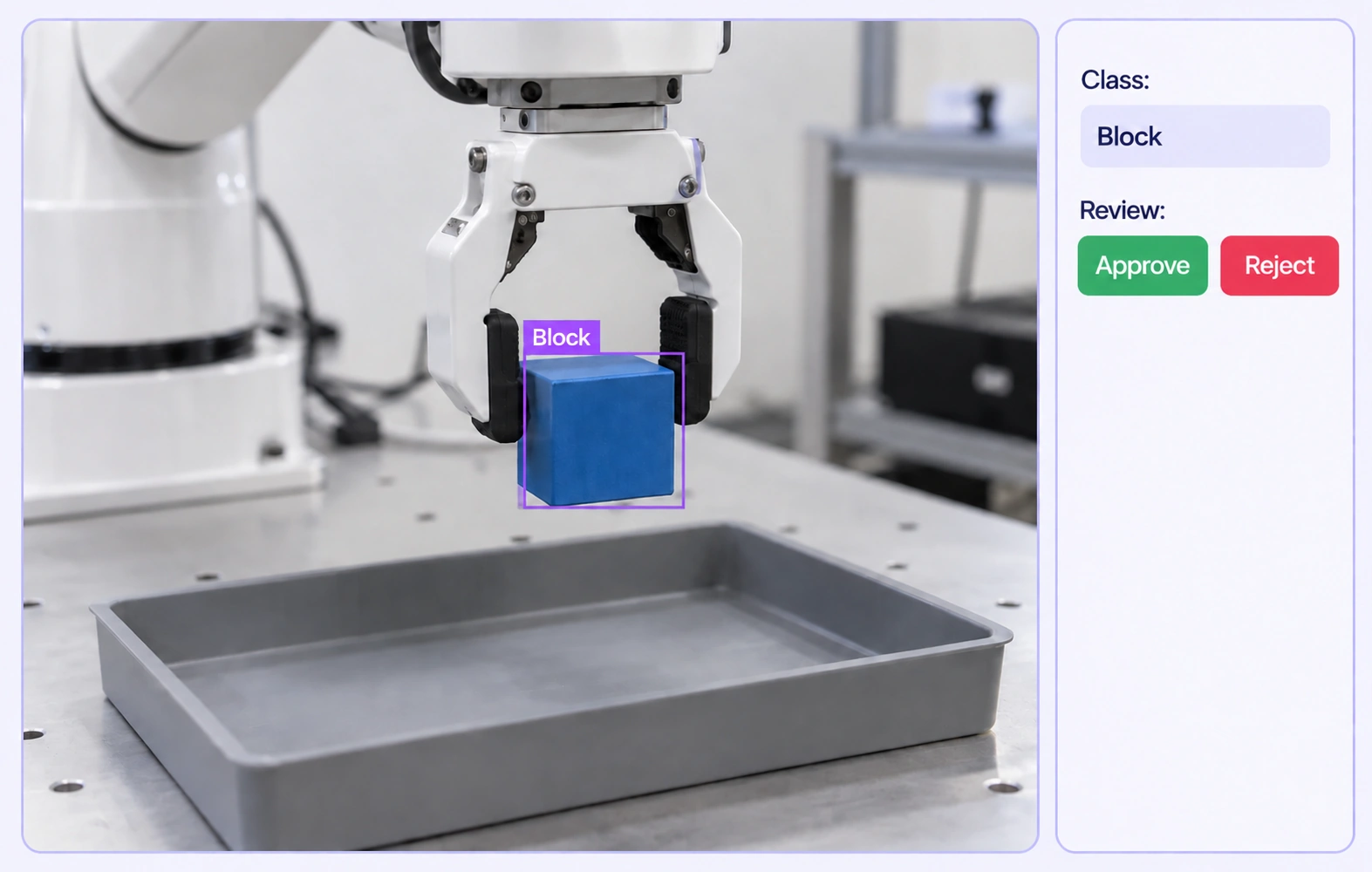
Review an object in the recorded demonstration alongside the task instruction and related views. Check that the object, action, and destination labels agree with the evidence and the project’s definitions.
It is the review of labels across related data types, such as images, video, audio, and text, within a grouped item. Reviewers inspect each source in its native context and check the supported properties and relationships that connect the annotations. QA overview
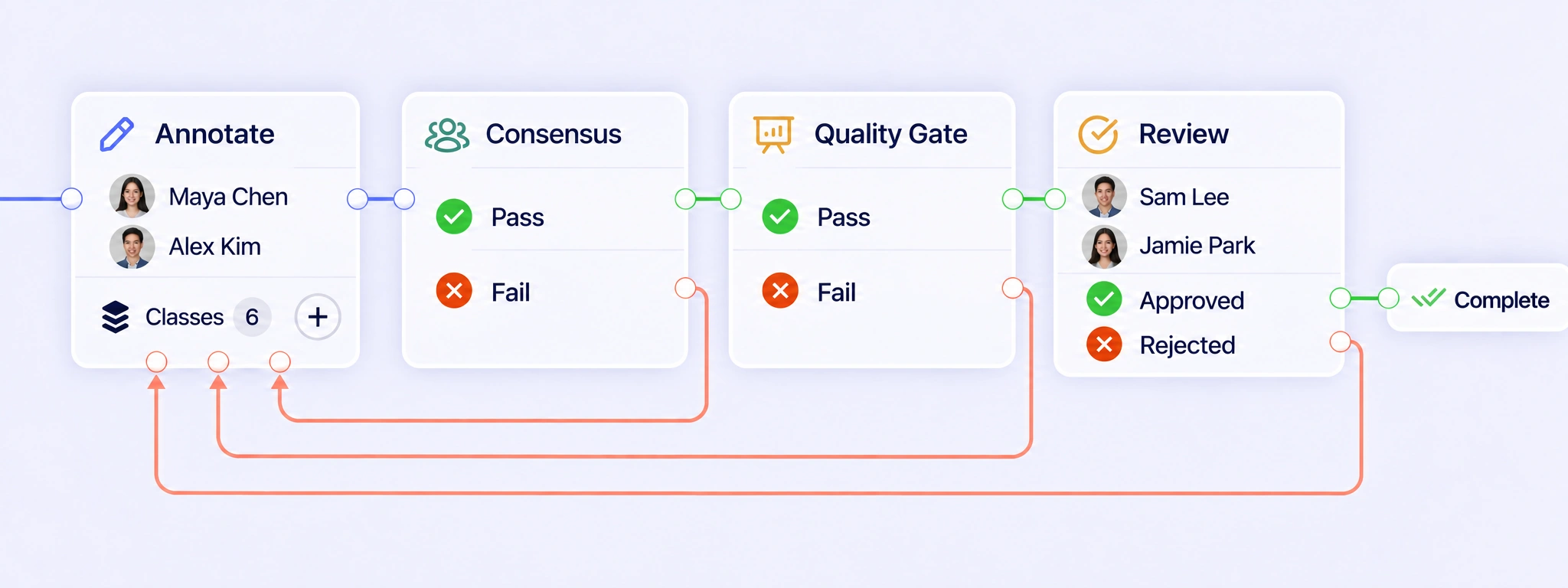
QA Workflows move a grouped item through annotation, Consensus, Quality Gates, and Review while keeping its related sources together. Configure Pass and Fail routes for quality checks, then approve the reviewed item or return inconsistent annotations for correction. The next attempt follows the configured review path with workflow history retained. QA workflows
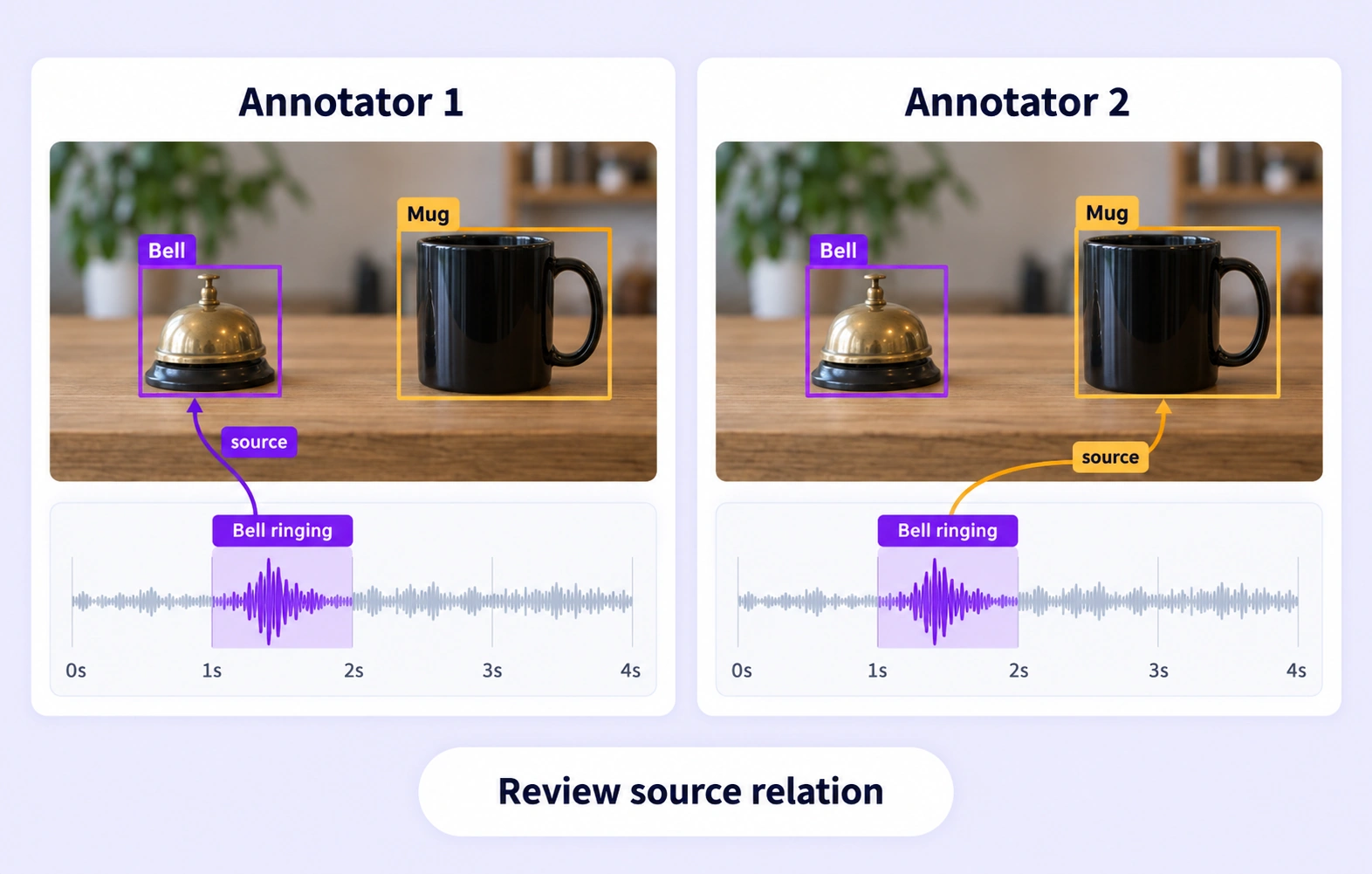
Consensus gathers independent submissions for the same grouped item and compares supported annotations in the corresponding panels under your agreement settings. Reviewers can inspect disagreements with the related sources available and refine the representative result. Agreement reflects consistency between submissions; reviewers still decide whether each label follows the source evidence and guidelines. Consensus guide
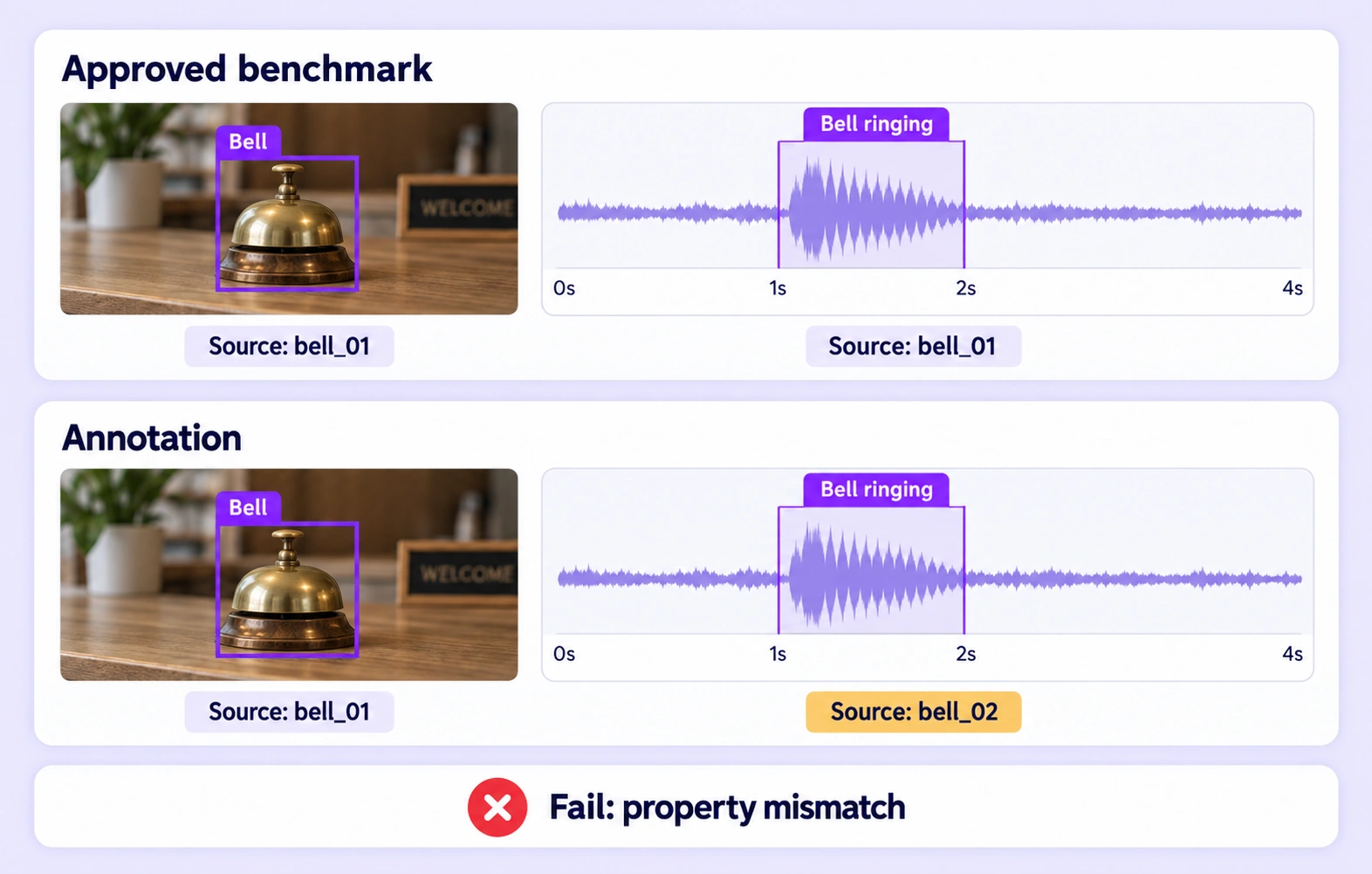
A Quality Gate compares supported panel annotations with an approved reference key hidden from annotators. Evaluated submissions follow Pass or Fail according to the configured threshold. Missing or incompatible comparisons use Not evaluated separately. The benchmark checks annotation structures and properties; it does not automatically establish semantic alignment between different media. Quality Gate guide
Reviewers can inspect an audio interval alongside the related image or video and check its event class, timing, and configured source identifier. Matching Source ID properties can record the reviewed correspondence. Define which visible object produced the sound and what evidence reviewers should use when several sources are plausible. Review stages
Grouping organizes related sources into one work item. Any timing correspondence or calibration must come from the source data and task setup. Reviewers should check the available timestamps, identifiers, and context before accepting related labels; sharing a grouped view alone does not prove that different recordings describe the same moment. Review stages
Reviewers can inspect demonstration media alongside text instructions and check the labeled action, object, and destination against the recorded evidence. Define how task steps, incomplete actions, and ambiguous instructions should be labeled. Text spans and configured properties then give reviewers consistent criteria for accepting or correcting the grouped annotation. Review stages
A missing required annotation, incompatible data, or changed required-panel setup can prevent a grouped benchmark comparison from being evaluated. Keep that result separate from Pass and Fail, and route the item for investigation or review. Check the source group and reference key before trying the comparison again. Quality Gate guide
Use the ontology and guidelines to define each class, property, and required piece of evidence for the task. Give reviewers separate criteria for visual boundaries, audio intervals, and text spans, plus clear rules for shared identifiers. Consistency comes from applying those definitions to each source in its native context. Ontology documentation


We use cookies to improve your experience. See our Privacy Policy and Cookie Policy.