
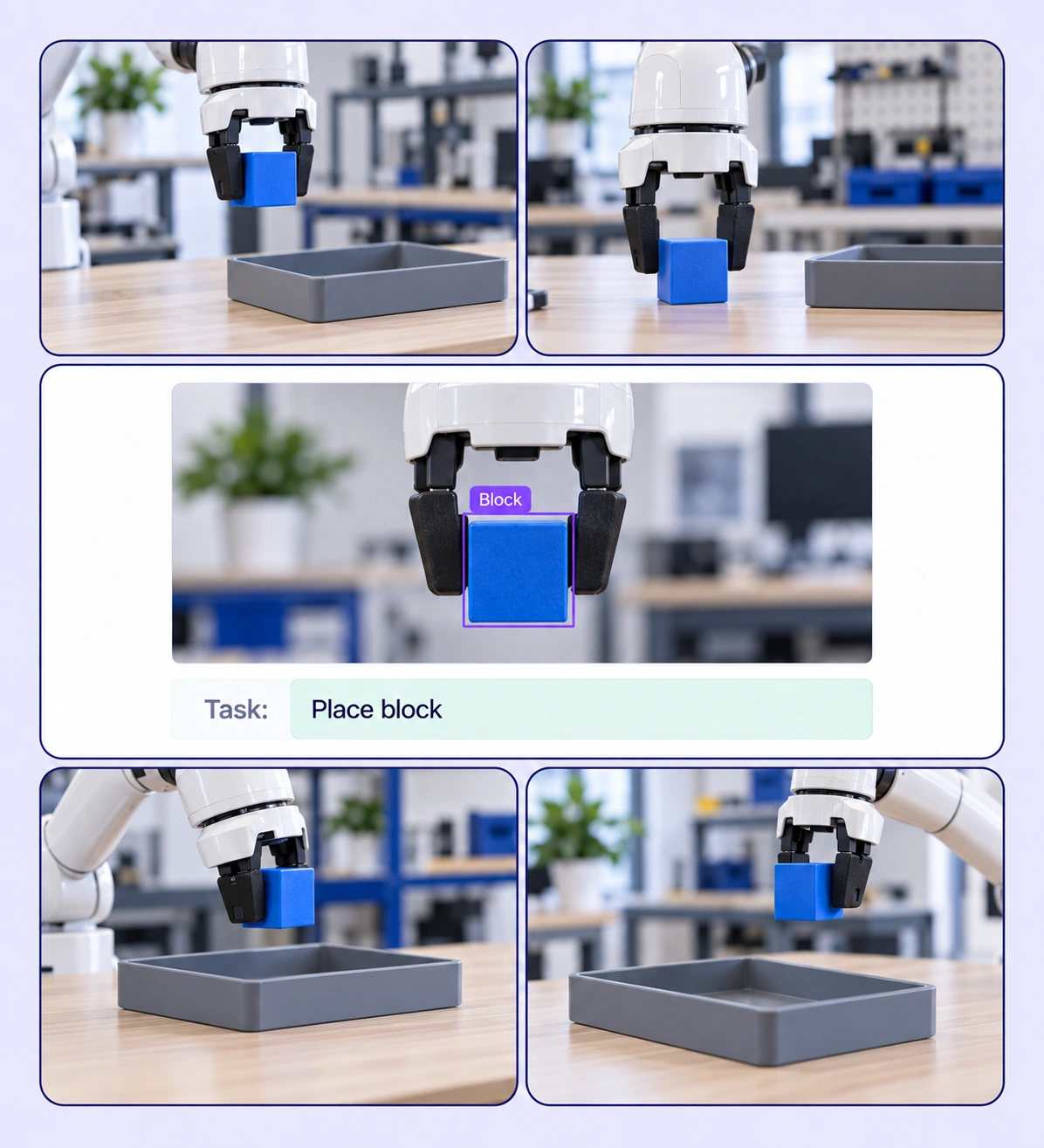
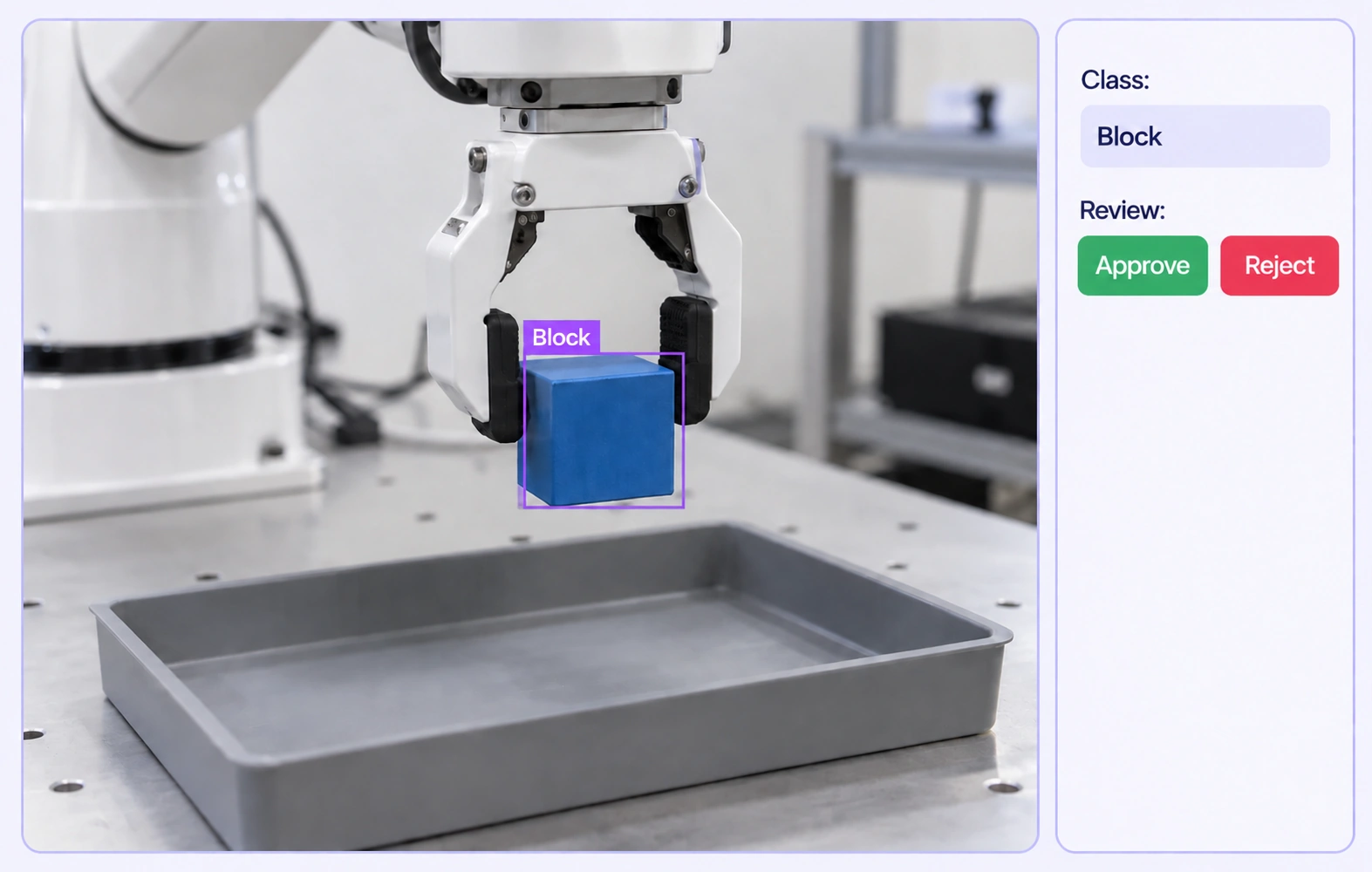
Label actions across synchronized demonstration data with shared review.
Automate curation, management, and versioning of robot demonstration datasets.
Reusable ontologies and governed quality control reduce labeling and review rework.
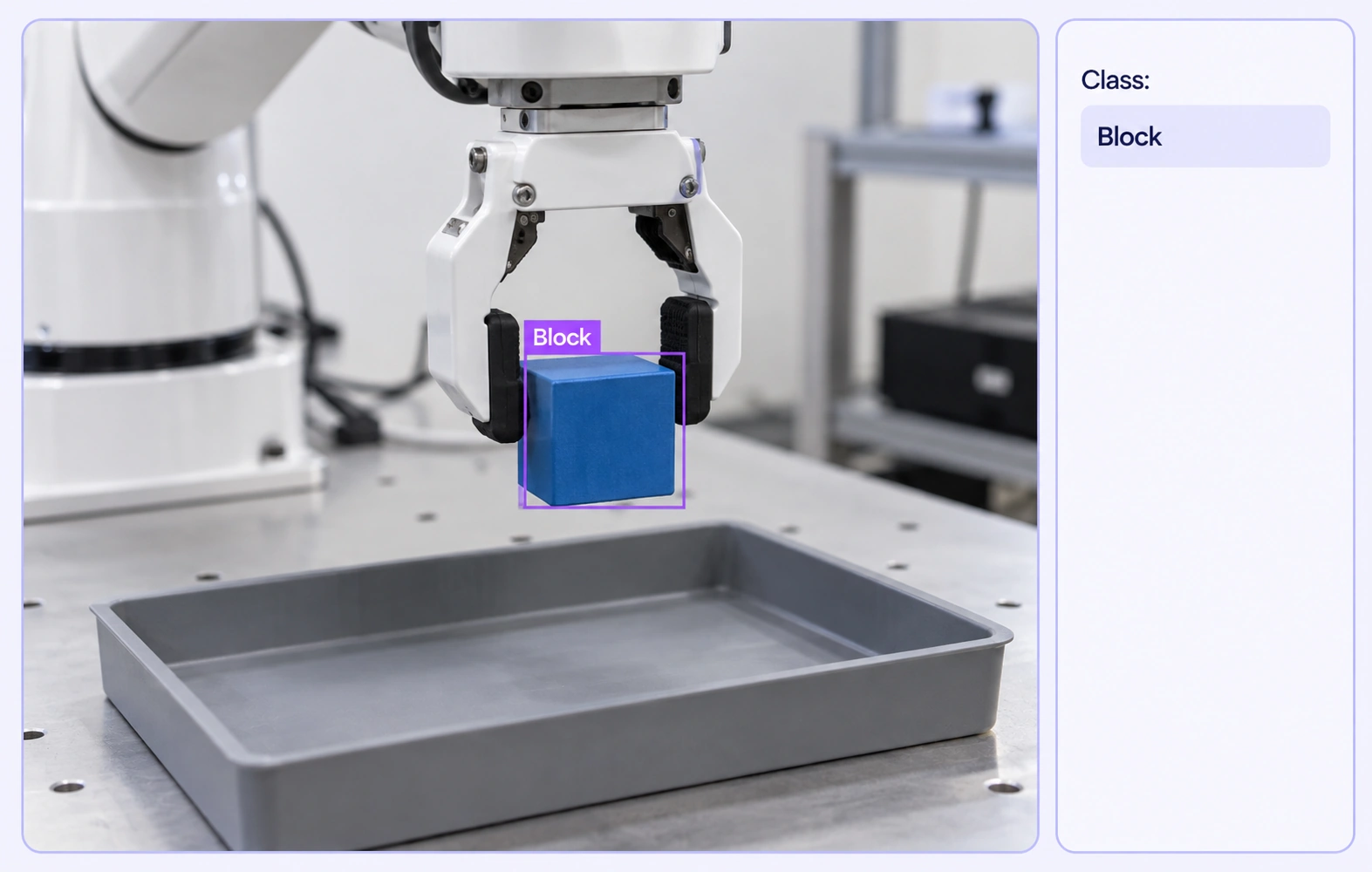
Bounding boxes locate visible task objects in demonstration frames. Class labels keep the object definition consistent across recorded views.
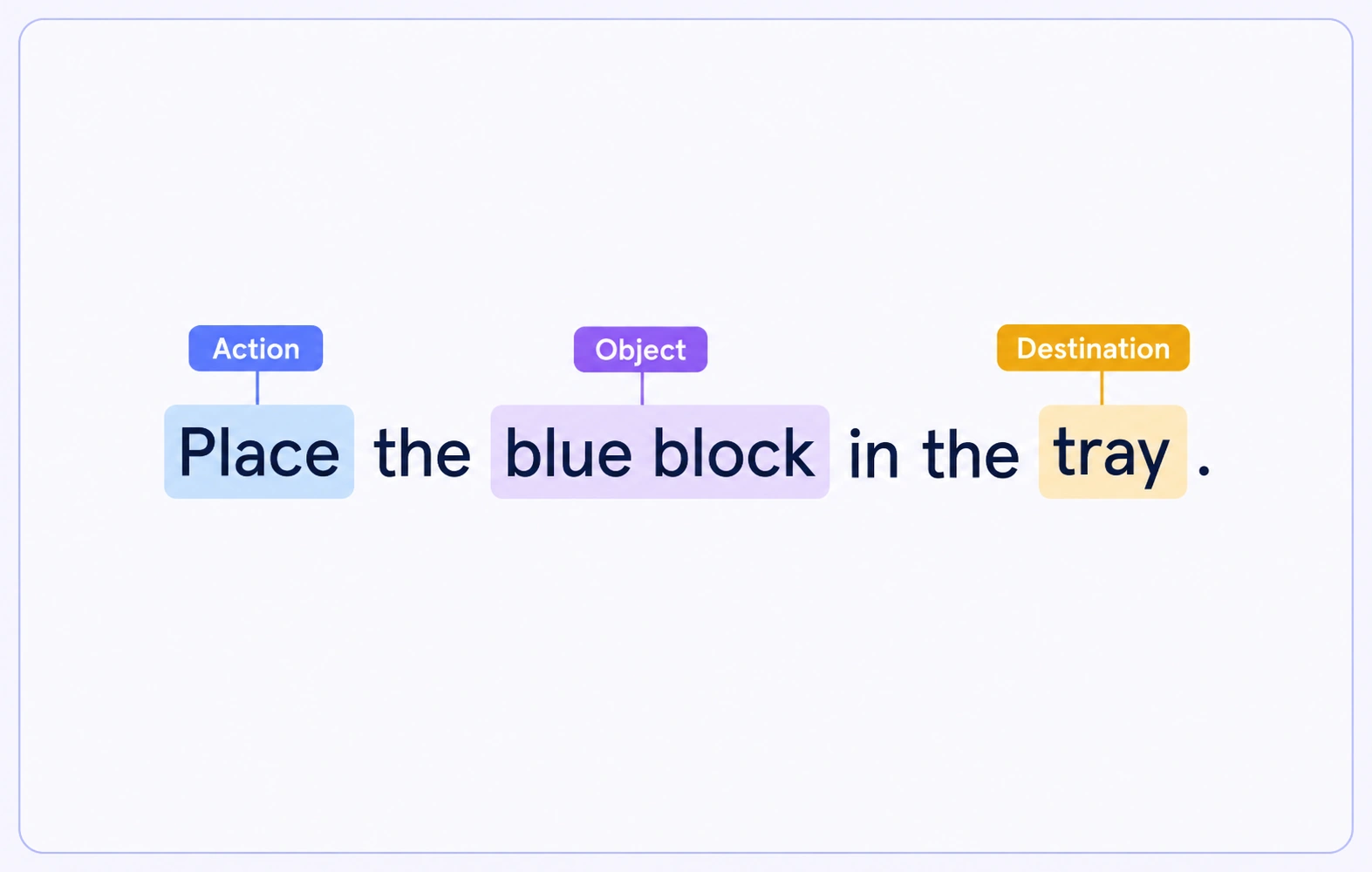
Text spans identify the action, object and destination mentioned in a supplied instruction. Each span remains anchored to the exact words in its source.
It is the labeling of recorded robot tasks for learning and evaluation datasets. Annotators identify visible objects, observed task phases and relevant instruction text while keeping the source recordings available for review.
Object recognition focuses on identifying objects in visual inputs. Demonstration annotation also preserves the sequence, task instruction and related views that explain an observed interaction. The workflows can share an object ontology.
Yes. Related files can be grouped and arranged in a configured multimodal layout. Annotators inspect each recording in its supported viewer and compare the views when reviewing the demonstration.
Auto-Grouping uses configured filename patterns and grouping keys. Teams define expected files and inspect the resulting cases. Grouping alone does not establish timestamp alignment between cameras.
Yes. Supplied text can receive entity spans for the action, object or destination. Annotators can review the instruction beside the related media and use consistent project properties for task context.
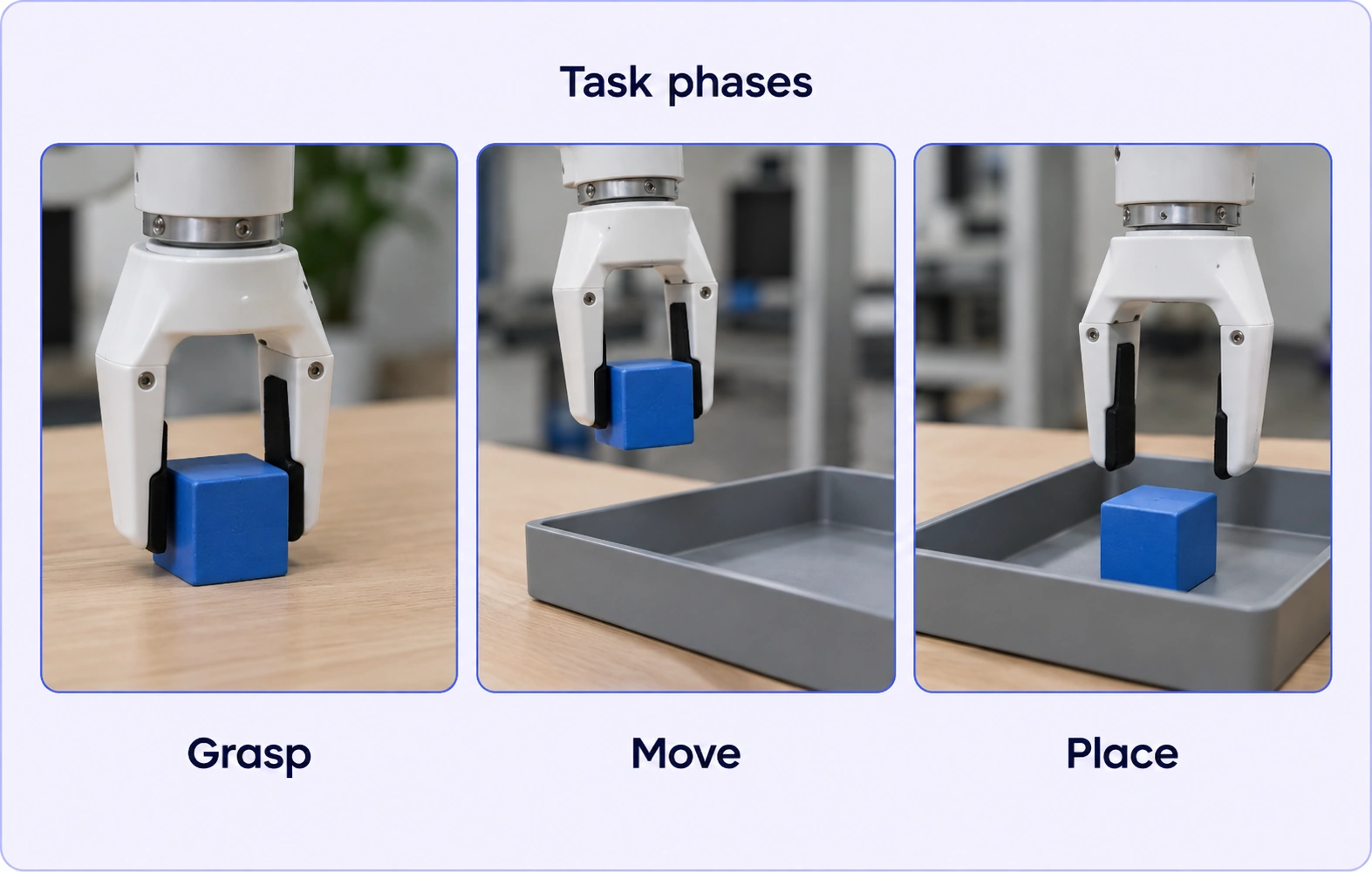
Define phases using evidence that annotators can see in the recording, such as grasping or placing an object. Apply the same definitions across examples and send ambiguous phases through review.
Supported sensor CSV recordings can be included with the media. They provide recorded channel context and can receive range or point annotations using the sensor tools.
Reviewers inspect the demonstration views, text and labels together. A configured review stage can return work for correction and another review pass before the case advances.
Selected source assets can be organized into a dataset and published as an immutable version. This preserves the chosen source set for annotation and downstream preparation.


We use cookies to improve your experience. See our Privacy Policy and Cookie Policy.