Image Training Data for Robotic Object Recognition

Create camera-image labels for parts, tools, packages, and other objects robots need to recognize. Use precise geometry, task-specific properties, and reviewed examples for perception and manipulation datasets.
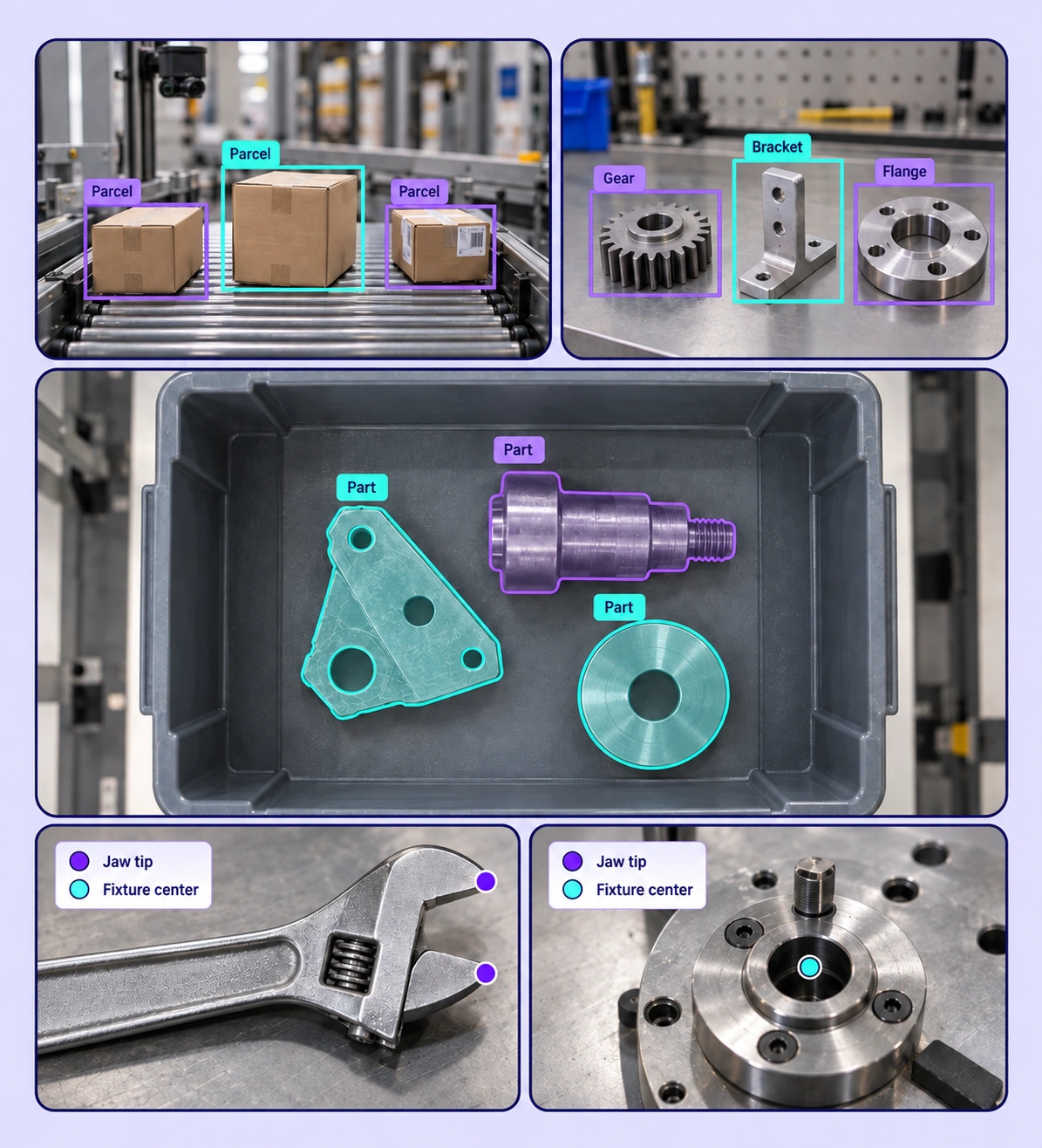
Annotated robotic object recognition examples arranged in a five-panel collage.

Data Annotation for Robotic Object Recognition

Prepare labeled examples for the robotic object recognition tasks your models need to learn. Each use case keeps the source data, annotation rules, and reviewed labels connected.
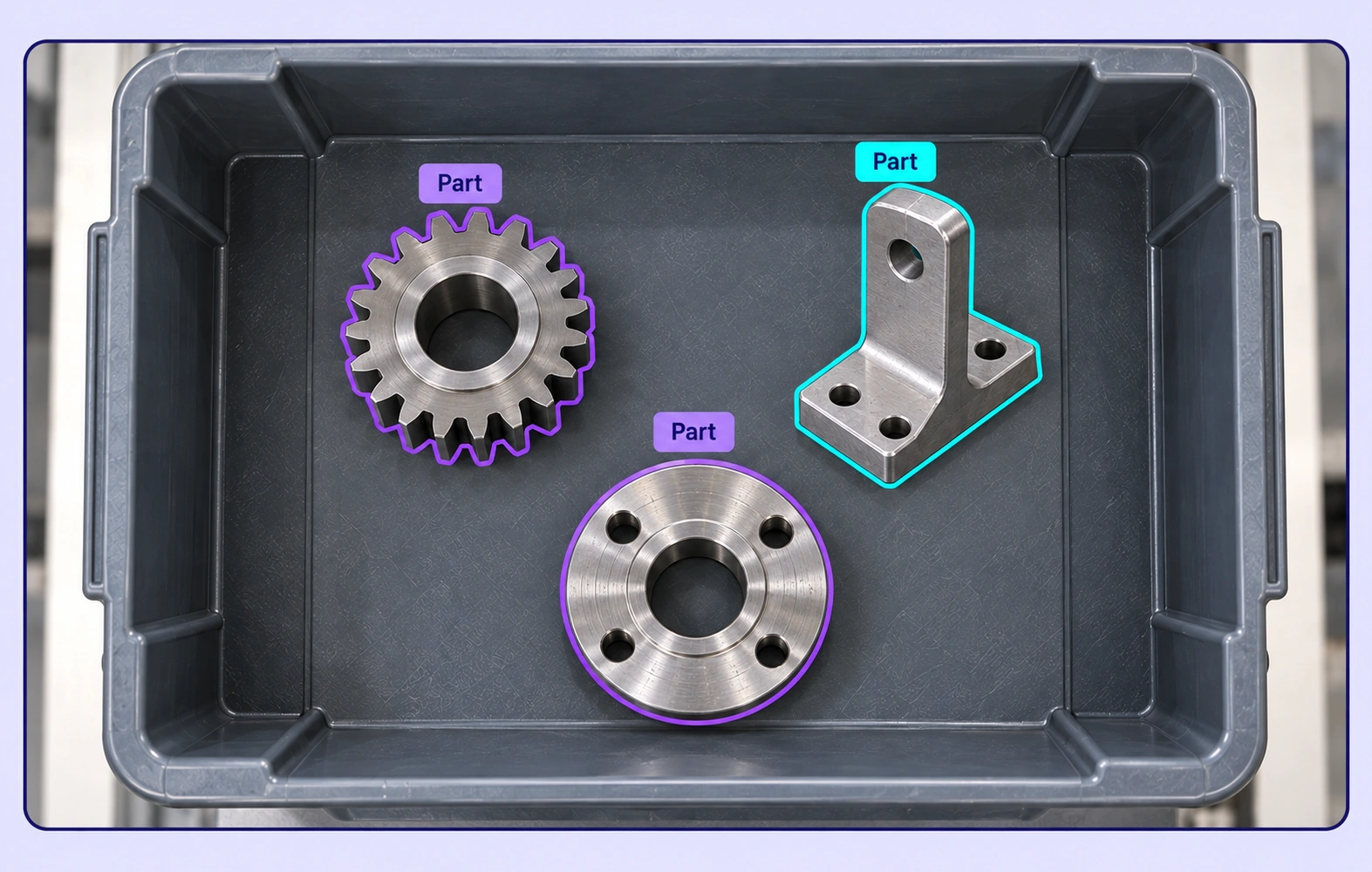
Three separate metal parts in a bin have contour annotations following their visible boundaries.

Bin-Picking Perception

Label individual parts in cluttered bins, including touching and partially occluded instances. Distinguish each object so perception models can learn to localize candidate parts.
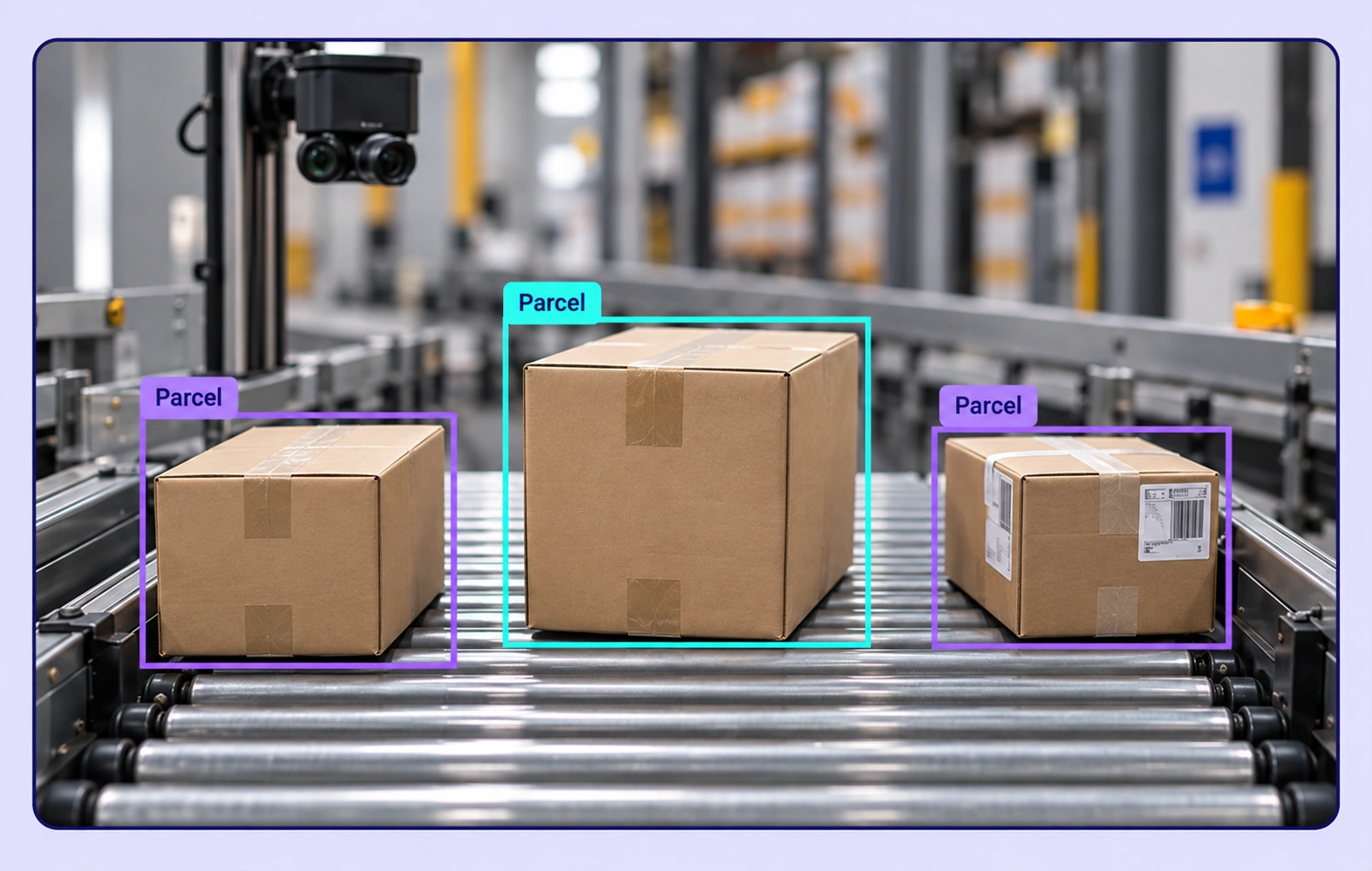
Three parcels on a warehouse conveyor each have a separate Parcel bounding box.

Warehouse Object Recognition

Annotate parcels, totes, and containers in handling scenes. Define object categories and visible attributes consistently across packaging and camera viewpoints.
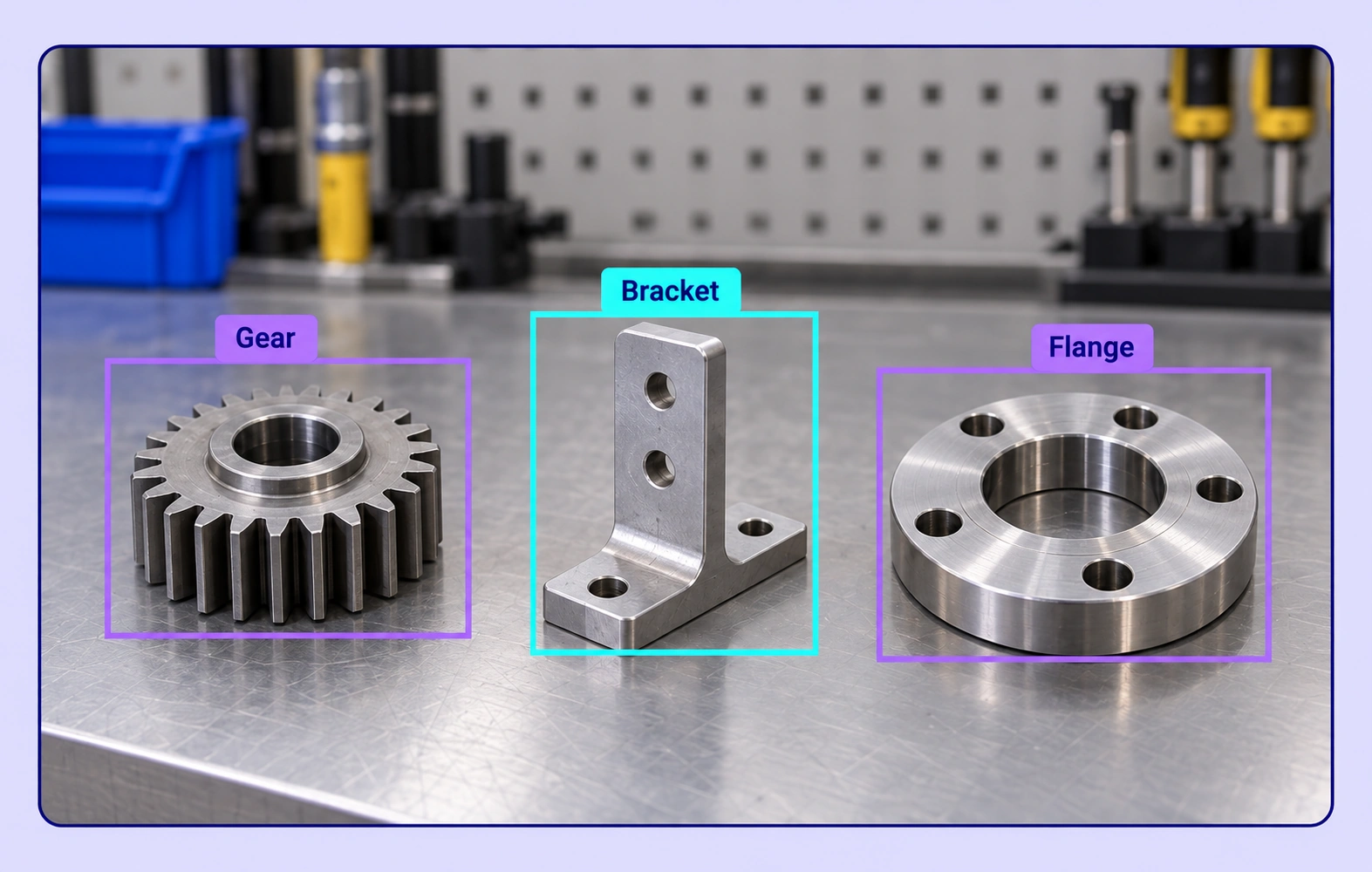
A gear, bracket and flange on a workbench have tight boxes and matching class labels.

Assembly Part Recognition

Create labels for components, their visible features, and relevant positions in assembly images. Review similar-looking parts and ambiguous boundaries with domain experts.
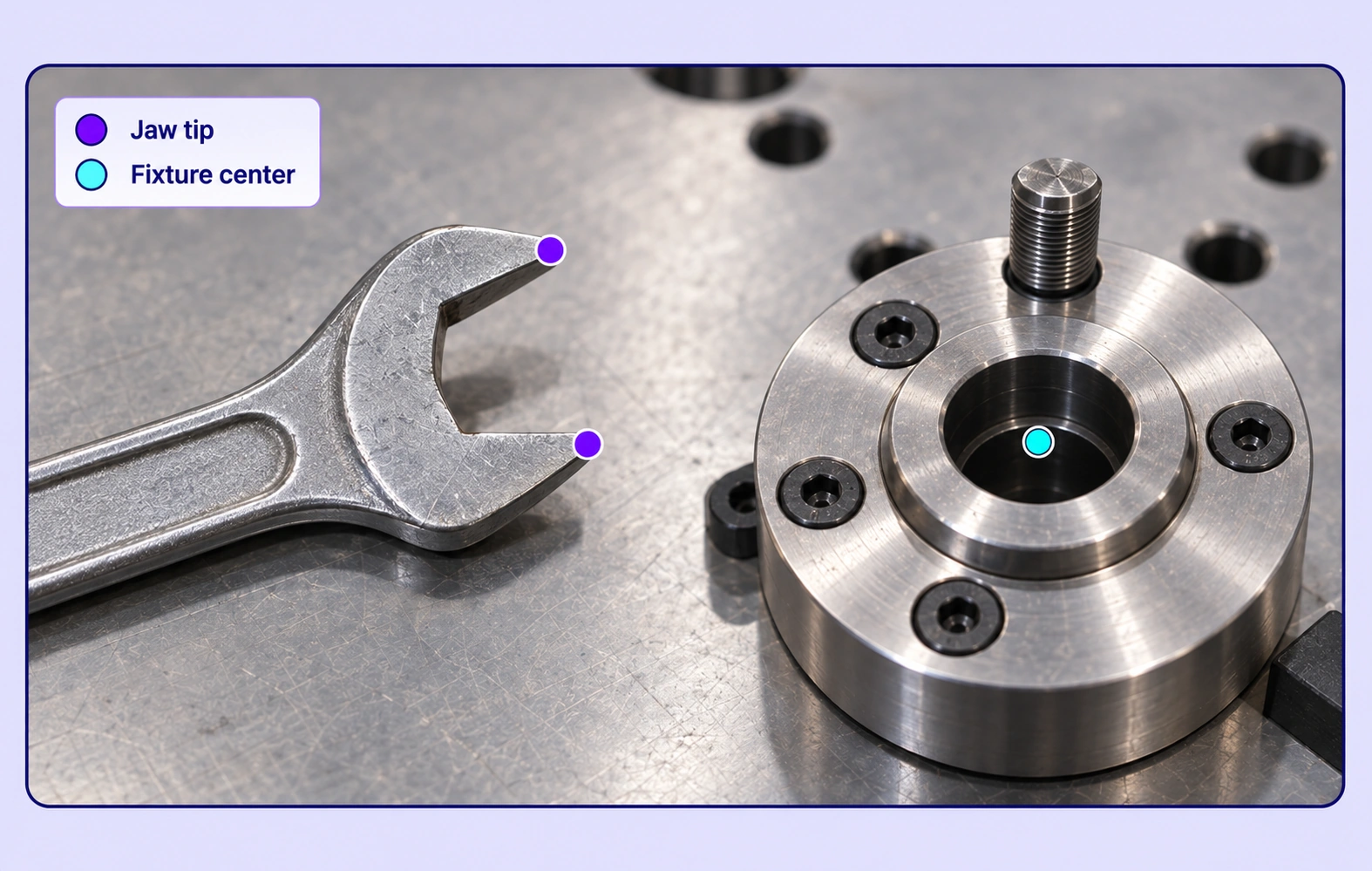
Two wrench jaw tips and one circular fixture center have precisely anchored point annotations.

Tool and Fixture Localization

Mark tools, fixtures, and task-relevant points in workcell images. Keep reference points tied to observable features and an explicit annotation convention.

Why AI Teams Choose Unitlab

Bring image data preparation, consistent labels, and expert review into one workflow for robotic object recognition datasets.
15X
Faster Image Annotation
60%
Free Up AI Engineers’ Time
5X
Lower AI Development Costs

Annotation Methods for Robotic Object Recognition

Choose the label structure that matches the intended model output. Keep geometry, timing, or properties grounded in the original image data.
Three separate metal parts in a bin have contour annotations following their visible boundaries.

Instance Boxes and Masks

Localize separate parts in clutter with boxes, polygons, or masks. Inspect occluded boundaries and maintain a consistent instance definition.

Task-Relevant Keypoints

Place points on visible tool or fixture features using a defined schema. These image coordinates provide labeled evidence for downstream perception models.

Two wrench jaw tips and one circular fixture center have precisely anchored point annotations.

Robotic Object Recognition FAQs

What training data does robotic object recognition need?

The labels depend on the perception task: object boxes for localization, masks for object shape, points for visible landmarks, and structured properties for categories or conditions. Unitlab keeps these labels connected to the original camera images.

Can I label touching or overlapping parts?

Yes. Annotate each instance using the chosen geometry and record occlusion properties where needed. Reviewers can inspect difficult boundaries and correct inconsistent instances.

Can keypoints support manipulation datasets?

Yes. Teams can label visible object or tool landmarks according to a task-specific schema. Robot control, pose estimation, and grasp planning are downstream uses of those reviewed image labels.

Can I include different camera viewpoints?

Yes. Prepare camera images from relevant viewpoints and use shared class definitions across them. Image labels stay anchored to their own source view.

How does this relate to robot demonstration datasets?

Object recognition focuses on labeled objects and landmarks in camera images. Robot demonstrations bring together related recordings and context for a broader action-learning workflow.

How can teams keep robotic object recognition labels consistent?

Define shared classes, structured properties, and clear labeling instructions before work starts. Use representative examples and contextual review to resolve disagreements in the robotic object recognition dataset.

Can uncertain examples be reviewed and corrected?

Yes. Route image annotation through Review and Rework stages. Reviewers can inspect the source data, correct labels, and send an item back when more work is needed.

Can I curate the image data before annotation?

Yes. Use dataset search, metadata, tags, and available filters to select relevant image assets. Keep representative conditions and difficult examples visible in the preparation workflow.

How do reviewed annotations reach the model pipeline?

Export reviewed image annotations in a supported format appropriate to the label types. Dataset versions help teams identify which prepared examples belong to the training or evaluation release.

Need help preparing robotic object recognition training data?Talk to Unitlab