
Built-in auto-labeling tools and automated workflows reduce manual annotation work.
Automate curation, dataset management, and versioning so engineers can focus on models.
Curated data, reusable ontologies, and quality control reduce annotation rework.
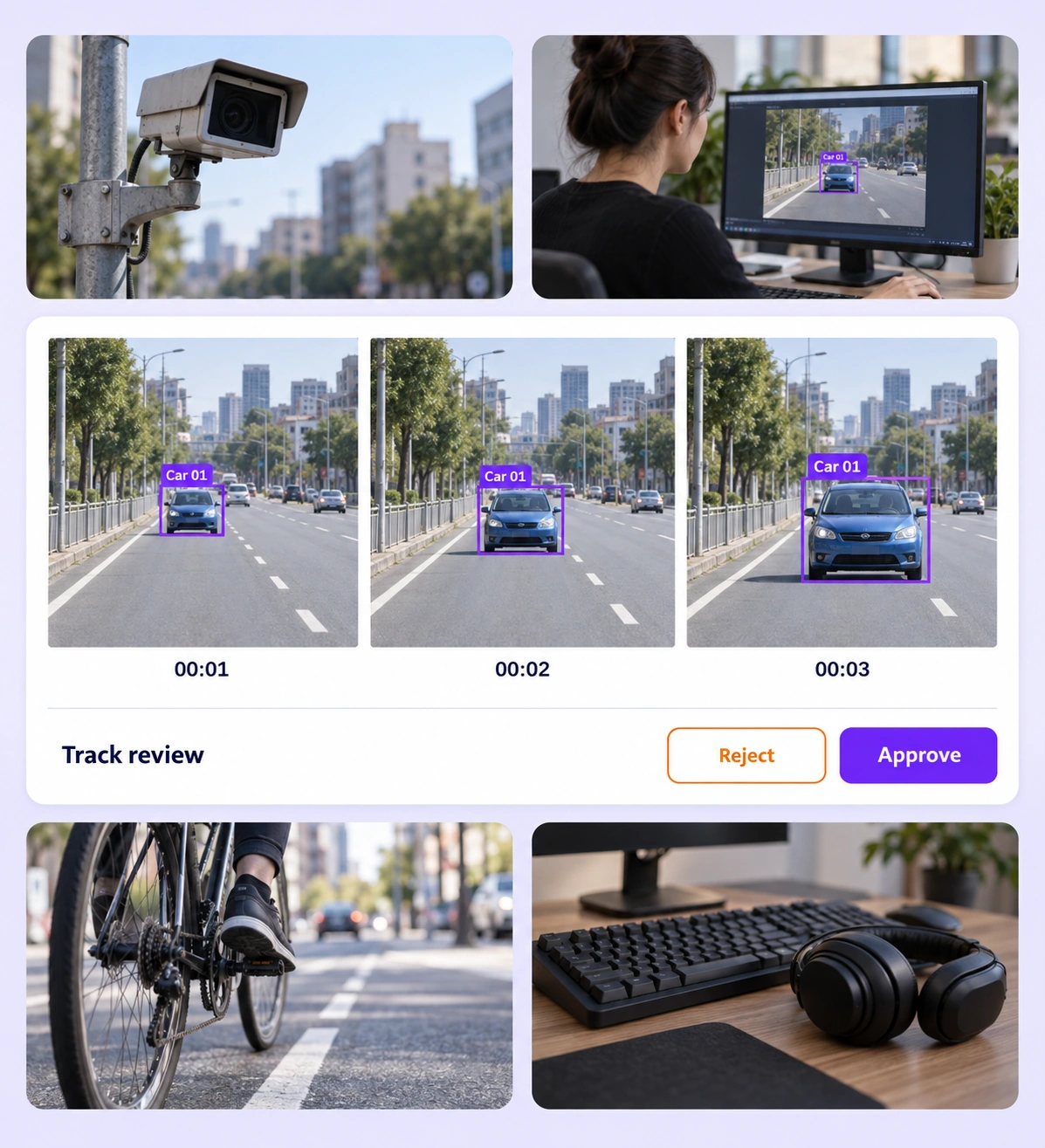
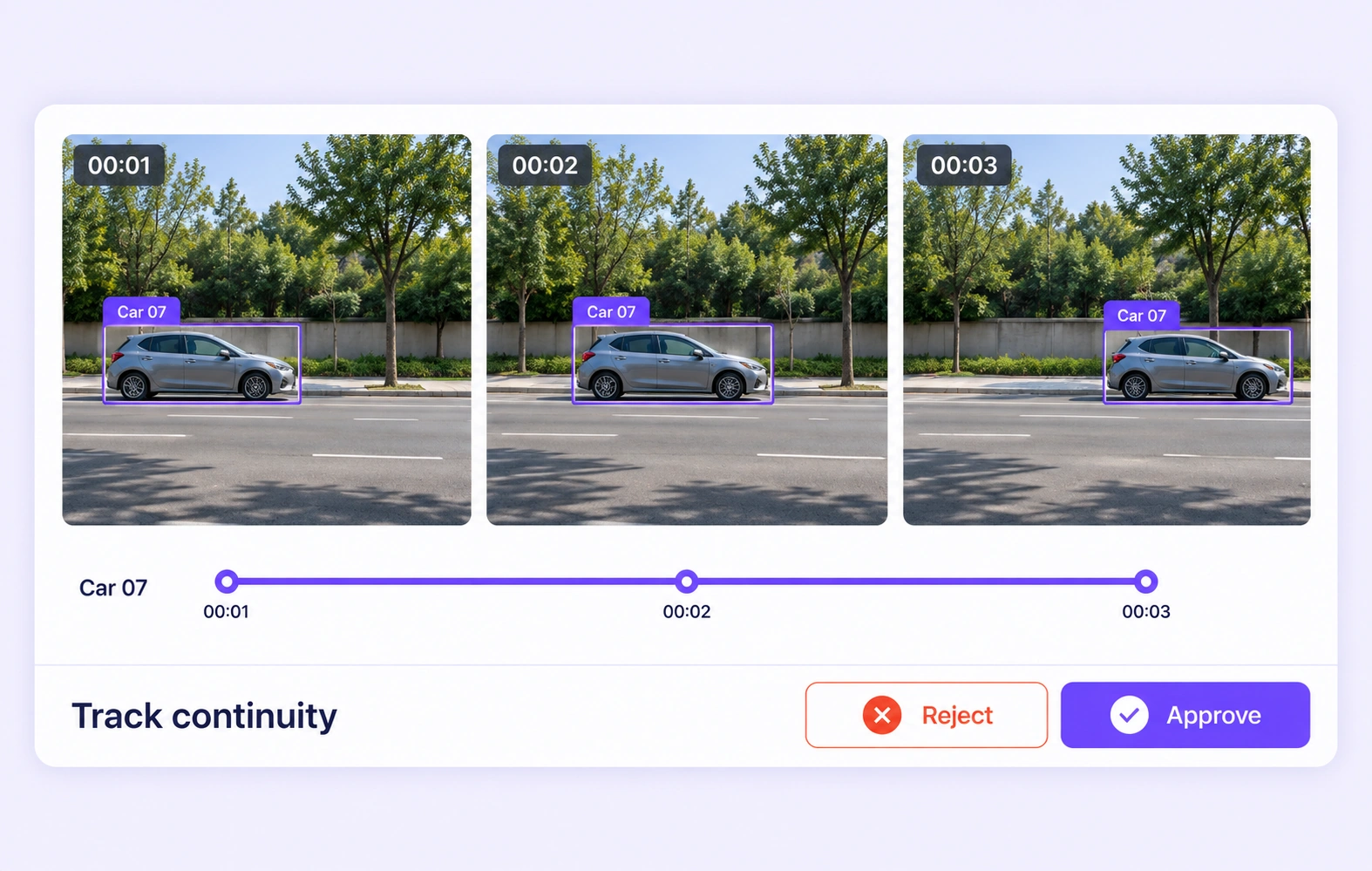
Follow vehicles or pedestrians through adjacent frames. Review whether the same object keeps a consistent identity, whether its geometry follows the visible subject, and how the project’s visibility rules are applied.
Inspect labeled body points against the visible person and review their placement over the sequence. Correct misplaced joints and inconsistent visibility or activity labels according to the task’s definitions.
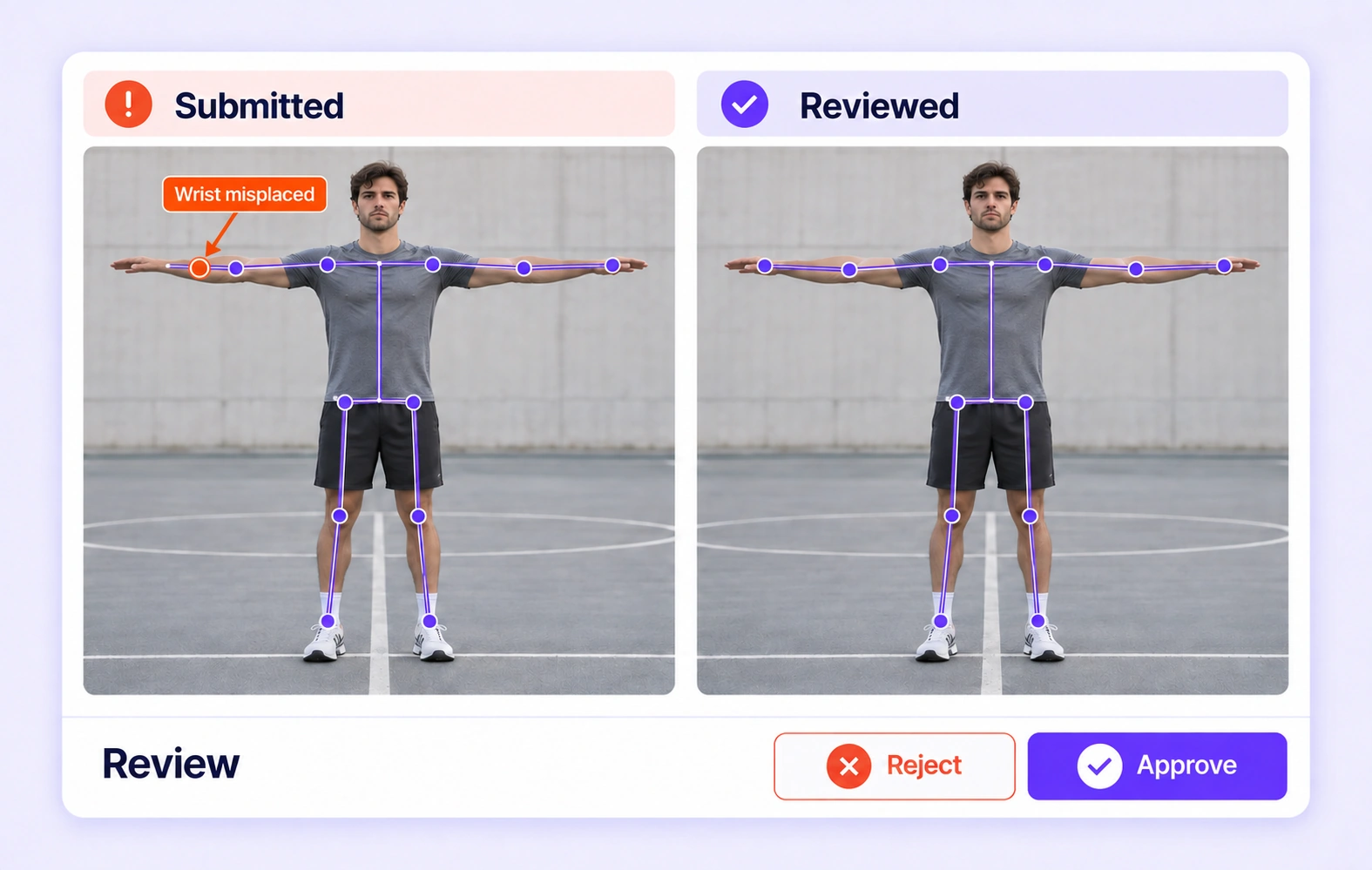
It is the review of video labels for object completeness, spatial accuracy, identity consistency, and temporal coherence. Unitlab keeps the source frames, annotations, comparisons, and review workflow together. QA overview
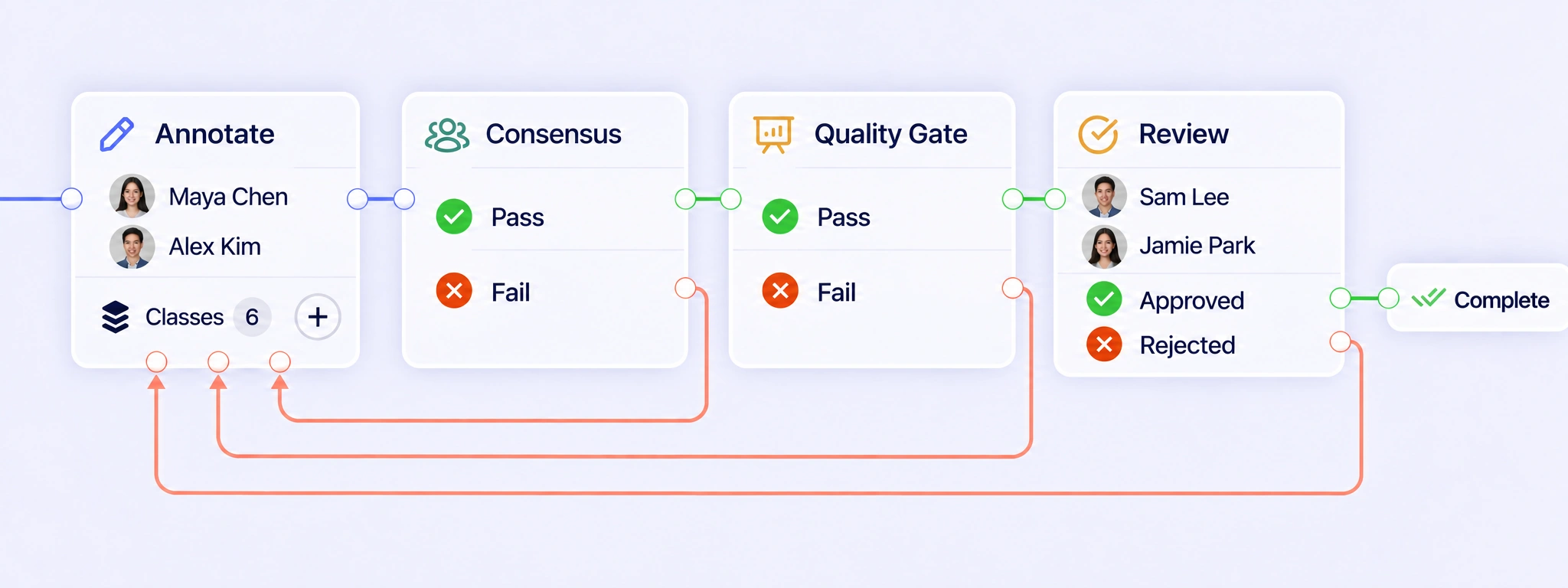
QA Workflows connect video annotation, Consensus, Quality Gates, and Review. Configure Pass and Fail routes for comparison stages, then approve reviewed clips or return drifting geometry, inconsistent labels, or broken tracks for correction. The revised sequence can move through review again, with attempts and decisions retained in workflow history. QA workflows
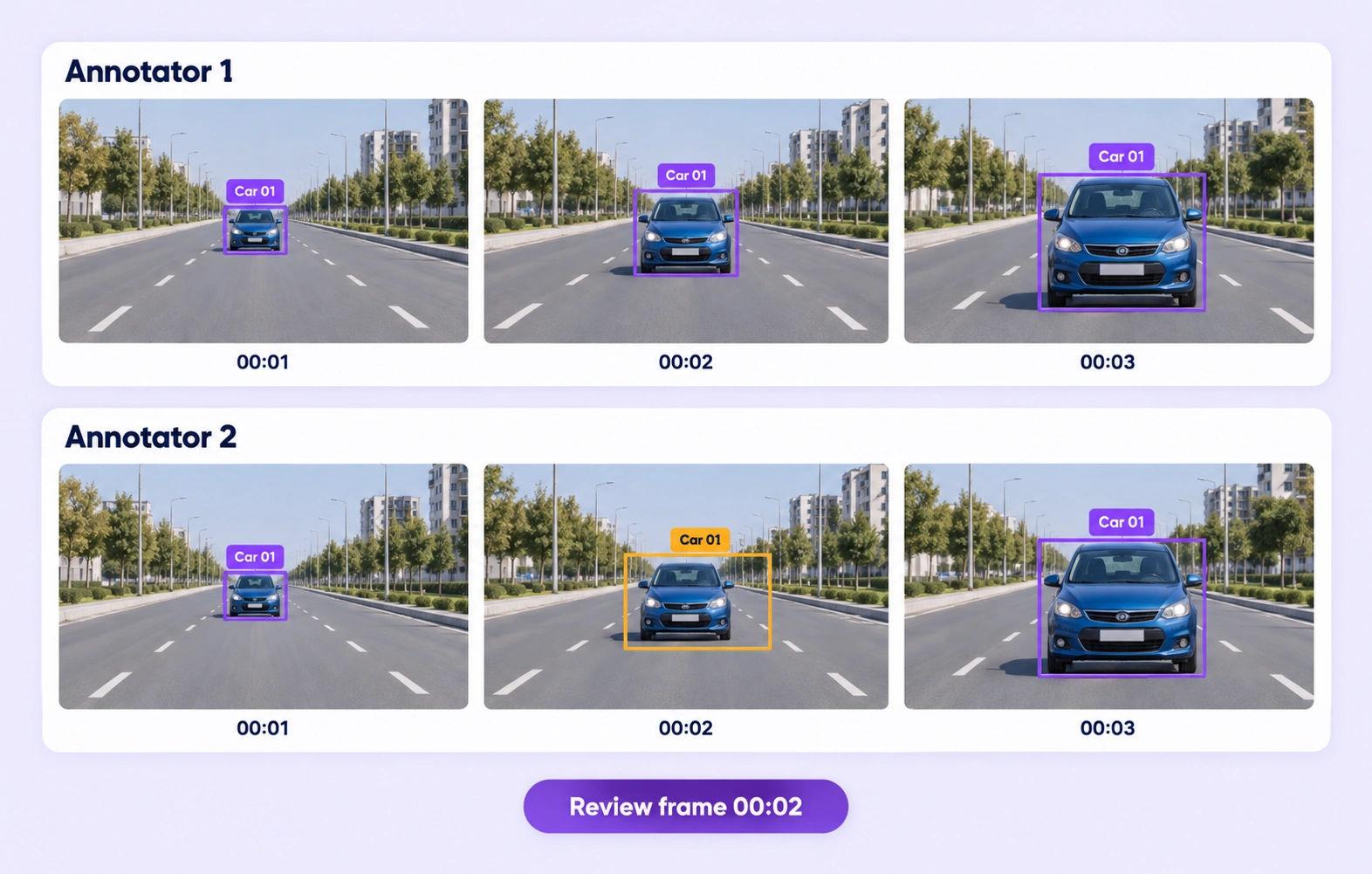
Consensus collects independent annotations of the same clip and compares supported labels, properties, and geometry on corresponding frames. Reviewers can inspect disagreements in sequence and refine the representative result. High agreement indicates consistency between submissions; reviewers still need the source video and labeling guidelines to decide whether those annotations are correct. Consensus guide
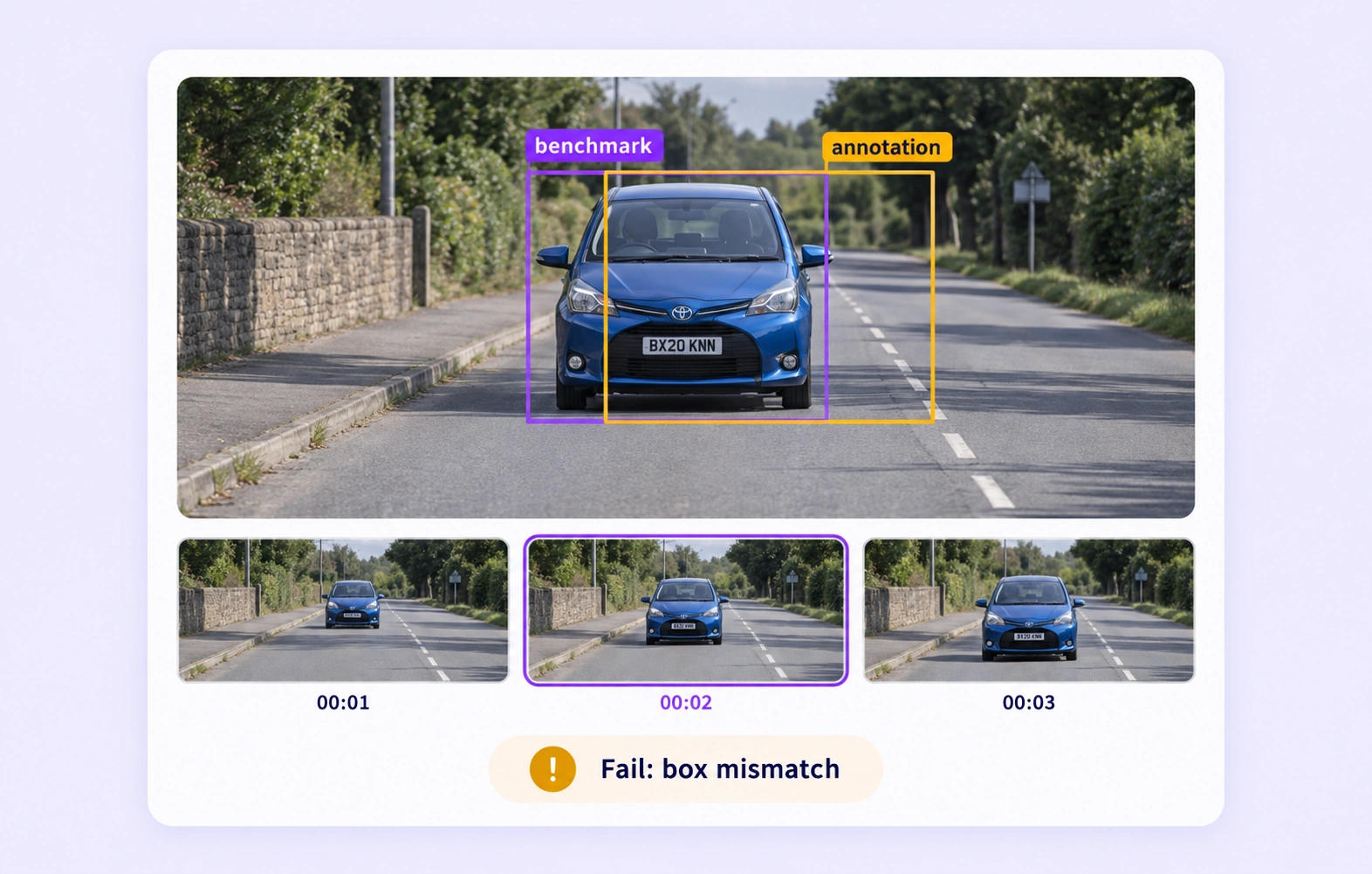
A Quality Gate compares supported video annotations with an approved reference key hidden from annotators. It uses the configured threshold to route evaluated submissions through Pass or Fail. Missing or incompatible comparison data belongs on the separate Not evaluated path, where the workflow can direct it to appropriate review. Quality Gate guide
Reviewers follow the object through neighboring frames and check whether its geometry, identity, and properties remain consistent with the visible subject. This helps reveal boxes that drift onto the background or labels that switch between objects. Supported annotations can be corrected in context or returned to annotation for another pass. Review stages
Define whether the project labels visible object extent or inferred full extent, and specify the meaning of visibility properties. Reviewers then inspect frames before, during, and after occlusion to apply those rules consistently. A difficult frame may need expert judgment even when several annotators selected the same boundary. Review stages
Reviewers check labeled body points against the visible person in each relevant frame and inspect their placement across the sequence. Look for misplaced joints and inconsistent visibility properties. The project should define how to label hidden or ambiguous joints so reviewers can correct the supported annotations using one convention. Review stages
Reviewers inspect the surrounding frames to decide when the defined action or event begins and ends. Acceptance rules should explain transitions, interruptions, and ambiguous moments. Use annotation comparisons to identify differences, then check the source sequence and refine boundaries according to the event definition used by the downstream model. Review stages
Create a reviewed dataset release and choose an export format supported by the video annotations and geometry. Before training, check that class names, visibility conventions, and frame interpretation match the downstream task. Keep the release and its annotation definitions together so later evaluations use the intended labels. Export documentation


We use cookies to improve your experience. See our Privacy Policy and Cookie Policy.