Video Training Data for Manufacturing Process Understanding

Label assembly actions, moving parts, and machine states in recorded production footage. Keep object tracks and changing properties connected to the frames that show each process step.
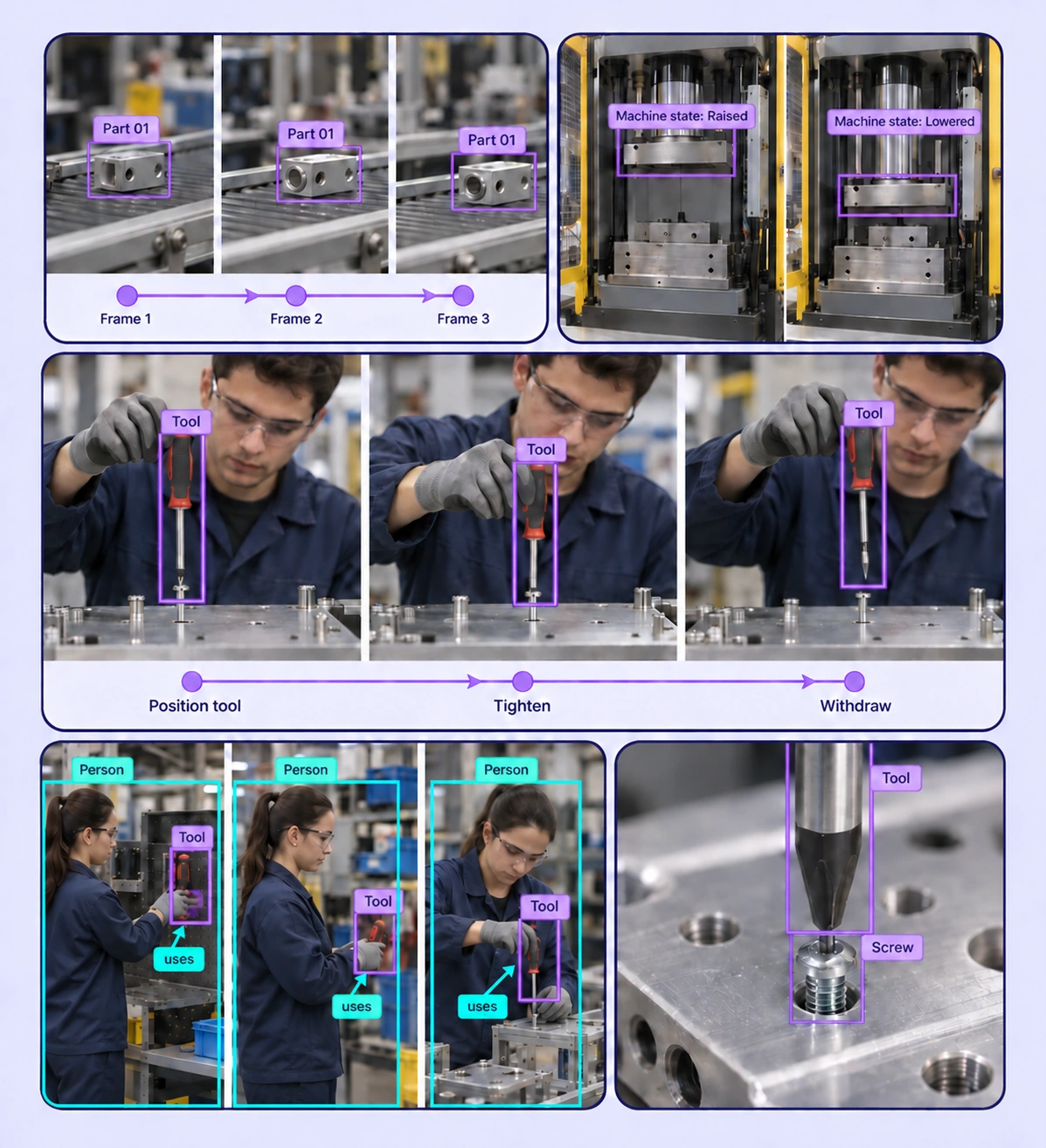
Annotated manufacturing process video examples arranged in a five-panel collage.

Data Annotation for Manufacturing Process Video

Prepare labeled examples for the manufacturing process understanding tasks your models need to learn. Each use case keeps the source data, annotation rules, and reviewed labels connected.
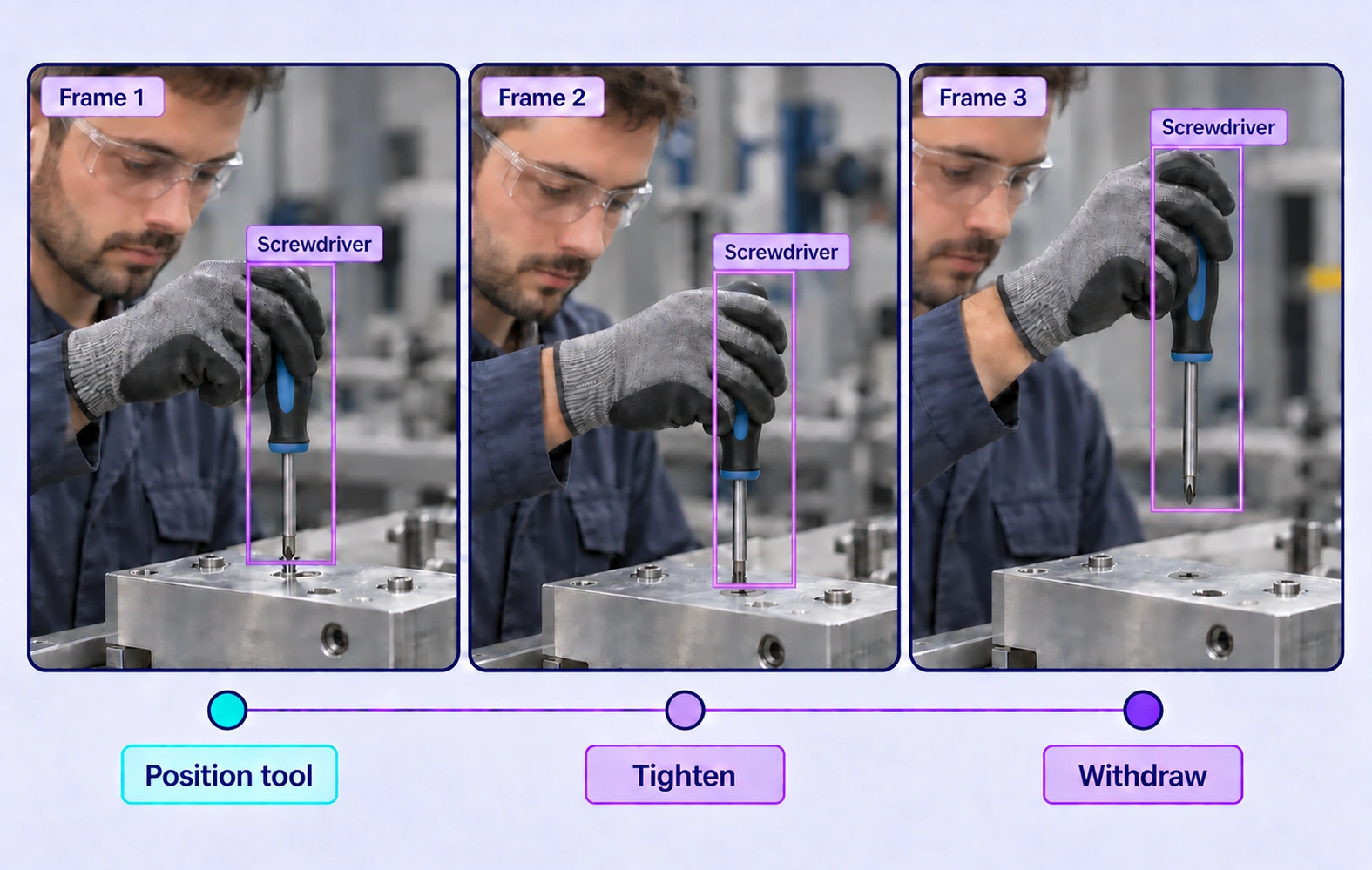
Three manufacturing frames track a screwdriver while a screw is positioned, tightened flush and left seated as the tool withdraws.

Assembly-Step Recognition

Label the visible stages of a recorded assembly process with defined time-varying properties. Review transitions between steps against the footage.
Part and Component Tracking annotation example showing the source data and task-specific labels.

Part and Component Tracking

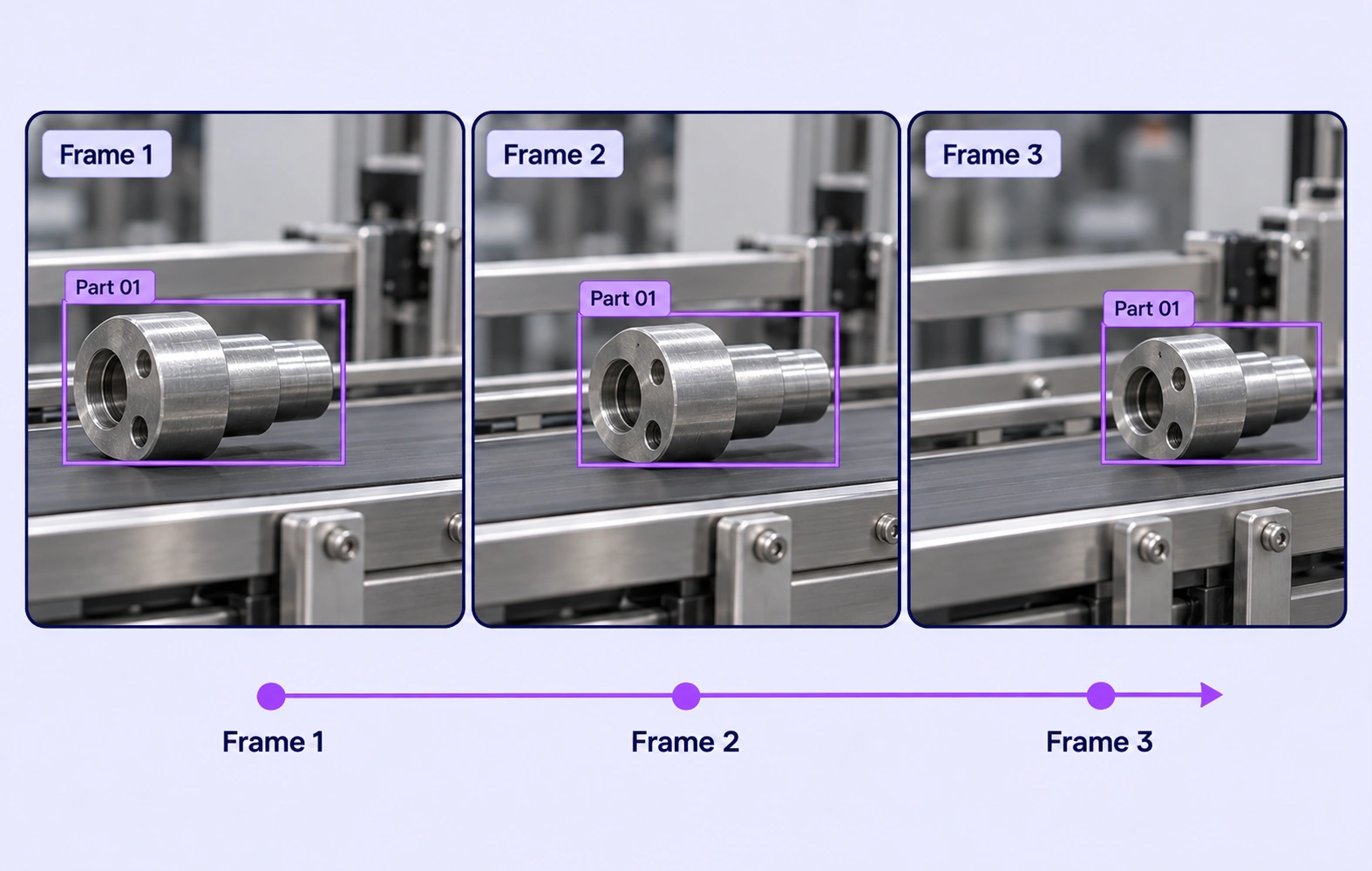
Maintain object identities as components move through a workcell. Refine keyframes and inspect changes in visibility when parts overlap or leave the view.
Machine Operating States annotation example showing the source data and task-specific labels.

Machine Operating States

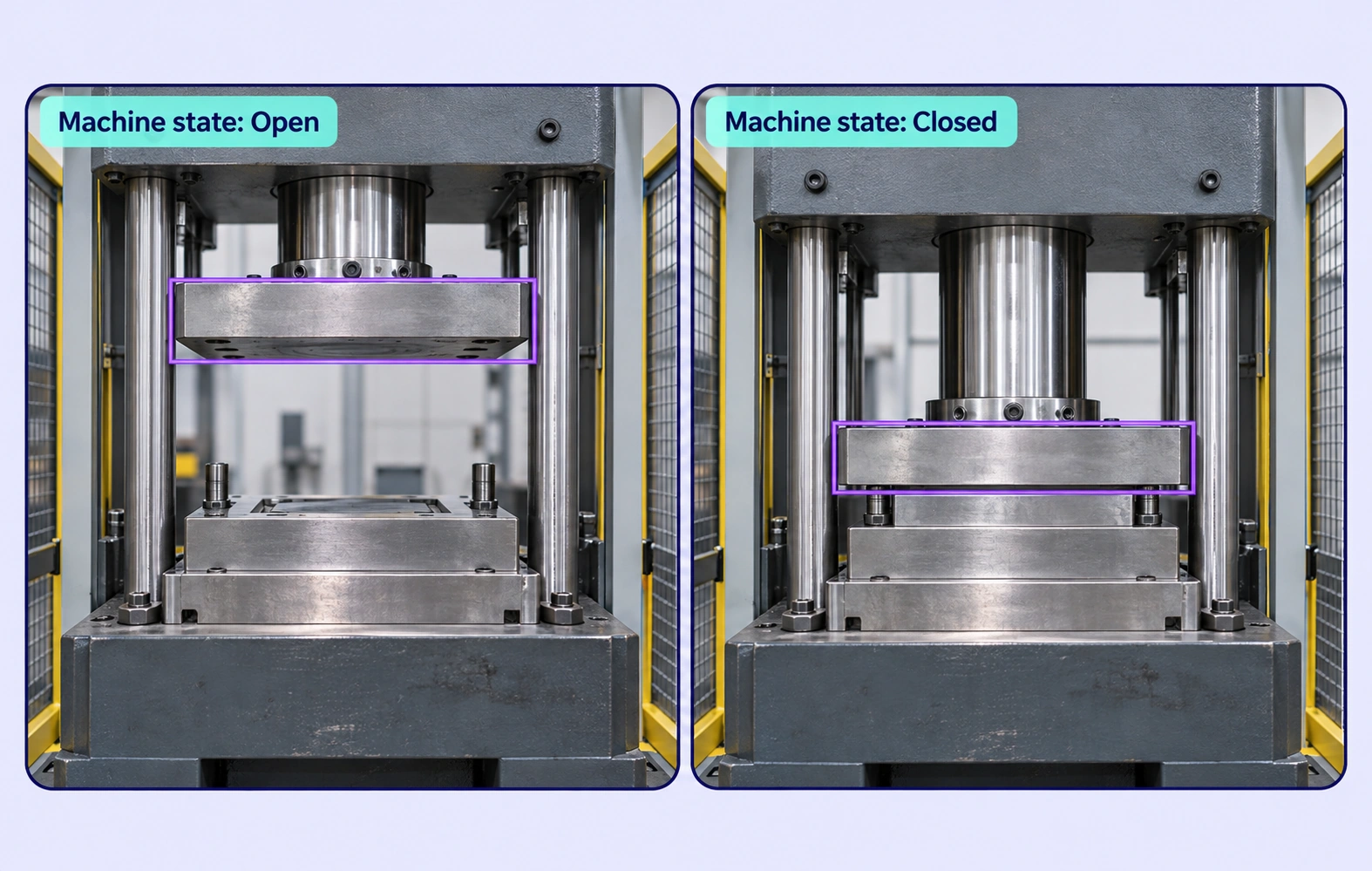
Annotate observable machine states and their transitions across a recording. Distinguish visible operating phases with a shared, task-specific ontology.
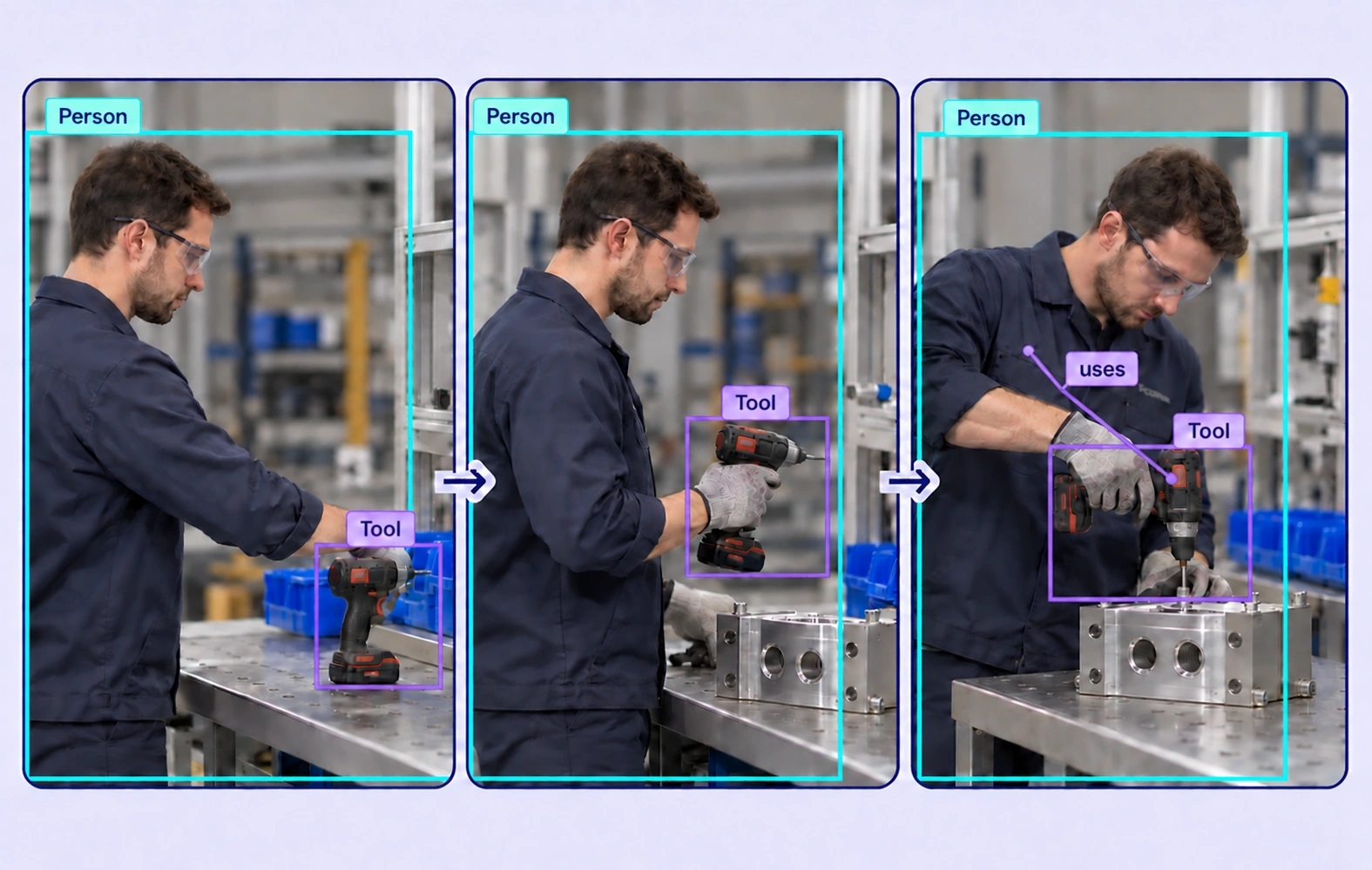
Person and cordless-drill annotations span three manufacturing frames, with a uses relation linking the worker to the complete tool.

Worker and Equipment Interactions

Track people and relevant tools or components during recorded tasks. Label observable interactions using defined properties and supported relationships.

Why AI Teams Choose Unitlab

Bring video data preparation, consistent labels, and expert review into one workflow for manufacturing process understanding datasets.
15X
Faster Video Annotation
60%
Free Up AI Engineers’ Time
5X
Lower AI Development Costs

Annotation Methods for Manufacturing Process Video

Choose the label structure that matches the intended model output. Keep geometry, timing, or properties grounded in the original video data.
Part and Component Tracking annotation example showing the source data and task-specific labels.

Persistent Object Tracks

Track components, tools, or people across frames with supported geometry. Use keyframes to refine motion and review occlusion or reappearance.

Process States Over Time

Use dynamic properties to describe the visible process state at the appropriate frames. Keep each transition grounded in recorded evidence.

Three manufacturing frames track a screwdriver while a screw is positioned, tightened flush and left seated as the tool withdraws.

Manufacturing Process Video FAQs

What is manufacturing video annotation?

It is the labeling of recorded production footage for tasks such as assembly-step recognition, component tracking, and machine-state understanding. Unitlab connects annotations to video frames and review workflows.

How can I label a sequence of assembly steps?

Define the process states in the ontology and record their changes over the relevant frames. Review ambiguous transitions against the original footage and the agreed start/end convention.

Can I track a component as it moves through a workcell?

Yes. Create a persistent object track, refine its geometry with keyframes, and inspect visibility changes. Assisted tracking or interpolation can support the work where available, with human review of the result.

What should worker-interaction labels describe?

Use observable actions and defined relationships, such as a person handling a component or using a tool. The dataset guidelines should state the visual evidence needed for each label.

How is process video different from sensor annotation?

Process-video annotation labels what the camera records across frames. Sensor annotation labels time ranges and points in numeric measurements such as vibration, temperature, or pressure.

How can teams keep manufacturing process understanding labels consistent?

Define shared classes, structured properties, and clear labeling instructions before work starts. Use representative examples and contextual review to resolve disagreements in the manufacturing process understanding dataset.

Can uncertain examples be reviewed and corrected?

Yes. Route video annotation through Review and Rework stages. Reviewers can inspect the source data, correct labels, and send an item back when more work is needed.

Can I curate the video data before annotation?

Yes. Use dataset search, metadata, tags, and available filters to select relevant video assets. Keep representative conditions and difficult examples visible in the preparation workflow.

How do reviewed annotations reach the model pipeline?

Export reviewed video annotations in a supported format appropriate to the label types. Dataset versions help teams identify which prepared examples belong to the training or evaluation release.

Need help preparing manufacturing process understanding training data?Talk to Unitlab