Time-Aligned Training Data for Speaker Diarization

Label who spoke when with consistent speaker IDs and reviewed turn boundaries. Prepare meetings, interviews, and conversations for diarization training and evaluation.
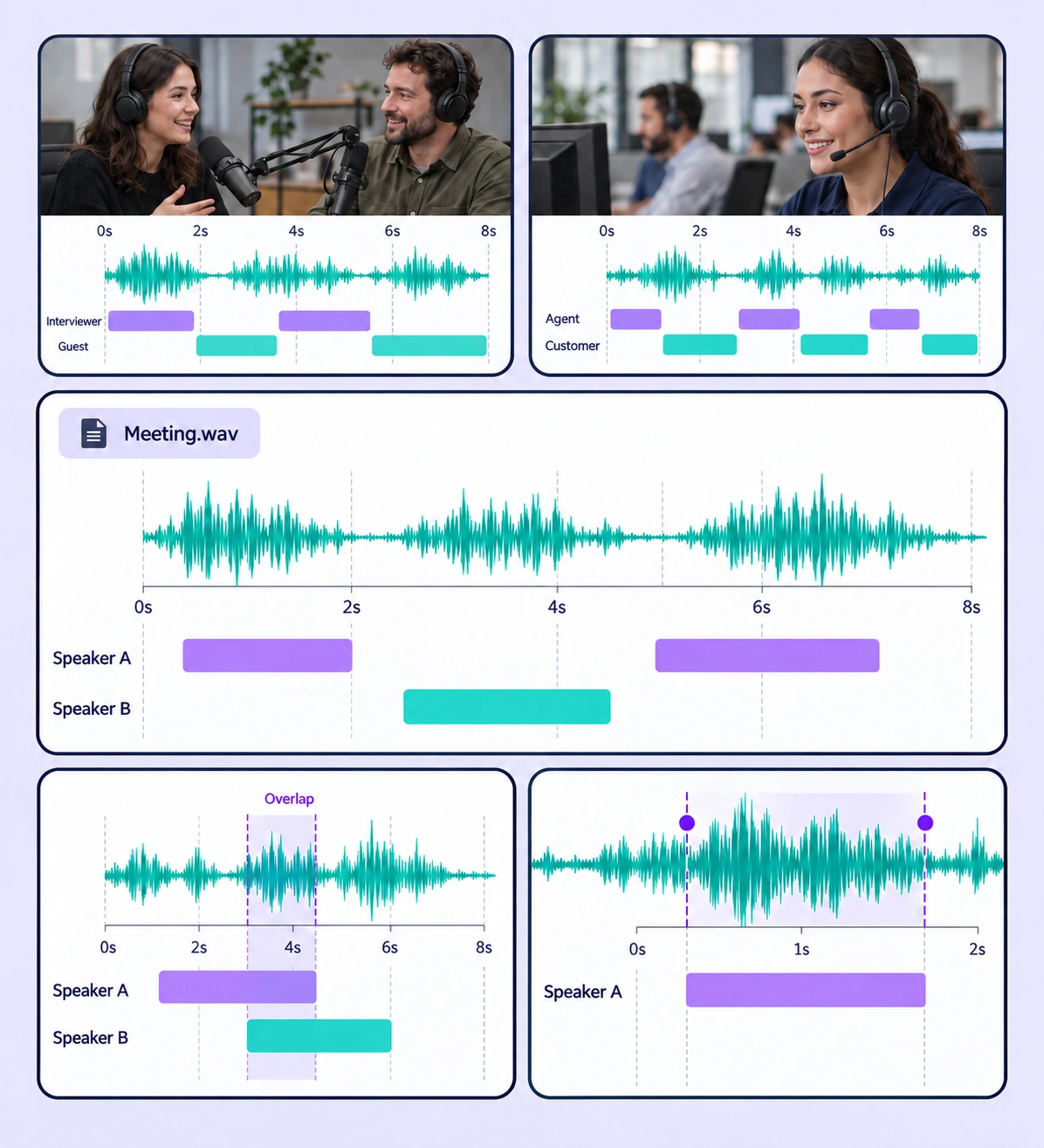
Annotated speaker diarization examples arranged in a five-panel collage.

Data Annotation for Speaker Diarization

Prepare labeled examples for the speaker diarization tasks your models need to learn. Each use case keeps the source data, annotation rules, and reviewed labels connected.
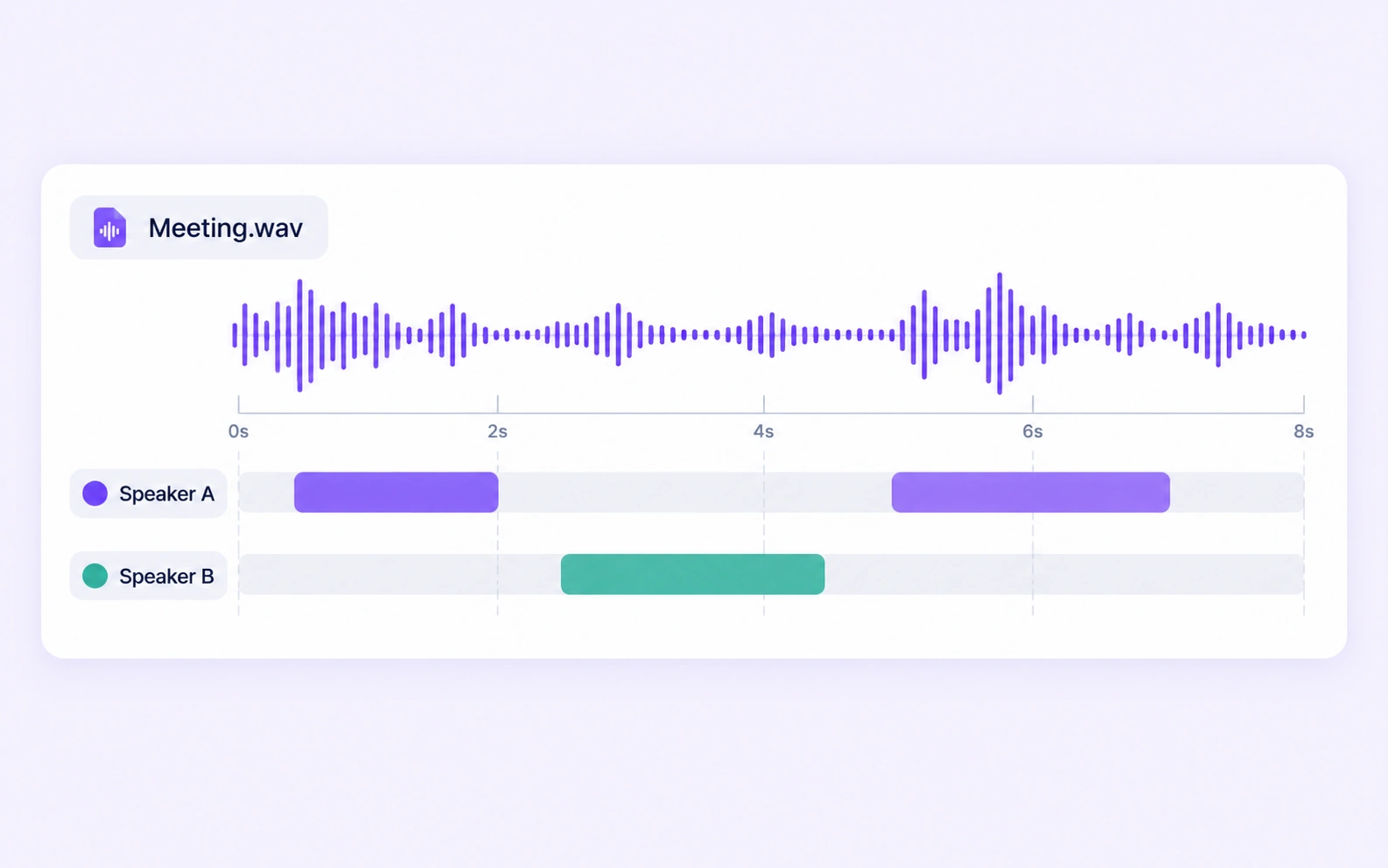
Speaker A and Speaker B turns are labeled along one meeting recording.

Meeting Speaker Turns

Assign consistent speaker labels across a meeting recording. Review short interjections, turn changes, and intervals with several participants speaking.
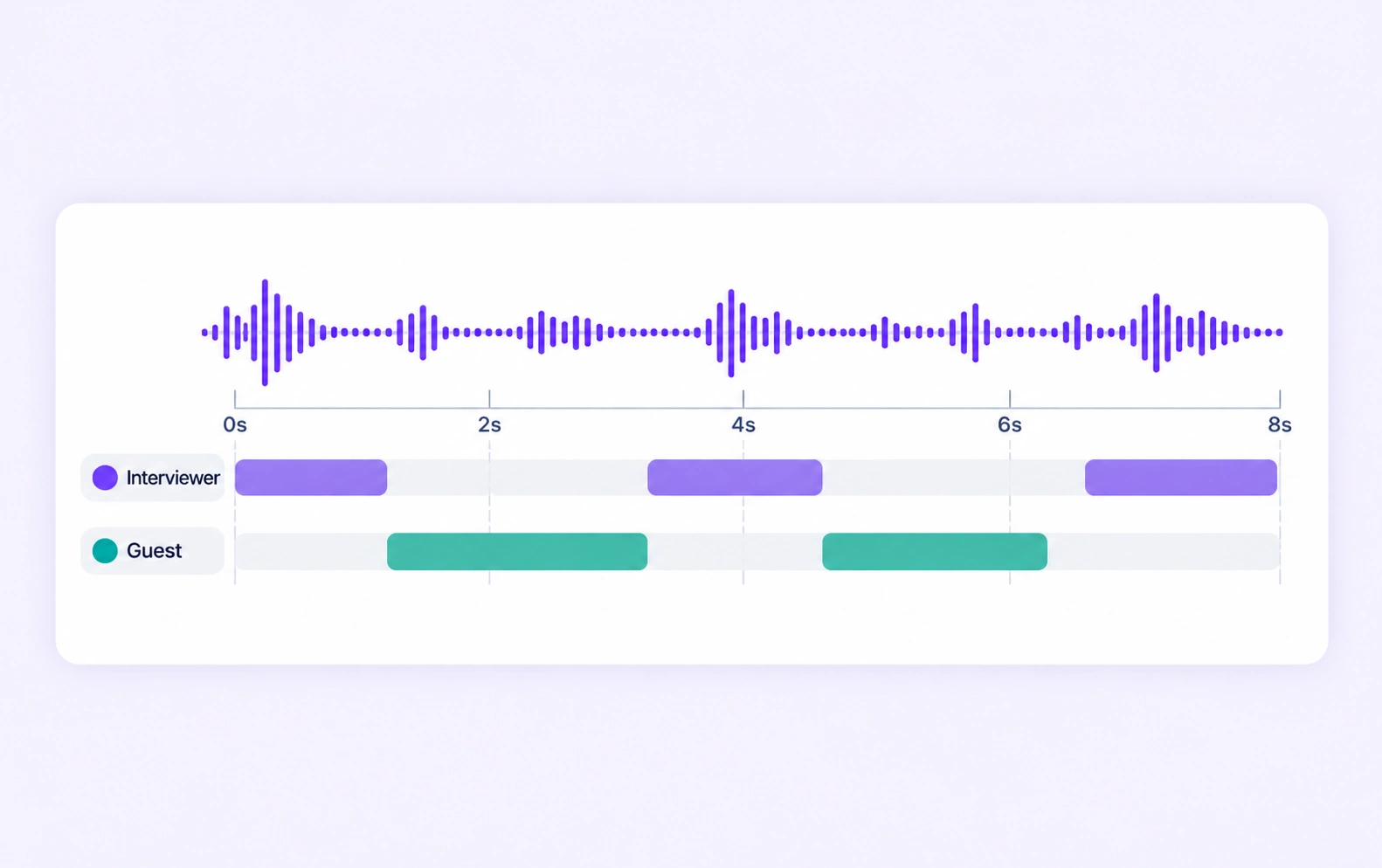
Interviewer and guest intervals alternate on a shared audio timeline.

Interview Diarization

Separate interviewer and interviewee turns using stable speaker labels. Refine pauses and interrupted phrases against the original audio.
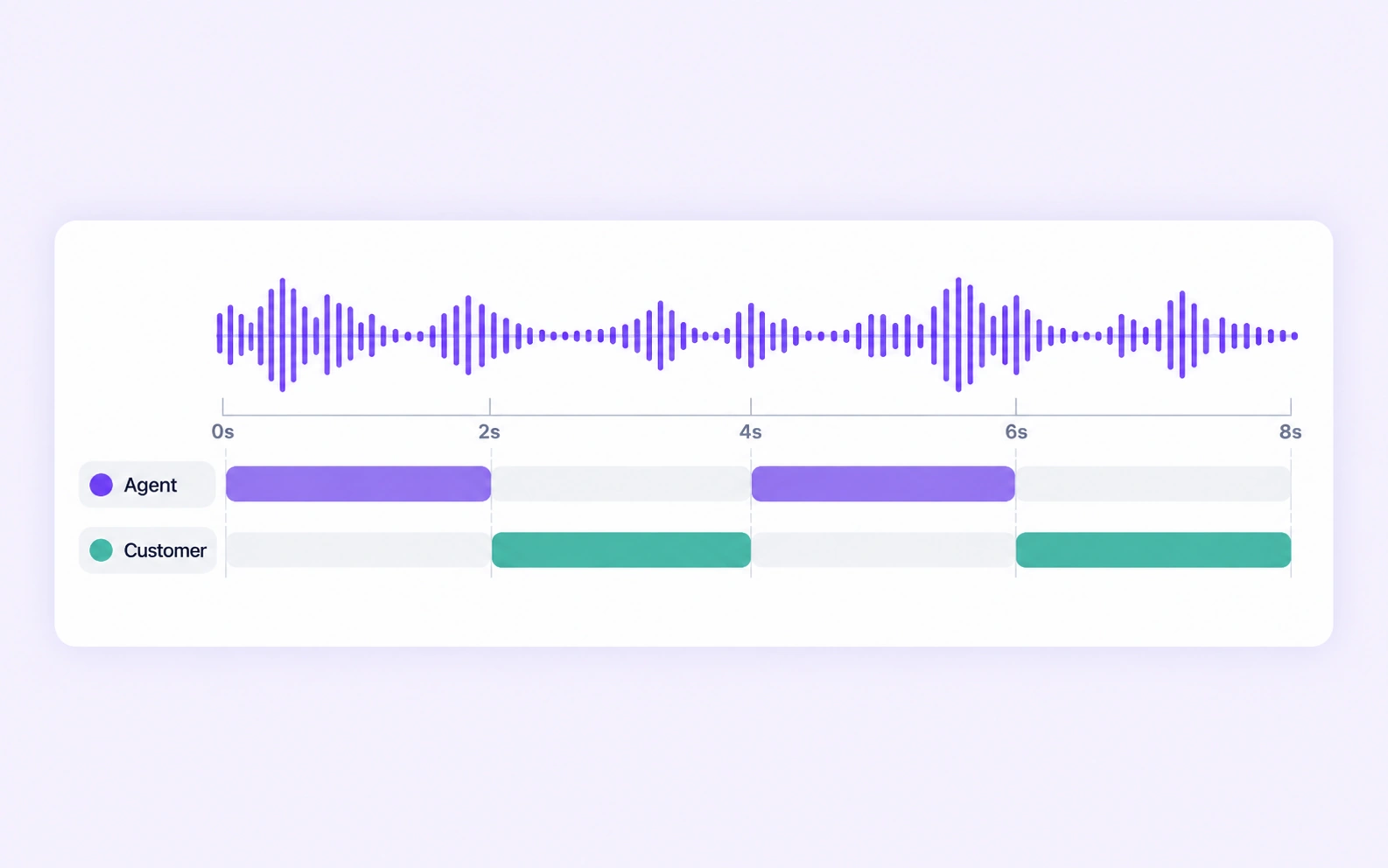
Agent and customer speech intervals are labeled on one call recording.

Agent and Customer Turns

Label agent and customer speech in call recordings. Keep roles distinct from personal identity and preserve channel context where available.
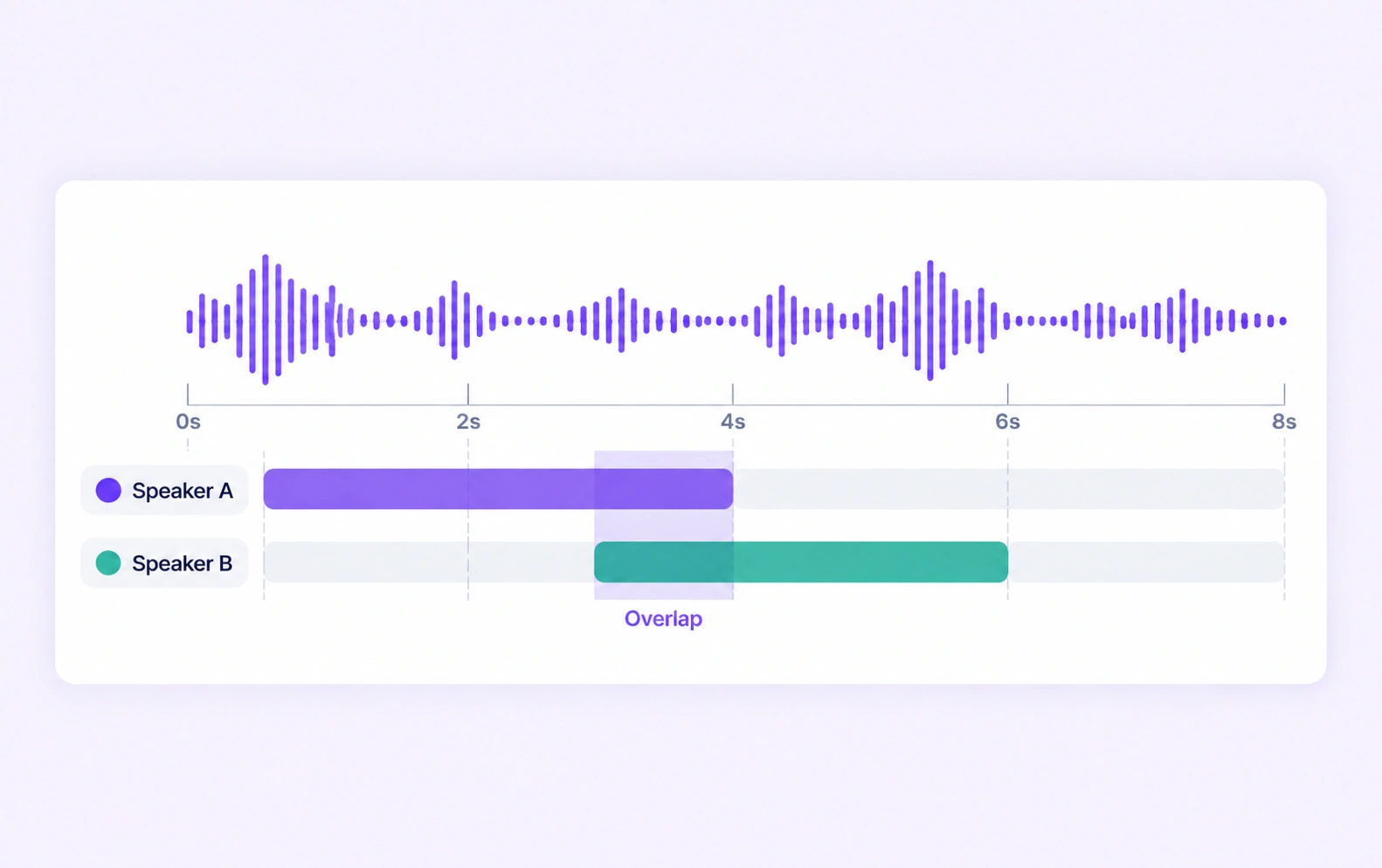
Two speaker annotation tracks overlap on one shared audio timeline.

Overlapping Speech Labels

Mark the individual speaker intervals when voices overlap under the dataset rules. Review timing and label consistency around interruptions and backchannels.

Why AI Teams Choose Unitlab

Bring audio data preparation, consistent labels, and expert review into one workflow for speaker diarization datasets.
15X
Faster Audio Annotation
60%
Free Up AI Engineers’ Time
5X
Lower AI Development Costs

Annotation Methods for Speaker Diarization

Choose the label structure that matches the intended model output. Keep geometry, timing, or properties grounded in the original audio data.
Speaker A and Speaker B turns are labeled along one meeting recording.

Timed Speaker Labels

Create intervals for each speaker and keep the same label across their turns. Refine boundaries against the waveform and source audio.

Overlapping Speaker Intervals

Represent simultaneous speech with the relevant speaker intervals. An explicit overlap policy helps annotators handle interruptions consistently.

Two speaker annotation tracks overlap on one shared audio timeline.

Speaker Diarization FAQs

What is speaker diarization annotation?

It is the labeling of audio intervals to indicate which speaker spoke when. The speaker labels normally identify distinct voices within the recording, such as Speaker A and Speaker B, rather than a person's real-world identity.

Can speaker labels stay consistent across a recording?

Yes. Define the speaker classes or properties and reuse them across the relevant intervals. Reviewers can inspect turn consistency throughout the file.

How is overlapping speech annotated?

Create the relevant time intervals for the speakers heard during the overlap, following the dataset policy. Review exact boundaries and short interruptions against the recording.

Can I distinguish customer and agent speech?

Yes. Use role-based labels or properties where the recording provides that information. Keep role attribution and speaker identity rules explicit in the ontology.

Can I export diarization labels as RTTM?

Yes. Supported visible timed speaker annotations can be exported in RTTM with their recording identity, start time, duration, channel context, and speaker label.

How can teams keep speaker diarization labels consistent?

Define shared classes, structured properties, and clear labeling instructions before work starts. Use representative examples and contextual review to resolve disagreements in the speaker diarization dataset.

Can uncertain examples be reviewed and corrected?

Yes. Route audio annotation through Review and Rework stages. Reviewers can inspect the source data, correct labels, and send an item back when more work is needed.

Can I curate the audio data before annotation?

Yes. Use dataset search, metadata, tags, and available filters to select relevant audio assets. Keep representative conditions and difficult examples visible in the preparation workflow.

How do reviewed annotations reach the model pipeline?

Export reviewed audio labels in supported Audio JSON, RTTM, or UUEF formats according to the annotation task. Dataset versions help teams identify which prepared examples belong to a release.

Need help preparing speaker diarization training data?Talk to Unitlab