Training Data for Visual Quality Inspection

Build image datasets for detecting surface defects, missing parts, and assembly problems. Define defect classes, annotate visible evidence, and review difficult examples before training.
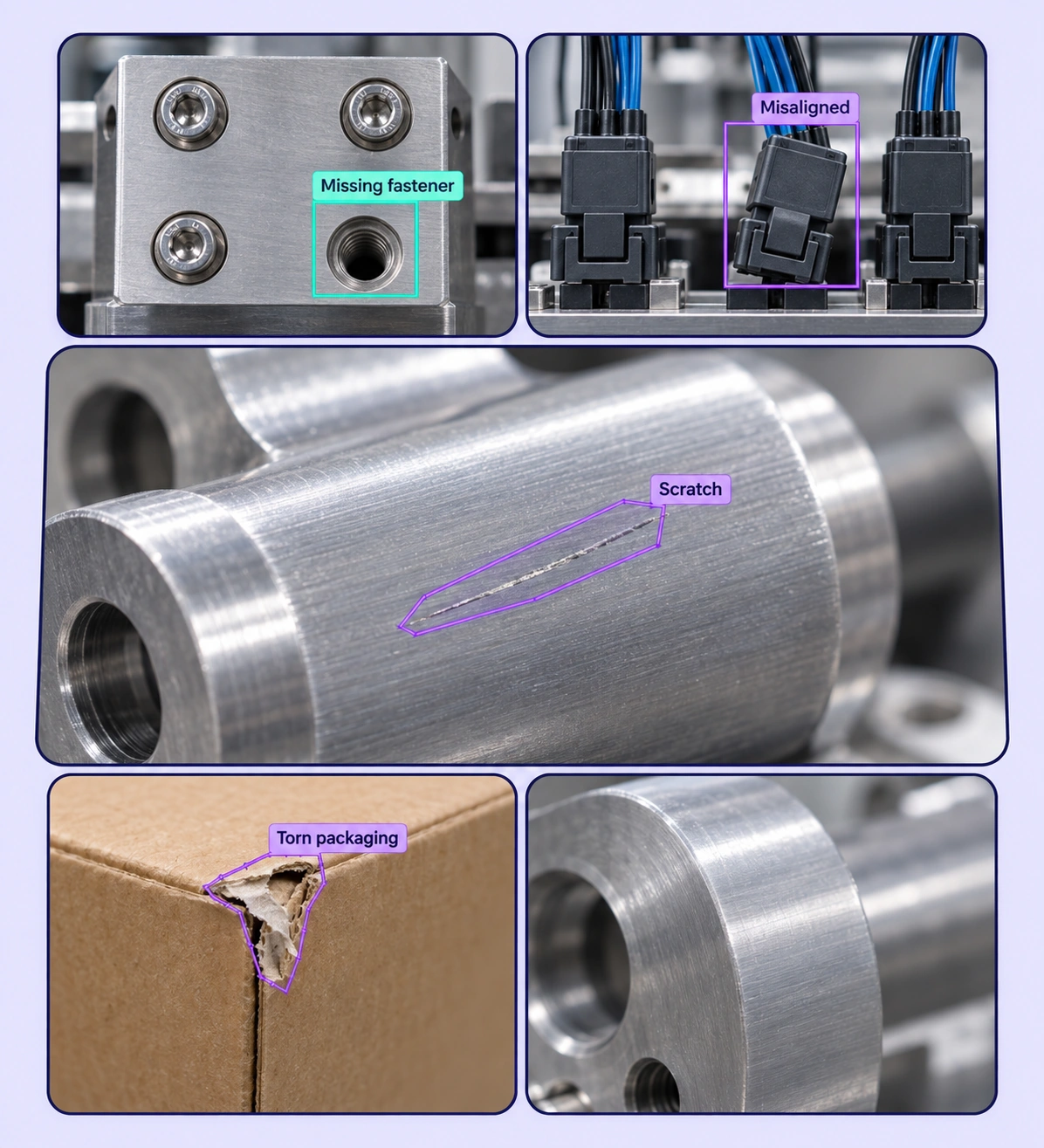
Annotated visual quality inspection examples arranged in a five-panel collage.

Data Annotation for Visual Quality Inspection

Prepare labeled examples for the industrial visual inspection tasks your models need to learn. Each use case keeps the source data, annotation rules, and reviewed labels connected.
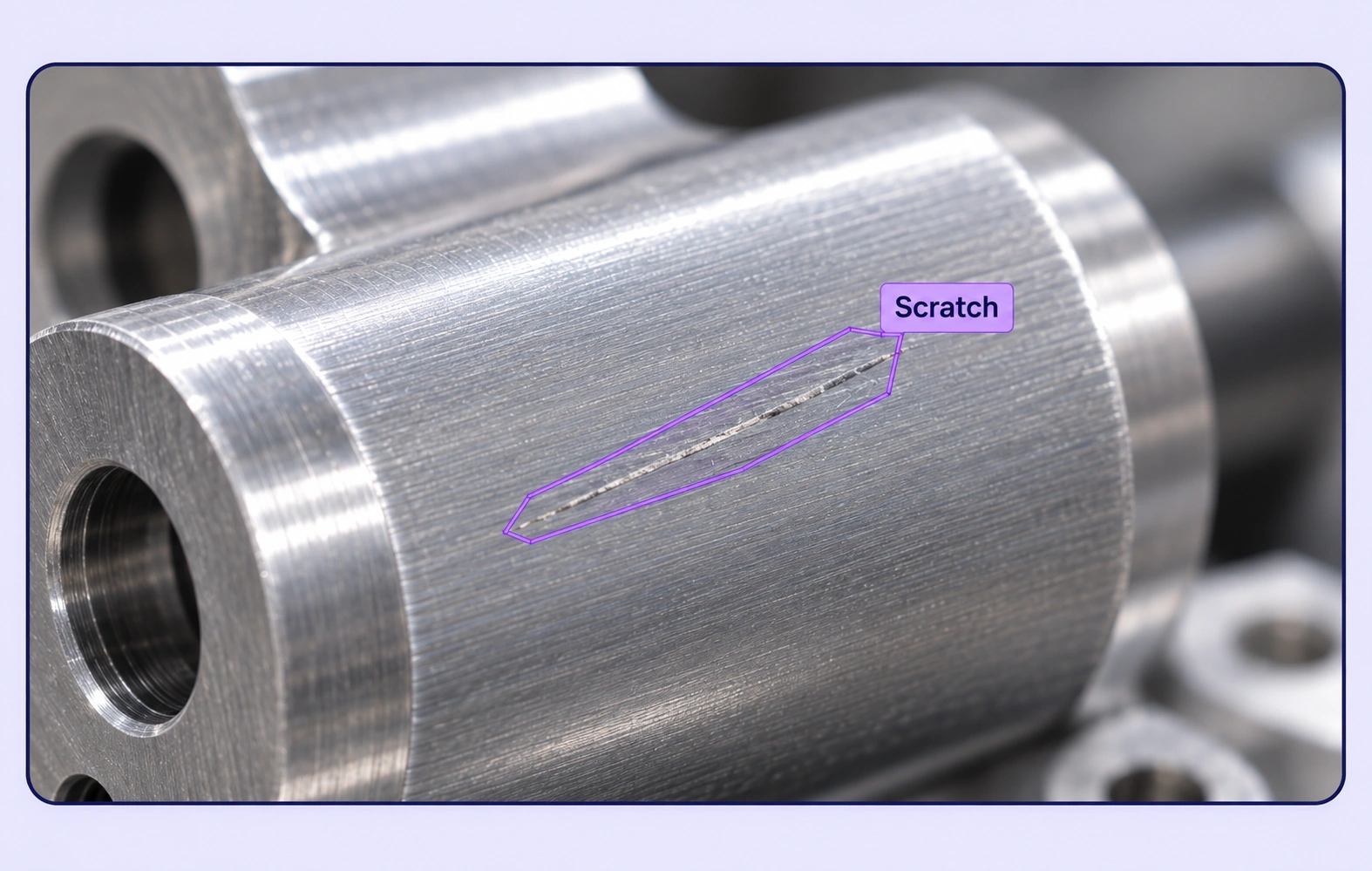
Surface Defect Segmentation annotation example showing the source data and task-specific labels.

Surface Defect Segmentation

Outline scratches, cracks, dents, and other visible surface damage. Preserve fine boundaries so inspection models can learn where each defect appears.
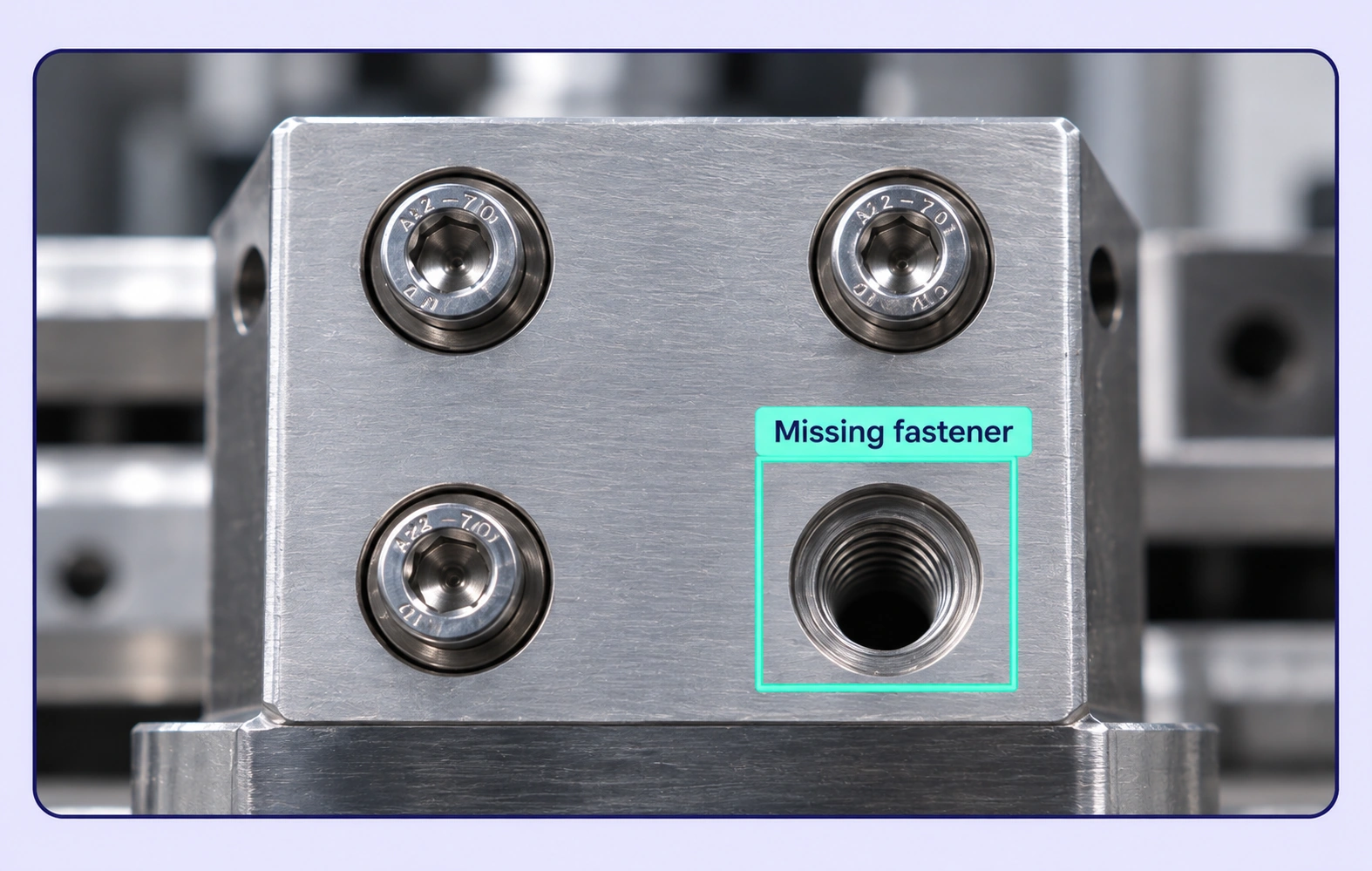
Missing Component Detection annotation example showing the source data and task-specific labels.

Missing Component Detection

Label missing fasteners, connectors, and other expected parts using a consistent inspection rule. Include complete assemblies as relevant comparison examples.
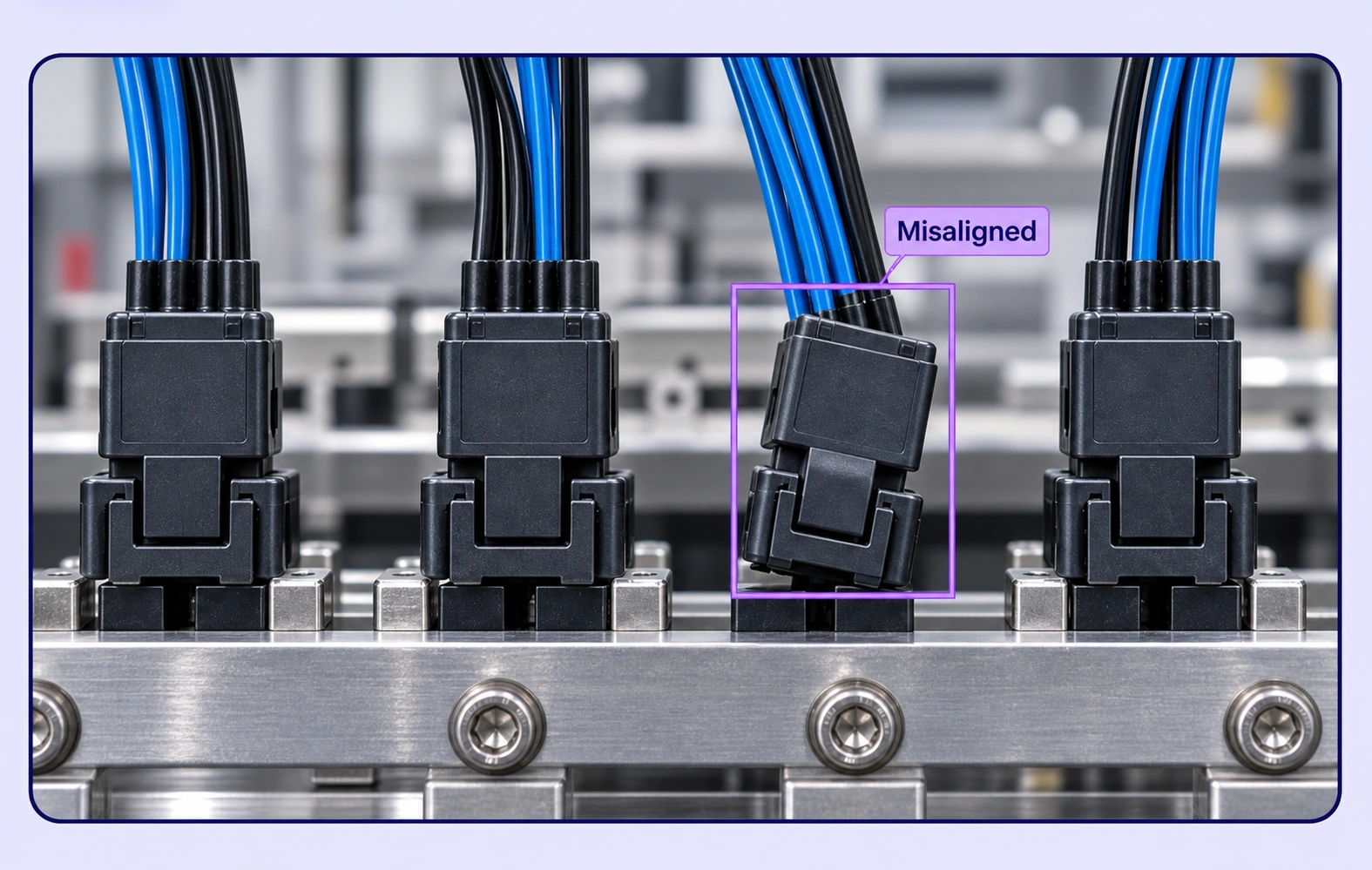
Assembly Condition Classification annotation example showing the source data and task-specific labels.

Assembly Condition Classification

Assign structured labels to misaligned, incomplete, or incorrectly positioned assemblies. Keep the image evidence and reviewer decisions connected.
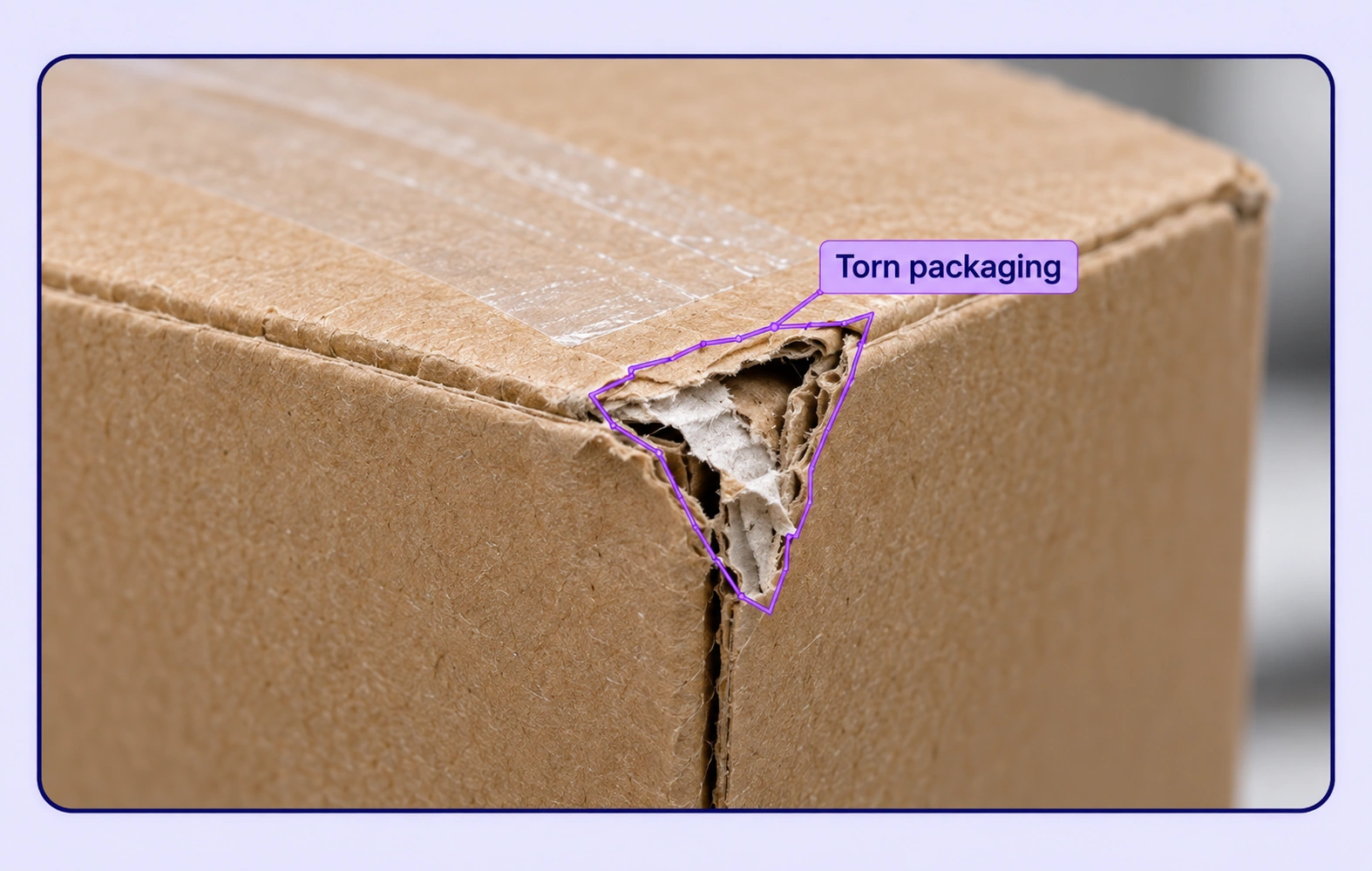
Packaging Defect Inspection annotation example showing the source data and task-specific labels.

Packaging Defect Inspection

Annotate damaged seals, torn packaging, and visible container defects. Separate defect categories so teams can train and evaluate each inspection target.

Why AI Teams Choose Unitlab

Bring image data preparation, consistent labels, and expert review into one workflow for industrial visual inspection datasets.
15X
Faster Image Annotation
60%
Free Up AI Engineers’ Time
5X
Lower AI Development Costs

Annotation Methods for Visual Quality Inspection

Choose the label structure that matches the intended model output. Keep geometry, timing, or properties grounded in the original image data.
Missing Component Detection annotation example showing the source data and task-specific labels.

Defect Boxes

Localize visible defects or missing-component regions with precise bounding boxes. Use shared classes and attributes to distinguish the inspection findings.

Surface Defect Masks

Trace irregular damage with polygons or masks. Review the boundary against the original material texture, including faint or partially visible defects.

Surface Defect Segmentation annotation example showing the source data and task-specific labels.

Visual Quality Inspection FAQs

What is visual inspection data annotation?

It is the labeling of production images to show a model which objects, regions, or conditions matter. Unitlab supports defect localization, surface segmentation, and image-level condition labels for training and evaluation datasets.

Can I prepare both defective and defect-free examples?

Yes. Define image properties for the inspection outcome, then add geometry where a visible defect is present. A clear rule for defect-free examples helps reviewers apply the same standard.

Which manufacturing defects can be labeled?

Teams can define classes for visible scratches, cracks, dents, missing components, assembly issues, and packaging damage. The labeling scheme should reflect the actual inspection objective and what can be observed in the images.

Should I use bounding boxes or segmentation?

Use boxes when the task needs a defect location. Use polygons or masks when the model needs the precise damaged area. The intended model output and the defect shape determine the right label type.

How is this different from process-video annotation?

This page focuses on defects and conditions in individual inspection images. Process-video datasets label how components, machine states, or assembly steps change across frames.

How can teams keep industrial visual inspection labels consistent?

Define shared classes, structured properties, and clear labeling instructions before work starts. Use representative examples and contextual review to resolve disagreements in the industrial visual inspection dataset.

Can uncertain examples be reviewed and corrected?

Yes. Route image annotation through Review and Rework stages. Reviewers can inspect the source data, correct labels, and send an item back when more work is needed.

Can inspection images be reviewed with other data?

Yes. Group related inspection images, process video, supported sensor recordings, or notes into a shared item when the task needs that context. Review each file in its compatible viewer and use shared definitions for the inspection finding.

How do reviewed annotations reach the model pipeline?

Export reviewed image annotations in a supported format appropriate to the label types. Dataset versions help teams identify which prepared examples belong to the training or evaluation release.

Need help preparing industrial visual inspection training data?Talk to Unitlab