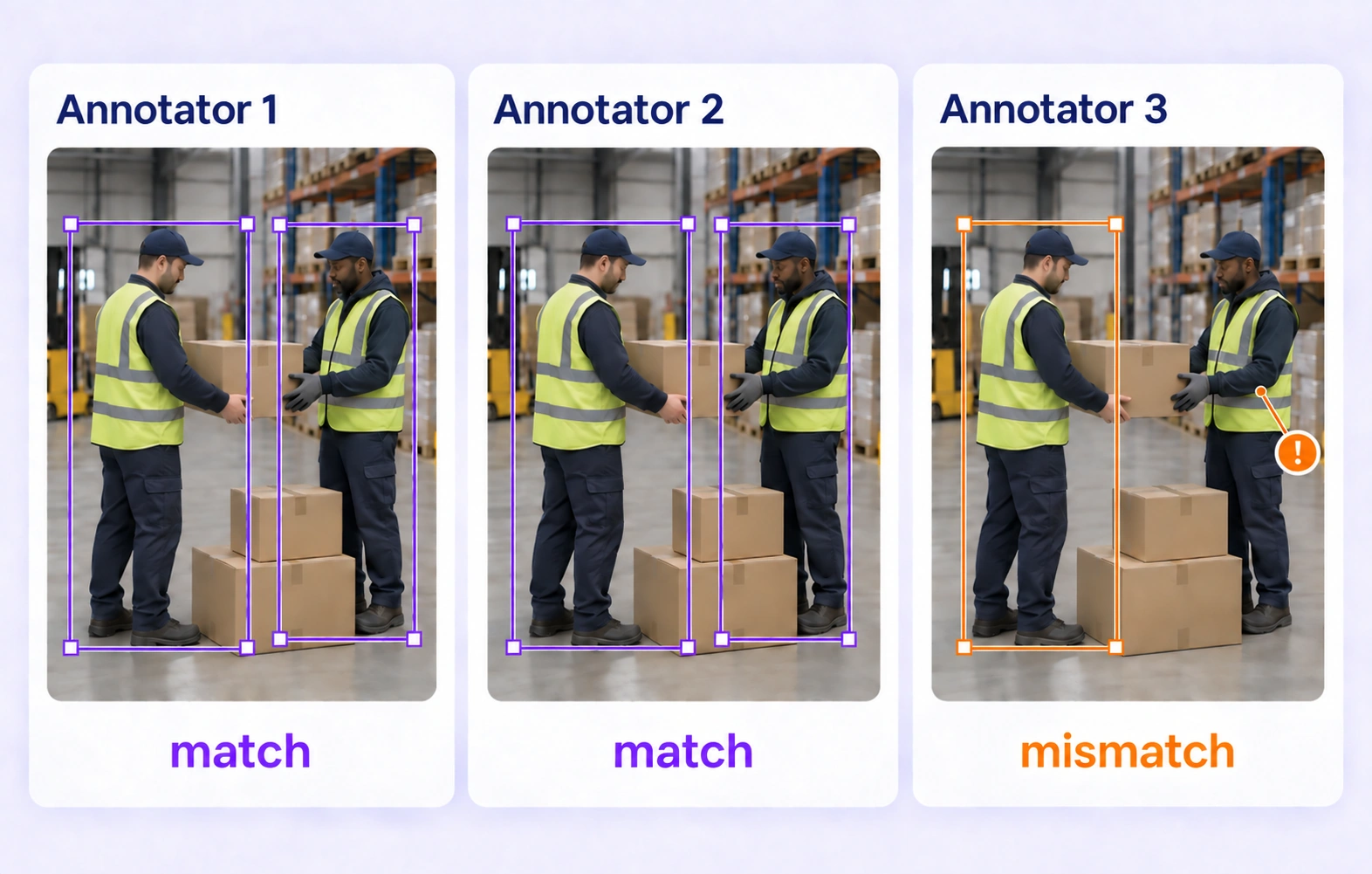

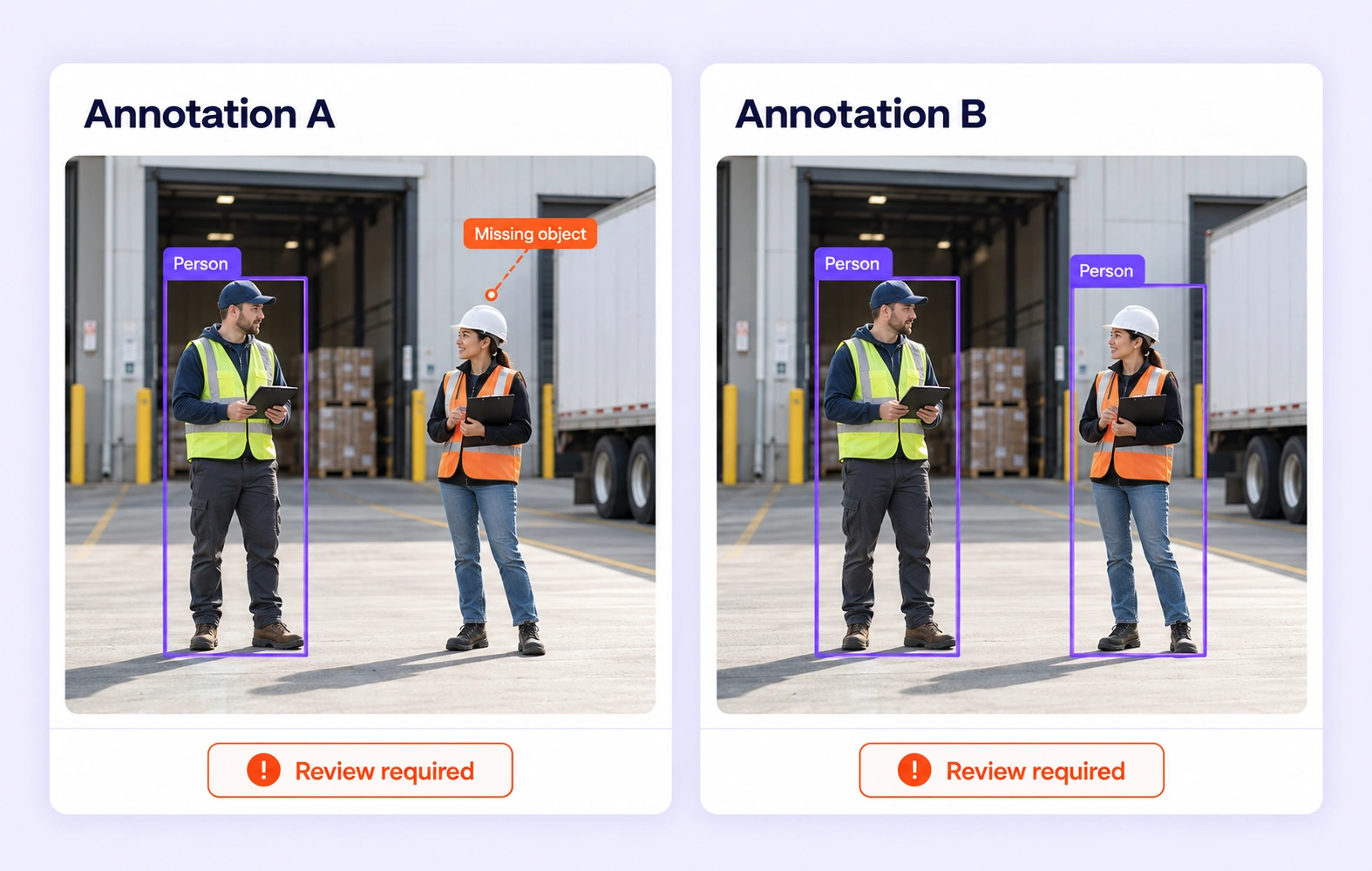
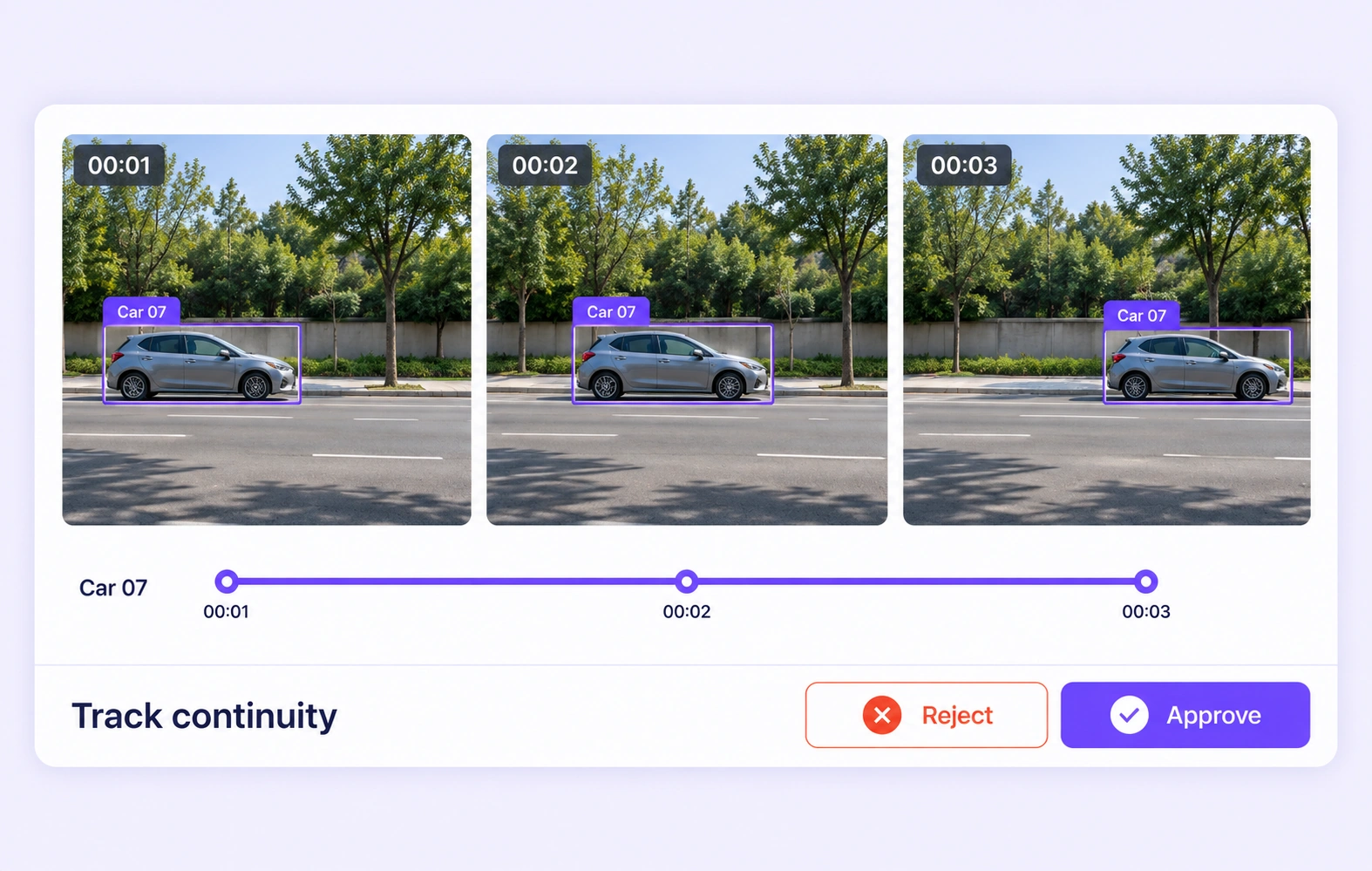
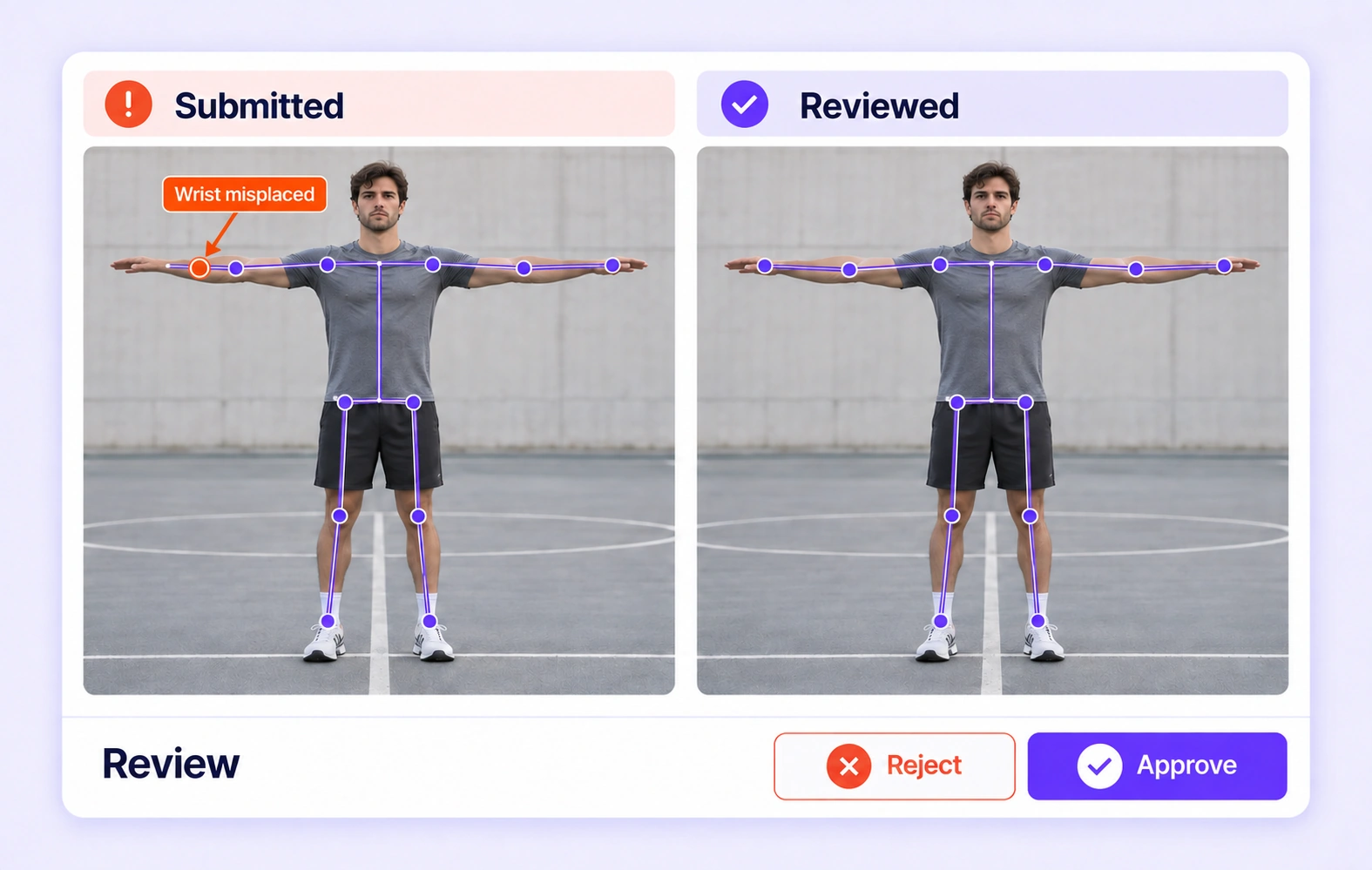
Compare independent annotations of the same image or video item. Surface missing objects, class differences, and inconsistent geometry while preserving the visual context for review.
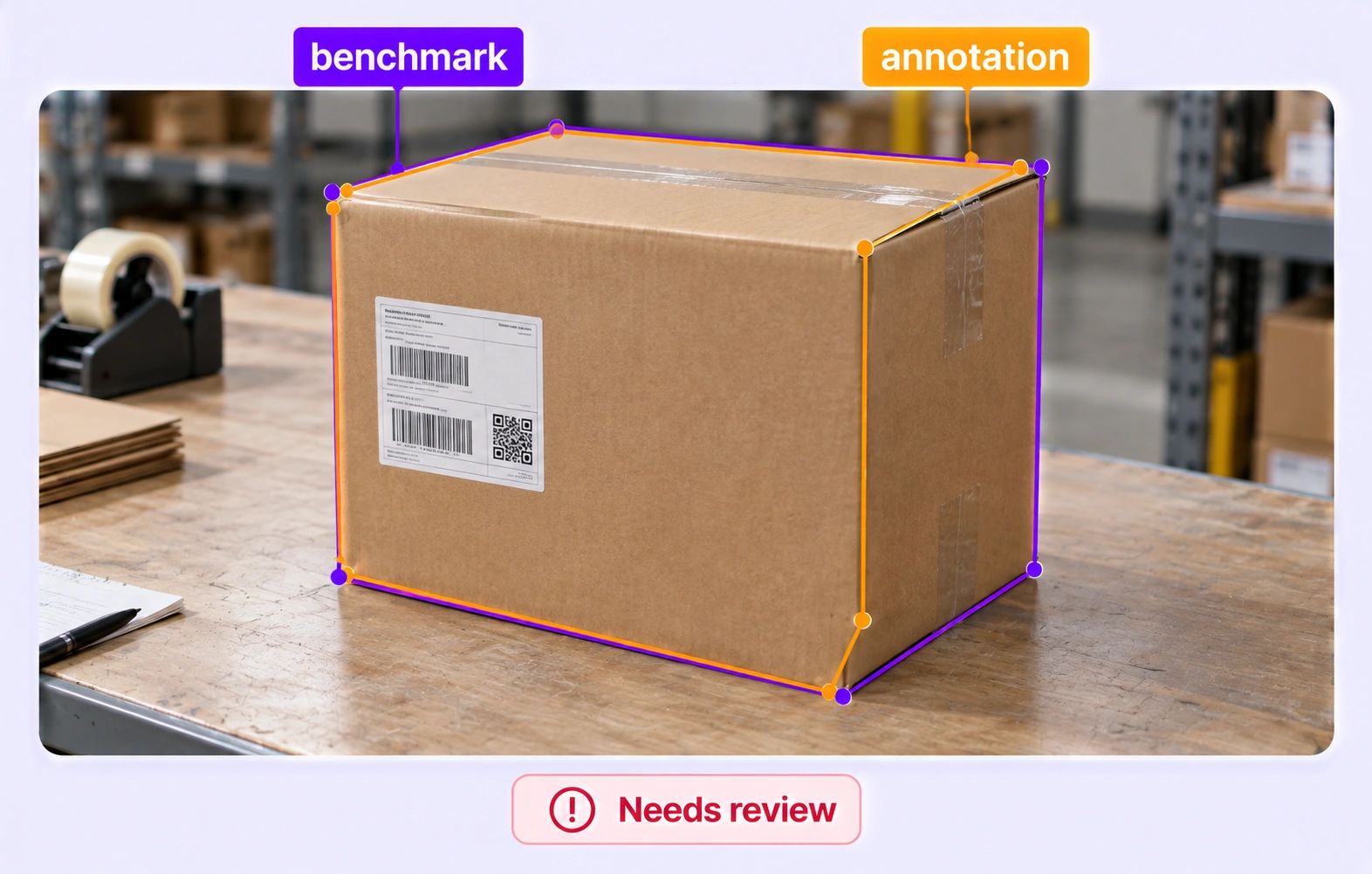
Check eligible visual annotations against an approved reference hidden from annotators. Route failed comparisons and unavailable evaluations through the configured quality workflow.
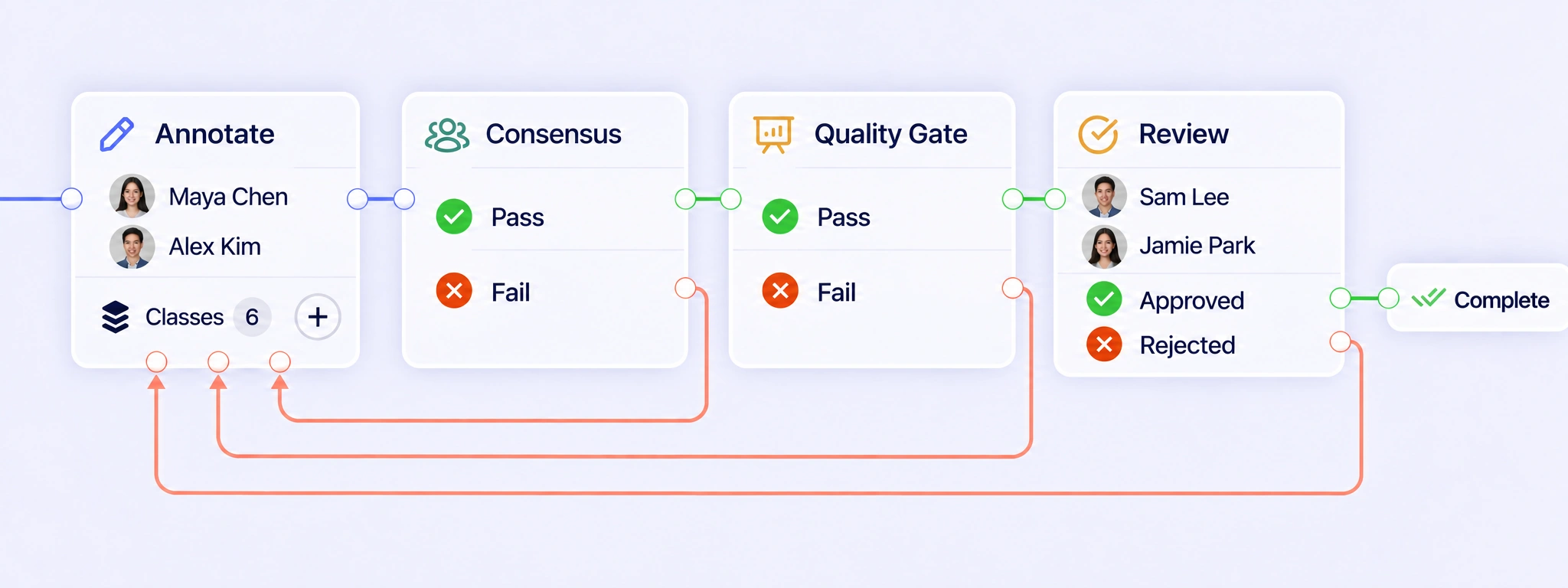
Connect annotation, consensus, Quality Gate, and visual review. Return failed checks and rejected image or video labels for correction before completing the item.
Built-in auto-labeling tools and automated workflows reduce manual annotation work.
Automate curation, dataset management, and versioning so engineers can focus on models.
Curated data, reusable ontologies, and quality control reduce annotation rework.
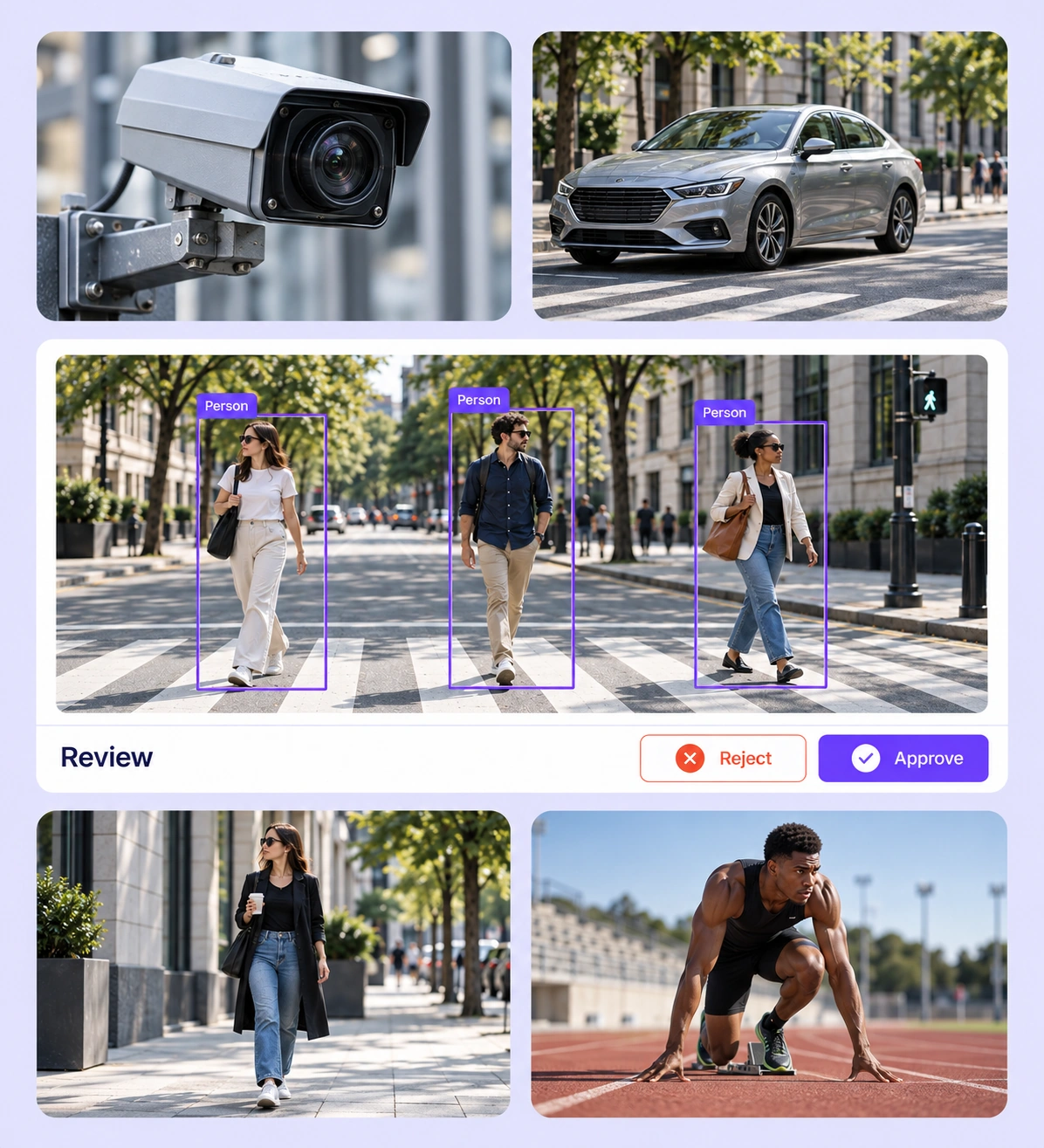
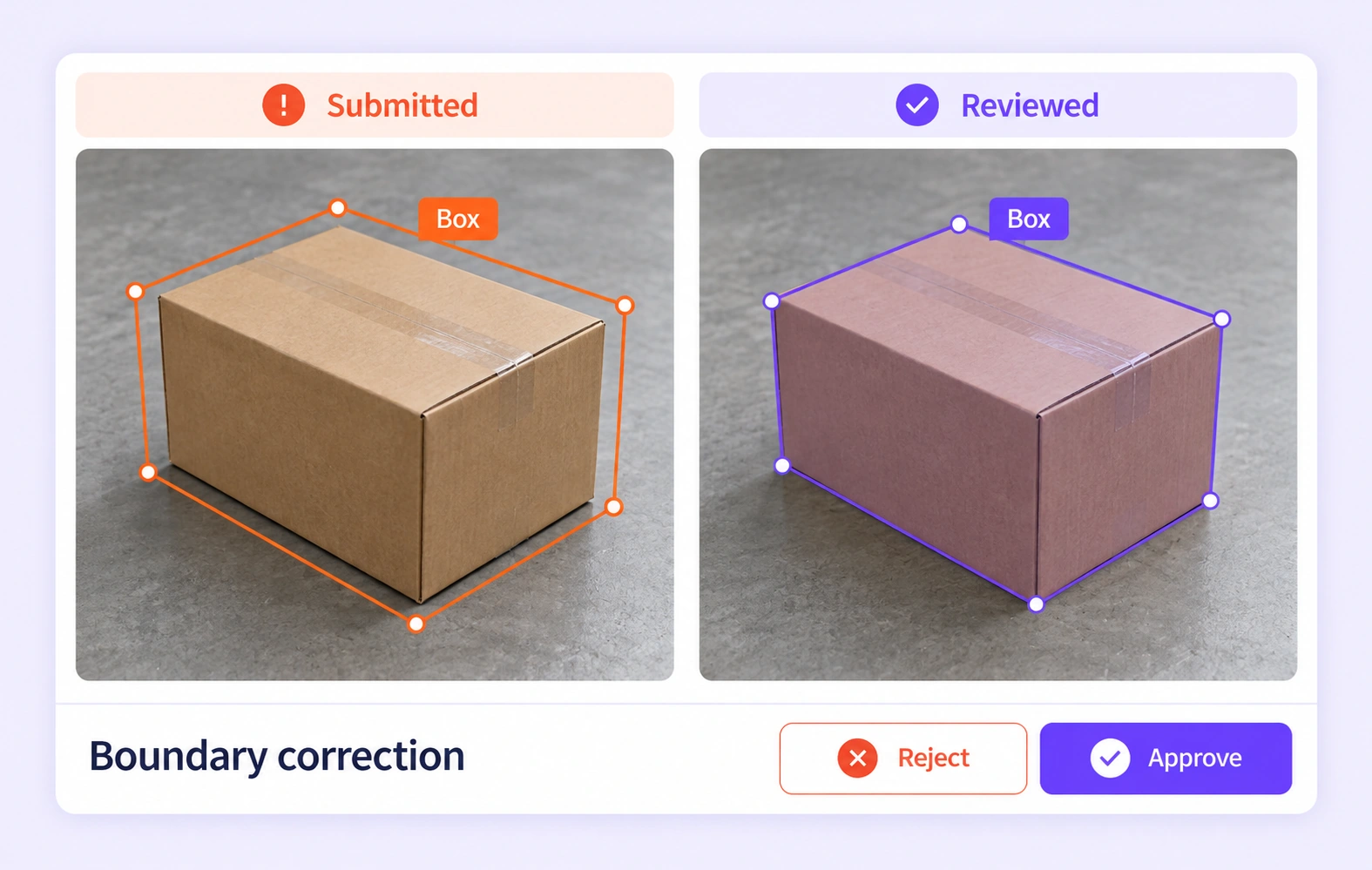
Open the source image or video, inspect the annotation, and correct the affected geometry or properties. Approve complete work or send an item back with a clear review decision.
Consensus gathers independent submissions for the same item. Reviewers can inspect differences and refine the representative result when object boundaries or class choices need judgment.
It is the review of image and video labels for completeness, class consistency, spatial accuracy, and temporal consistency. Unitlab keeps the source media, annotations, review decisions, and correction workflow together. QA overview
Configure annotation, Consensus, Quality Gate, review, and completion for the visual task. Failed comparisons and rejected review decisions can return an item to annotation through a rework path. Review the corrected image or video labels in context before they continue through the required checks. QA workflows
Consensus compares independent annotations of the same image or video item using the configured settings. Differences can expose missing objects, class disagreements, or inconsistent geometry across supported frames. Agreement shows consistency between submissions; reviewers resolve shared mistakes and ambiguous visual evidence using the project guidelines. Consensus guide
Quality Gate compares eligible image or video submissions with an approved, frozen answer key for that same item. The reference stays hidden from annotators. Unlike Consensus, this tests against an expert-approved example. Configure Pass, Fail, and Not evaluated routes so unavailable comparisons receive appropriate review. Quality Gate guide
Image QA checks object completeness, class choices, and geometry within a still frame. Video adds temporal checks: whether an object keeps its identity, visibility, and appropriate shape across the sequence. Unitlab keeps reviewers in the original media context while they apply the task’s annotation rules. Review stages
Inspect the object before, during, and after the occlusion, following the project’s identity and visibility rules. Check for identity switches, misplaced geometry, and labels extending beyond the intended visible period. Reviewers can correct the affected annotations or return the item for another annotation attempt. Review stages
Check that each point follows the same landmark definition and that skeleton connections use the intended structure. For video, inspect the pose across relevant frames rather than judging one frame alone. Apply explicit rules for hidden or uncertain landmarks so annotators do not make incompatible assumptions. Review stages
Use a shared ontology for common classes and supported properties, with separate guidance for temporal behavior where video requires it. Provide examples for borderline classes, visibility, and object extent. Reviewers can then apply consistent meanings while respecting the different evidence available in still images and sequences. Ontology documentation
Specify required objects, geometry conventions, class definitions, and any frame-level review rules before annotation begins. Configure comparison thresholds and review routes around those requirements, then create a reviewed release for downstream use. Annotation acceptance concerns the labels; model performance still needs its own evaluation. Review stages


We use cookies to improve your experience. See our Privacy Policy and Cookie Policy.