
Built-in auto-labeling tools and automated workflows reduce manual annotation work.
Automate curation, dataset management, and versioning so engineers can focus on models.
Curated data, reusable ontologies, and quality control reduce annotation rework.
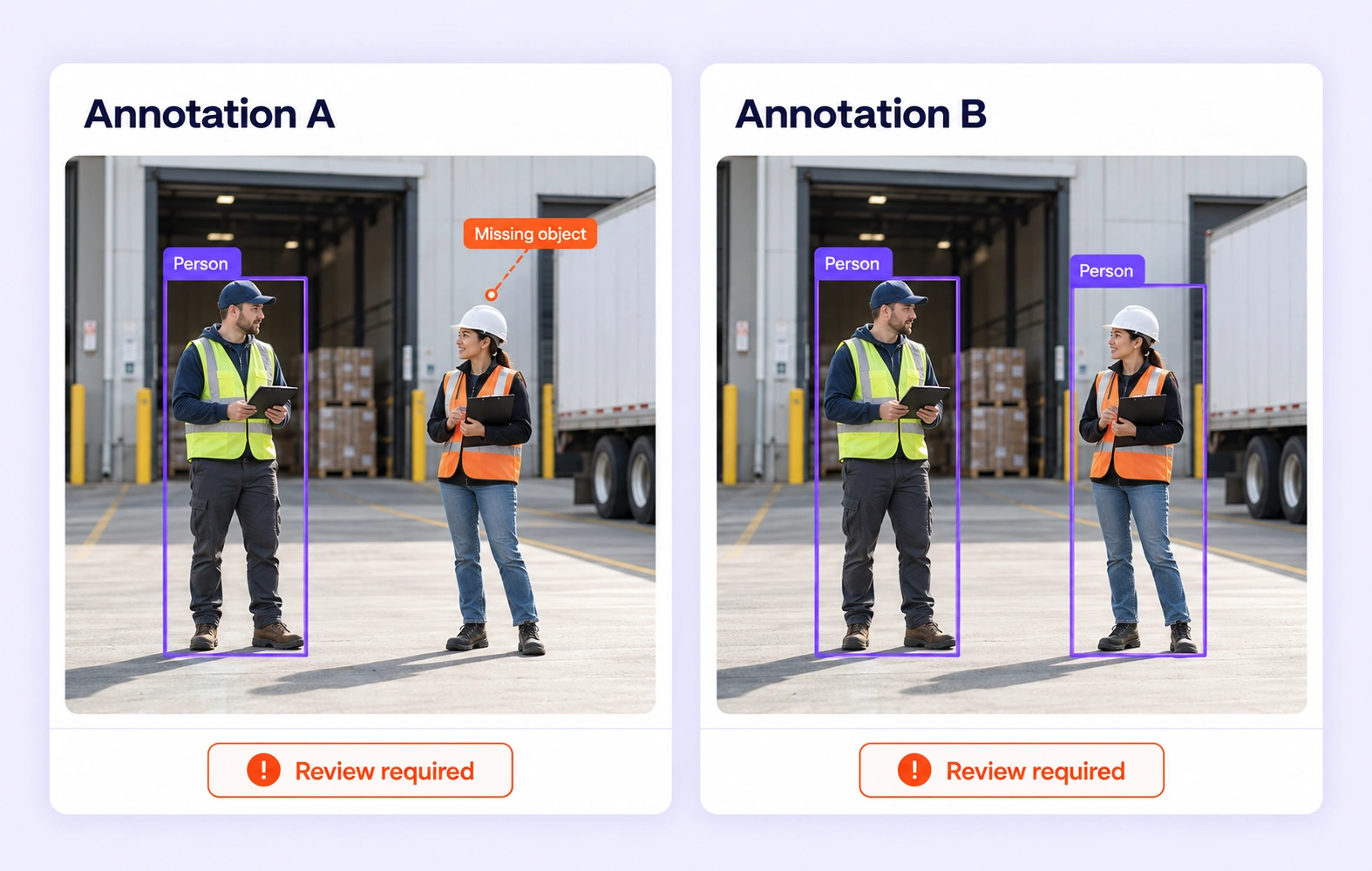
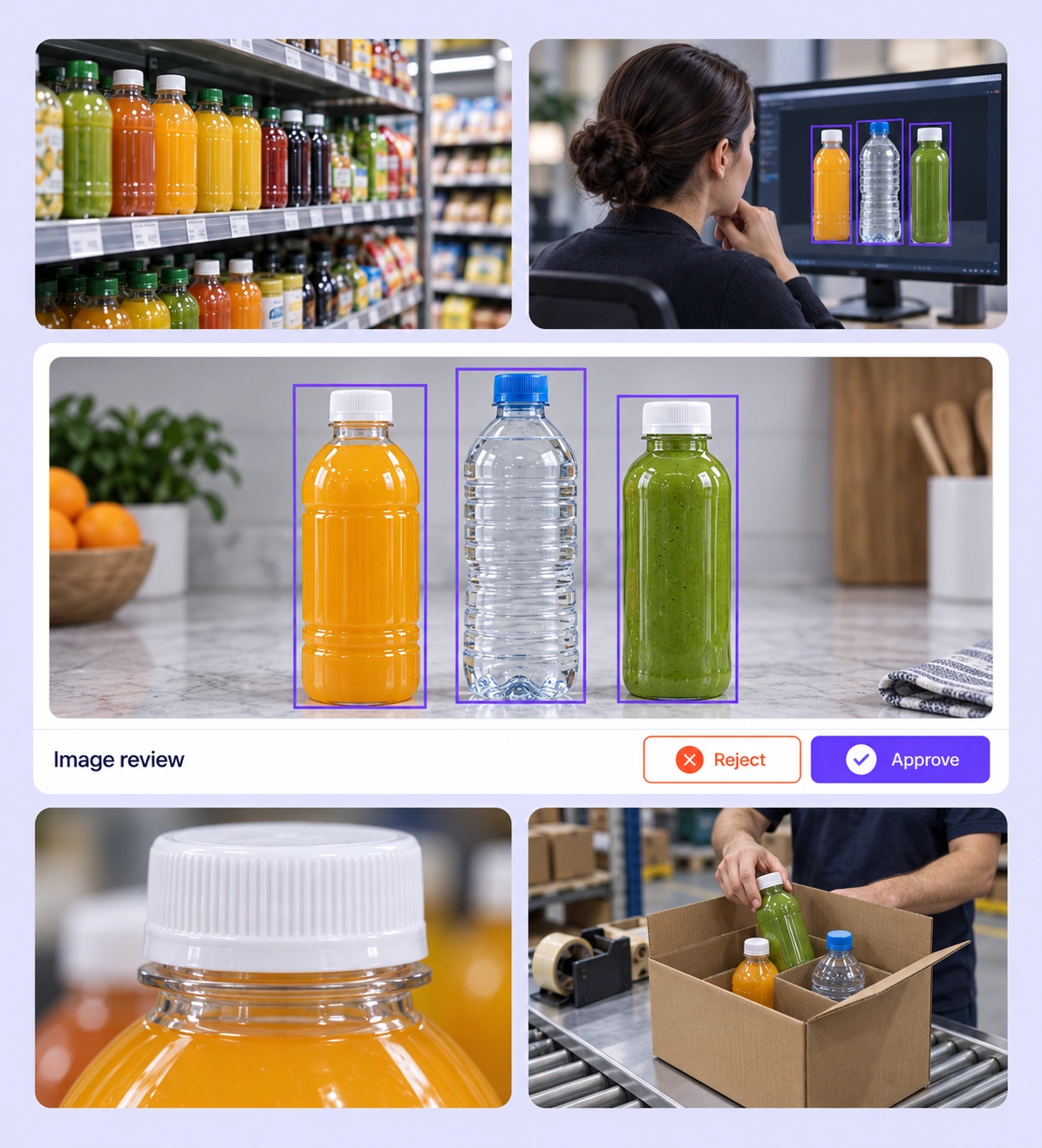
Review every in-scope instance in warehouse, retail, or road imagery. Add omitted objects without labeling reflections, printed pictures, or out-of-scope background items.
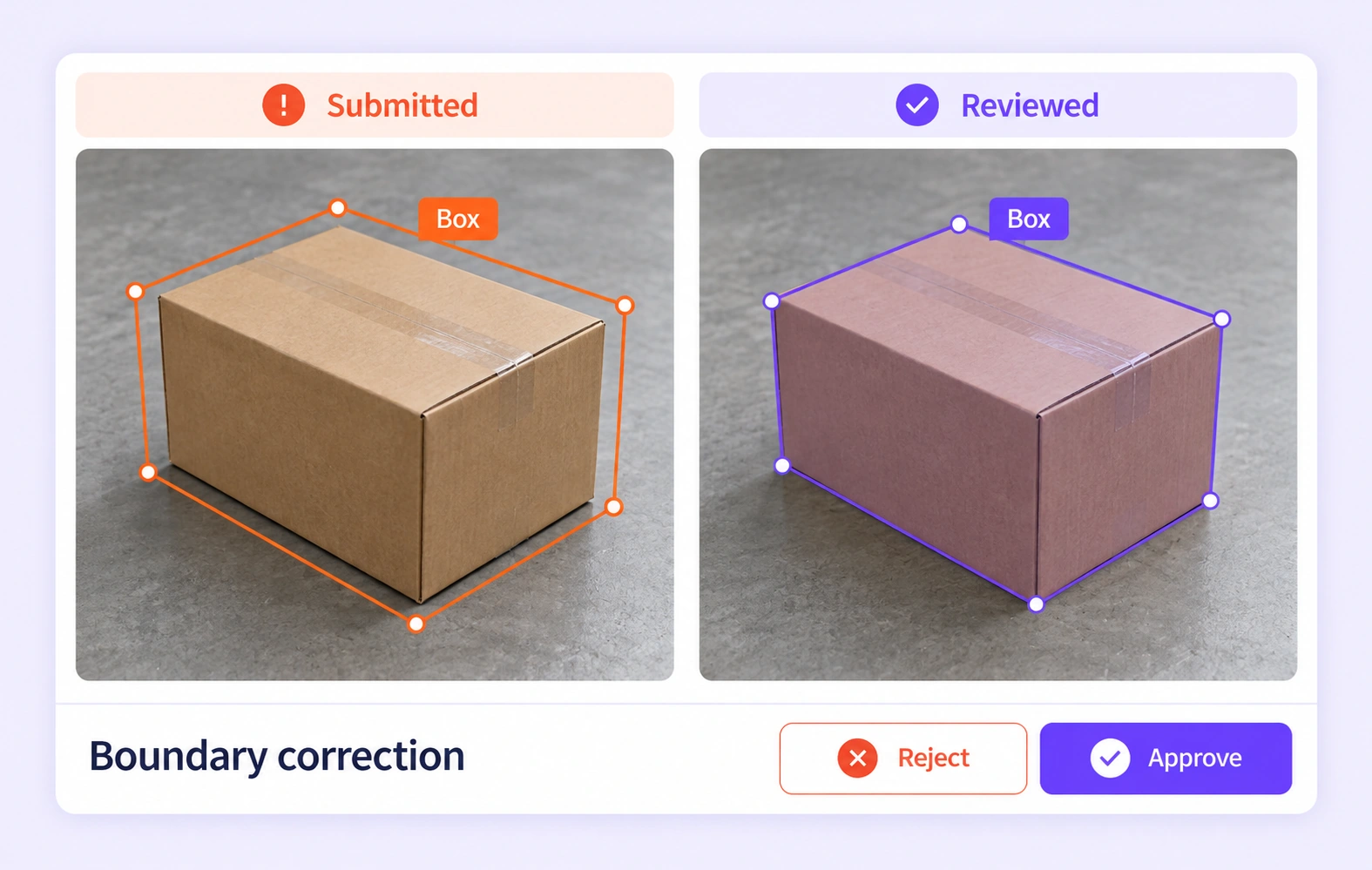
Check object edges at the required viewing scale. Correct loose boxes, clipped object parts, and polygons that include the surrounding surface.
It is the review of still-image labels for completeness, class consistency, and geometric accuracy. Unitlab connects the source image, independent submissions, benchmark comparisons, and reviewer decisions. QA overview
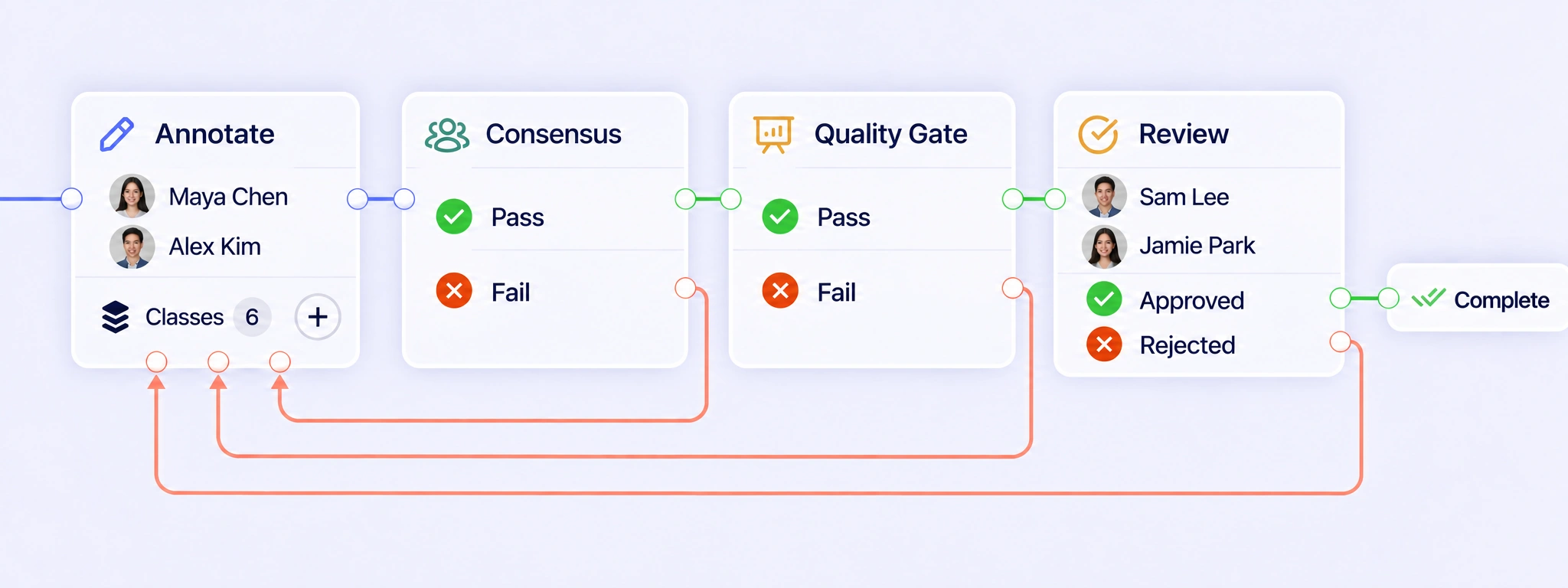
Configure annotation, Consensus, Quality Gate, expert review, and completion around your image task. Failed checks or rejected labels can follow a rework path back to annotation. Review the corrected objects against the source image before they proceed through the required checks again. QA workflows
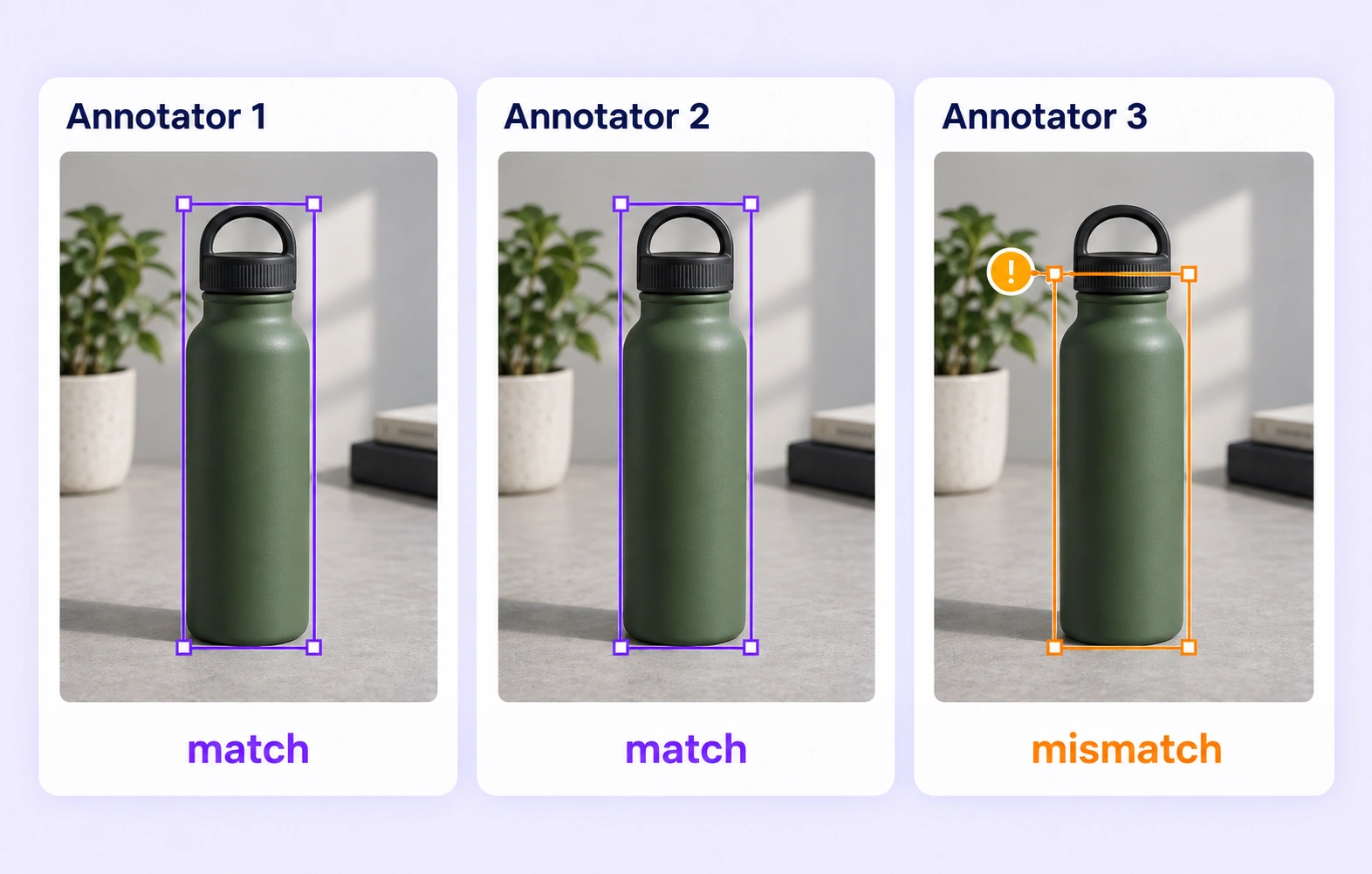
Consensus compares independent submissions of the same image under the configured settings. It helps reviewers inspect missing objects, different classes, and inconsistent geometry. Agreement measures consistency between submissions; an expert still needs to resolve ambiguous boundaries or mistakes shared by several annotators. Consensus guide
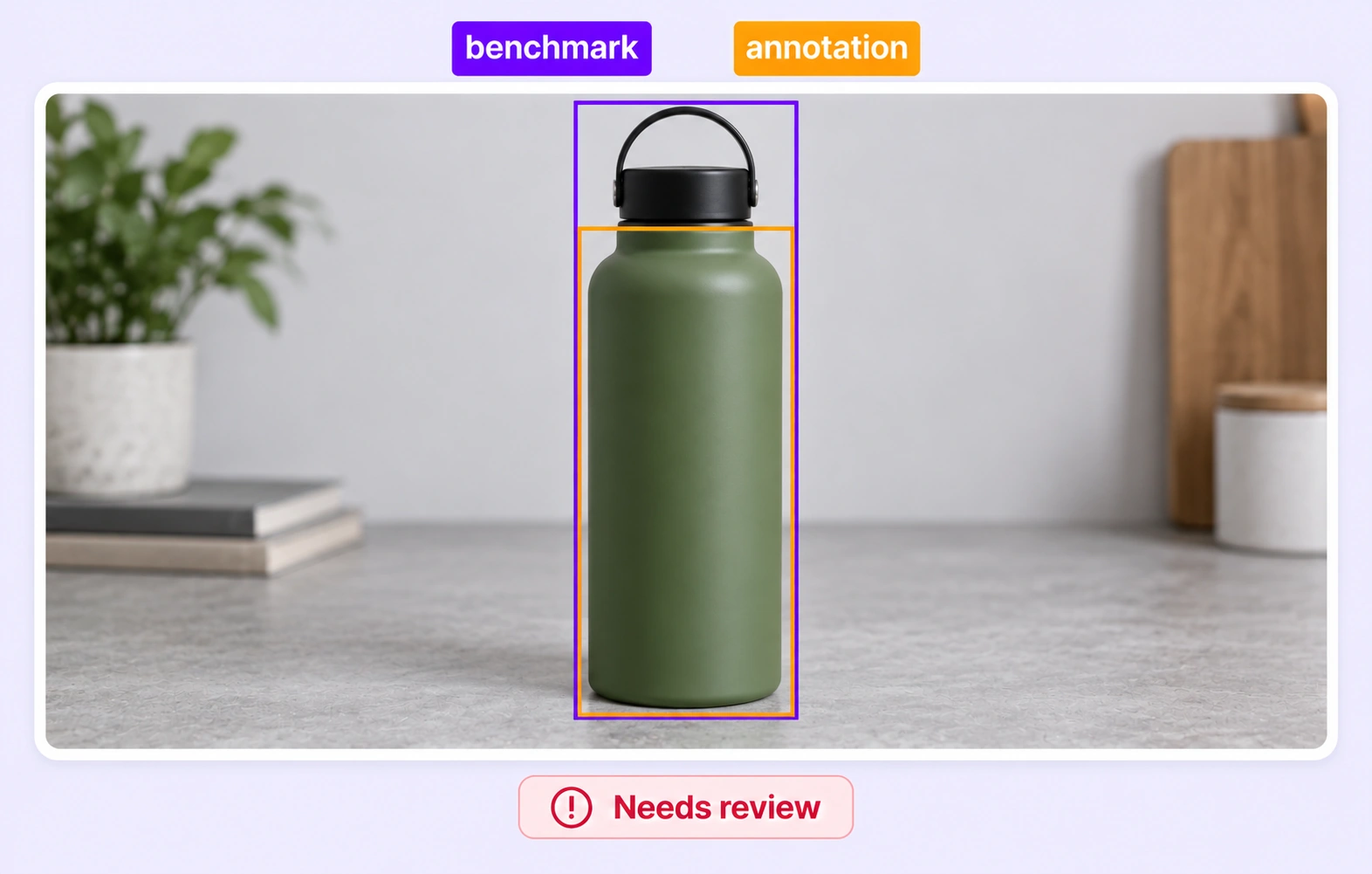
Quality Gate compares eligible submissions with an approved, frozen reference for the same image. The answer key stays hidden from annotators, making it an expert-reference check rather than a vote between submissions. Configure separate paths for Pass, Fail, and Not evaluated when a comparison is unavailable. Quality Gate guide
Reviewers can inspect bounding boxes, polygons, segmentation masks, points, skeletons, and supported annotation properties. Check both the shape and its meaning: a tightly drawn box can still have the wrong class, while a correct class can have an incomplete boundary. Review stages
Review the entire image against the inclusion rules, then compare the visible objects with the annotated instances. Pay particular attention to small, crowded, or partially hidden objects. Independent submissions and approved references can expose omissions, while the reviewer decides which instances belong in the final labels. Review stages
Define whether each class uses visible boundaries, estimated full extent, or another explicit convention. Reviewers can inspect the source pixels and apply that rule consistently to occluded and truncated objects. Ambiguous examples should be resolved in the guidelines before similar images are labeled at scale. Review stages
Use the project ontology to define classes and supported properties, then document examples that distinguish similar categories. Review class choices together with object attributes and geometry. When a recurring disagreement exposes an unclear definition, clarify the rule and correct affected labels through the review workflow. Ontology documentation
Create a reviewed dataset release and choose an export supported by the image task and annotation geometry. Check that the class definitions, required properties, and inclusion rules match the downstream experiment. This gives model teams a deliberate label set for training or evaluation. Export documentation


We use cookies to improve your experience. See our Privacy Policy and Cookie Policy.