Camera Image Training Data for Autonomous Perception

Prepare reviewed 2D labels for road users, drivable areas, and visible obstacles. Keep class definitions and scene conditions consistent across the camera images your perception models learn from.
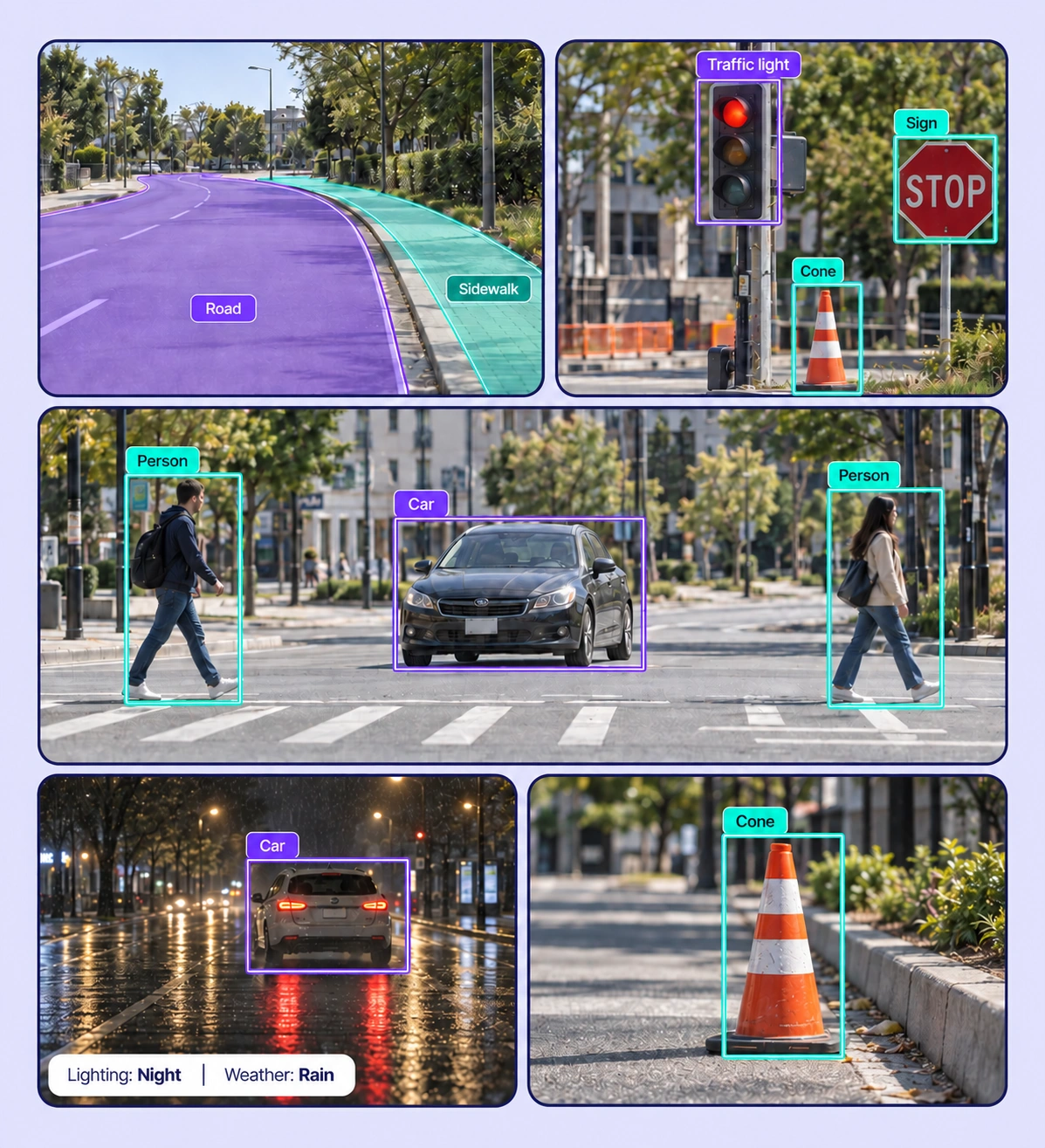
Annotated autonomous perception examples arranged in a five-panel collage.

Data Annotation for Autonomous Perception

Prepare labeled examples for the camera-based perception tasks your models need to learn. Each use case keeps the source data, annotation rules, and reviewed labels connected.
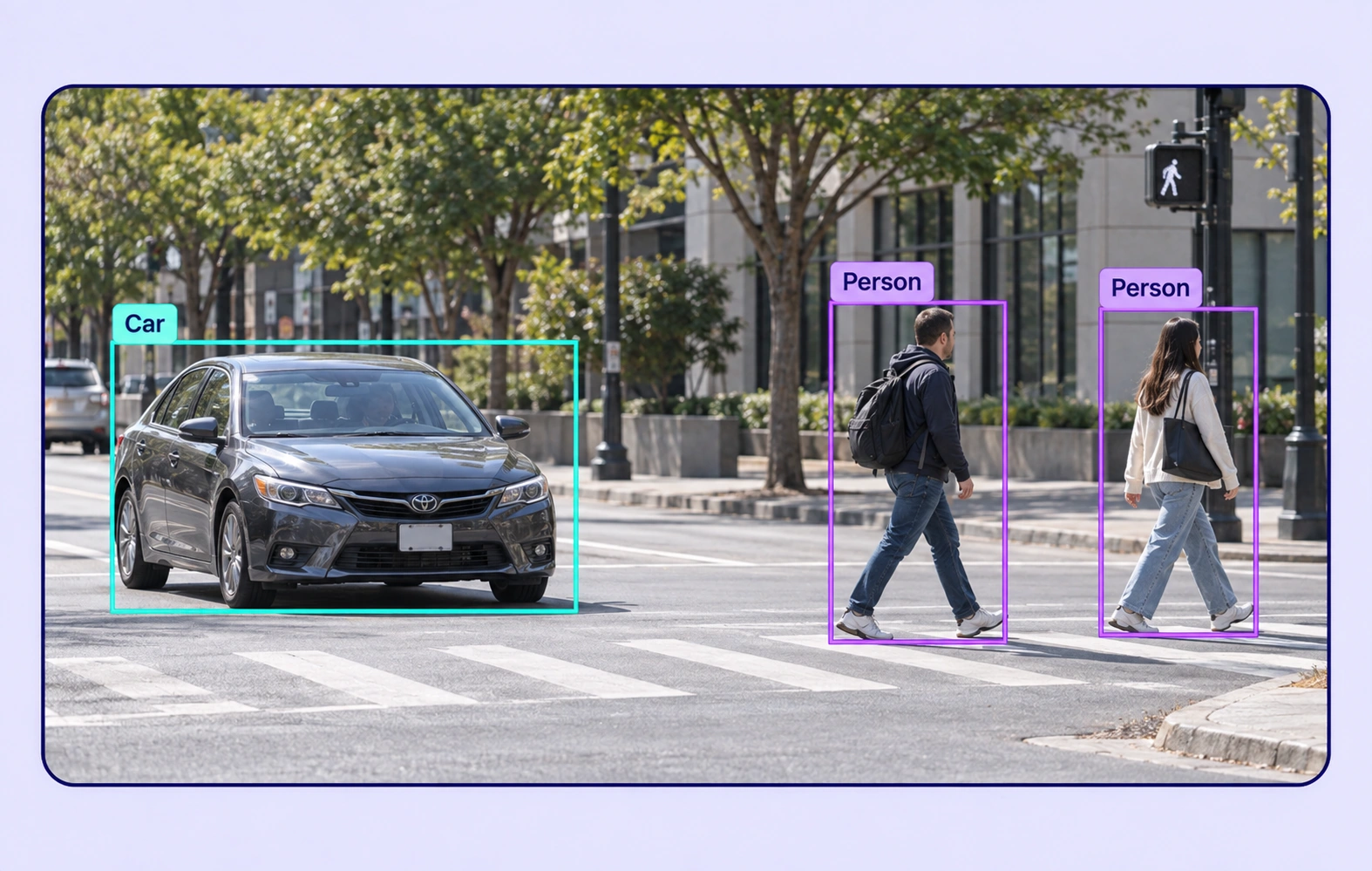
Road-User Detection annotation example showing the source data and task-specific labels.

Road-User Detection

Localize vehicles, pedestrians, cyclists, and other defined road users in camera images. Capture visible boundaries and relevant object properties.
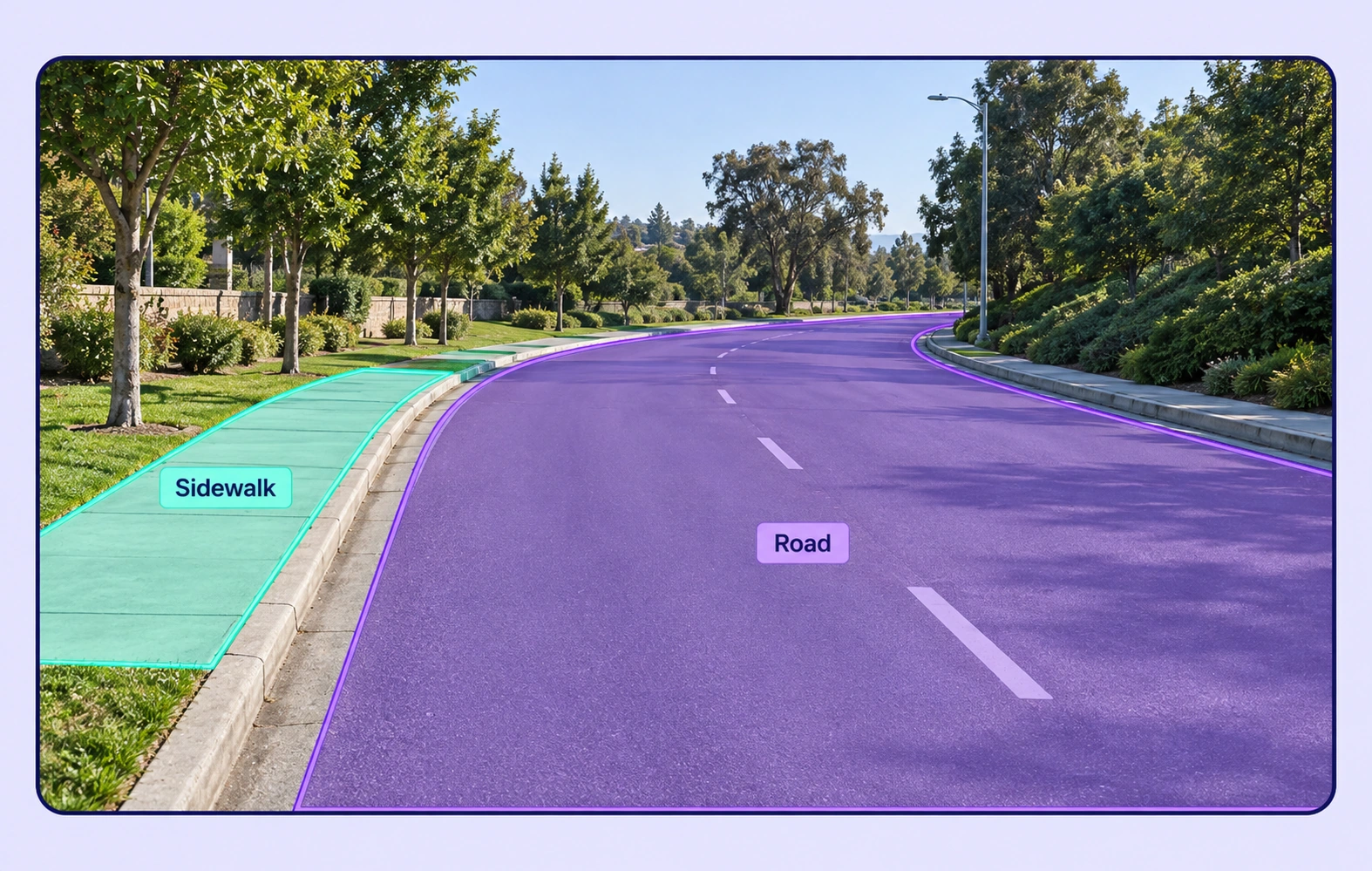
Drivable-Area Segmentation annotation example showing the source data and task-specific labels.

Drivable-Area Segmentation

Label road, sidewalk, and other scene regions with class-specific polygons or masks. Maintain clear rules at intersections, curbs, and partially obscured boundaries.
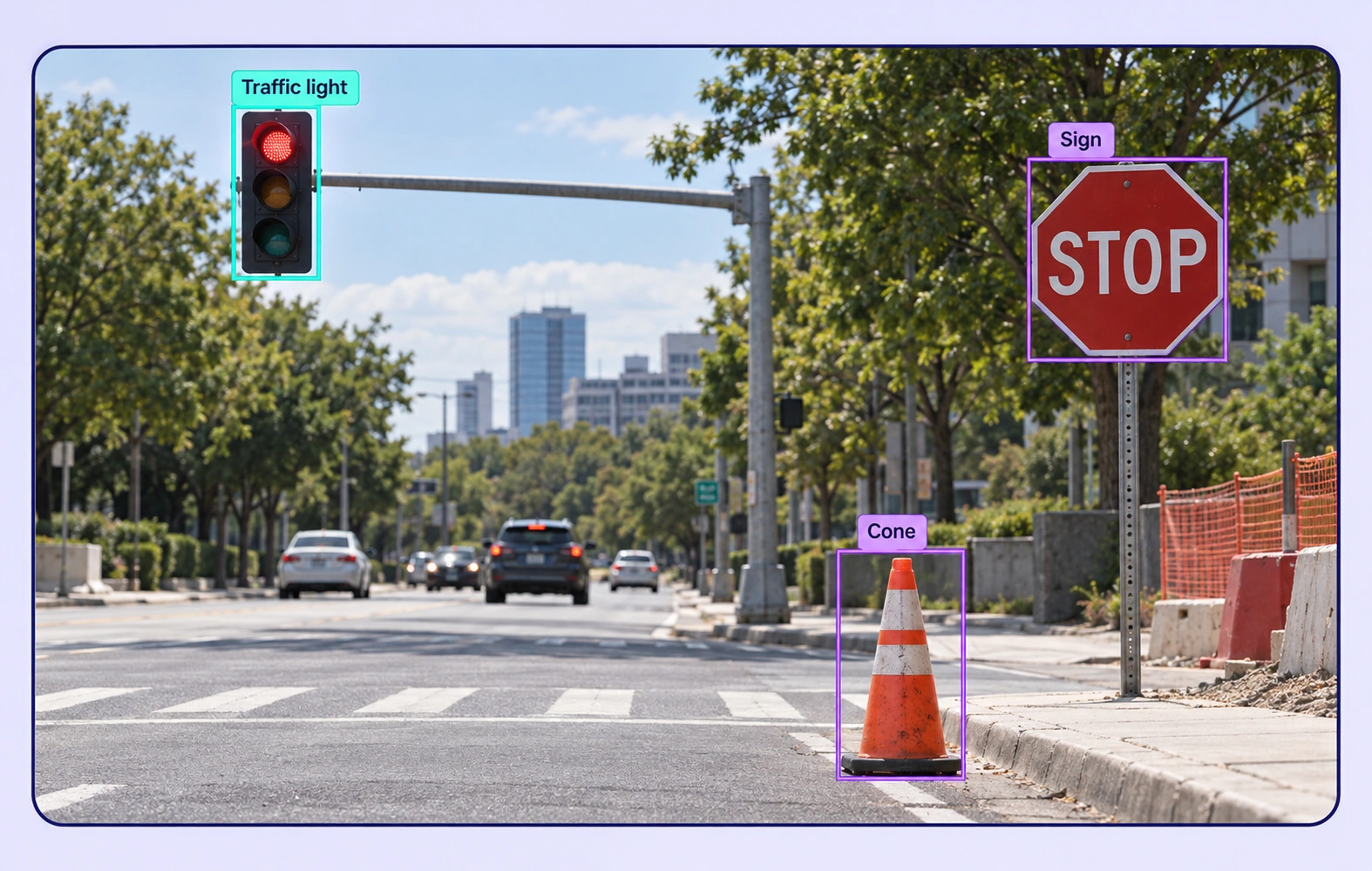
Roadside Object Recognition annotation example showing the source data and task-specific labels.

Roadside Object Recognition

Annotate signs, traffic lights, construction cones, and other relevant roadside objects. Include small and partially visible instances under a shared labeling policy.
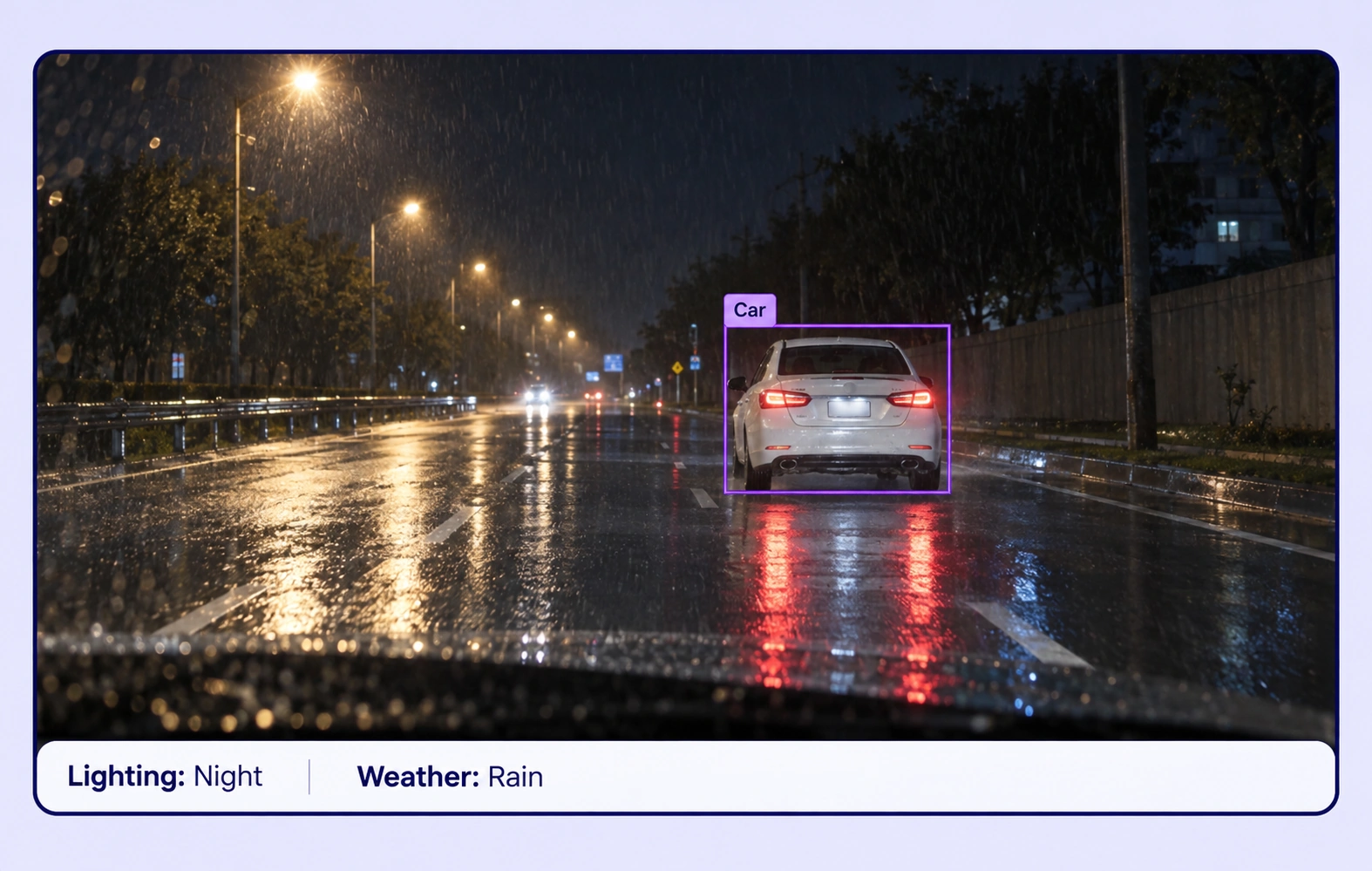
Challenging Scene Classification annotation example showing the source data and task-specific labels.

Challenging Scene Classification

Describe lighting, weather, road context, and visibility with structured image properties. Curate examples that help evaluate perception across meaningful operating conditions.

Why AI Teams Choose Unitlab

Bring image data preparation, consistent labels, and expert review into one workflow for camera-based perception datasets.
15X
Faster Image Annotation
60%
Free Up AI Engineers’ Time
5X
Lower AI Development Costs

Annotation Methods for Autonomous Perception

Choose the label structure that matches the intended model output. Keep geometry, timing, or properties grounded in the original image data.
Road-User Detection annotation example showing the source data and task-specific labels.

Road-User Bounding Boxes

Create tight 2D boxes around visible road users and record agreed occlusion or visibility properties. Use the same object definitions across the dataset.

Road and Scene Segmentation

Use polygons, masks, and supported line geometry to label the visible camera scene. Review complex boundaries against the original image.

Drivable-Area Segmentation annotation example showing the source data and task-specific labels.

Autonomous Perception FAQs

What is camera perception data annotation?

It is the preparation of 2D labels in camera images for object detection, semantic segmentation, and scene understanding. Unitlab helps teams curate, annotate, and review those training examples.

Which road objects can I label?

Your ontology can include vehicles, pedestrians, cyclists, traffic signs, lights, construction objects, and relevant scene regions. Choose classes that match the intended perception task.

Can I annotate occluded or small objects?

Yes. Annotators can adjust geometry and record structured visibility or occlusion properties. Define whether a boundary follows the visible portion or another agreed convention before work begins.

Does this page cover camera imagery or LiDAR?

This workflow covers 2D camera images and their supported geometry. Use it to prepare image-based perception datasets with explicit classes, boundaries, and scene properties.

How do still-image and traffic-video datasets differ?

Still-image labels describe objects and regions in one frame. Traffic-video annotation adds persistent tracks and changing frame-level properties when the model must understand motion over time.

How can teams keep camera-based perception labels consistent?

Define shared classes, structured properties, and clear labeling instructions before work starts. Use representative examples and contextual review to resolve disagreements in the camera-based perception dataset.

Can uncertain examples be reviewed and corrected?

Yes. Route image annotation through Review and Rework stages. Reviewers can inspect the source data, correct labels, and send an item back when more work is needed.

Can I curate the image data before annotation?

Yes. Use dataset search, metadata, tags, and available filters to select relevant image assets. Keep representative conditions and difficult examples visible in the preparation workflow.

How do reviewed annotations reach the model pipeline?

Export reviewed image annotations in a supported format appropriate to the label types. Dataset versions help teams identify which prepared examples belong to the training or evaluation release.

Need help preparing camera-based perception training data?Talk to Unitlab